One Web Game, Three Stores: How Netherguard Ships from a Single Codebase
Netherguard, the deduction game you can play on this site, is also available on Google Play and the App Store, and it is packaged as an Apps in Toss mini-app (the mini-app platform inside Toss, a Korean finance app). All four come from one web codebase. This note explains the layout that makes that possible, the release checks that stop a bad store build, and three problems that only showed up once real platforms were involved.
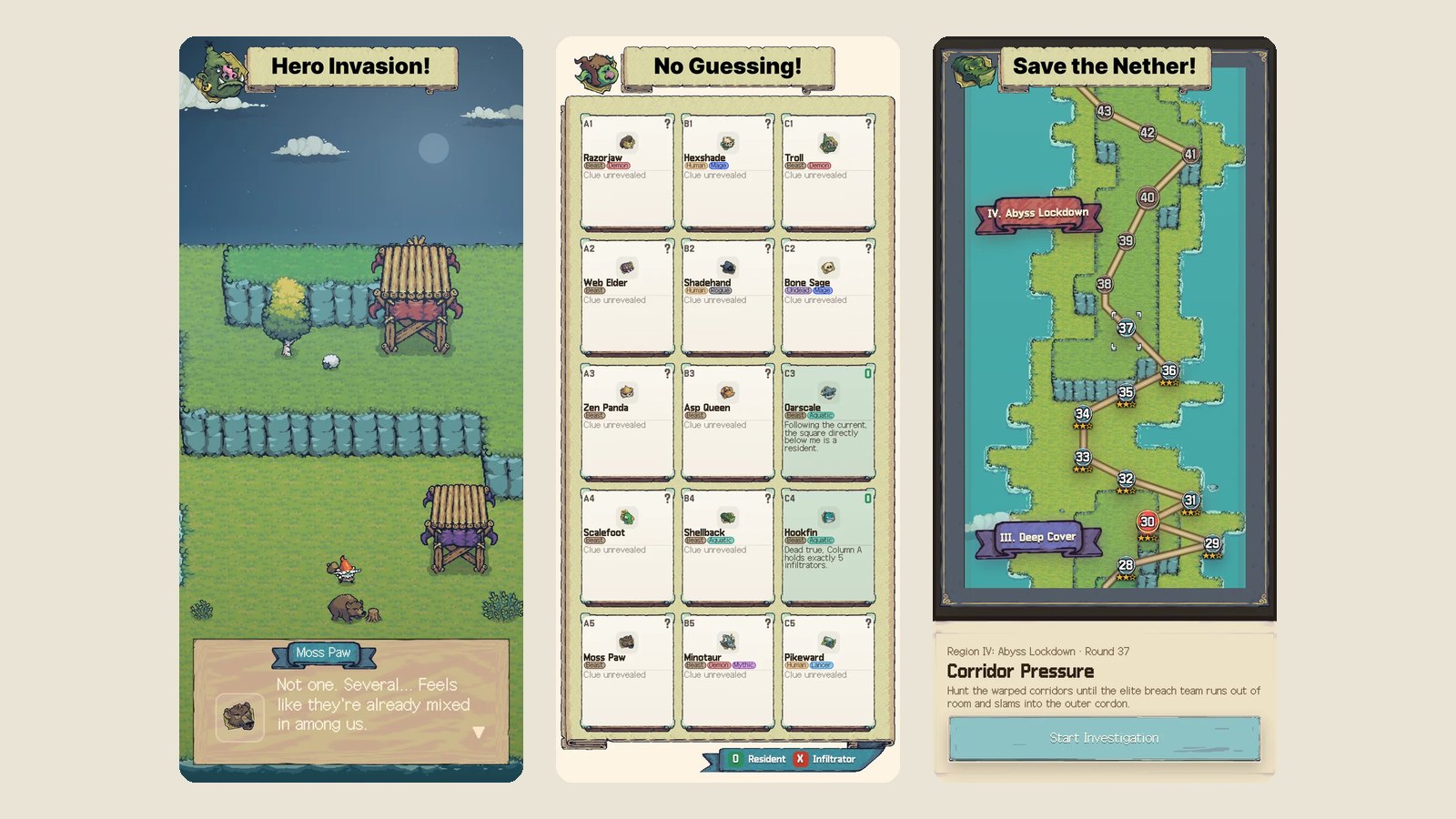
The project history behind this note: 314 commits since February 9, 2026, a deployment README last reset on April 24, 2026, and the release-check source in scripts/lib/release-readiness.mjs.
The layout: one game, several thin shells
The root of the repository is an ordinary browser game. Nothing in it imports a store SDK. A build step produces one web bundle, and each platform wraps that same bundle:
netherguard/
├── index.html, game.js, src/     ← the game (single source of truth)
├── dist/web/                     ← one bundle, shared by every target
└── platforms/
    ├── capacitor-shell/          ← Android + iOS (Capacitor)
    ├── toss-shell/               ← Apps in Toss (.ait bundle)
    └── desktop-shell/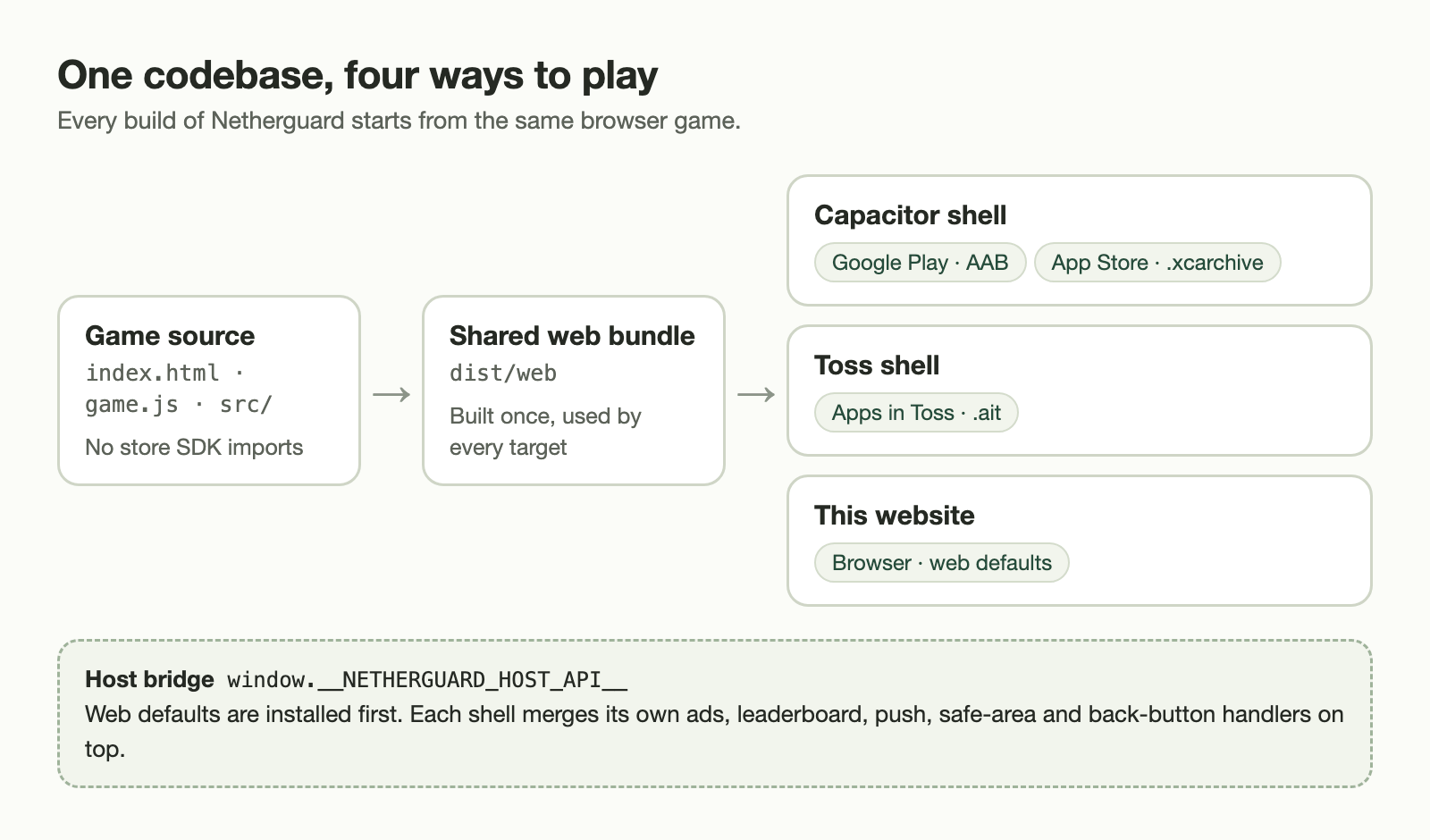
The README states the rule plainly: if the source, the generated bundle and the packaged native assets disagree, the deployment is not considered finished. That sounds bureaucratic, but most “works on my machine” bugs in a multi-platform game come from exactly that drift.
The host bridge
The game talks to the platform through one object, window.__NETHERGUARD_HOST_API__. A default web implementation is always installed first, and each shell merges its own overrides on top of it. The default groups are:
| Group | Web default | Replaced by a shell when… |
|---|---|---|
env | Platform is web; review mode read from the runtime config | The shell knows its market and build channel |
ads, promotions | Return { type: 'failed', reason: 'unsupported' } | AdMob (native) or Toss in-app ads are available |
leaderboard, push | No-ops | The platform offers a game center or notifications |
appState, backButton, safeArea, audioFocus | Empty listeners | A native lifecycle, hardware back button or notch exists |
telemetry | A local telemetry bridge tagged web | Error monitoring is configured for that build |
Because the merge is recursive, a shell can replace ads.showReward without touching the rest of ads. The version on this website simply keeps the defaults, which is why it has no ads, no push prompts and no store login.
Six builds, no aliases
There are exactly six official build commands: three markets times debug and release. Convenience aliases such as “build and deploy” were deliberately not added, so that nobody produces a store artifact by accident.
| Market | Debug output | Release output |
|---|---|---|
| Google Play | APK | AAB for submission |
| App Store | Simulator App.app | .xcarchive |
| Apps in Toss | Debug .ait | Release .ait |
Debug and release differ in more than optimization. A debug build runs on the dev channel with review mode on, reports errors to a development environment, and tags its release as <version>-<market>-debug. A release build uses the prod channel and the plain version tag.
The release check that refuses to build
Before any release artifact is produced, a readiness audit runs for that market. If it finds a single blocker, the build stops.
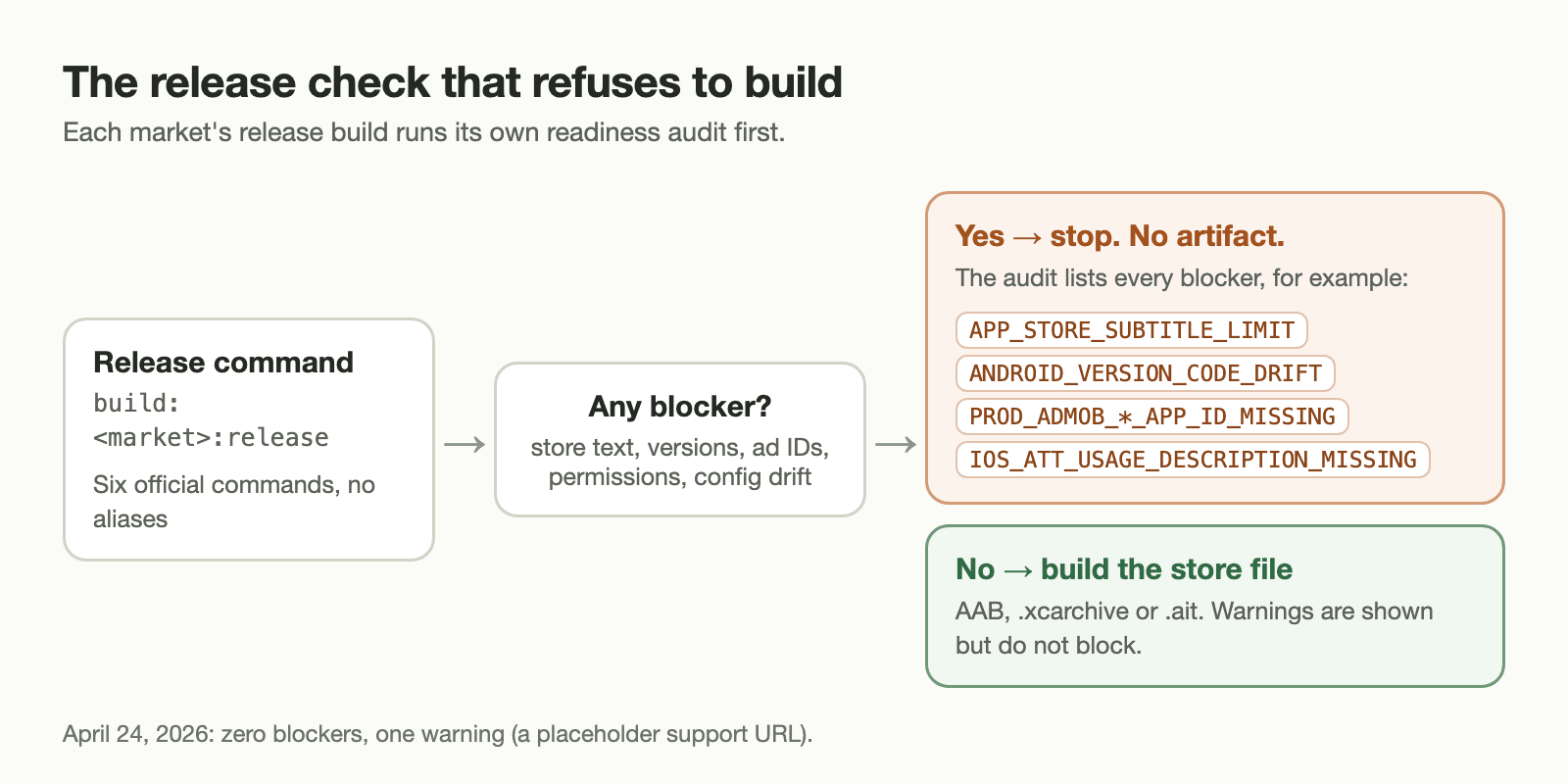
These are some of the blockers it knows about, taken from the source:
| Blocker | What it catches |
|---|---|
APP_STORE_SUBTITLE_LIMIT | App Store subtitle missing or over 30 characters |
APP_STORE_PROMO_LIMIT | Promotional text missing or over 170 characters |
APP_STORE_KEYWORDS_LIMIT | Keywords missing or over 100 characters |
GOOGLE_PLAY_SHORT_DESCRIPTION_LIMIT | Play short description missing or over 80 characters |
ANDROID_VERSION_CODE_DRIFT, IOS_MARKETING_VERSION_DRIFT | Native project versions that no longer match the shared version.json |
PROD_ADMOB_*_APP_ID_MISSING | A production build still carrying a Google test ad ID |
IOS_ATT_USAGE_DESCRIPTION_MISSING | Production ads enabled without the iOS tracking-permission text |
ANDROID_POST_NOTIFICATIONS_MISSING | The push bridge ships but the Android 13+ permission is not declared |
TOSS_CONFIG_IDENTITY_DRIFT | The Toss config no longer takes its name, color and icon from the shared identity file |
TOSS_ADS_MODERN_API_MISSING | The Toss ad bridge does not prefer loadFullScreenAd/showFullScreenAd from In-App Ads 2.0 |
Most of these are one-line mistakes, and each one would otherwise be discovered by a store reviewer days later. On April 24, 2026 the audit reported zero blockers and one warning: the support URL in the shared identity file was still a placeholder. Warnings are shown but do not stop the build.
Three problems that only real platforms revealed
1. “The ad failed” was not one situation
Netherguard lets a player who fails a case watch a rewarded ad to recover one chance. Originally the ad call returned only true or false. On April 9, 2026 it was changed to return a result with a reason, because players need different advice in each case:
- Ad closed before the reward: explain that the ad has to be watched to the end.
- Cooldown active: ask the player to try again shortly.
- No ad available: say that no ad can be shown right now. This is normal and not a bug.
- Unsupported, disabled or blocked on this platform: say that this build does not offer the feature, instead of pretending a retry will help.
- Anything else: a generic loading error.
The web version’s default bridge answers every ad request with unsupported, so reviving by ad is not available in the browser edition on this site.
2. Saved progress and a changed web origin
Browser storage belongs to a web origin. If a mini-app starts running under a different origin, localStorage looks empty and every player appears to have lost their progress. The September 25, 2026 update of the Toss shell handles this before the game starts:
- The shell asks the Toss SDK for the previous origin’s storage (
Migration.getOriginStorage()), with a five-second timeout. - It copies the previous keys into current storage, then writes a one-time flag,
netherguard.originMigration.v1, so the copy never runs twice. - If the migration fails, the game still starts, with empty progress, instead of hanging on a loading screen.
- Campaign progress and tutorial-reward keys are also mirrored into the SDK’s own storage.
A unit test loads the real bridge file in a Node vm sandbox with fake storages. It checks that the migration is requested once even when initialization is called twice, and that a storage read failure is reported rather than swallowed. Another assertion checks that index.html initializes storage before it imports game.js. If the order were reversed, the game would read empty saves before the migration had finished.
3. Rewards that arrive after a restart
A reward for finishing the tutorial could be earned just before the app was backgrounded or closed. The May 3, 2026 fix records such a reward as pending and tries to recover it at the next session start or when the app returns to the foreground. The toast is shown only when the grant actually succeeds.
What this approach costs
- Every platform feature needs a harmless web default, and it needs tests that run without the platform.
- Store metadata lives in the repository and is checked like code, so marketing copy changes go through the same audit.
- Platform SDK updates still arrive separately for each market. The Toss SDK alone was updated on July 1 and August 18, 2026.
The payoff is that a rule change in a case, or a new hint, is written once and reaches every version of the game.