Dorr on iPhone, Android and the Web: One Editor, Three Code Bases
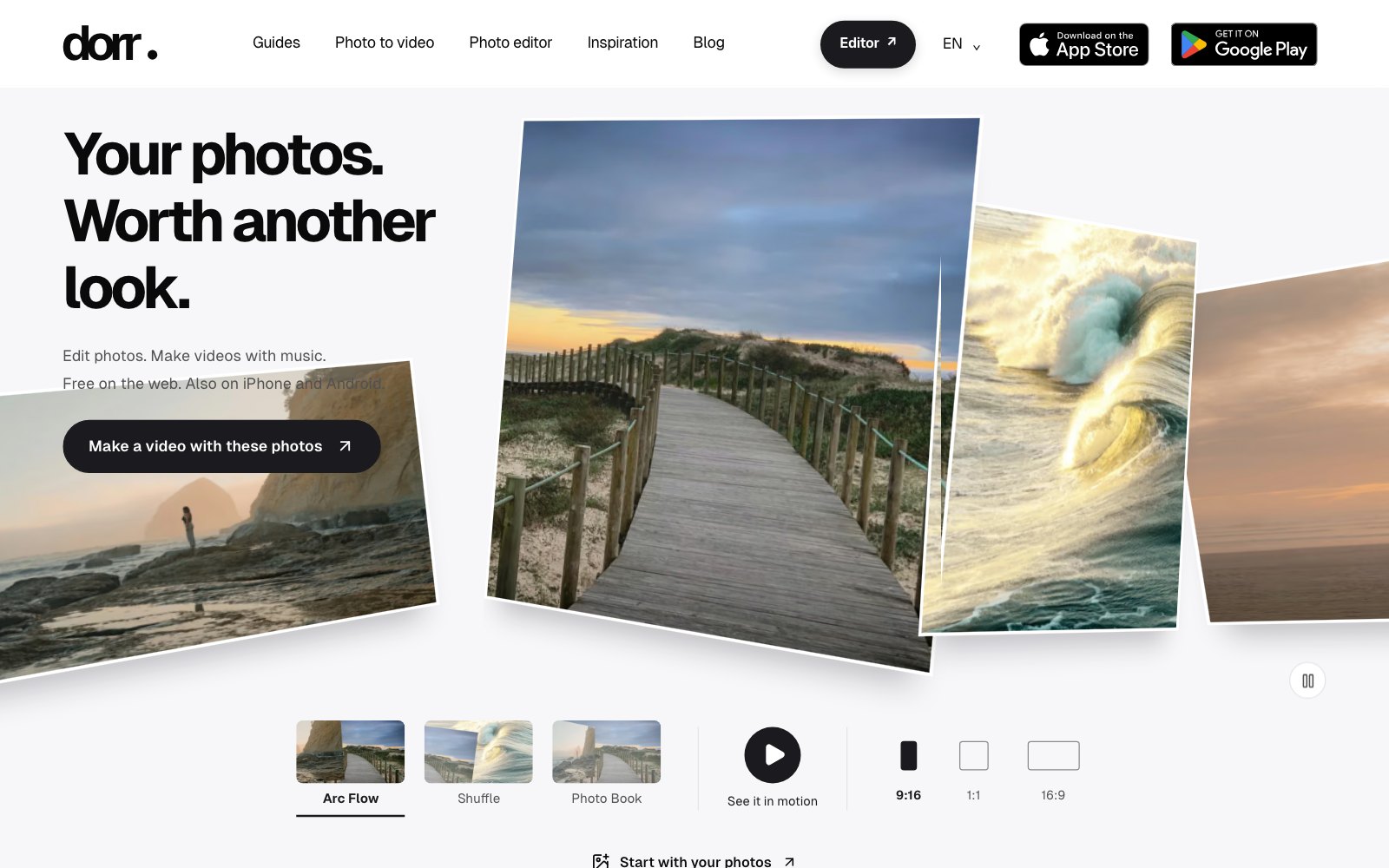
Dorr is a photo and video editor. You can restyle a photo, change only the subject or only the background, or turn a few photos into a short music video. I started it as an iPhone app in January 2025. Since September 2026 it also runs as a free editor in the browser at dorr.app, in October it reached Android, and there is a Korean version inside the Toss app. This note is about what keeping one product the same on all of them takes: what is shared, what is deliberately not, and how I check that a filter on a Galaxy phone is the same filter as on an iPhone.
What has to stay the same
The store pages list 59 filters, 23 textures, 30 effects and 29 AI art styles. Each has a strength slider and a target: the whole photo, only the person, or only what is behind them. Add crop, perspective, borders, text and 26 video themes, and the surface that must match gets large.
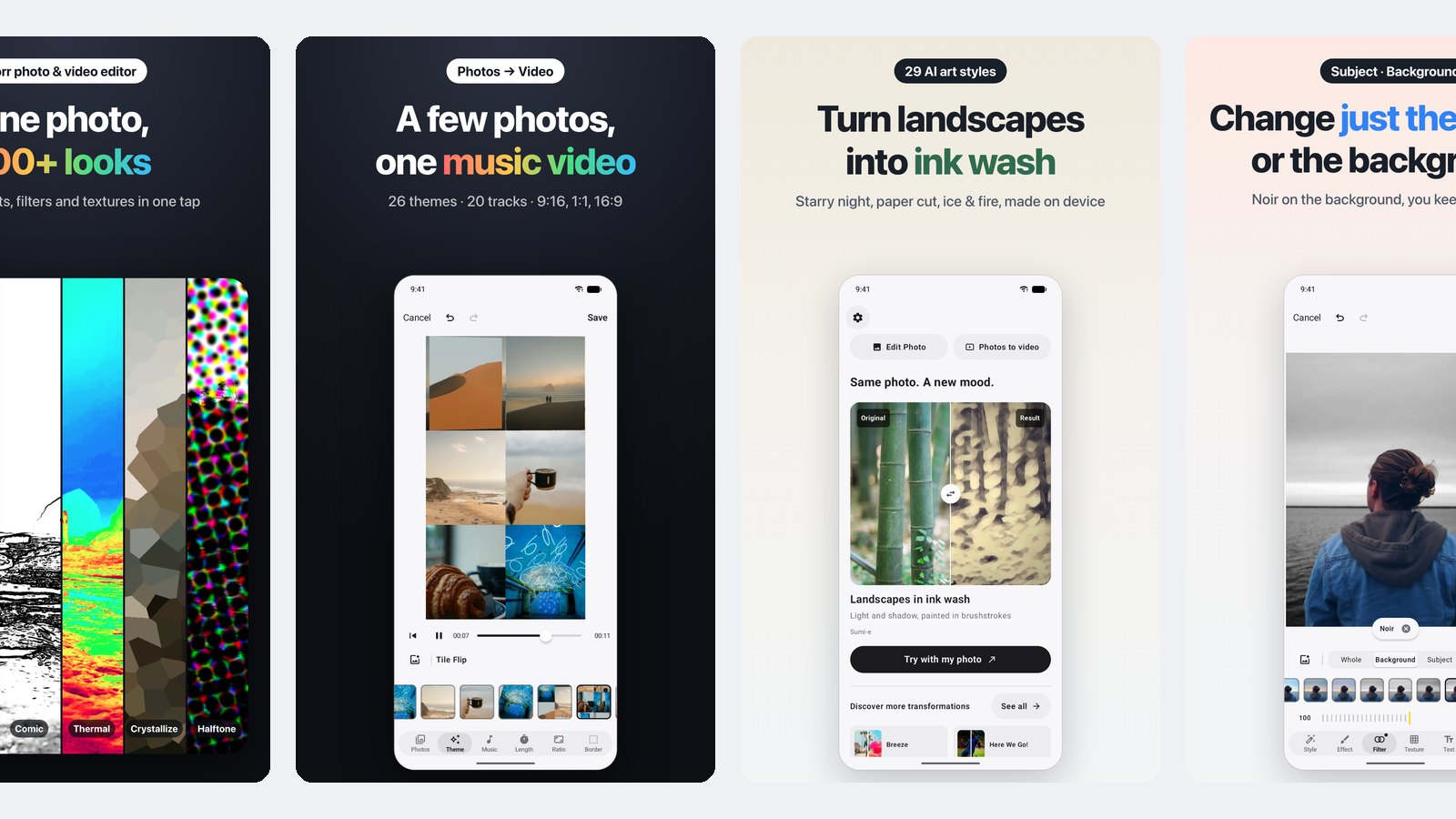
“The same” means concrete things. A filter has the same name, the same place in the list and the same look everywhere; on October 9 I reordered the filter list on Android, on the web and in the Toss version to match the iPhone, so that “the third filter” in a tutorial is the third filter for everyone. A saved photo produces the same analytics event on both apps. And paid features follow one rule: you can try anything, and only an export that visibly contains a Pro item asks for Pro.
Three code bases, one reference
The iPhone app is Swift, rendering with Core Image and Metal. The web editor is a static Next.js site rendering with WebGL2. The Android app is Kotlin with Jetpack Compose and OpenGL ES 3. They share no code. The heavy parts of Dorr are GPU shaders, on-device models and video encoders, and on each platform those are native features with their own languages and limits.
What they share instead is a reference, and the reference is the iPhone app. It has been in the store since 2025, and its code decides what “correct” means. The other two are ports, and the order of porting mattered.
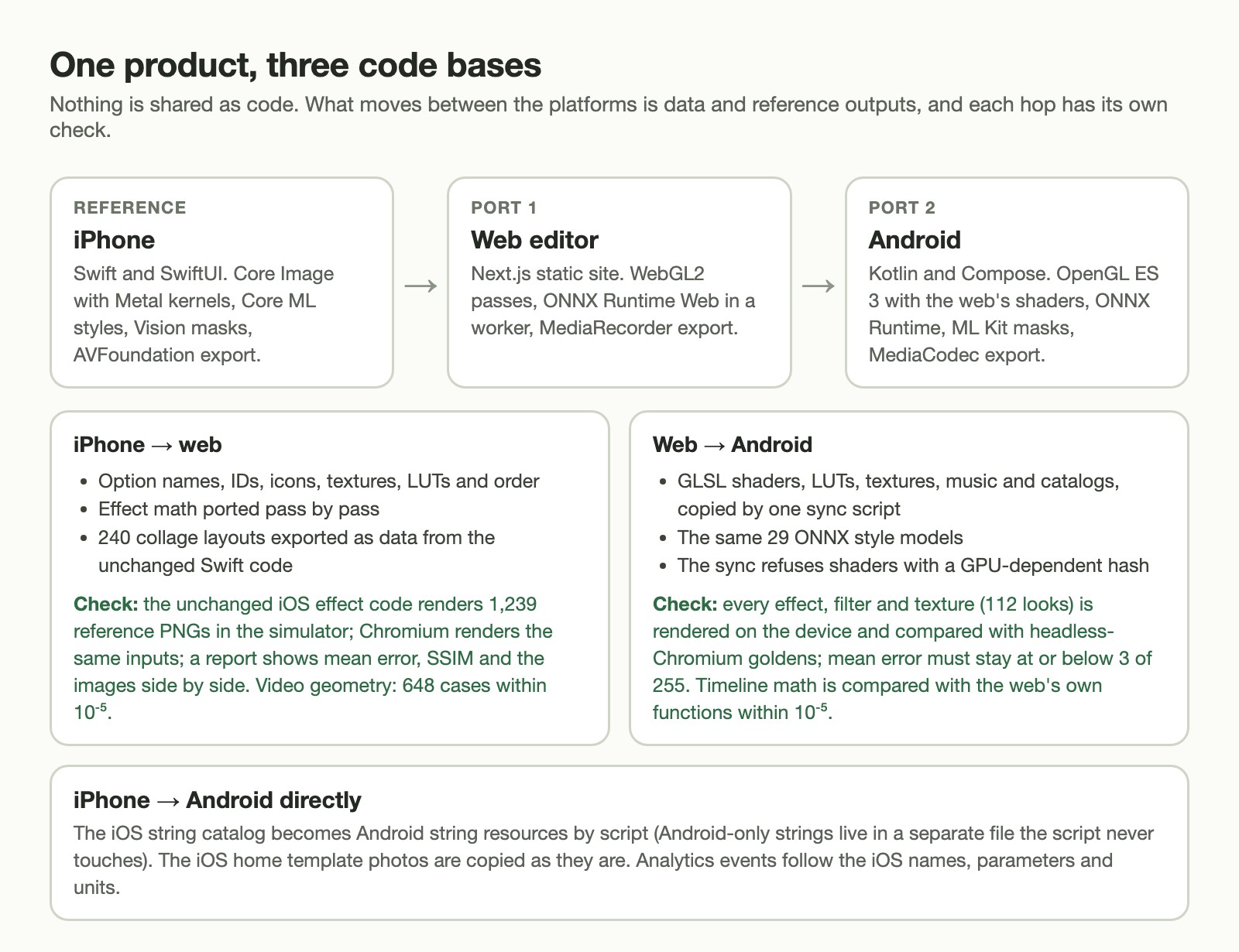
The web editor came first, in mid-September. I ported the iPhone’s photo pipeline to WebGL pass by pass, in the same order: AI style, effect, texture, filter, then 13 adjustments. Filters are color lookup tables (LUTs: a 64 × 64 × 64 grid that maps every input color to an output color), so they carried over as data. Names, icons, textures and their order came from the app’s own catalogs, not retyped.
Some code was too risky to port. Three collage themes place each photo with a layout solver written in Swift, and a second solver would have had its own bugs. So I ran the unchanged Swift solvers for every combination of 1 to 20 photos and four frame shapes, and shipped the 240 resulting layouts to the web as data. When code is hard to port, its output often is not.
Android came second, starting on September 25, and it never started from the iPhone code. It started from the web port, which had already been checked against the iPhone. One sync script copies the web’s GLSL shaders, LUTs, textures, music and catalogs into the Android assets, staging everything first and swapping it in only if the whole copy succeeds. Another turns the iPhone’s string catalog into Android string resources, translating a few locale codes, such as Hebrew and Indonesian, to the legacy codes Android resolves on every version. Android 1.0.0 was ready on October 13, about three weeks after the first commit, mostly because nobody had to rediscover what each effect should look like.
Payment, photo pickers, video encoding and the subject masks below stay native on purpose. Some iPhone features have no port yet: the web frames video photos from the center instead of using the iPhone’s automatic subject crop, and Android cannot yet replace the background behind a subject.
Effects: one source, checked everywhere
Generated kernels for transitions
The cleanest case of “defined once” is the video transitions. Dorr uses the open-source GL Transitions collection (MIT license, by the gl-transitions contributors), written in GLSL, the shading language of WebGL. The iPhone uses Metal. In May 2026 I stopped porting them by hand. The GLSL files became read-only and the only source of truth, and a generator translates all 125 into Metal kernels, the small GPU programs Core Image runs per pixel. Generated files are never edited: if one is wrong, the generator is fixed, and a check fails as soon as the output is stale.
To prove the translation, an oracle renders the original GLSL in headless WebGL, and a test compares every kernel against 2,541 oracle frames. The rule was identical bytes, with no tolerance, because a tolerance would hide exactly the small translation mistakes I was looking for. The web uses 29 of the same GLSL files byte for byte, with their hashes recorded, and Android gets them from the sync script.
The generator then created a compile-time problem. The kernels were compiled at runtime and share a helper of about ten thousand lines, so a transition’s first use took about 1.5 seconds and preparing a theme up to six. In late September every kernel moved into the app’s build-time Metal library. Loading all 125 in the test suite went from 191 seconds to 2.3, and a theme’s first preview from up to 6 seconds to well under half a second.
Porting photo effects, and checking them
Photo effects were harder, because several are built-in Core Image filters whose internals Apple does not publish. The web versions of those are approximations tuned against real iPhone output, and to tune honestly I built a harness. A throwaway iOS app compiles the unchanged effect code from the iPhone repository and renders references in the simulator: 30 effects at five strengths, textures and combinations, on three photos and four synthetic images (high contrast, fine pattern, transparency, a color ramp). That made 1,239 images. Chromium renders the same inputs with the web code, and a report puts them side by side with a difference image, the mean absolute error (average per-channel difference on a 0 to 255 scale) and SSIM (a structural similarity score).
The first run found real bugs. The web’s oil painting was off by 4.7 to 9.3; after porting the exact five-region variance math, 0.09 to 0.21. Sharp Detail was off by 79 to 91; with the app’s exact 7 × 7 sharpening weights, below 0.1. Comic, Halftone and Pointillize remain approximations, and the report says so rather than passing them. The numbers need care: an effect whose dots shift slightly can look better and score worse.
One review asked me to keep transparency in the web’s oil painting, which made transparent PNGs opaque. I declined. The iPhone effect returns an opaque result, and a web version that “fixed” it would quietly disagree with the reference. Parity includes the reference’s limits, written down.
The noise bug only a phone could find
Several effects scatter random cells or dots with a classic shader trick: take the fractional part of a large multiple of a sine. On a Galaxy S21’s Mali GPU, the stippling effect differed from the same shader on SwiftShader, a software GPU, by a mean error of about 47, an entirely different dot layout. The formula multiplies the sine by about 43,758, so a last-bit rounding difference in one GPU’s sine grows by that factor and moves every dot.
The fix was an integer hash from the PCG family (Jarzynski and Olano, “Hash Functions for GPU Rendering”, 2020). Integer math gives the same bits on every WebGL2 and OpenGL ES 3 GPU, as long as the shader requests high-precision integers, because some mobile GPUs run the default as 16-bit. The sync script now refuses any shader that still uses the sine hash, or an integer hash without high precision. Afterwards the Android parity test, which renders all 112 looks on the device and compares them with Chromium output, passed with every mean error at 3 or below, and the Galaxy S21 matched the emulator.
A home for new effects
For new effects, on October 16 I started a separate repository where each effect begins as a single-file WebGL2 prototype with an implementation document, and moves to the apps afterwards. By October 19 it held 73 prototypes, none yet applied to any platform. Its rules are the lessons above, written down early: strength 0 equals the original pixel for pixel; strength grows evenly (at 30%, a quarter to a half of the full change); a distortion is scaled by strength once, never twice, or it grows with the square of the slider; randomness uses integer hashes; and a slider redraw stays near 5 milliseconds at 2048 × 1536 on a desktop, leaving room for a mid-range phone several times slower.
AI art styles on the device
The 29 AI styles, such as Sumi-e, Paper Cut or Ice & Fire, are feed-forward style-transfer networks trained in-house in PyTorch: one small network per style that repaints a photo in a single pass. It is a far smaller technique than today’s image generators. Each network is about a megabyte, it runs on the device, and nothing is uploaded.
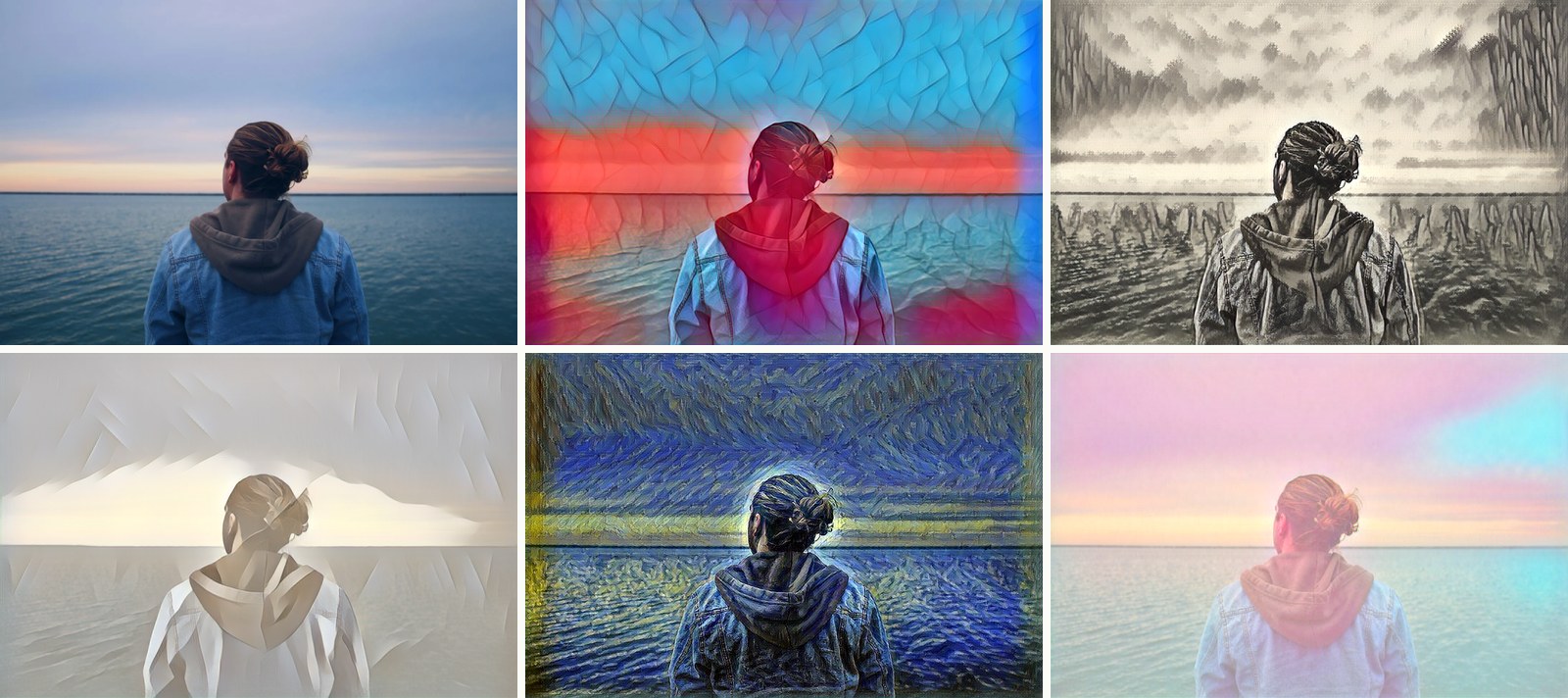
On the iPhone the styles are Core ML packages, run through Vision on the CPU. Android and the web share one ONNX file per style, a portable model format: Android runs it with ONNX Runtime on the CPU, the browser with ONNX Runtime Web, compiled to WebAssembly, in a background worker. The files store weights as 4-bit integers in blocks of 32 (8-bit for the first and last layers), about 1.05 MB per style, but compute in 32-bit floats.
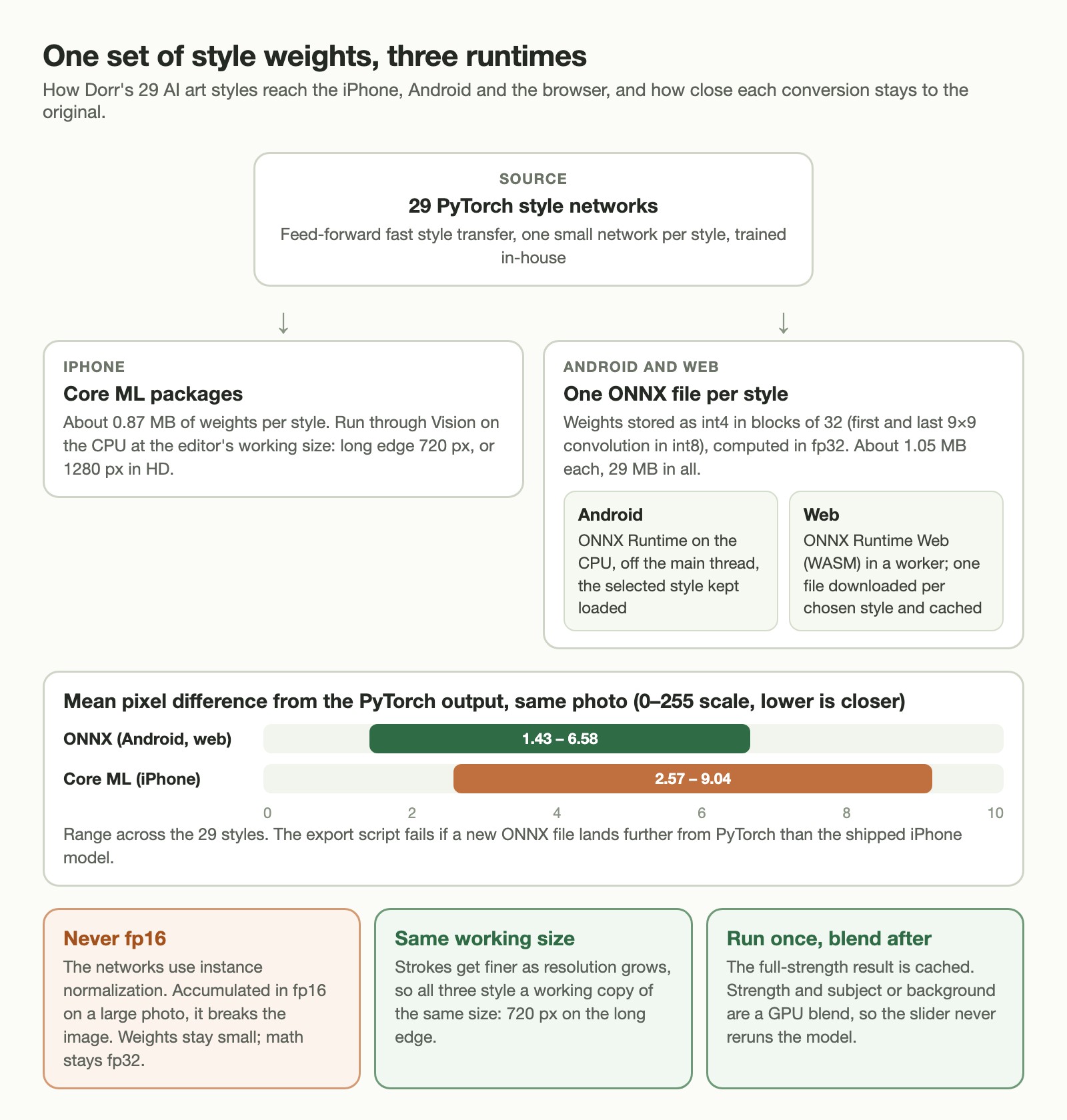
That last detail came from a failure. The networks use instance normalization, which averages over the whole image; accumulated in 16-bit floats on a large photo, it falls apart. So weights may be small, but the arithmetic never runs in fp16. The conversion script checks every new ONNX file against the PyTorch output and fails if it lands further from it than the shipped iPhone model. All 29 are currently closer: a mean pixel difference of 1.43 to 6.58, against 2.57 to 9.04 for Core ML.
Two rules keep results identical. First, resolution: the strokes have a roughly fixed size in pixels, so a bigger photo gets relatively finer strokes. Every platform styles a working copy with a 720-pixel long edge (the iPhone uses 1280 in HD), and Android scales that same result up for the saved file, so preview and file match. Second, the model runs once. Its full-strength output is cached, and strength and target are a GPU blend with the original, so dragging the slider or switching to the background never reruns the network.
On the web, one style takes about 2.6 seconds on the sample photo in the production build, while the page never stalls for more than about 20 milliseconds, because the worker does the work. Each model downloads only when chosen and is cached under a key derived from its hash, so an updated model replaces the old one cleanly. On Android the 29 models add about 29 MB to the app, and the runtime’s native library adds more for each processor type, which app bundles limit to the one a device needs.
Subject and background masks
Editing only the person or only the background needs a mask: a grayscale image where white is subject and black is background, soft at the edges. Here the platforms use three different models, because each has a good one that is cheap to ship.
- iPhone: Apple’s Vision foreground instance mask, built into iOS, with all detected subjects, inverted for the background.
- Android: ML Kit subject segmentation, a Google Play services module. The first mask on a Galaxy S21 took about 1.5 seconds, 0.9 of them loading the model, so the segmenter is now kept for the life of the app. Converting its output took about 0.2 seconds for a 1536 × 1024 photo, so that moved off the main thread.
- Web: MODNet, an open portrait-matting model (Apache-2.0, by ZHKKKe), through Transformers.js and ONNX Runtime Web. It is about 26 MB, so the editor asks before the first download and then caches it.
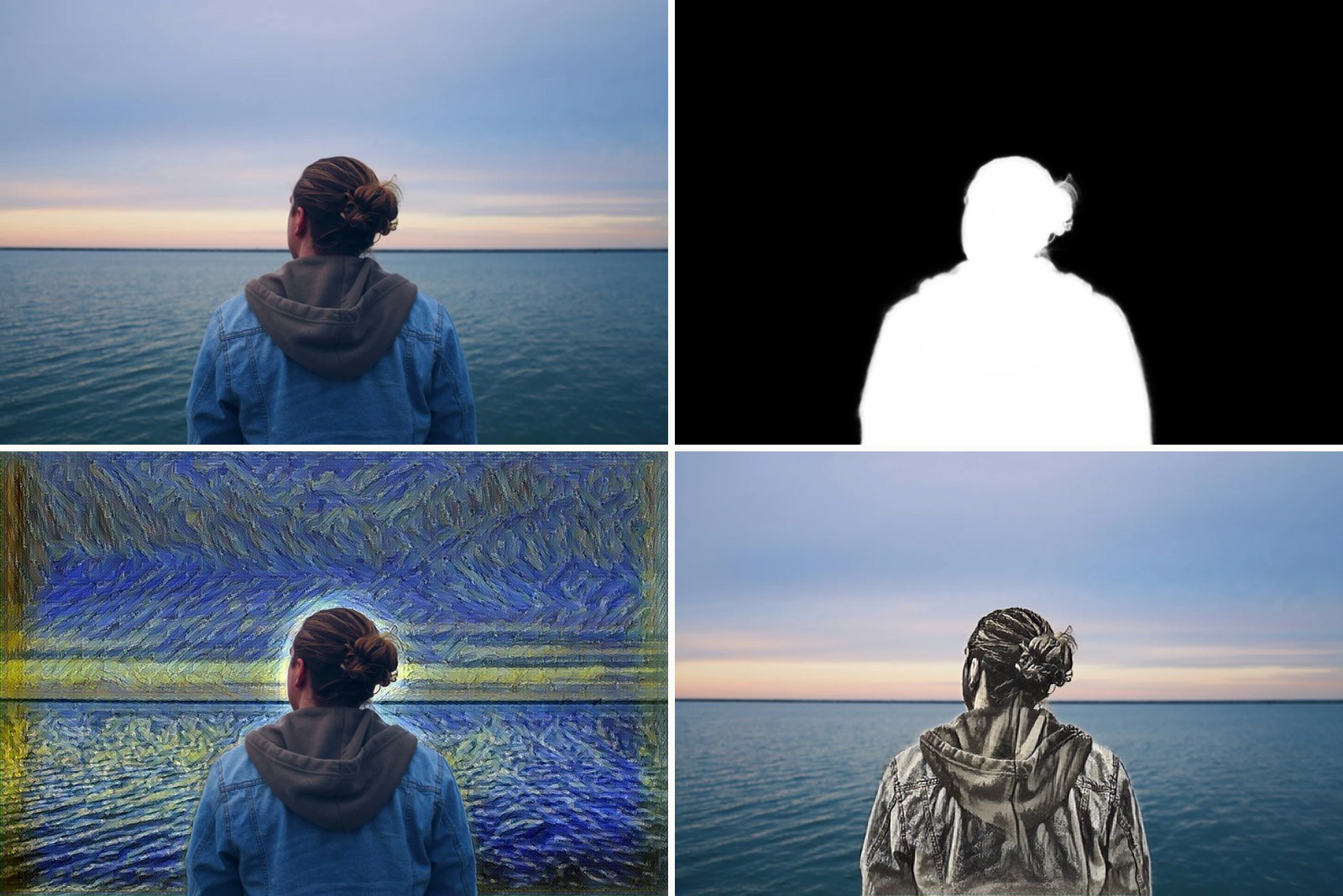
The masks are not identical across platforms, and I do not pretend they are. The contract is. The mask has the photo’s size and a foreground confidence from 0 to 1, and every pass blends its output with the previous result by the mask, or by one minus the mask for the background; a multi-stage effect applies it only at its last stage. One browser test makes this concrete: with saturation at −100, the result’s mean saturation was 0 for the whole photo, 11.8 for background only and 46.7 for subject only.
The web model took the most trial and error. I first wanted BiRefNet_lite (MIT), a stronger general-purpose model. On WebGPU its kernels needed 11 or more storage buffers per shader, above Chrome’s cap of 10; on WebAssembly it ran out of memory at its 1024-pixel input. It ran in no browser I tested in September, so I removed it, with a note to revisit when the runtime splits those kernels. On the iPhone, the mask code solved a quieter problem: when two requests for the same mask arrive together, the second waits for the first instead of running Vision twice, and only the latest photo’s mask pair stays in memory.
The web editor
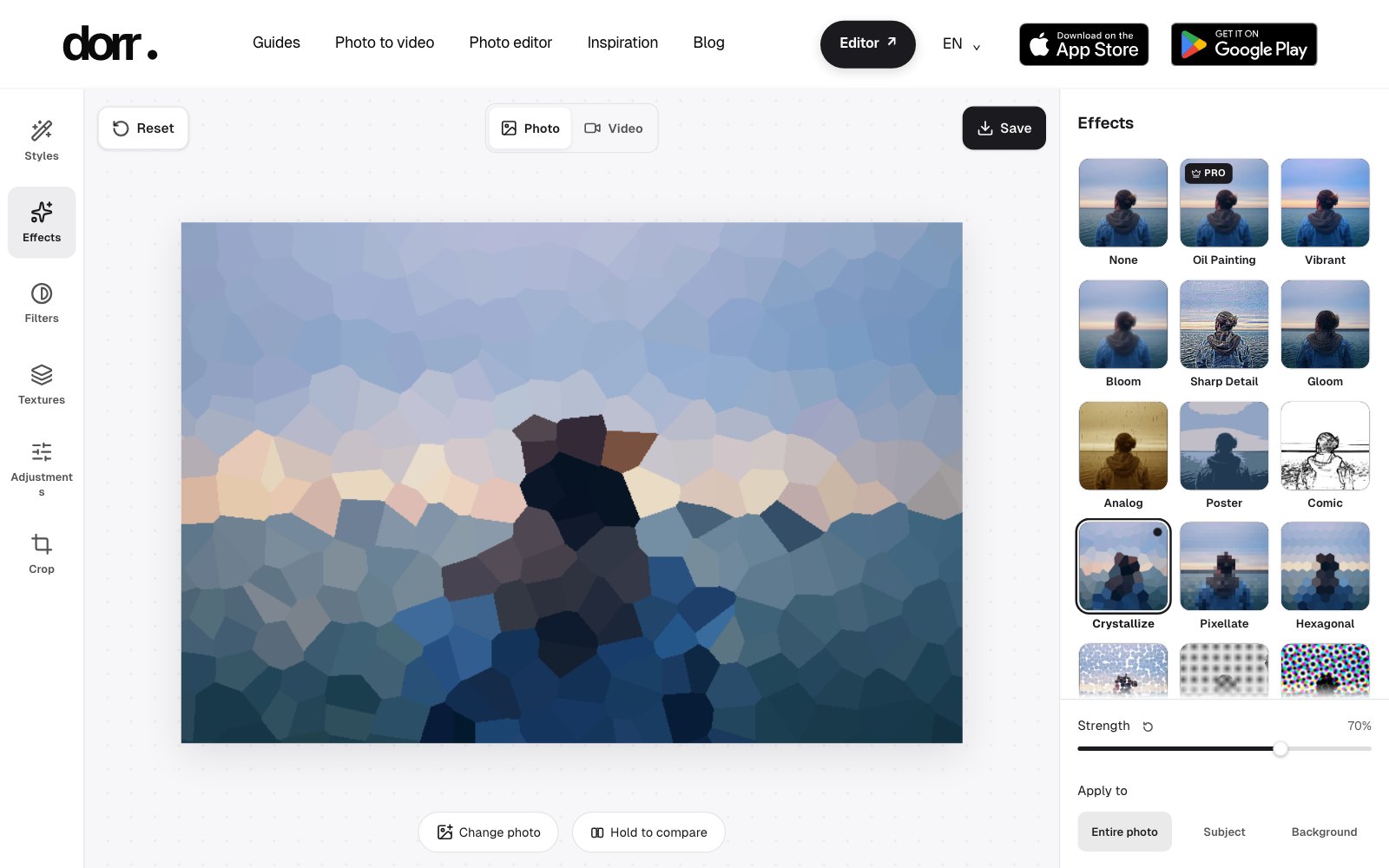
The web version is not a demo. It is a static site with no server-side processing: photos are decoded, edited and saved in the browser, never uploaded. Each filter, effect and texture in the picker is rendered from your own photo and cropped to a thumbnail, generated as it scrolls into view and discarded when you change photos. Heavy models load only on first use.
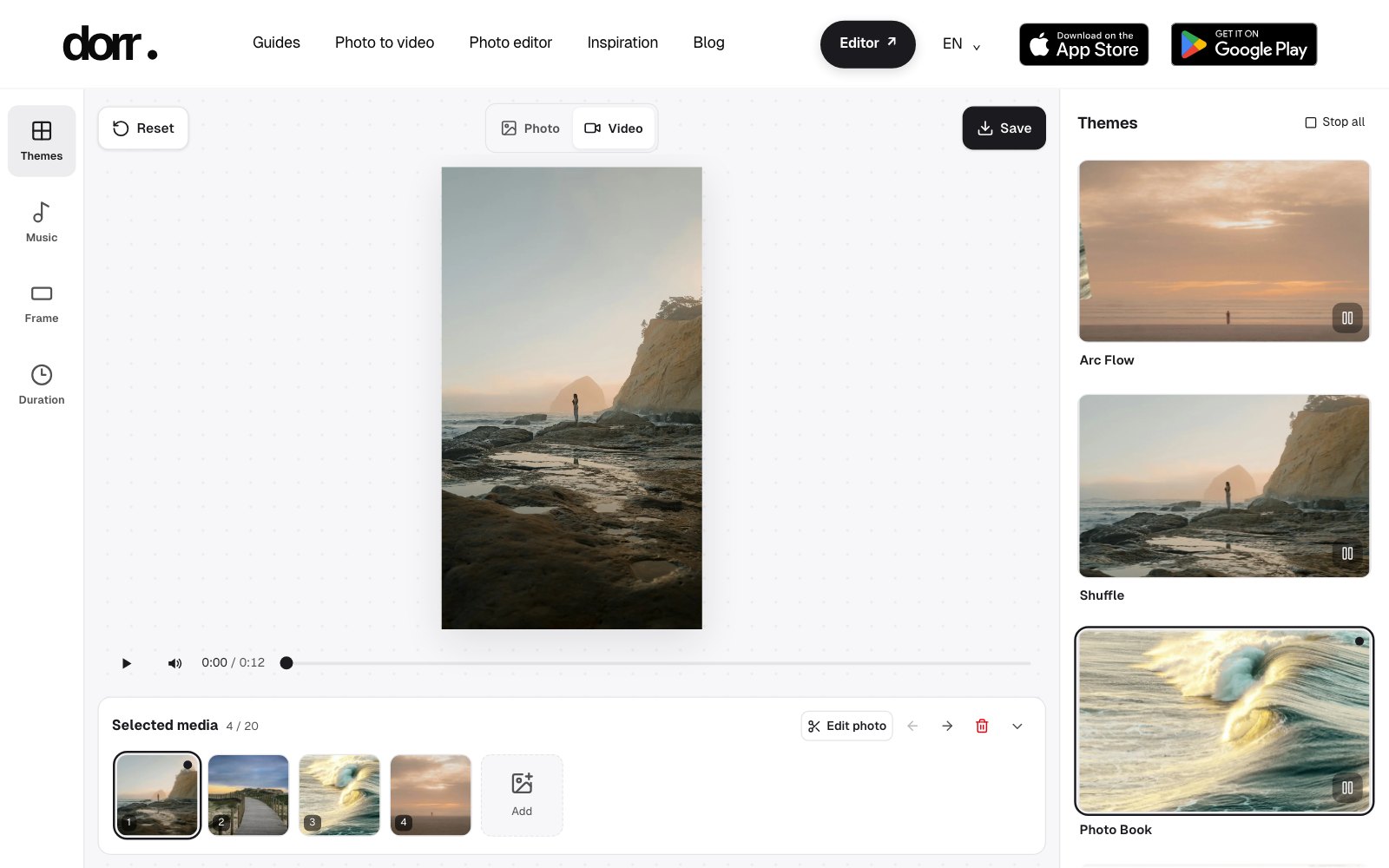
Video shows the browser’s limits. One renderer draws the cards, the preview and the export, so what you see is what you save. Export records the canvas with MediaRecorder, as MP4 where supported and WebM otherwise. Because it records in real time, the frame rate varies a little: an 8-second test came out at 8.11 seconds, and longer exports averaged about 29.8 frames per second against the 30 drawn. I record that as a known limit, not a bug. The editor and its guides exist in seven languages, and since October 14 each effect page opens the editor with that effect already selected.
The Toss version, and when to ask for a rating
The Toss version is a Korean copy of the web editor, built as a mini app inside Toss, a Korean finance app, and ported from one fixed web commit in early October. I left the AI styles out: their models alone were 29 MB of the editor’s roughly 75 MB of assets. Subject masks stayed.
It taught me the most about timing a rating request. The platform’s guidance: ask after the main task is done, never twice in a session, and assume nothing from the result, since the app cannot tell a written review from a closed prompt. Getting “after the task” right took four versions in three days.
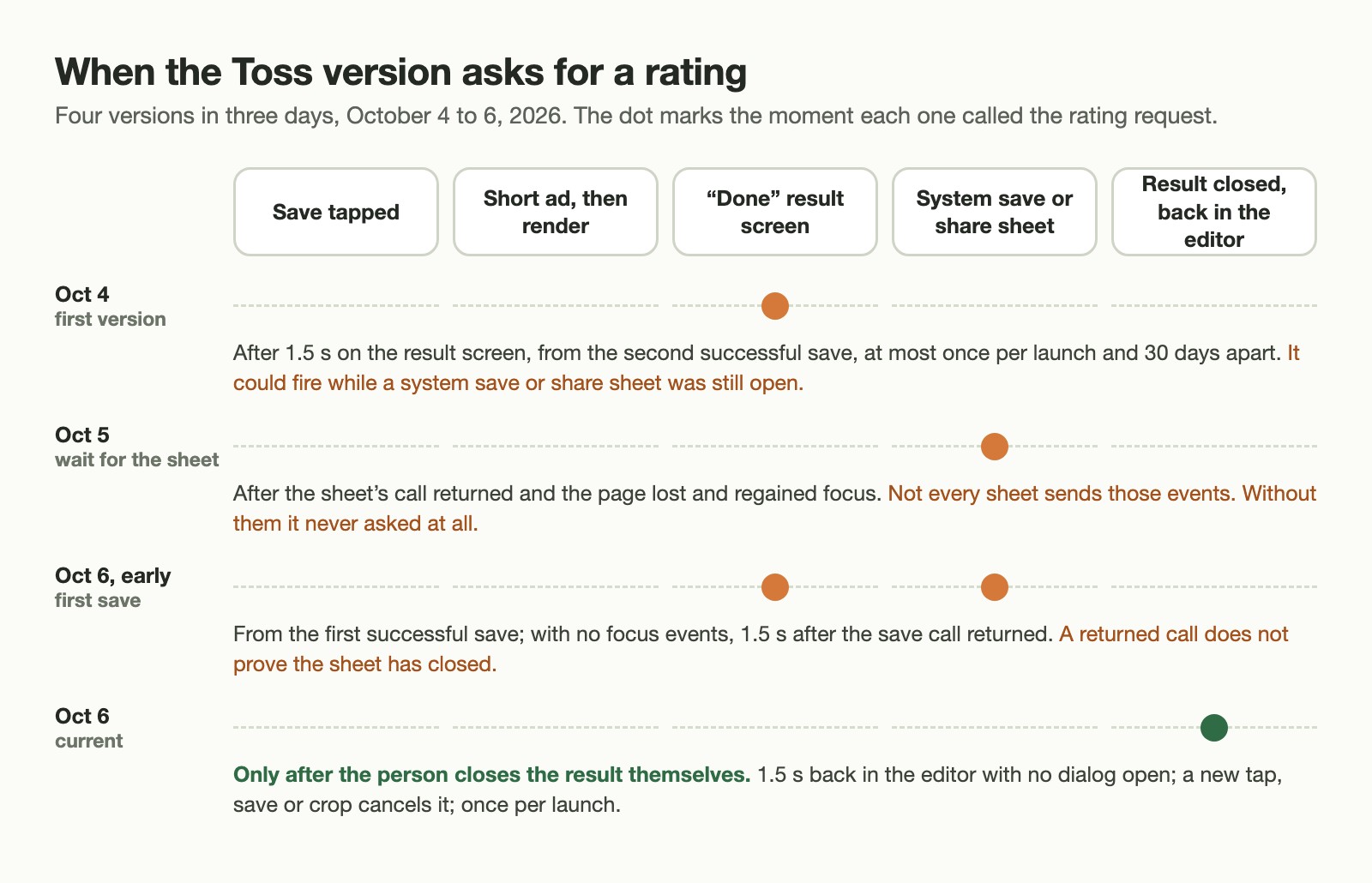
The first asked 1.5 seconds after the “Done” screen appeared, even if a system save or share sheet was still on top. The second waited for the sheet’s call to return and for the page to lose and regain focus, but the platform does not guarantee those events for every sheet, and without them it never asked. The third started from the first save instead of the second, added a fallback, and hit the real problem: a returned save call does not prove the sheet is gone. The version that stayed ignores the system entirely. It waits until the person closes the result screen, then 1.5 seconds in the editor with no dialog open, and any new tap, save or crop cancels it. The iPhone app follows the same idea: it asks after a video is saved, from the main video editor only once the saved-video screen is dismissed, and at most once per calendar day.
Analytics that compare honestly
The iPhone and Android apps send the same Firebase events with the same names and parameters. Firebase allows at most 25 parameters per event, so in iPhone version 2.1.3 a photo save became four events (main, adjustments, text, geometry) sharing a fresh random save ID that identifies only that save. Only the main event counts as a save. Android matched it the next day.
Matching meant converting, not renaming. Android stores strength from 0 to 1 and reports the iPhone’s 0 to 100. Where effect IDs differ, the event uses the iPhone’s. Text length counts characters as a person sees them, so a family emoji is one, as Swift counts. Colors are locale-independent strings, so a phone using decimal commas does not split the data. Where Android has no equivalent, the value says so, for example “Original” for background replacement. Unit tests check the schema and an on-device test checks the character counting; no test sends anything. The web and Toss versions ask different questions and keep their own funnels. None of them sends photos, file names or free text.
What the testing taught me
- Run the reference unchanged. The best expected values came from original code: Swift effects in the simulator, Swift layout solvers exported as data, and for Android, the web’s own video timeline functions run in Node, which Android matches within 0.00001.
- Exact where possible, a stated tolerance where not. Generated transitions must match byte for byte. Android photo effects may differ by a mean of 3 out of 255, because drivers round differently, for example at edge-detection thresholds. Anything more is a port bug.
- Say what a check proves. The web’s video check proves layout math, not pixels. The effect report shows numbers but never passes anything by itself; I look at the images.
- Test on a real GPU. The sine-hash bug appeared only on the Mali phone.
The next experiment started on October 16: one Rust core compiled for Swift, Kotlin and WebAssembly, so that heavier algorithms, starting with a photo-painting engine and face analysis, exist only once. Its first check is a digest that must match on all three, and it already settled one question: image decoders differ by up to three levels per channel on the same JPEG, so equality is defined on identical decoded pixels, never on files.
Dorr is on the App Store and Google Play, and the web editor is free at dorr.app.
Update, November 2026. On October 24 the iPhone style models gained Neural Engine versions for 14 common photo sizes, with the CPU path kept as the fallback. The first effects from the new reference repository were ported into the iPhone app at the end of October.