Tag: Developer Tools

  • AI harness design is becoming the real software moat

    AI harness design is becoming the real software moat

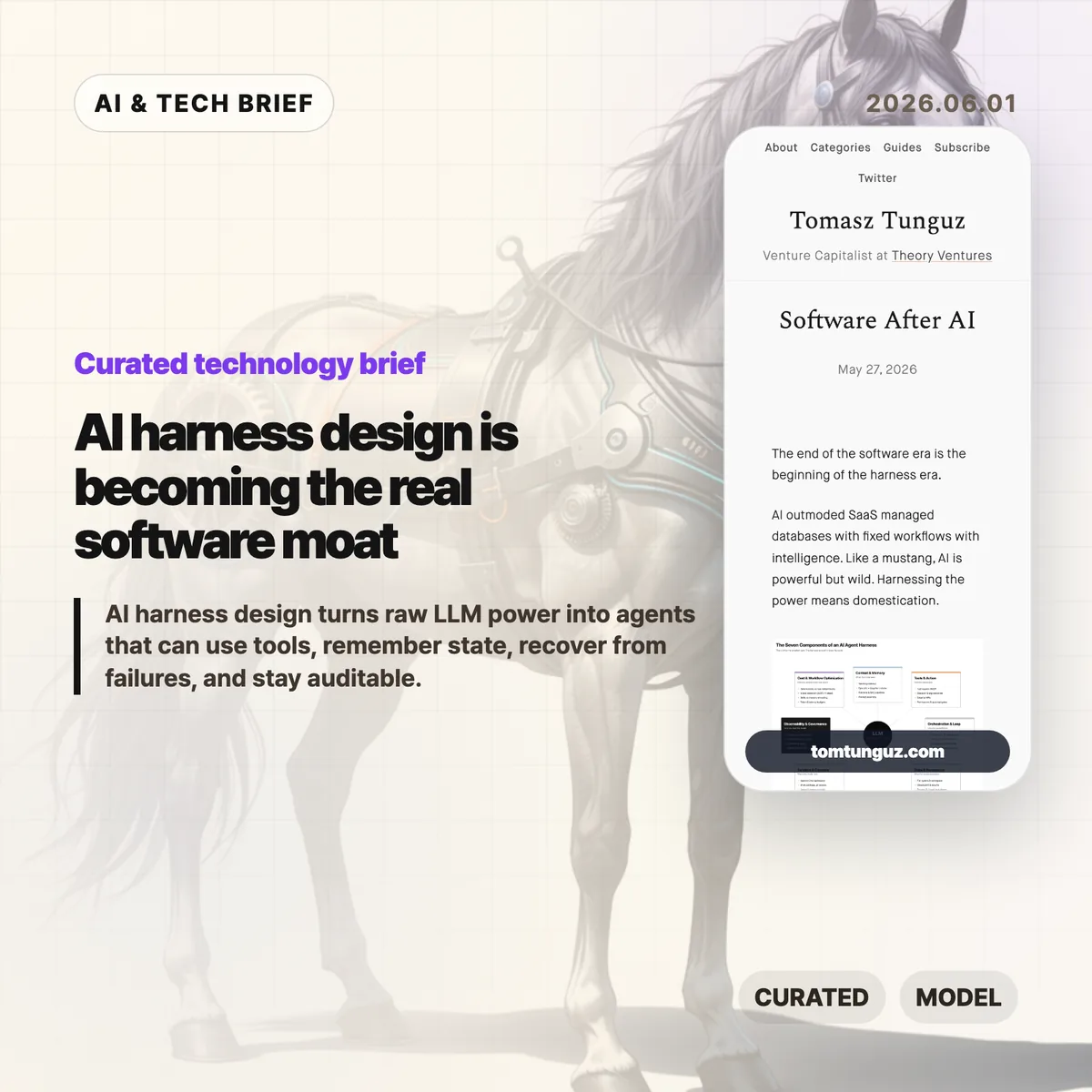
    Tomasz Tunguz argues that the next software fight is moving away from polished SaaS screens and toward the AI harness, the operating layer that turns an LLM into something closer to a dependable worker. His useful framing is simple: models are powerful, but production agents need context, tools, memory, sandboxes, logs, policy, and cost control before they can handle real work.

    The short version: AI harness

    • Tunguz describes seven parts of an AI harness: context and memory, tools and action, orchestration, state, sandboxed compute, observability, and cost-aware workflow design.
    • The argument is less about replacing SaaS overnight and more about where software products now create value: in the runtime around the model.
    • For builders, the hard part is no longer choosing a model alone. It is deciding what the agent can see, what it can do, when it stops, and who can audit it later.
    • The startup opening is domain depth. If everyone can rent similar models, the product edge shifts toward messy workflow knowledge and safe execution.

    What happened

    Tunguz published “Software After AI,” a short essay on May 27, 2026, about the stack that sits around AI agents. The piece uses the word “harness” deliberately. A raw model can answer questions, but a working product has to constrain that model, feed it the right business context, expose tools safely, resume work after failures, and leave an audit trail.

    The seven-part list is practical rather than futuristic. Context and memory cover retrieval, short-term task history, and the company-specific recipes people usually keep in their heads. Tools and action cover registries, argument validation, approvals, dispatch, and failure handling. Orchestration covers the think-act-observe loop. State and persistence cover checkpoints and artifacts. Sandbox and compute cover isolated workspaces and credentials outside the model. Observability and governance cover tracing, evals, guardrails, and human review. Cost and workflow optimization cover the decision of which steps should be deterministic, which model should run each step, and where knowledge should live.

    Why this is worth watching

    The term AI harness is useful because it names the part of agent software that demos often hide. A demo can succeed once with a clever prompt. A product has to succeed repeatedly when the CRM record is stale, the tool call fails, the user asks for a risky change, or the model forgets what it was doing three steps ago.

    That is where the SaaS comparison gets interesting. Traditional SaaS products gave users a fixed interface over a database and a workflow. Agent products may hide more of the interface, but they cannot hide responsibility. If an agent refunds a customer, rewrites a contract, changes a cloud setting, or files a report, the company still needs permissions, logs, rollback paths, and a way to explain what happened.

    This is also a decent filter for AI product pitches. If a vendor talks only about the model, the demo, or a benchmark, the product may still be thin. The durable work is in the boring layer: retrieval quality, tool boundaries, state recovery, sandbox rules, evals, and unit economics. Readers who track AI infrastructure and developer tooling can find more coverage in the IT & AI archive.

    What the discussion is missing

    I could not find a dedicated Hacker News thread for this exact article. That absence is a little unfortunate, because the strongest debate would probably be among people building agents in production rather than people judging them from a launch video.

    The missing questions are the useful ones. How much of this AI harness should be a platform, and how much has to be custom per industry? Will MCP-style tool registries make agents safer, or will they mostly make unsafe access easier to wire up? Can evals catch the failures that matter in legal, medical, finance, or customer operations? And at what point does the harness become so complex that a deterministic workflow would have been cheaper and safer?

    Those are not objections to Tunguz’s framing. They are the next layer of the conversation. The essay says the harness is the new software battleground. The harder question is which parts of that battleground can be standardized.

    The practical read

    If you are building an agentic product, start with the AI harness before you polish the chat surface. Write down the tools the agent can call, the data it can read, the approvals it needs, the state it must preserve, and the failure cases it must recover from. Then decide which model belongs in each step.

    If you are buying AI software, ask a different set of questions. Do not stop at “Which model powers this?” Ask what context system it uses, how tool calls are logged, how sensitive actions are approved, how tasks resume after a crash, how evals run, and how costs are controlled as usage grows.

    And if you are a startup, the point is not to out-model the labs. You probably will not. The better bet is to know a workflow so well that your AI harness handles the annoying exceptions, handoffs, and audit needs that a general-purpose agent will miss.
    Sources

  • Zig build system cuts help startup from 150ms to 14.3ms

    Zig build system cuts help startup from 150ms to 14.3ms

    The Zig build system has been split into two jobs: a small configuration step and a faster execution step. Andrew Kelley says the change cut zig build --help from 150ms to 14.3ms on the benchmark in Zig’s 2026 devlog, mostly by avoiding repeated work when the build graph has not changed.

    The short version

    • Zig now separates the configurer, which runs build.zig, from the maker, which executes the serialized build graph.
    • The benchmarked zig build --help path dropped from 150ms to 14.3ms, with CPU cycles down from 593M to 24.1M.
    • The Zig build system can reuse a cached binary configuration file when command-line changes do not alter the build graph.
    • Most build APIs remain compatible, but code that inspected b.args needs to move to addPassthruArgs().
    • The practical payoff is less waiting in watch mode, editor integrations, help output, and other small commands that developers run over and over.

    What happened

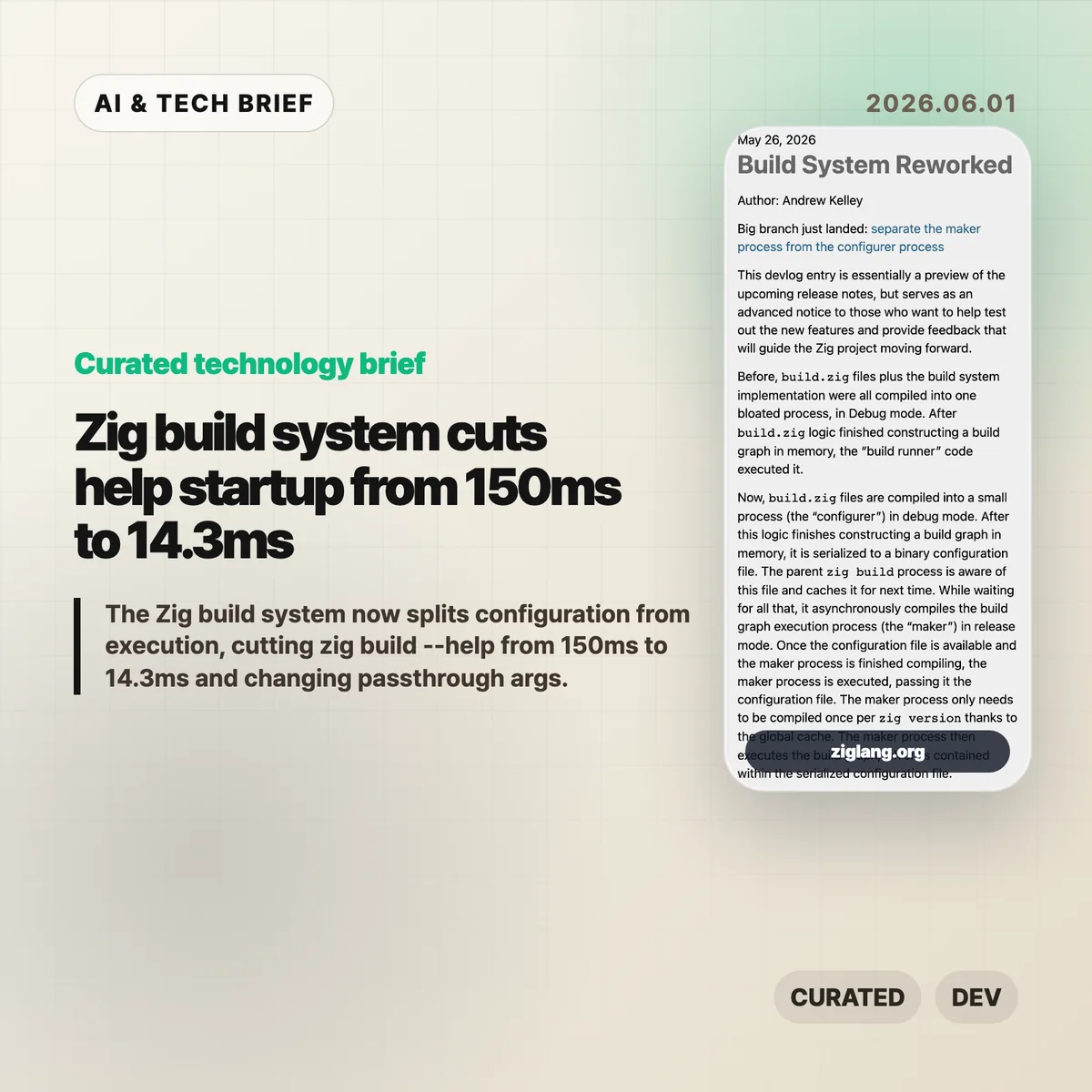
    Before this rework, a project’s build.zig file and Zig’s build runner implementation were compiled into one large Debug-mode process. The build script created a graph in memory, and the same combined process ran it.

    The new Zig build system splits that path. The configurer compiles and runs the user’s build.zig logic, then writes the resulting build graph as a binary configuration file. The parent zig build process can cache that file for later runs.

    Execution moves to the maker. Zig compiles the maker in Release mode, does that compilation asynchronously, and stores it in a global cache per Zig version. Once the cached config file and maker are ready, the maker executes the graph.

    That is a small architectural change with a very concrete point: editing a tiny build script should not force Zig to rebuild the whole build system machinery every time.

    Why this is worth watching

    The headline number is narrow but useful. Zig’s devlog says zig build --help fell from 150ms to 14.3ms in average wall time, a 90.4% reduction. CPU cycles fell 95.9%, instructions fell 95.6%, and cache references fell 94.3%.

    A help command is not the same thing as a full project build. Still, build tools spend a lot of time on short-lived commands: printing help, checking options, restarting watch mode, serving a web UI, or feeding data to an editor. Those are exactly the places where 100ms delays become noticeable.

    The cached configuration also means some command-line changes no longer force build.zig to run again. The devlog gives -freference-trace as an example: if the build graph does not change, Zig can reuse the previous configuration.

    For more developer tooling coverage, see the IT & AI archive.

    What changes for Zig build system users

    The rework is not meant to break most build scripts. The visible compatibility issue is passthrough arguments. Code that directly observed b.args and forwarded it with run_cmd.addArgs(args) now needs to use run_cmd.addPassthruArgs().

    That does remove one bit of observability from the build script. In return, changing those passthrough arguments no longer has to invalidate and rebuild the configuration step from source. It is the kind of trade that makes sense for a build tool: give up a rarely needed hook to make the common path cheaper.

    Zig 0.17.0 is expected within weeks, according to the devlog. Teams already using development builds should search for b.args patterns before upgrading. Everyone else can treat this as an early warning rather than a fire drill.

    What Hacker News readers are arguing about

    The Hacker News thread is less about the specific 150ms benchmark and more about whether Zig is becoming practical enough to use before 1.0.

    One camp is clearly encouraged. Several commenters said recent Zig releases have been disruptive but worth it, especially around I/O design and the feeling that Zig works well as a small tooling language. The recurring praise is not that Zig is magically faster everywhere. It is that the language feels good for low-level experiments without forcing as much ceremony as C++ or Rust.

    The skeptical side is also useful. Some readers pushed back on claims that the new I/O system is already highly efficient, pointing to dynamic dispatch, vtable indirection, and unresolved questions around async behavior. Others said they like Zig but are tired of release-to-release API churn and may wait for 1.0 before using it in serious projects.

    The build system change fits that split. It is a strong piece of engineering, but it lands in a language that is still moving quickly. If your project values stable tooling above all else, the number to watch is not 14.3ms. It is how much your build script changes between Zig releases.

    The practical read

    The Zig build system rework is worth watching because it attacks a boring part of developer experience that compounds all day. Fast compilers help, but fast tool startup matters too. If a build tool is called by editors, shells, watch processes, and documentation commands, every avoidable rebuild is a tax.

    For Zig users, the immediate task is simple: test development builds if you can, check for b.args, and read the 0.17.0 release notes when they land. For people building other developer tools, the design lesson is broader. Separate user configuration from execution, cache the serialized result, and make the hot path cheap enough that users stop noticing it.

    Sources

  • LLM oriented engineering puts human context first

    LLM oriented engineering puts human context first

    LLM oriented engineering is less about making models write more code and more about protecting the parts of software work that still need human judgment. Yair Weinberger, writing from his work at Reindeer, argues that the scarce resource in AI-assisted teams is not typing speed. It is human context: the time and attention needed to understand architecture, say no to bad API changes, and keep generated work from spreading through the codebase.

    The short version

    • Weinberger frames human attention as the real bottleneck: LLMs can produce code, comments, documents, and PRs faster than people can read them.
    • His practical answer is stricter modeling discipline, especially around APIs and component boundaries.
    • Human code review alone does not scale when AI-generated pull requests grow, so teams need linters, LLM judges, tests, and smaller PRs.
    • PMs can use LLMs to prototype in isolated repositories, but product ideas that touch customers still need a slower modeling path before they reach production.
    • The sharpest claim is that AI multiplies both good and bad engineering habits. Weak structure now turns into debt faster.

    What happened

    Weinberger published a long X post under the phrase “LLM Oriented Engineering,” based on roughly 18 months of thinking about how Reindeer builds product in the LLM era. The post is not a tooling launch or a benchmark. It is a working theory for how a software organization should behave once generated code, documents, and PR descriptions become cheap.

    The starting point is simple: people have limited context windows too. If LLMs fill the organization with bloated comments, verbose documents, and sprawling pull requests, the next human reviewer gets less signal. Then the next model reads that noisy context and copies the pattern.

    That is why Weinberger puts modeling at the center. Translating a customer user journey into API flows, components, and boundaries is still human work. A model can add a convenient field to an API in seconds. The team may then have to support that field as a public contract for years.

    Why this is worth watching

    A lot of AI coding discussion still treats productivity as the main question. The more interesting question is what happens after productivity rises. LLM oriented engineering gives that problem a name: the team does not run out of code, it runs out of readable context.

    The post also pushes back on the idea that review can stay mostly human. Weinberger’s view is blunt: people cannot beat LLM output volume by reading harder. Absolute rules, such as forbidden service dependencies, belong in linters. Softer contracts can be checked by LLM judges on clean context. Humans should spend their attention on modeling changes, API changes, and other load-bearing decisions.

    One useful phrase from the post is “padded rooms.” These are parts of the system where LLMs can move fast because mistakes do not create long-term dependencies. Customer-specific work and experiments can live there. Core architecture should not.

    That distinction matters for anyone building coding agents or developer tooling. The product does not only need a better autocomplete loop. It needs workflows that separate throwaway experiments from production contracts, and it needs review surfaces that make human attention easier to spend. For more coverage of AI and developer tools, the IT & AI archive is the closest internal reference point.

    What the discussion is missing

    I could not find a matching Hacker News thread for this specific post, so there is no public HN argument to summarize. The missing debate is still obvious enough: Weinberger is describing a company that already has a strong internal engineering culture, strong tests, and enough discipline to keep prototypes away from production.

    That is the hard part to generalize. A small team can say “use padded rooms” and still let customer work leak into core code because the customer is loud, the deadline is real, and the AI-generated patch appears to work. A larger team can add LLM judges and still end up trusting a model that checks the wrong thing.

    The post would be stronger with concrete examples of the enforcement layer: what a useful LLM judge prompt checks, what gets blocked by linters, and how the team decides that an API change is load-bearing enough for human review. Without those examples, the argument is directionally useful but still a playbook outline.

    LLM oriented engineering, in practice

    There are five habits worth pulling out of the post.

    First, keep organizational text tight. If a comment or PR description explains history instead of the result, it probably costs more attention than it saves.

    Second, treat APIs as contracts. A field that helps one generated patch can become a long-running support burden.

    Third, make pull requests small enough to read. If a reviewer cannot hold the change in their head, the approval is mostly theater.

    Fourth, invest in reward functions. In software work, that means useful tests, end-to-end coverage where it matters, evals for LLM-backed features, and automated review that starts from clean context.

    Fifth, isolate experiments. Let PMs and agents build fast demos, but make production adoption a separate modeling decision.

    None of this is glamorous. That is the point. LLM oriented engineering is not a new layer of magic on top of software teams. It is old engineering hygiene under much higher output pressure.

    The practical read

    If your team is adopting coding agents, start by mapping which parts of your codebase are load-bearing. APIs, shared data models, permission boundaries, and core workflows should get slower review. UI experiments, customer-specific adapters, and disposable prototypes can move faster if they stay isolated.

    Then look at the review burden. If AI has made PRs bigger, comments longer, and docs noisier, you have not gained as much leverage as it looks. You have moved work from typing to comprehension.

    The practical test is simple: can a new engineer, or a clean-context review agent, understand why the system is shaped the way it is? If not, more generated code will make the team feel faster while making the product harder to change.

    Sources

  • OpenRouter Series B shows the multi-model stack getting real

    OpenRouter Series B shows the multi-model stack getting real

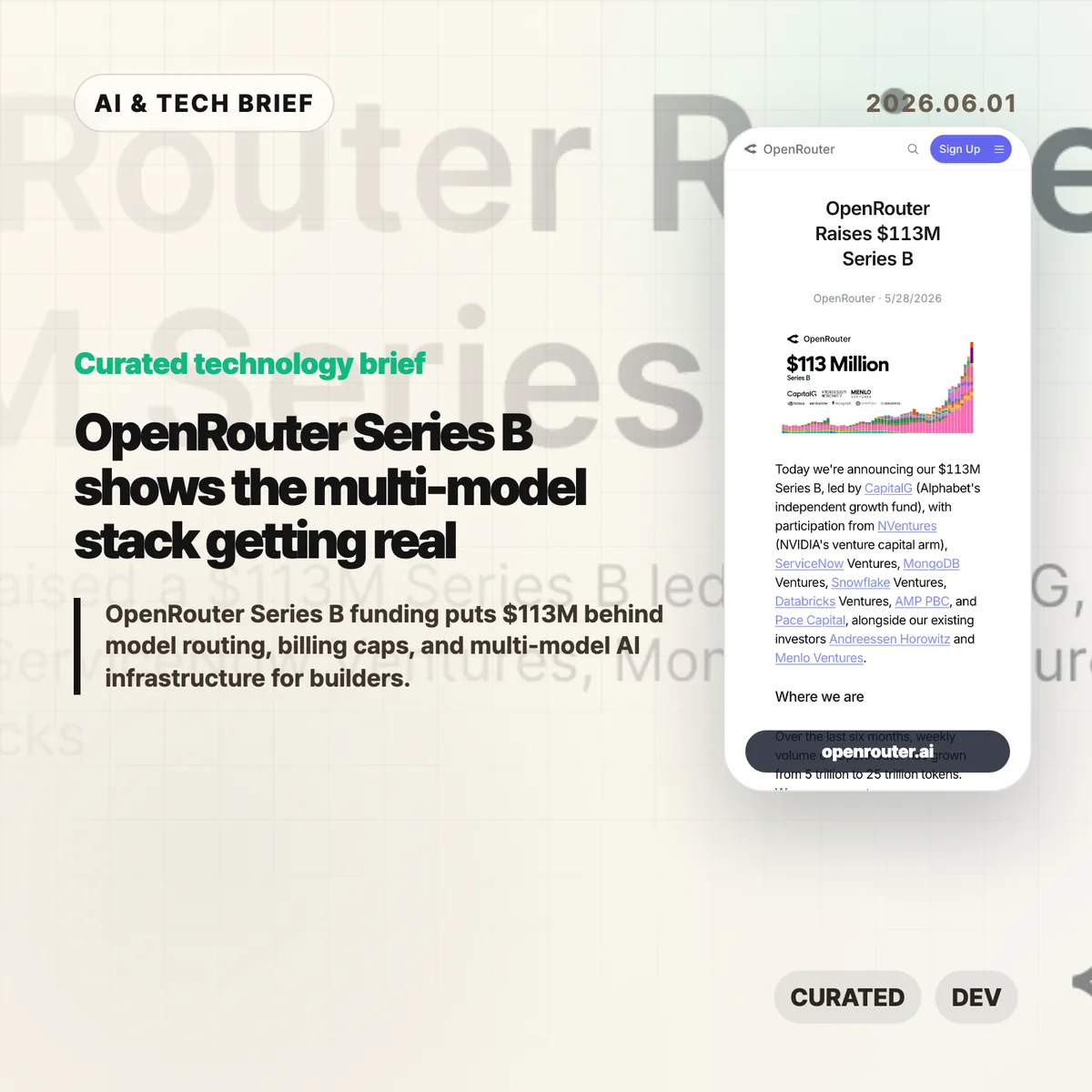
    OpenRouter Series B funding puts $113 million behind a simple bet: AI apps will not settle on one model provider. The company says it now serves more than 8 million developers across 400-plus models, with weekly volume growing from 5 trillion to 25 trillion tokens in six months.

    The short version

    • OpenRouter raised a $113 million Series B led by CapitalG, with NVentures, ServiceNow Ventures, MongoDB Ventures, Snowflake Ventures, and Databricks Ventures also joining the round.
    • The useful part of the OpenRouter Series B announcement is not the valuation story. It is the claim that model routing, billing, failover, and data controls are becoming a real infrastructure layer.
    • Developers on Hacker News like the convenience, model coverage, and billing caps, but they are also arguing about the 5% markup, privacy, lock-in, and whether this should be a library instead of a hosted proxy.
    • For builders, the decision is practical: use a gateway while experimenting, then decide whether the routing layer is still worth paying for at scale.

    What happened

    OpenRouter announced a $113 million Series B led by CapitalG. The round also includes NVentures, ServiceNow Ventures, MongoDB Ventures, Snowflake Ventures, Databricks Ventures, Andreessen Horowitz, and Menlo Ventures.

    The company describes itself as the layer between AI applications and model providers. Its pitch is routing, reliability, cost optimization, compliance, workspaces, spend controls, guardrails, and zero-data-retention options. That is a different business from selling access to a single frontier model.

    The growth numbers are the hook. OpenRouter says weekly volume rose from 5 trillion to 25 trillion tokens over the last six months, and that it is on pace to process more than a quadrillion tokens this year. The company also says more than 8 million developers are building across more than 400 models through the platform.

    For more English tech briefs like this, the IT & AI archive tracks the same shift from model launches to the infrastructure around them.

    why OpenRouter Series B matters

    OpenRouter Series B matters because it points to a boring but important problem inside AI products: model choice is becoming operational work. Teams may want Claude for one task, Gemini or GPT for another, an open model for cost-sensitive traffic, and a specialist model for image, code, or long-context jobs.

    That choice gets messy once real users arrive. Each provider has its own API behavior, pricing, rate limits, outage patterns, logging terms, and privacy controls. A model gateway can turn that mess into a single integration, at least in theory.

    There is a cost to that convenience. A proxy adds another dependency, another policy surface, and another bill. If the app is small or experimental, that trade may be easy. If the app is moving millions of expensive requests, the markup and data path need a harder look.

    Why this is worth watching

    The investor list is telling. CapitalG is leading, but the strategic names around the table are enterprise infrastructure companies. ServiceNow, MongoDB, Snowflake, and Databricks all have reasons to care about how companies route AI work across models and data systems.

    That does not mean OpenRouter owns the category. Cloudflare, Vercel, Replicate, direct provider APIs, client libraries, and internal gateways all crowd the same space from different directions. The question is whether developers want a neutral marketplace-style router, a cloud vendor gateway, or a small shim they control themselves.

    The market is still young enough that the answer may change by workload. A solo builder testing models has different needs from a company with compliance reviews, budget owners, abuse controls, and incident response.

    What Hacker News readers are arguing about

    The Hacker News thread is useful because it does not read like a victory lap. The strongest positive case is convenience. Developers like being able to try new models without wiring up every provider, and several comments point to consolidated billing, usage limits, and fast model switching as the real value.

    The skepticism is just as practical. Some commenters argue that a 5% fee becomes painful when a team is already spending heavily on expensive models. Others ask why this needs to be a hosted company at all when a client library or self-run gateway could normalize provider APIs.

    Privacy and data handling come up repeatedly. One camp warns that free or cheap model access may mean prompts and outputs are valuable to someone else. Another points out that OpenRouter offers filters for zero-data-retention providers, which helps but still leaves teams responsible for understanding the full data path.

    There is also a scale split. OpenRouter looks attractive for experiments, early products, and teams that value billing caps. At higher volume, several commenters expect serious users to compare the gateway against first-party APIs, internal routing, or alternatives like Cloudflare and Vercel.

    The practical read

    If you are building an AI app, OpenRouter is easiest to understand as a routing and procurement layer, not as a better model. It can reduce setup time, make model comparisons easier, and give smaller teams controls that some model providers still handle awkwardly.

    The practical test is simple. Use a gateway when it speeds up exploration or gives you spend limits you cannot get elsewhere. Revisit the choice once traffic is predictable. At that point, compare total cost, outage behavior, logging policy, privacy terms, and how hard it would be to move away.

    For agent products, the routing layer may matter even more. Multi-step workflows are sensitive to latency, failures, and model drift. A gateway can help, but it cannot replace evaluation, monitoring, and clear fallbacks inside the product.

    Sources

  • Domain expertise is the AI coding moat

    Domain expertise is the AI coding moat

    Domain expertise is becoming more valuable as AI coding agents make software easier to produce. Aaron Brethorst’s argument is simple and uncomfortable: the bottleneck moves from writing the code to knowing whether the thing the code does is correct.

    The short version: domain expertise

    • AI coding agents lower the cost of implementation, but they do not automatically know the messy rules inside payroll, transit, insurance, logistics, or clinical billing.
    • Domain expertise matters because the expert can spot a plausible answer that is wrong before it turns into a costly system.
    • The strongest engineer in this setup is not the fastest prompt writer. It is the person who can judge the code and the real-world result.
    • Hacker News readers mostly agreed with the premise, but pushed back on the idea that domain experts can easily explain their own rules to an AI system.

    What happened

    Brethorst’s essay argues that software has always depended on a mental model of the domain. A payroll system is hard because of garnishments, deductions, rate changes, and edge cases. A transit app is hard because routes, trips, schedules, and rider expectations do not line up cleanly.

    In that view, code is the transcription layer. The harder work is learning enough of the domain to know what the software should do.

    AI coding agents weaken the old link between understanding and implementation. A person can now ask an agent to build screens, APIs, tests, and deployment scripts without years of programming practice. That helps domain experts, because the missing piece for many of them was code production. It does less for a generalist engineer who lacks the domain model and cannot tell whether a generated output is actually right.

    That distinction matters for teams following AI and software engineering closely in the IT & AI archive. Faster output is useful only when the organization has someone who can define and verify correctness.

    Why this is worth watching

    The essay lands because it pushes against a lazy version of the AI coding story. If code gets cheaper, the valuable work does not disappear. It moves closer to judgment.

    A logistics dispatcher may not read a stack trace, but they can look at a generated schedule and know that a driver cannot legally work that shift. A clinical coder may not care how the rules engine is structured, but they can see when a claim is likely to be denied. That is not generic “business context.” It is accumulated pattern recognition from years of seeing inputs, outputs, exceptions, and consequences.

    This is also a career argument. Senior developers still need architecture, reliability, testing, and incident judgment. But if their only advantage is turning clear requirements into clean code, that advantage is getting thinner. The rarer combination is engineering skill plus a working model of a real domain.

    For product teams, the practical question is where domain expertise sits in the AI workflow. If experts only review the product after engineers and agents have already built it, the process will keep producing polished wrong answers. The expert needs to shape tests, examples, acceptance criteria, and failure cases early.

    What Hacker News readers are arguing about

    The Hacker News discussion was less about whether domain expertise matters and more about whether domain experts can make their knowledge explicit enough for software.

    One strong objection was that verifying an answer is different from explaining how to generate it. Several commenters who had worked with finance or accounting teams said experts often know a rule when they see it, but struggle to describe it fully. That led to a useful thread around tacit knowledge and Polanyi’s paradox: people can know more than they can explain.

    Another camp argued that requirements work has always been the real software job. In small companies and internal systems, refining what the system should do often takes more time than writing the code. AI may make this more obvious rather than make it new.

    There was also a builder-friendly angle. Some commenters said AI can help engineers learn a domain faster because it removes boilerplate and lets them build experiments quickly. A few mentioned domain-specific languages as a better bridge: instead of expecting experts to write software, give them a constrained language that encodes the rules and can be tested against past cases.

    The useful skepticism is this: domain experts are not automatically good product designers, requirements writers, or system builders. The win probably comes from tighter collaboration, where experts supply examples and corrections while engineers turn that knowledge into reliable systems.

    The practical read

    If you run an engineering team, do not measure AI coding only by tickets closed or lines generated. Add domain validation to the workflow. Ask who owns the examples, who writes the edge-case tests, and who can reject a result that looks reasonable but fails a real rule.

    If you are a developer, the career move is not to panic about code generation. Pick a domain where mistakes matter and learn it seriously. Billing, compliance, logistics, security operations, financial workflows, health care administration, industrial systems, and public-sector processes all have rules that are hard to fake.

    The near-term advantage belongs to people who can ask an AI agent for working software, then say with evidence whether the output is correct. Domain expertise is the moat because correctness is still tied to the world outside the editor.

    Sources

  • Files SDK tries to make blob storage less annoying

    Files SDK tries to make blob storage less annoying

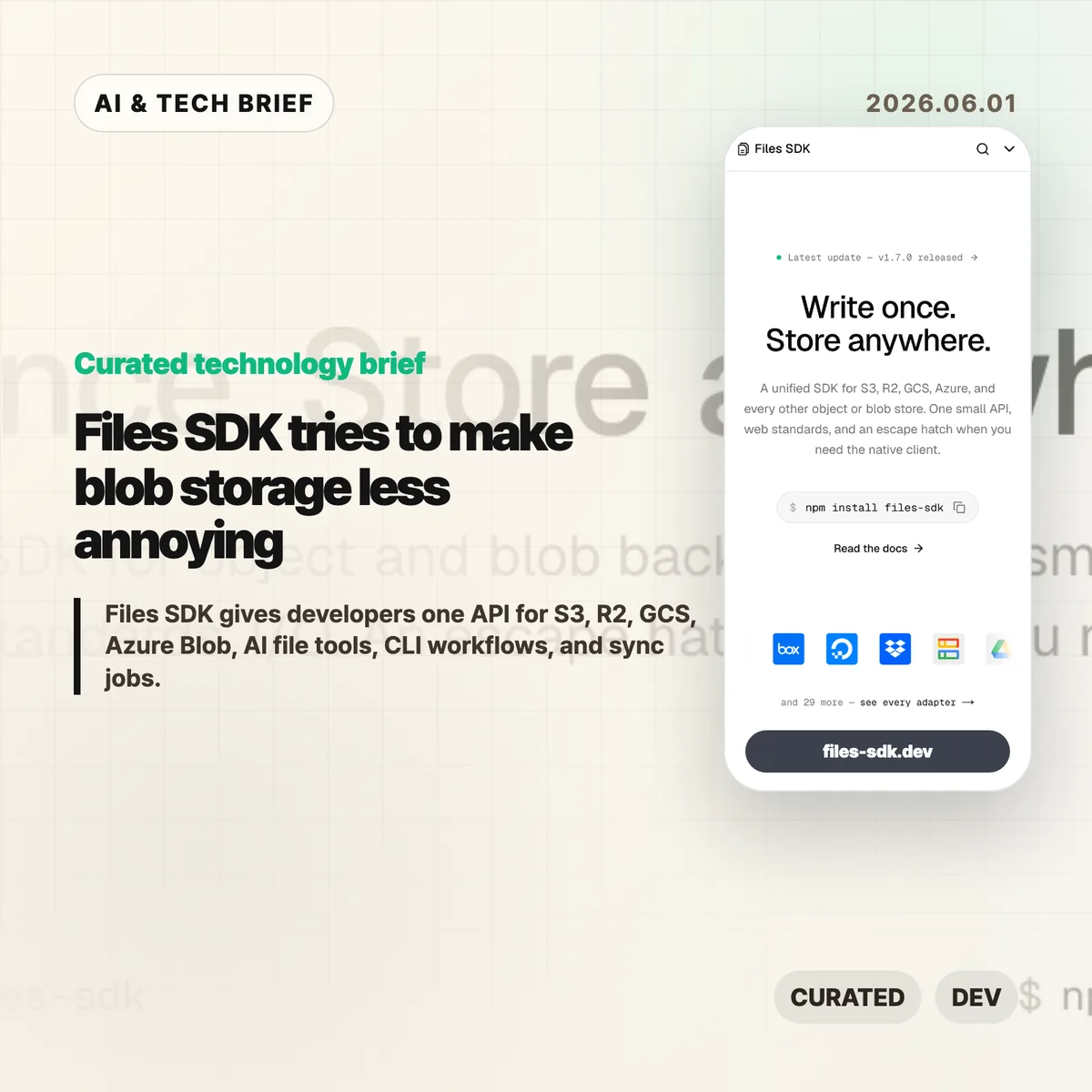
    Files SDK is an open source JavaScript storage library that puts S3, Cloudflare R2, Google Cloud Storage, Azure Blob, Vercel Blob, Netlify Blobs, MinIO, and other backends behind one file API. The pitch is simple: swap the adapter, keep the upload, download, list, head, copy, move, and delete calls mostly the same. For teams that keep writing the same storage glue in different projects, that is a boring problem worth solving.

    The short version

    • Files SDK advertises 40+ adapters, optional peer dependencies for provider clients, and npm install files-sdk as the base install path.
    • Version 1.7.0, published on May 31, 2026, adds sync() for incremental mirrors, dry runs, pruning, directory-style listing, and related CLI and MCP support.
    • The useful part is not that every storage backend becomes identical. It is that the common path gets smaller while escape hatches remain for native clients.
    • The agent angle matters: Files SDK can generate file tools for the Vercel AI SDK, OpenAI Agents, Claude, and MCP with read-only mode and approval gates.

    What happened

    The project site describes Files SDK as “one API” for object and blob storage, with examples for S3, R2, GCS, Azure Blob, Vercel Blob, Netlify Blobs, and MinIO. Its live snippets show the same basic sequence across providers: create a Files instance with an adapter, then call methods such as upload, download, head, list, and delete.

    The GitHub repository describes the package as a unified storage SDK for object and blob backends with web standards I/O and an escape hatch for native clients. The package is MIT licensed, authored by Hayden Bleasel, and published as an ES module package with a CLI binary named files.

    The latest release is files-sdk@1.7.0. The release notes add a few details that make the project more than a wrapper around upload and download. The new sync() API can mirror one provider into another, skip objects that already match, prune destination keys in mirror mode, and run a dry-run plan before it writes. The same release also adds directory-style listing through a delimiter option.

    Why this is worth watching

    Files SDK is aimed at the code that tends to age badly: migrations, backup scripts, user upload flows, admin tools, and one-off operations that quietly become production dependencies. If a product starts on S3, adds R2 for cheaper egress, stores some files in Vercel Blob, and later needs a GCS migration path, the API differences start leaking everywhere.

    A small abstraction can help there. It gives teams one place to handle routine file work, one CLI surface for scripts and CI, and one shape for bulk operations. The docs call out bounded concurrency for batch calls, async iterable listings, multipart upload, upload progress callbacks, byte-range downloads that map to HTTP 206, and lifecycle hooks such as onAction, onRetry, and onError.

    There is a catch. Storage providers differ in permissions, consistency behavior, object metadata, signed URL rules, regional constraints, and billing. Files SDK looks most useful when teams use it for the shared 80 percent and keep provider-native clients for the cases where those differences matter.

    For more developer tool briefs, the IT & AI archive keeps related coverage in one place.

    What the discussion is missing

    I could not find a public Hacker News thread for Files SDK in the usual search surface, so there is no community consensus to summarize yet. That leaves a few things buyers and maintainers should check directly.

    First, adapter depth matters more than adapter count. A list of 40+ adapters is useful only if the ones you need handle pagination, metadata, retries, range reads, signed URLs, and edge cases the way your app expects. Second, the AI agent file tools deserve a security review before anyone gives them write or delete access. Approval gates and read-only mode are good defaults, but the risk depends on what buckets, paths, and credentials the agent can reach.

    The missing debate is probably where the value lives: is this a clean common layer for boring file work, or will teams hit backend-specific behavior quickly enough that they return to native SDKs? That answer will vary by workload.

    Files SDK in practice

    Files SDK is worth testing if your team already has more than one blob store, expects to migrate between providers, or keeps rebuilding storage scripts for backups and cleanup. Start with a narrow path: list a prefix, copy a few objects, run sync() in dry-run mode, and compare the result against the provider’s native SDK.

    The practical read

    For AI workflows, keep the first integration read-only. Let an agent list and read files before it can upload, move, delete, or sync anything. If write tools are needed, put approval gates on destructive actions and limit the adapter credentials to the smallest bucket or prefix that works.

    Ignore the abstraction if your product depends heavily on provider-specific features. In that case, Files SDK may still be useful for CLI chores or migration scripts, but the core application path should stay close to the native client.

    Sources

  • Cursor Developer Habits Report shows AI coding is changing shape

    Cursor Developer Habits Report shows AI coding is changing shape

    Source: The Cursor Developer Habits Report

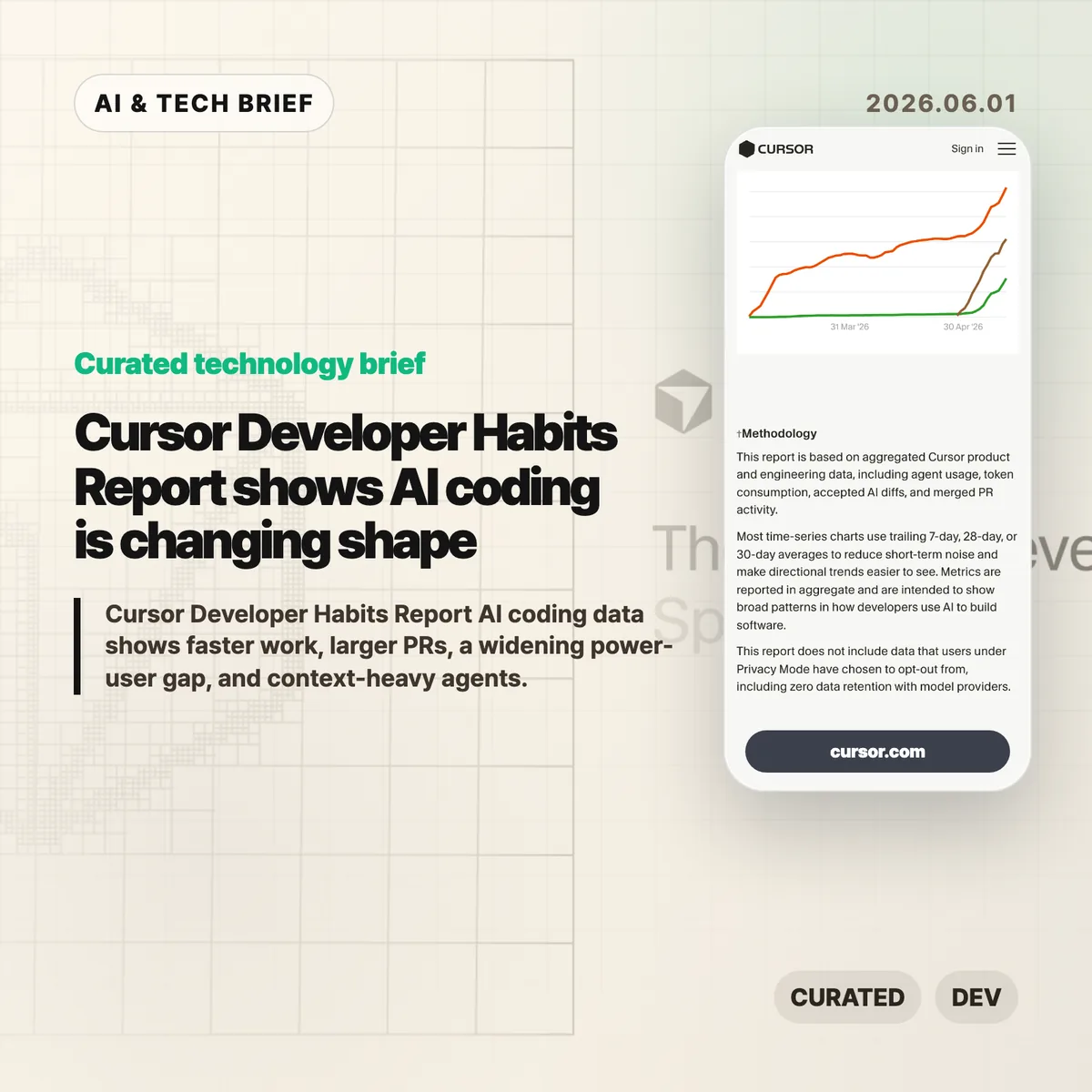
    AI coding tools are no longer just making autocomplete feel smarter. Cursor’s Spring 2026 Developer Habits Report points to something messier: more code, larger PRs, deeper agent sessions, and a widening gap between casual users and people who have turned agents into a real workflow.

    The short version

    • The Cursor Developer Habits Report says lines added per developer per week rose from 3.6K in early 2025 to 8.6K by May 2026.
    • PRs are getting much larger. The p75 lines added per PR moved from 125.86 to 345.02.
    • Big PRs are less rare now: merged PRs with at least 1,000 changed lines rose from 8.0% to 13.8%.
    • AI usage is concentrated. Cursor reports Gini scores of 0.77 for AI lines, 0.75 for AI spend, and 0.72 for token consumption.
    • The input/output token ratio rose from 4.52× to 11.41×, which means agents are reading far more before they write.

    What happened

    Cursor published a product-data report on how developers are using AI inside its coding environment. The headline number is easy to understand: developers are adding more code. But the more useful signal is that the unit of work is getting bigger.

    Lines added per developer per week rose from 3.6K to 8.6K. That is a big jump. It is also a dangerous number to overread. More lines can mean more output. They can also mean more churn, more review load, or more code that somebody has to clean up later.

    Cursor chart showing weekly lines added per developer
    Cursor chart showing weekly lines added per developer

    Source: The Cursor Developer Habits Report

    The PR data is harder to ignore. The p75 lines added per PR went from 125.86 to 345.02, and the share of merged PRs with at least 1,000 changed lines rose from 8.0% to 13.8%. That changes the reviewer’s job. A larger diff needs a clearer intent, better tests, and a smaller blast radius.

    Cursor chart showing p75 lines added per pull request
    Cursor chart showing p75 lines added per pull request

    Source: The Cursor Developer Habits Report

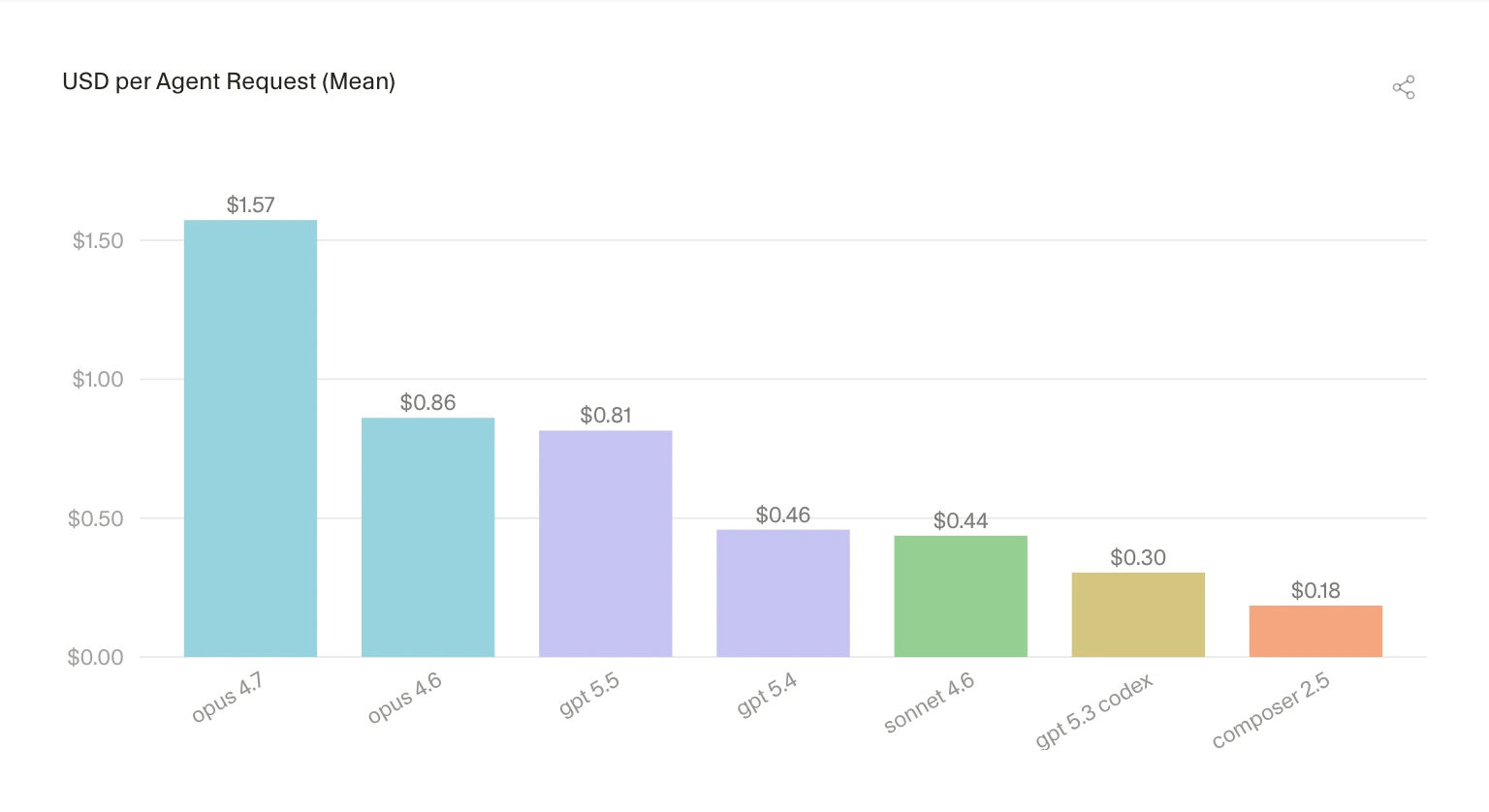
    Cost is part of the story too. Cursor shows average agent request cost varying from $1.57 for opus 4.7 to $0.18 for composer 2.5. The gap gets narrower when measured by accepted added line, but it does not go away. Model choice now affects product quality and margins at the same time.

    Cursor chart comparing average agent request cost by model
    Cursor chart comparing average agent request cost by model

    Source: The Cursor Developer Habits Report

    Why this is worth watching

    The Cursor Developer Habits Report is useful because it shows the awkward middle stage of AI coding. The tools are good enough to change how people work, but not clean enough to remove the need for discipline.

    Bigger PRs are not automatically better. Deeper agent sessions are not automatically safer. Cursor also reports that the 60-minute survival share for accepted AI lines rose from roughly 76% to 81%, which is a decent signal. But a line surviving for an hour is not the same as a line staying cheap to maintain for six months.

    The power-user gap may be the most important part. If the top users learn how to scope work, feed context, inspect diffs, and run checks, their curve bends faster than everyone else’s. Buying the tool does not spread that skill evenly across a team.

    Cursor chart showing AI usage concentration and Gini scores
    Cursor chart showing AI usage concentration and Gini scores

    Source: The Cursor Developer Habits Report

    AI coding notes for builders

    For developer-tool teams, the context numbers are the part to stare at. The input/output token ratio climbed above 11×. That suggests the agent experience is becoming a reading problem as much as a writing problem.

    Cursor chart showing input to output token ratio growth
    Cursor chart showing input to output token ratio growth

    Source: The Cursor Developer Habits Report

    Repo maps, search, cache behavior, tool calls, terminal output, and review surfaces may matter as much as the base model. Users do not experience “model quality” in the abstract. They notice whether the agent understood their codebase or confidently edited the wrong thing.

    What the discussion is missing

    Cursor’s data comes from real product usage, which makes it more useful than a survey. It is still Cursor’s own user base. Treat it as a strong signal, not an industry-wide average.

    The missing comparison is downstream quality. Defect rates. Rollbacks. Review time. Test coverage. Maintenance cost after AI-assisted changes land. Lines added and PR size are easy to chart. Engineering health is where the bill shows up later.

    The practical read

    Engineering leaders should watch review systems alongside AI adoption. If agents make PRs larger, teams need sharper change descriptions, better test evidence, and a habit of splitting risky work before it becomes unreadable.

    Individual developers should treat AI coding as a workflow skill. Ask for smaller changes. Provide the files that matter. Read the diff. Run the tests. Reject output quickly when it drifts. That sounds boring, but that is the difference between speed and cleanup.

    For more AI and developer-tool coverage, see the AI & Technology archive.

    Sources

  • Boring technology matters more when AI writes the code

    Boring technology matters more when AI writes the code

    Boring technology is not a nostalgia play. Aaron Brethorst argues that AI coding tools make the old “choose boring technology” rule more useful, because generated code is easier to trust when your team can actually review it. The uncomfortable part is simple: AI can write code for stacks you do not understand, but it cannot give your team the judgment it skipped.

    The short version

    • Brethorst revisits Dan McKinley’s 2015 “Choose Boring Technology” essay and applies it to Claude, Copilot, and agentic coding tools.
    • The risk is not that AI writes bad code. The risk is that it writes plausible code in unfamiliar stacks, where teams have weak review instincts.
    • Boring technology works well with AI because known tools have known failure modes, docs, operational patterns, and people who can spot odd suggestions.
    • The useful question for a new stack is: if AI generated this implementation, could the team review it without guessing?

    What happened

    Brethorst’s post starts from McKinley’s idea of “innovation tokens”: teams can afford only a limited number of new, risky technical choices before their ability to operate the system gets worse. A new language, a new framework, and a new infrastructure model in the same project may feel exciting, but every unknown adds review cost.

    AI coding assistants change the feel of that tradeoff. Claude or Copilot can produce professional-looking code for Kubernetes, GraphQL federation, Rails, JavaScript, or a framework the team barely knows. That makes the unfamiliar stack look cheaper than it is. The generated code may run. It may follow naming conventions. It may include error handling. None of that proves the design is safe, maintainable, or idiomatic.

    Brethorst’s practical rule is blunt: use AI as a multiplier for stacks you already understand. If the team knows Rails, AI-generated Rails code is easier to check. If the team knows JavaScript, Copilot’s suggestions can be reviewed against real language knowledge. In a stack nobody understands, the tool becomes a confidence machine.

    Why this is worth watching

    Boring technology has a different meaning in the AI coding era. It does not mean old for the sake of old. It means the team knows how it fails, where to find answers, which APIs are deprecated, how performance problems usually show up, and what production pain looks like at 3 a.m.

    That matters because AI-generated code has become tidy enough to hide its own problems. Bad code used to look suspicious. Now the risky version may look clean, because the model has learned the surface shape of good code. The reviewer still needs taste, context, and memory of prior failures.

    For more software and AI briefings, the IT & AI archive tracks similar stories about developer tools, AI infrastructure, and product engineering choices.

    What Hacker News readers are arguing about

    The Hacker News thread is tiny, so there is no broad community verdict to report. The one useful comment points to Django as an example of boring technology that still makes a developer more productive.

    That small reaction fits the essay better than a noisy debate would. The point is not that every team should pick Django, Rails, Postgres, or any other specific default. The point is that mature tools often pair better with AI coding assistants because the human reviewer has a sharper baseline. The discussion does not prove the argument, but it shows the kind of practical response the essay invites: name the stack you know well enough to trust yourself around.

    The practical read for boring technology

    A team evaluating AI coding tools should separate two decisions that often get mixed together. One decision is whether AI can speed up the work. The other is whether the team can review the output.

    If a project already uses a familiar stack, AI can help with boilerplate, tests, migrations, refactors, and repetitive glue code. If the project also introduces a new framework or infrastructure pattern, slow down. Build a small internal test first. Ask someone to review the generated code without running to the docs every two minutes. If that review is mostly vibes, the stack is not ready for core production work.

    Boring technology is a review strategy. It gives AI less room to fool the team and gives humans more chances to catch the mistake before customers do.

    Sources

  • Boring technology is a sharper engineering bet than it sounds

    Boring technology is a sharper engineering bet than it sounds

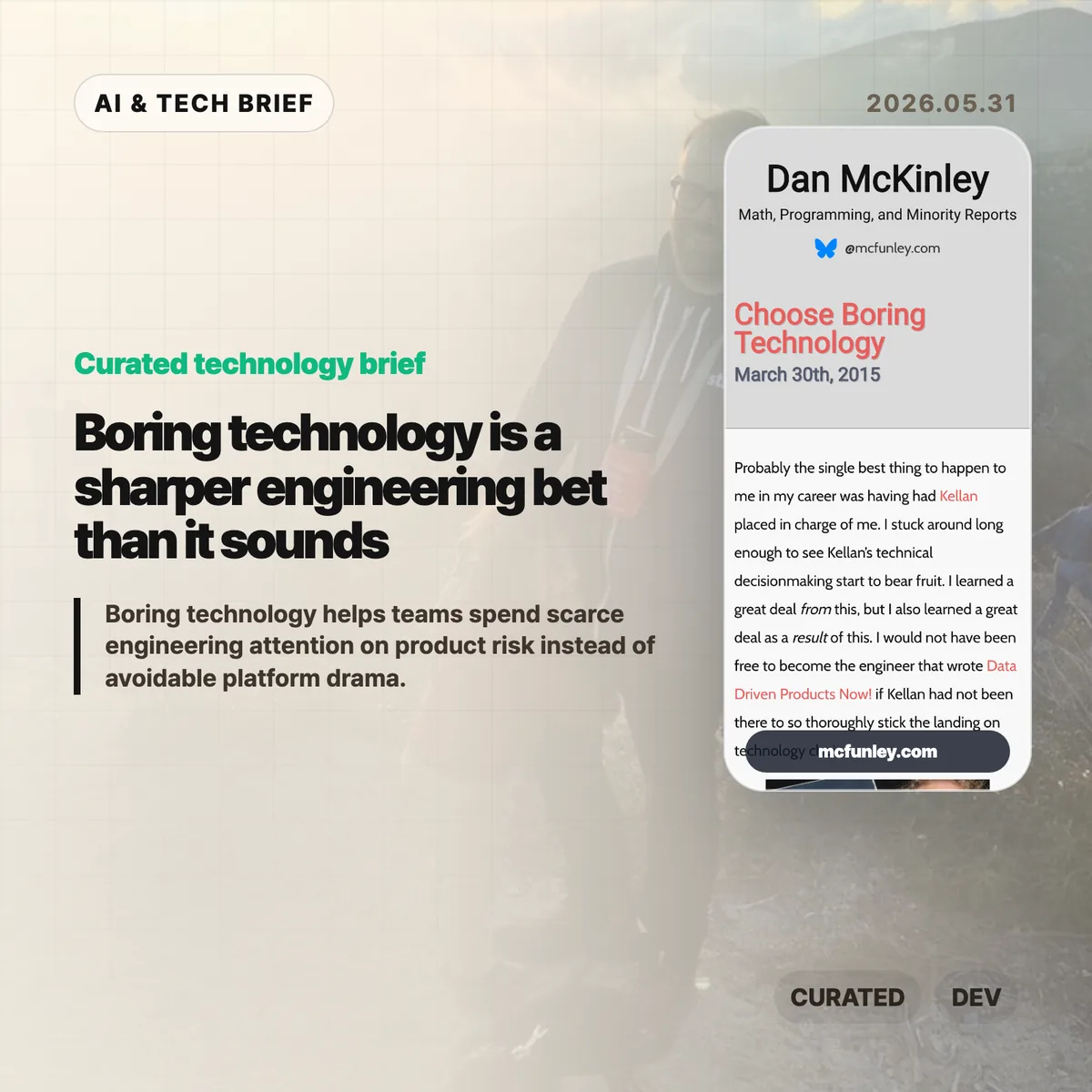
    Boring technology is not a plea for timid engineering. Dan McKinley’s 2015 essay argues that teams have a limited budget for novelty, and spending it on databases, queues, deployment plumbing, and service discovery can quietly steal attention from the product itself.

    The short version

    • McKinley’s core idea is the “innovation token”: every unfamiliar technology consumes attention, debugging time, hiring capacity, and operational patience.
    • “Boring” means well understood, not low quality. MySQL, Postgres, Python, Cron, and similar tools are boring because their failure modes are easier to predict.
    • The advice is strongest for startups and small teams. A tool that looks optimal for one subsystem can make the whole company harder to operate.
    • New technology still has a place when it is central to the product or removes a real constraint. The bar should be higher than “the demo looked good.”

    What happened

    Dan McKinley published “Choose Boring Technology” in 2015, drawing on his time at Etsy and on lessons from technical leadership there. The essay has kept circulating because it gives engineers a simple way to talk about platform risk without turning every stack debate into taste warfare.

    The memorable frame is that each company gets only a few innovation tokens. Pick Node.js, MongoDB, a new service discovery system, or a homegrown database, and you have spent one. The exact examples have aged, which is part of the point. Some technologies that felt risky in 2015 are ordinary now. The useful question is not whether a named tool is permanently safe or unsafe. It is whether your team already understands the tool’s limits, failure modes, and maintenance cost.

    McKinley is not arguing that teams should freeze their stack forever. He is arguing for global optimization. A tool can be the best local answer for one feature and still be the wrong company-level choice once monitoring, testing, hiring, incident response, and handoff costs enter the picture.

    Why this is worth watching

    The essay reads differently in 2026 because AI infrastructure has made shiny-stack pressure worse. A team can now add a vector database, orchestration framework, eval harness, agent runtime, observability layer, and model gateway before it has proved that the product solves a real user problem.

    That does not mean teams should avoid the AI stack. It means the “innovation token” model is even more useful. If the product’s real risk is model quality, workflow fit, or distribution, then spending novelty on routine plumbing is expensive. For more posts on practical tech judgment, see the IT & AI archive.

    The sharper reading is this: boring technology buys room to be bold somewhere else. A startup may need a risky model workflow or a new interface pattern. It probably does not need five risky infrastructure choices at the same time.

    What Hacker News readers are arguing about

    The Hacker News discussion is old but still useful because it shows where the advice meets developer identity. Many readers agreed with the broad lesson: code and infrastructure carry a maintenance cost, and chasing trends can become resume padding disguised as architecture.

    The pushback was more interesting than a simple pro-boring consensus. Some commenters argued that code is also an asset, not only a liability, and that speculative learning is part of becoming a better engineer. Others pointed out that “boring” changes with time. Node.js and MongoDB were used as examples of novelty in the original essay, but by the 2021 discussion several readers argued that Node had become mainstream enough to count as boring in many teams.

    The practical split is really about context. A consultancy, database company, or developer platform may have a good reason to spend tokens on the core technology it sells. A payments startup or marketplace usually has less reason to invent its own operational substrate. The thread also returns to hiring: familiar stacks are easier to staff, review, debug, and hand off when the first expert leaves.

    Boring technology in practice

    A useful stack review can be blunt. List every major system that needs special knowledge: database, queue, runtime, deployment layer, auth, observability, AI orchestration, and data pipeline. Then ask which choices are essential to the company’s edge and which ones are merely interesting.

    For each nonstandard choice, write down who can operate it during an incident, how it fails under load, how the team tests it, what migration would cost, and whether the same user outcome could be reached with a familiar tool. If nobody can answer those questions, the team may be spending an innovation token without admitting it.

    This is especially relevant for app builders and developer tool teams. Product discovery and marketplace rankings tend to reward visible features, but retention often comes from reliability. A tool that lets customers keep their boring stack while adding one valuable capability may be easier to adopt than a product that demands a full platform rethink.

    The practical read

    Use boring technology as a default, not a religion. If a new tool removes the main bottleneck in your business, test it seriously. If it only makes the architecture diagram look more current, leave it out.

    The best version of McKinley’s advice is not anti-innovation. It is anti-waste. Save the weirdness for the part of the product where weirdness actually compounds. Everywhere else, boring is often what lets the team keep shipping.

    Sources

  • MCP context cost is why the CLI still matters

    MCP context cost is why the CLI still matters

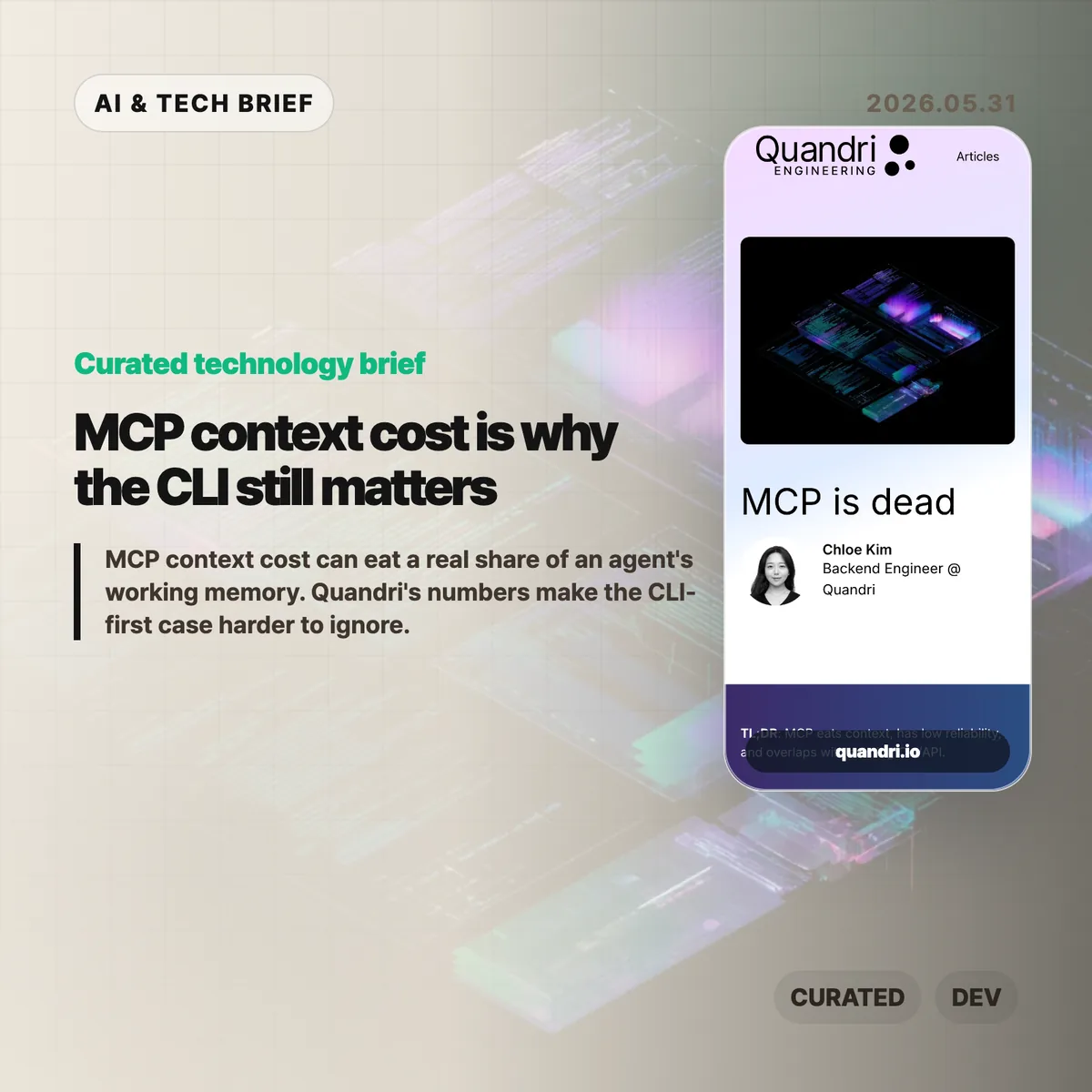
    MCP context cost is becoming the awkward part of the Model Context Protocol story. Quandri measured its own MCP setup and found that tool schemas, before any actual work happens, can take more than 21,000 tokens across four connected servers.

    The short version: MCP context cost

    • Quandri measured Linear, Notion, Slack, and Postgres MCP servers at roughly 21,077 tokens of tool definitions, or 10.5% of a 200K Claude context window.
    • Linear alone accounted for about 12,807 tokens across 42 tool definitions, compared with roughly 200 tokens for a direct GraphQL issue lookup via curl.
    • Claude Code’s newer Tool Search with Deferred Loading reportedly cuts the schema-loading burden by more than 85%, so the context complaint is less absolute than the headline suggests.
    • The useful debate is not whether MCP is dead. It is whether a given workflow needs a protocol server, or whether a CLI and a small amount of documentation are easier to run, debug, and trust.

    What happened

    Quandri published a blunt engineering note arguing that MCP is often too expensive for everyday developer workflows. The post builds on Eric Holmes’s earlier “MCP is dead. Long live the CLI” argument, then adds measurements from Quandri’s own stack.

    The headline number is the MCP context cost. Quandri says its Linear, Notion, Slack, and Postgres MCP servers expose 77 tools whose definitions total about 84,308 characters, or an estimated 21,077 tokens. On Claude’s 200K context window, that is about 10.5%. On GPT-4o’s 128K window, it would be about 16.5%.

    The Linear example is sharper. Quandri estimates that Linear’s MCP server loads 42 tool definitions at about 12,807 tokens. A direct Linear GraphQL lookup through curl, by contrast, is framed as roughly 50 tokens for the command and 150 for the response. That is where the “65x” comparison comes from.

    The post also includes an important correction. Since Quandri took its measurements, Claude Code added Tool Search with Deferred Loading, which loads MCP tool schemas on demand and reportedly reduces context use by more than 85%. That does not erase the operational objections, but it does make the original context-window argument more version-dependent.

    Why this is worth watching

    MCP became popular because it gives AI agents a common way to call external tools. That is valuable when a service has no good CLI, when an admin wants centralized access control, or when a tool needs to hide credentials from the agent and the developer.

    But developers already have a mature tool interface: the command line. gh, aws, kubectl, psql, jq, and curl are boring in the best way. Humans can run the same command an agent ran. Logs and errors are visible. Auth usually follows existing workflows. Pipelines can filter large outputs before they ever reach the model.

    That matters for AI builders because integrations are turning into product features. A developer tool that ships only an MCP server may look modern, but a strong CLI can be easier for both humans and agents to adopt. For more AI tooling coverage, see the IT & AI archive.

    The practical split is probably simple. Use MCP when the protocol server gives you safer permissions, shared administration, or access to a product that has no good local interface. Prefer a CLI or direct API when the job is already scriptable and the main need is repeatability.

    What Hacker News readers are arguing about

    The Hacker News discussion is split between individual developer ergonomics and enterprise control.

    The CLI-first camp mostly agrees with the article’s debugging point. Several commenters argue that agents are already good at shell tools, that Unix permissions and sandboxing are better understood than bespoke tool servers, and that wrapper scripts can expose narrow read or write operations without making every tool a separate protocol project.

    The strongest pro-MCP argument is about organizations, not solo workflows. Commenters defending MCP point to shared credentials, admin-controlled access, consistent tool rollout across teams, and the ability to keep secrets away from both the developer and the agent. In that view, MCP is less about convenience and more about putting a managed boundary around many services.

    There is also a security argument running in both directions. Critics worry that local MCP servers can become extra escape hatches unless they are deployed inside the same sandbox as the agent. Supporters counter that a server-managed interface can enforce read-only behavior or parameter limits more cleanly than asking every developer to maintain local scripts.

    The useful takeaway from the thread is that MCP context cost is only one axis. The real tradeoff includes who owns credentials, where policy is enforced, how failures are debugged, and whether the tool will be used by one power user or a whole company.

    The practical read

    If you are adding an integration to an AI coding workflow, start with the boring question: can a person reproduce the agent’s action in a terminal?

    If the answer is yes, a CLI-first setup may be enough. Put the exact commands, examples, and safe usage notes where the agent can load them only when needed. That keeps the interface close to what developers already understand.

    If the answer is no, MCP may be the right shape. It is especially reasonable for non-CLI products, centrally managed enterprise tools, shared credentials, and workflows where the organization needs one enforcement layer rather than dozens of local setups.

    The worst version is cargo-cult MCP: adding a server because agents are fashionable, then paying the maintenance cost, auth friction, and MCP context cost for tasks that curl or gh could already do.

    Sources