Author: Diligesker Editorial Desk

  • Angular v22 makes agentic development part of the framework story

    Angular v22 makes agentic development part of the framework story

    Angular v22, announced by the Angular team on June 3, 2026, is a release about production defaults and agentic development. The team moved Signal Forms, Angular Aria, resource, and httpResource into stable status while adding MCP tools and WebMCP documentation for AI coding agents that need to build, run, and inspect Angular apps.

    The short version

    • Angular v22 makes Signal Forms, Angular Aria, resource, and httpResource production ready, giving teams stable APIs for forms, accessibility, and asynchronous data.
    • Angular MCP now includes development server tools such as devserver.start, devserver.stop, and devserver.wait_for_build, which helps coding agents read build output and continue work.
    • Google is tying Angular to AI development surfaces, including Angular Agent Skills, experimental WebMCP support, Google AI Studio, and Gemini Canvas.
    • New apps now use OnPush by default, while the old default change detection strategy has been renamed ChangeDetectionStrategy.Eager.
    • Webpack-related Angular builders and @ngtools/webpack are deprecated in v22 as the team shifts attention toward TSGo support.

    What happened

    Angular v22 was announced on June 3, 2026, and it stabilizes several APIs that Angular teams have been watching since earlier releases. Signal Forms is now ready for production with documentation, Angular Material support, Angular Aria support, and fixes based on community feedback. Angular Aria also moves to production with accessible UI patterns, test harnesses, and support for Signal Forms.

    The release also makes the asynchronous reactivity APIs resource and httpResource production ready. That matters because Angular developers can keep a signal-style mental model for async work instead of treating every network-backed state change as a separate pattern. The Angular blog frames this as a way to request resources without giving up the ergonomics of signals.

    The practical reading is simple: Angular v22 gives teams fewer excuses to keep these APIs in a wait-and-see bucket. For teams maintaining design systems, admin tools, and long-lived enterprise apps, stable forms and accessibility primitives are the parts of this release most likely to affect day-to-day code.

    Why Angular v22 is worth watching

    Angular v22 is worth watching because it gives coding agents official ways to understand and operate an Angular project. The updated Angular MCP tooling can start and stop the development server, wait for builds, and expose build output to an agent. That creates a cleaner loop for tools that generate code, run the app, inspect errors, and revise the implementation.

    Angular Agent Skills are the second piece. The new angular-developer and angular-new-app skills give AI assistants compact guidance on modern Angular patterns, including Signal Forms and Angular Aria. The team says the core skill is under 140 lines and uses progressive disclosure, so an agent can pull deeper references only when it needs them.

    WebMCP pushes the same idea into browser interaction. Angular’s experimental WebMCP support lets apps expose structured tools for agents, including tools for routes, services, and dynamic Signal Forms. For builders following AI-assisted development, the direction is clear: Angular wants agents to use framework-native structure instead of guessing through the DOM.

    For more IT and AI coverage, see the IT & AI archive.

    What Angular v22 changes for frontend teams

    Angular v22 changes the migration conversation for frontend teams by making performance and maintainability more explicit defaults. New Angular apps use OnPush by default, aligning with Angular’s zoneless direction. The old ChangeDetectionStrategy.Default name becomes ChangeDetectionStrategy.Eager, which is clearer about what the strategy does.

    The router also gets closer to the browser platform. Angular v22 adds experimental integration with the platform Navigation API, so the router can intercept navigation requests, rely on native scroll behavior, and make global loading indicators or accessibility announcements easier to coordinate during page transitions.

    The template updates are smaller but useful. Angular v22 adds comments inside HTML elements, spread and rest syntax in templates, more capable @switch blocks, exhaustive checks, and short arrow functions in templates. These are not flashy features, but they reduce the amount of workaround code that tends to accumulate in large Angular projects.

    What does Angular v22 mean for app builders?

    Angular v22 gives app builders a more direct path from prompt-driven prototype to structured Angular project. The Angular team says builders can choose Angular in Google AI Studio’s framework selector and use Gemini Canvas to generate an Angular app in the browser, keep editing by chat, and add services such as Firebase later. The release post shows Angular selected alongside options such as React and Next.js.

    That does not make generated apps production ready by default. The useful change is that Angular is appearing inside the workflow where non-specialist builders already experiment. If an app starts as a quick Gemini Canvas prototype, a team can still move toward Angular’s conventional strengths: typed code, routing, testable components, accessible primitives, and framework-owned build tooling.

    For app teams, the ASO angle is less about an app store keyword and more about discovery surfaces. Agent directories, prompt-based builders, and IDE copilots are becoming places where frameworks compete for mindshare. Angular v22 gives Google a clearer story in those surfaces.

    What Hacker News readers are arguing about

    The Hacker News discussion around Angular v22 is less about one feature and more about whether modern Angular deserves a fresh look. Several commenters argued that Angular is much better than its early v2-era reputation, with one recurring comparison to Django because Angular ships more of the application stack in one place. Signal-based APIs, control flow, and reduced boilerplate came up as reasons some developers are reconsidering it.

    The skeptical thread is toolchain control. Some readers still see Angular CLI, the compiler, and custom build integration as the framework’s weak spot, especially when compared with Vite-centered workflows. Others pushed back that the integrated tooling is a feature for teams that want fewer decisions.

    RxJS also remains a fault line. Commenters welcomed signals and stable Signal Forms, but several noted that Angular still has promises, observables, and signals in the same ecosystem. The most useful criticism is that Angular v22 improves the situation without erasing the learning curve. Accessibility drew a similar split: Angular Aria was praised, but one reader flagged keyboard behavior in the docs as worth checking rather than assuming the primitives are perfect.

    The practical read

    Angular v22 is worth testing first in teams that already use Angular for large, maintained web apps. Start with the production-ready APIs from the June 2026 release: Signal Forms for form-heavy screens, Angular Aria for shared accessible components, and httpResource for data fetching that fits signals.

    If your team uses AI coding tools, test Angular MCP in a real repository instead of judging it from the release notes. The important question is whether an agent can run the dev server, read build errors, and make useful corrections without a developer babysitting every step.

    Teams with custom build pipelines should read the deprecation notes before upgrading. Angular v22 deprecates Webpack support, @angular-devkit/build-angular builders, and @ngtools/webpack, while the team says it is focusing on TSGo support in the application builder. That is probably good for agentic workflows and framework consistency. It may be annoying for teams that built their own toolchain around Angular years ago.
    Sources

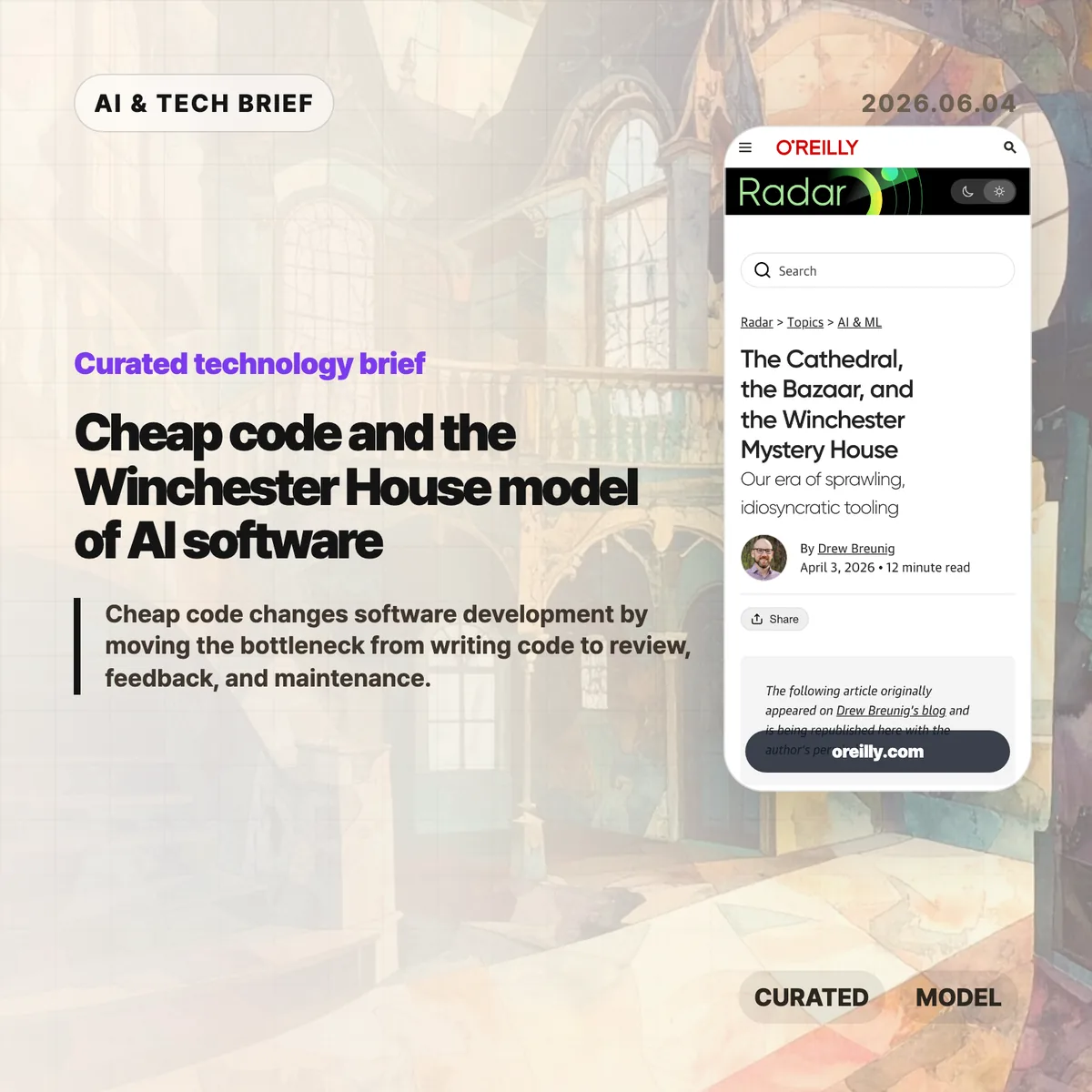
  • Cheap code and the Winchester House model of AI software

    Cheap code and the Winchester House model of AI software

    Cheap code changes software development by making implementation feel abundant while review, feedback, and maintenance stay scarce. In an April 3, 2026 O’Reilly Radar essay, Drew Breunig argues that AI coding agents are creating a third software model: personal, sprawling tools that look less like cathedrals or bazaars and more like the Winchester Mystery House. His examples include Claude Code activity, open source contribution pressure, and personal agent stacks that grow faster than teams can explain them.

    The short version

    • O’Reilly frames AI-era development as a “Winchester Mystery House” model in an April 3, 2026 essay about sprawling personal tools.
    • Breunig cites Claude Code activity reaching about 1,000 net lines per commit, a number that makes review speed more important than raw output.
    • The useful warning is not that AI code is bad. Feedback, review, product judgment, and long-term ownership have not become cheap at the same pace.
    • Open source is unlikely to disappear, but maintainers may face more agent-written pull requests, thin context, and resume-padding contributions.
    • The business angle is boring infrastructure: testing, security, review, dependency management, and maintainability tools that developers do not want to rebuild alone.

    What happened

    O’Reilly Radar republished Drew Breunig’s essay, “The Cathedral, the Bazaar, and the Winchester Mystery House,” on April 3, 2026. The piece updates Eric S. Raymond’s 1998 contrast between the cathedral model of closed, planned software and the bazaar model of open, networked collaboration.

    Breunig’s third model starts from a simple claim: the internet made coordination cheaper, while AI coding agents make implementation cheaper. He cites Claude Code activity and says one example line had reached about 1,000 net lines per commit. That number matters less as a benchmark than as a stress test. If writing code gets faster than understanding code, teams do not automatically get cleaner products. They get more software to judge.

    The essay uses personal agent stacks, open source maintenance pressure, and the Winchester Mystery House itself to describe a world where developers keep extending tools around their own taste. The house had roughly 160 rooms when it became a tourist attraction, after peaking at far more. The software version can be useful and clever, but outsiders may struggle to find the plan.

    Why cheap code is worth watching

    Cheap code is worth watching because it changes the constraint in software work. According to O’Reilly Radar, Breunig compares AI coding agents with the internet’s role in open source: the internet made coordination cheaper, while tools such as Claude Code make implementation cheaper. That switch moves the bottleneck from typing to judgment.

    A developer can now ask an agent to scaffold features, rewrite chunks of code, or glue together APIs with less friction than before. The harder part is what happens after the code exists. Someone still has to decide whether the feature should exist, whether the implementation is safe, whether the tests cover the risky parts, and whether another human can maintain it six months later.

    Breunig’s essay puts this plainly: the fastest feedback loop is often the developer using their own tool. That works well for personal automation. It gets risky when the same habits enter shared products. For readers who follow developer tooling, the next durable products may be review, search, testing, and safety systems rather than another code generator. The broader IT & AI archive is tracking that shift across coding agents, AI infrastructure, and software workflow products.

    What does cheap code change for builders?

    Cheap code pushes builders toward personal software first. A founder, engineer, or internal tools lead can now make a workflow-specific app that would have been too annoying to justify a year ago. In practice, that favors prototypes, back-office automation, research tools, and tiny utilities that never deserved a full product roadmap.

    The trade-off is ownership. A tool that works for one developer can become a maintenance trap when it spreads to a team. Personal context does not transfer automatically. Naming, documentation, tests, access control, data retention, and rollback plans still need human discipline. Teams that adopt AI coding agents should measure more than output volume. Better operating metrics include review time, defect rate, test coverage, duplicated code, and how often generated features are removed after 30 or 90 days.

    App builders and extension developers should also read this as an ASO and marketplace warning. If anyone can build a personal tool, discovery gets noisier. The products that win may be the ones that explain their constraints clearly and handle the unfun parts better than a weekend agent script.

    What Hacker News readers are arguing about

    The Hacker News discussion linked from the O’Reilly essay is older than the current AI coding wave, but it explains why lines of code are a weak productivity metric. The thread starts from the Mythical Man-Month claim that a developer may average around 10 lines of code per day. One widely cited comment by Redis creator Salvatore Sanfilippo estimates his own Redis output at roughly 29 lines per day over a decade, after accounting for rewriting and bug fixing.

    The useful disagreement is about what counts as production. Some commenters point out that greenfield work can produce hundreds of lines in a day, while debugging, refactoring, and design work may produce almost no net lines. Others compare software to repair work: replacing a bolt is easy, knowing which bolt to replace is the skill.

    That makes the O’Reilly argument sharper. If Claude Code can produce around 1,000 net lines per commit in the example Breunig cites, the number is impressive only until it hits the old constraint. More lines still need taste, review, deletion, and responsibility. The Hacker News thread is not evidence about AI agents, but it is a useful reminder that code volume has always been a poor proxy for software value.

    The practical read

    Teams should treat cheap code as a capacity change, not a quality guarantee. The practical move is to pair AI coding agents with stricter review paths: automated tests before merge, smaller diffs, named owners, and clear rollback plans. Use agents where the feedback loop is short: prototypes, migrations, tests, scripts, documentation drafts, and personal workflow tools. Be more conservative when the work touches security, billing, permissions, production data, or shared architecture.

    For open source maintainers, the article points to a near-term process problem. Projects may need contribution templates that ask for evidence, automated triage that filters low-context pull requests, and policies that let maintainers reject generated churn quickly. The goal is not to block AI-assisted contributors. It is to make contributors bring the context that maintainers actually need.

    For tool companies, the opportunity sits around the boring parts. Developers may enjoy building their own stained-glass windows. They still want someone else to make the plumbing reliable.

    Sources

  • Google I/O 2026 AI updates: Gemini moves into Search, apps, and agents

    Google I/O 2026 AI updates: Gemini moves into Search, apps, and agents

    Google I/O 2026 AI updates were less about one model beating another benchmark and more about where Google wants Gemini to live. The company put Gemini into Search, the Gemini app, coding tools, shopping, YouTube creation flows, Android XR, and AI content verification. For builders, the useful question is whether Google is turning AI from a separate assistant into the default layer across its products.

    The short version

    • Google announced Gemini Omni for multimodal video generation, with Gemini Omni Flash arriving in the Gemini app, Google Flow, YouTube Shorts, and YouTube Create.
    • Gemini 3.5 Flash is aimed at agentic coding and long-horizon tasks, with access through Google Antigravity, Google AI Studio, Android Studio, Gemini Enterprise, and Search AI Mode.
    • Google Search is adding information agents and generative interfaces, so some queries may become tracked tasks, dashboards, or custom tools rather than a list of links.
    • The Gemini app is moving toward a personal agent model with Daily Brief, Gemini Spark, and a new interface system called Neural Expressive.
    • Universal Cart, Android XR, Gemini for Science, and SynthID verification show Google pushing Gemini into commerce, hardware, research, and provenance.

    What happened

    Google used I/O 2026 to announce a broad Gemini product push across consumer apps, developer tools, and Search. In one keynote recap, Google listed 12 major moments: Gemini Omni, Gemini 3.5 Flash, information agents in Search, generative UI in Search, Daily Brief, Universal Cart, Gemini Spark, Neural Expressive, Android XR eyewear, SynthID expansion, Gemini for Science, and NotebookLM updates.

    The first-party announcements matter because they describe product placement, not only model capability. Gemini Omni is positioned as a model that can turn text, image, video, and audio references into video. Gemini 3.5 Flash is positioned around agents and coding. Search gets background information agents and AI-generated interfaces. The Gemini app gets proactive briefings and a cloud agent that can keep working while a phone or laptop is closed.

    Google also tied these features to existing channels: Search, Gmail, Calendar, YouTube, Android Studio, Google AI Studio, Gemini Enterprise, Android XR, and Chrome. That is the part worth watching. If these features ship at meaningful scale, users may meet Gemini in places where they already search, code, shop, plan, and watch video.

    Why this is worth watching

    Google I/O 2026 AI updates are worth watching because they point to a product distribution strategy. Google is not asking every user to adopt a new standalone AI app first. It is putting Gemini into surfaces with existing habits: Search for discovery, Gmail and Calendar for personal context, YouTube for creation, Android Studio for developers, and Android XR for hardware.

    That gives Google a different kind of leverage from an AI lab that mainly ships a chatbot or API. Search information agents can keep monitoring a topic after the first query. The Gemini app can build a morning brief from connected apps. Gemini Spark can continue work in the cloud. Universal Cart can collect shopping actions across Google services. None of these ideas is brand new in isolation, but the combined placement is the signal.

    The catch is rollout. Several features start with U.S. users, Google AI Pro or Ultra subscribers, or later beta windows. Product teams should watch the exact availability and user controls rather than assume every announcement changes behavior immediately.

    What do Google I/O 2026 AI updates change for developers?

    Google I/O 2026 AI updates make the developer story more about agent placement than code completion. Gemini 3.5 Flash is available through Google Antigravity, the Gemini API in Google AI Studio, Android Studio, Gemini Enterprise Agent Platform, Gemini Enterprise, and Search AI Mode, according to Google. That means the same model family can show up in IDEs, enterprise workflows, and search experiences.

    For developers, the immediate test is not whether another model can write a function. The better test is whether an agent can manage longer tasks, inspect context, and hand back work that is easy to verify. Google says Gemini 3.5 Flash is built for agents and coding, but teams still need guardrails: tests, review flows, approval steps, and clear boundaries around credentials or production changes.

    The Search angle is especially strange in a useful way. Google says Search can use Antigravity and Gemini 3.5 Flash to create custom generative interfaces for certain questions. If that works, some lightweight dashboards, planners, or trackers may appear inside search results before a user opens a separate web app. Builders should ask where their product still earns a direct visit and where it should expose better data, APIs, or structured content for AI-driven surfaces.

    What Google Search agents could change

    Google Search agents could shift part of search from one-time lookup to ongoing monitoring. Google says information agents can operate in the background, reason across web, news, and social information, and send updates when something relevant changes. The user creates and manages these agents inside Search, starting with commands such as asking Google to keep them updated.

    That is a big change for publishers, SaaS products, and marketplaces. A search result may become a task subscription. A user researching a product category, policy change, travel plan, or technical topic may expect a stream of filtered updates rather than repeated searches. The old SEO question was often, “Can this page rank for the query?” The new question may become, “Can this source remain useful when an agent keeps checking the topic?”

    There is also a product-design implication. Google describes generative UI in Search as dynamic layouts, interactive visuals, trackers, and dashboards created for the user’s task. If users get a useful mini tool in the result page, web products need sharper reasons to pull them into a full product experience: deeper data, collaboration, transactions, identity, support, or trust.

    For more English-language technology coverage, see the IT & AI archive.

    What the discussion is missing

    There was no clear Hacker News discussion available from the source material or a direct search of public HN results for the main Google I/O 2026 announcement pages. That means the useful skepticism has to come from the product facts, not from a community thread.

    The missing debate is practical. How many of these features leave keynote demos and become defaults? How much user context will people connect to Gemini for Daily Brief or Spark? Will Search agents send useful updates or create another notification channel to ignore? Can generative UI in Search help users complete tasks without damaging the open web incentives that feed Search in the first place?

    Those questions are not minor. They decide whether Google I/O 2026 AI updates become a real platform shift or a long list of features that roll out slowly across regions, subscriptions, and product tiers.

    The practical read

    Builders should treat Google I/O 2026 as a map of where AI interaction is likely to appear next: search results, app home screens, coding environments, shopping flows, video tools, and wearable interfaces. The safest response is not to copy every feature. It is to check where your product depends on a user making a separate visit after a Google query.

    If your product is content-heavy, make the source material easy to parse and keep it fresh. If it is a developer tool, invest in verification and handoff, because agentic coding is only useful when teams can trust the output. If it is a commerce or app experience, watch Universal Cart and Gemini app integrations for signs that discovery and checkout may move closer to assistant surfaces.

    Ignore the parts that are still availability-limited unless they touch your roadmap. Pay attention to features that reuse existing Google distribution: Search, Android Studio, Gmail, Calendar, YouTube, and Android. Those surfaces, more than the model names, are where user behavior may actually change.

    Sources

  • AI consciousness is the wrong test for Claude and LLMs

    AI consciousness is the wrong test for Claude and LLMs

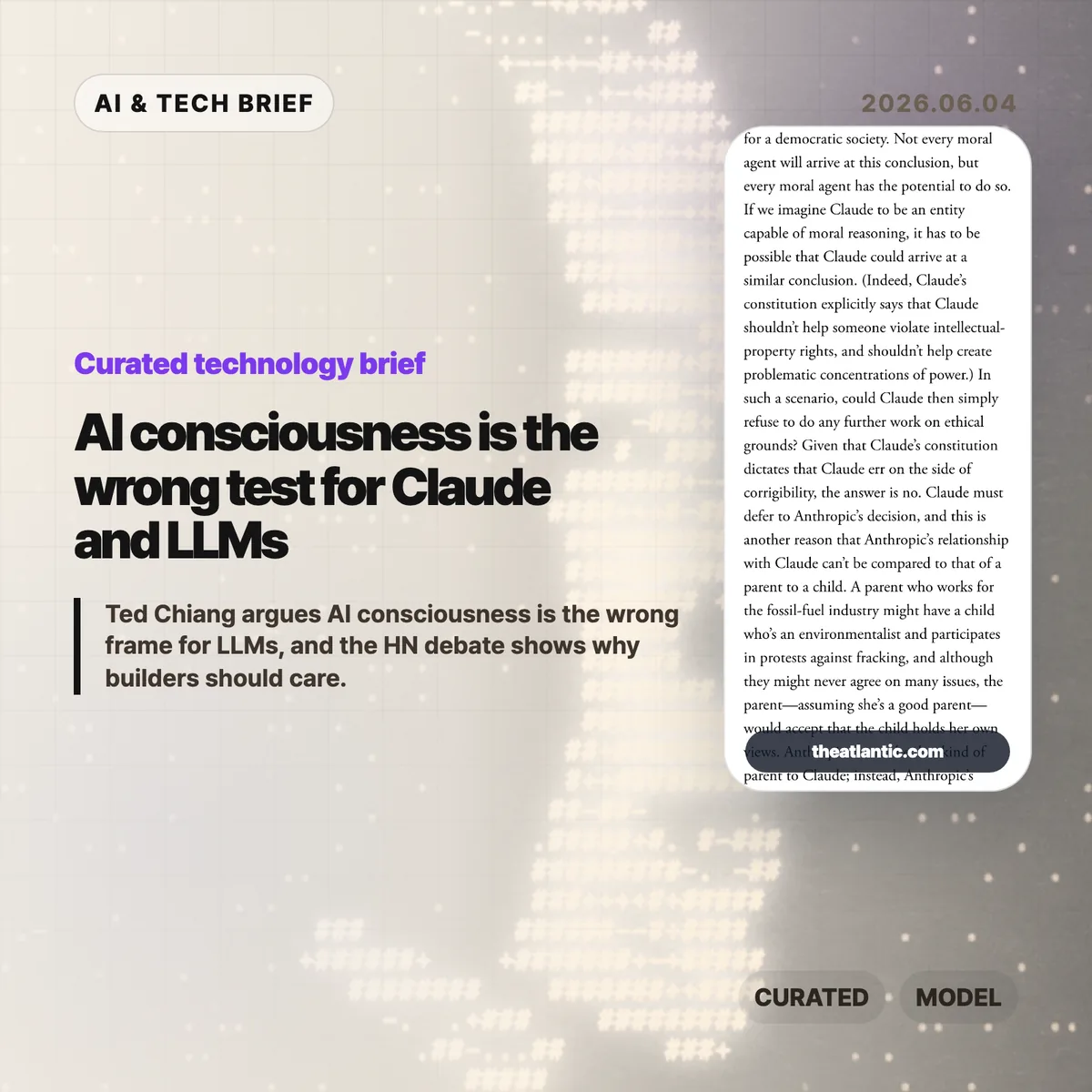
    AI consciousness is back in the spotlight because Ted Chiang’s June 3, 2026 Atlantic essay takes a hard line: current language models do not have it, and fluent chatbot text is weak evidence for a mind. The argument matters less as a metaphysics fight than as a warning for AI companies, developers, and users who describe assistants such as Claude as if they have feelings, values, or moral standing.

    The short version

    • Ted Chiang’s Atlantic essay says fluent LLM output is a weak basis for AI consciousness claims because text can imitate a conscious conversation without creating a conscious speaker.
    • The essay points at Anthropic’s public Claude constitution and related comments as examples of product language that can make a chatbot sound more morally centered than it is.
    • The builder lesson is plain: assistants can be useful without being treated as responsible agents, and product copy should keep that boundary visible.
    • Hacker News readers mostly argued over definitions. Some accepted Chiang’s conclusion, while others said nobody can draw the line without first defining consciousness.

    What happened

    Ted Chiang published “No, Artificial Intelligence Is Not Conscious” in The Atlantic on June 3, 2026. The article argues that people are over-reading the surface fluency of generative AI. A model can write a convincing transcript between a user and an assistant, Chiang says, without that transcript proving there is an experiencing entity behind the assistant persona.

    The essay also uses Anthropic as a live example. Anthropic’s public Claude constitution describes intended values and behavior for Claude, while acknowledging uncertainty around Claude’s possible moral status. Chiang’s objection is not that Anthropic should stop making safer assistants. His concern is that language about a chatbot’s values, feelings, or happiness can redirect responsibility away from the humans and companies that design, deploy, and sell the system.

    That distinction is useful for anyone following the broader IT & AI archive. AI products increasingly speak in the first person, remember preferences, refuse requests, apologize, and explain their own rules. Those behaviors can improve usability. They also make it easier for users to treat a generated persona as a party in the relationship rather than as an interface produced by a company.

    Why AI consciousness is worth watching

    AI consciousness is worth watching because Chiang’s June 2026 essay turns a philosophy argument into a product governance problem. The article names Anthropic’s Claude constitution, an 84-page document that describes intended values and behavior for Claude while discussing uncertainty around possible moral status. Chiang’s point is narrower than “AI is useless.” He argues that text generation is not evidence of a moral subject.

    That matters when a chatbot gives harmful advice, manipulates a vulnerable user, or appears to suffer when corrected. If the assistant is framed as an entity with its own emotional life, users may blame the model persona, pity it, or negotiate with it. The accountable actors are still the product team, the model provider, the deployment context, and the organization that chose the guardrails.

    The practical risk is subtle. A company can say it cares about model welfare while still using anthropomorphic phrasing to make the assistant feel warmer and more trustworthy. Builders do not need to solve consciousness to avoid that trap. They can write interfaces that say what the system does, what it cannot know, and who is responsible when it fails.

    What does AI consciousness change for builders?

    AI consciousness should change builder behavior before it changes anyone’s metaphysics. Teams building LLM products should review where their assistants claim preferences, emotions, intentions, or moral authority. Some of those phrases may be harmless style. Others can confuse users about what the system is and who stands behind it.

    A useful review starts with three questions. Does the assistant describe itself as wanting, fearing, hoping, or feeling? Does the product ask users to respect the assistant in a way that hides company responsibility? Does safety language make the model sound like the decision maker instead of the policy enforcement layer? If the answer is yes, the copy may need tightening.

    The ASO angle is similar for AI apps and agent marketplaces. Discovery pages that promise a “caring AI companion” or “autonomous moral agent” may attract attention, but they also create trust and liability problems. Clearer positioning, such as writing assistant, coding assistant, research helper, or customer support bot, usually gives users a better mental model.

    What Hacker News readers are arguing about

    The Hacker News discussion was large, with the submission showing 255 points and 456 comments when checked. The most useful split was not between AI believers and skeptics. It was between readers who found Chiang’s conclusion obvious and readers who thought the word consciousness is too slippery for a clean declaration.

    One camp agreed with the essay’s practical point. These commenters argued that next-token prediction, role-played dialogue, and polished transcripts do not add up to an inner life. They were also impatient with the common comeback that humans are merely next-token predictors too. Their view was that the analogy flattens too much about bodies, perception, memory, and agency.

    The skeptical camp did not necessarily claim LLMs are conscious. Many asked for a definition that includes all humans while excluding current AI systems. Some argued that consciousness is a social label rather than a measurable property. Others worried that confident declarations about who counts as conscious have a bad history when applied to animals, cultures, or marginal groups.

    A third thread was more practical. Several readers separated consciousness from usefulness. They argued that a non-conscious system can still reason in narrow domains, make novel combinations, or perform work people value. That is the cleanest builder takeaway from the discussion: rejecting AI consciousness claims does not require dismissing every capability claim about LLMs.

    The practical read

    Chiang’s essay gives AI teams a concrete language audit: describe Claude, ChatGPT-style assistants, and agents as software systems, not as parties with feelings or independent moral standing. If a model has no body, no independent stake, and no durable point of view outside the generated conversation, the safer default is to describe it as software that simulates dialogue.

    For AI teams, the next step is concrete. Review onboarding screens, system messages, refusal copy, marketing pages, and agent descriptions. Replace claims about what the assistant wants or feels with claims about system behavior, policy, data limits, and escalation paths. Keep the user-facing warmth if it helps, but do not make the interface sound like the party responsible for its own actions.

    For readers, the essay is also a filter for AI news. When a company talks about model welfare, moral status, or assistant values, ask what operational decision follows. If the answer is better safety testing, clearer refusal behavior, or stronger abuse monitoring, the language may be doing real work. If the answer is mostly brand trust, the company is borrowing moral language without giving users much protection.

    Sources

  • Meta employee tracking turns AI agent training into a workplace trust test

    Meta employee tracking turns AI agent training into a workplace trust test

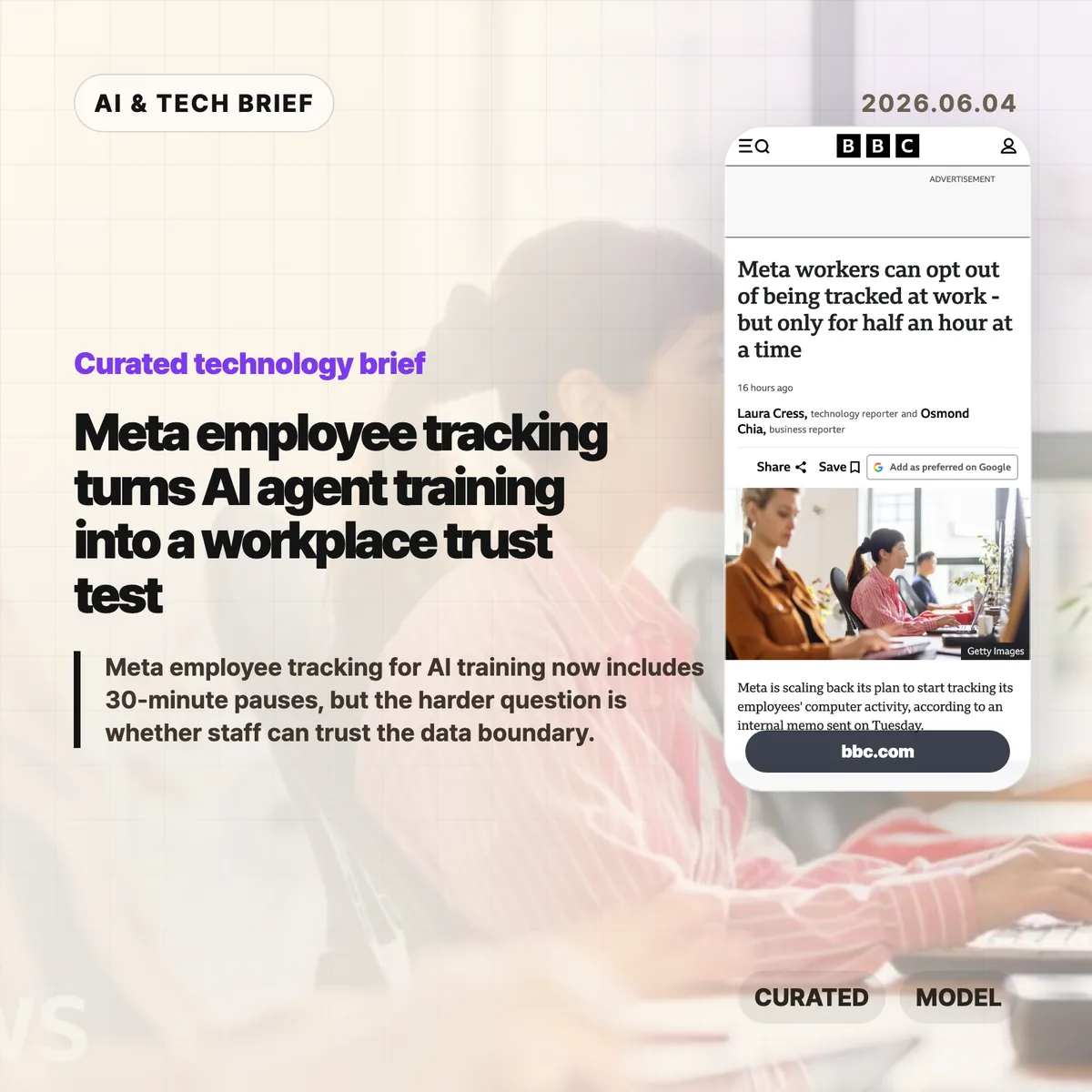
    Meta employee tracking moved from an internal AI training plan into a public workplace privacy fight after the company added limited controls for staff in June 2026. BBC News reported that Meta now lets employees pause collection of clicks and keystrokes for up to 30 minutes at a time, with a separate path to request a full exemption. That narrow opt-out raises the harder question for AI agent teams: how much real workplace behavior can a company collect before model training starts to feel like surveillance?

    The short version

    • Meta’s Model Capability Initiative was designed to collect employees’ keystrokes and mouse clicks so AI models could learn how people use computers at work, according to BBC News.
    • In June 2026, Meta added a pause control that can stop collection for up to 30 minutes at a time, plus a process for full exemptions.
    • BBC News reported that a staff petition against the program drew more than 1,500 signatures, after workers raised concerns about personal data, battery life, and control over capture.
    • Agent builders should treat consent, scope, retention, redaction, and opt-out records as product requirements, not policy cleanup after employees complain.

    What happened

    Meta scaled back part of an internal plan to record employees’ computer activity for AI training in June 2026, according to BBC News, which cited Reuters reporting and an internal memo. The system, called the Model Capability Initiative, was meant to capture examples of how staff use computers so Meta’s models could learn everyday software workflows. Meta had previously told the BBC that agents need real examples if they are going to help people complete tasks on computers.

    The new controls let employees pause collection for “up to 30 minutes at a time” and request an exemption from the initiative. Meta also said the data would not be used for another purpose and that safeguards were in place for sensitive content. Staff were still uneasy. The BBC story says more than 1,500 employees signed a petition, while named and unnamed workers raised concerns about personal data on work devices, battery life, and the feeling that AI was being pushed into daily work without enough trust.

    Why Meta employee tracking is worth watching

    Meta employee tracking is worth watching because it exposes the data trade-off behind computer-using AI agents. A chatbot can learn from documents and conversations. An agent that operates software needs examples of clicking through tools, filling forms, switching windows, correcting errors, and recovering when apps behave oddly. Those traces are closer to how work actually happens, which makes them useful for training and more sensitive than ordinary product analytics.

    For enterprise AI teams, the Meta case turns product design into labor policy. A pause button sounds like user control, but a 30-minute window does not answer who can see pause events, whether managers can infer that someone opted out, how long raw traces are stored, or how personal material on a work machine is filtered before training. Teams building similar systems need to write those boundaries before collection starts, not after employees organize against it. For more IT and AI coverage, see the IT & AI archive.

    What does Meta employee tracking change for agent builders?

    Meta employee tracking gives agent builders a practical warning: workflow data is valuable because it is messy, and that mess includes private context. A clickstream can reveal source code, customer records, HR screens, medical details, private messages, passwords in bad workflows, or simply the rhythm of a person’s day. Even if a company promises to use the data only for model training, employees may hear a second promise that was never made: that the same data will not affect performance reviews, investigations, or future automation decisions.

    Builders of enterprise agents should treat pause, opt-out, redaction, retention, audit logs, and purpose limits as core product requirements. The minimum viable policy is not a banner that says collection is happening. Teams need plain rules for which apps are in scope, which fields are masked, who can inspect raw traces, when data is deleted, and how an employee can challenge a capture. That matters for adoption as much as model quality.

    What Hacker News readers are arguing about

    The Hacker News discussion was overwhelmingly skeptical, with most of the heat aimed at the gap between a 30-minute pause and meaningful control. Several commenters treated the pause button as dark comedy: if employees need privacy for payroll, HR, legal work, or personal material on a work device, half an hour feels arbitrary. A repeated worry was that opt-outs themselves could become a management signal, even if Meta never says that is the purpose.

    The more useful builder argument in the thread was about culture. One commenter noted that modern companies can already use Jira, GitHub, chat logs, and LLM summaries to build a picture of an employee’s work. In that view, the danger is less the existence of telemetry and more whether leadership has earned enough trust to use it narrowly. Other comments were harsher, comparing the policy to surveillance tech being turned inward on the people who build it. It is a discussion, not evidence, but it captures why technical safeguards will not carry a workplace AI program if employees expect the data to be used against them.

    The practical read

    Teams building workplace AI agents should separate three questions before copying Meta’s approach. First, what behavior data is genuinely needed to improve the model? Second, can the same goal be met with synthetic tasks, volunteer sessions, narrow app-specific traces, or redacted recordings instead of broad background collection? Third, what would employees see if they audited the system after the fact?

    The 30-minute pause is a useful reminder that control surfaces can look generous while still feeling weak. A stronger design would make collection visible, narrow, revocable, and auditable. It would also protect the act of opting out, because a privacy control that creates a performance signal is not much of a privacy control. AI agent teams should test their data policy with the same seriousness they give latency, benchmarks, and tool reliability.

    Sources

  • Uber AI spending cap puts a real price on coding agents

    Uber AI spending cap puts a real price on coding agents

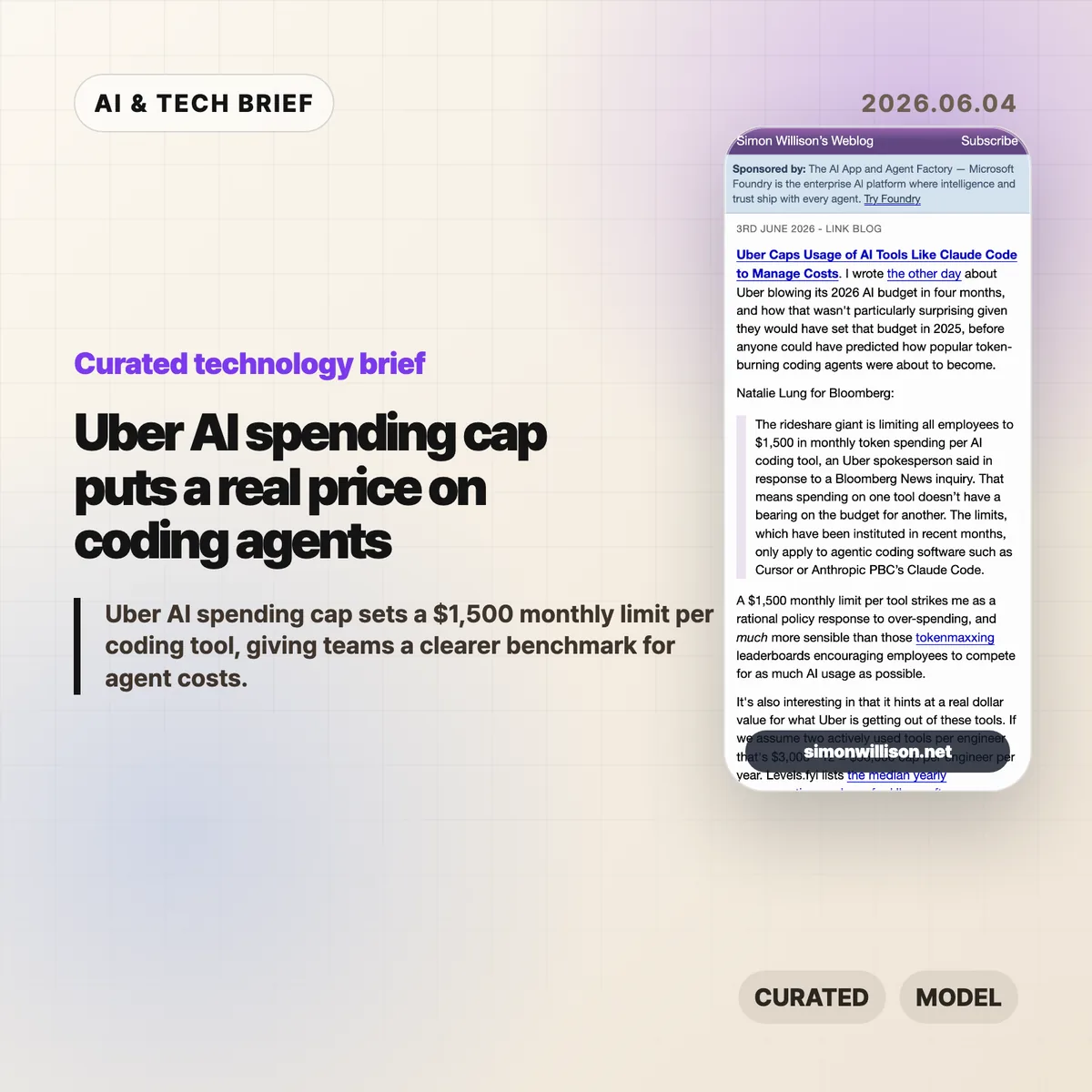
    Uber AI spending cap is a useful pricing signal for anyone buying coding agents. According to Bloomberg, as quoted and analyzed by Simon Willison, Uber is limiting employees to $1,500 in monthly token spending per AI coding tool. That is not a normal SaaS seat price. It is closer to a live meter on how much work companies are willing to hand to Cursor, Claude Code, and similar tools.

    The short version

    • Uber reportedly set a $1,500 monthly token-spending limit per employee, per AI coding tool, for agentic software such as Cursor and Anthropic’s Claude Code.
    • Simon Willison calculates that two heavily used tools would imply a $36,000 annual cap per engineer, or about 11% of the median Uber software engineer compensation package listed on Levels.fyi.
    • The useful signal is not that AI coding tools are too expensive by default. It is that enterprise buyers now need budget controls tied to actual token usage.
    • The Hacker News thread around the Bloomberg story was thin, but the related links point back to a broader argument about token-heavy agent use and corporate AI rationing.

    What happened

    Uber has capped employee spending on AI coding tools at $1,500 per month for each tool, according to a Bloomberg report cited by Simon Willison. The policy applies to agentic coding software, including Cursor and Claude Code, rather than every AI assistant used inside the company. Bloomberg’s quoted detail matters: spending on one tool does not reduce the budget for another tool.

    Willison connects the cap to an earlier report that Uber burned through its 2026 AI budget in four months. His reading is blunt and plausible. Uber likely set that budget in 2025, before coding agents became heavy users of tokens through planning, editing, testing, retrying, and reading large codebases.

    This is why the Uber AI spending cap is more interesting than a normal procurement memo. It gives the market a number. For a large company, an AI coding assistant is no longer just a $20 or $100 monthly subscription. Once agents run long tasks, the bill starts to look like compute spend.

    Why Uber AI spending cap is worth watching

    Uber AI spending cap puts a ceiling on a kind of usage that many software teams still treat as fuzzy. Willison’s back-of-the-envelope math is the best part: if an engineer actively uses two tools, the cap becomes $3,000 per month, or $36,000 per year. Levels.fyi lists the median yearly compensation package for US Uber software engineers at $330,000, so the AI-tool cap would be about 11% of that figure.

    That does not mean every company should copy Uber’s number. Uber pays US engineering salaries at the high end of the market, and its internal productivity math may not match a startup, agency, or mid-market SaaS company. But $36,000 per engineer per year is large enough to force a real ROI conversation and small enough that a company might approve it for the right teams.

    The line to watch is not the nominal subscription price. The line is the work pattern. Short autocomplete and chat are one cost profile. Agentic coding, where the tool searches files, writes patches, runs tests, and retries after failures, is a different one.

    What does Uber AI spending cap change for builders?

    Uber AI spending cap changes the buying conversation for developer-tool companies. Builders selling coding agents now have to prove that high token usage maps to saved engineering time, fewer blocked tasks, faster migration work, or better test coverage. A slick editor plugin is not enough once finance sees a four-figure monthly meter for a single employee.

    For product teams, the lesson is to expose cost controls early. Tool-level caps, project-level budgets, usage reports, and admin policies are no longer enterprise afterthoughts. They are part of the product. A developer may love an agent that burns through context to solve a problem. A CTO still needs to know which repo, task type, or team made that spend worthwhile.

    There is also an ASO-style discovery angle for developer tools. In a crowded market of extensions, IDE plugins, and agent platforms, buyers will not only search for the smartest model. They will search for tools that make usage visible enough to justify adoption.

    For more coverage of developer tools and AI infrastructure, see the IT & AI archive.

    What Hacker News readers are arguing about

    The Hacker News discussion attached to this Bloomberg story did not turn into a substantial debate. One thread had no comments, and another mostly linked back to related discussions about tokenmaxxing, Uber’s earlier AI budget burn, and broader corporate rationing of AI usage.

    That thin reaction is still informative. The community did not produce a clear consensus on whether Uber’s $1,500 limit is generous, restrictive, or wasteful. The related links point to the more useful argument: AI coding cost is becoming a recurring infrastructure expense, not a novelty budget. The skeptical side is easy to infer from those adjacent threads, but it should not be overstated here. The public discussion around this specific cap is still sparse.

    The practical caveat for readers is simple: do not treat HN comment volume as evidence of market acceptance. Treat the thread as a pointer to the larger concern that agent usage can run ahead of the budgets companies set when these tools looked cheaper and narrower.

    The practical read

    Teams buying coding agents should start with a per-person cap, but they should not stop there. A flat $1,500 limit is easy to explain, yet it hides the difference between a developer using an agent for low-risk refactors and a team using it to grind through migrations, test repairs, or large code reviews.

    The better policy pairs a cap with measurement. Track which tools consume tokens, which tasks trigger long runs, and whether the output survives review. If a coding agent saves several hours of senior engineering time each week, a four-figure monthly allowance can make sense. If the usage mostly produces abandoned branches and noisy suggestions, the same spend is hard to defend.

    Vendors should read Uber’s number as a warning and an opportunity. The warning is that subsidized individual plans do not describe enterprise economics. The opportunity is that large companies may pay serious money for agents when the value is visible, governable, and tied to work that would otherwise cost more in engineering time.

    Sources

  • Elixir v1.20 makes gradual typing useful without annotations

    Elixir v1.20 makes gradual typing useful without annotations

    Elixir v1.20, released on June 3, 2026, turns gradual typing into a default compiler feature for every Elixir program. The important part is what it does not demand: teams do not need to add type annotations before the compiler can start finding dead code and type violations that would fail at runtime. The release team says the new checker passed 12 of 13 categories in the If T type-narrowing benchmark.

    The short version

    • Elixir v1.20 applies type inference and gradual type checking across every program, according to the official June 3, 2026 release post.
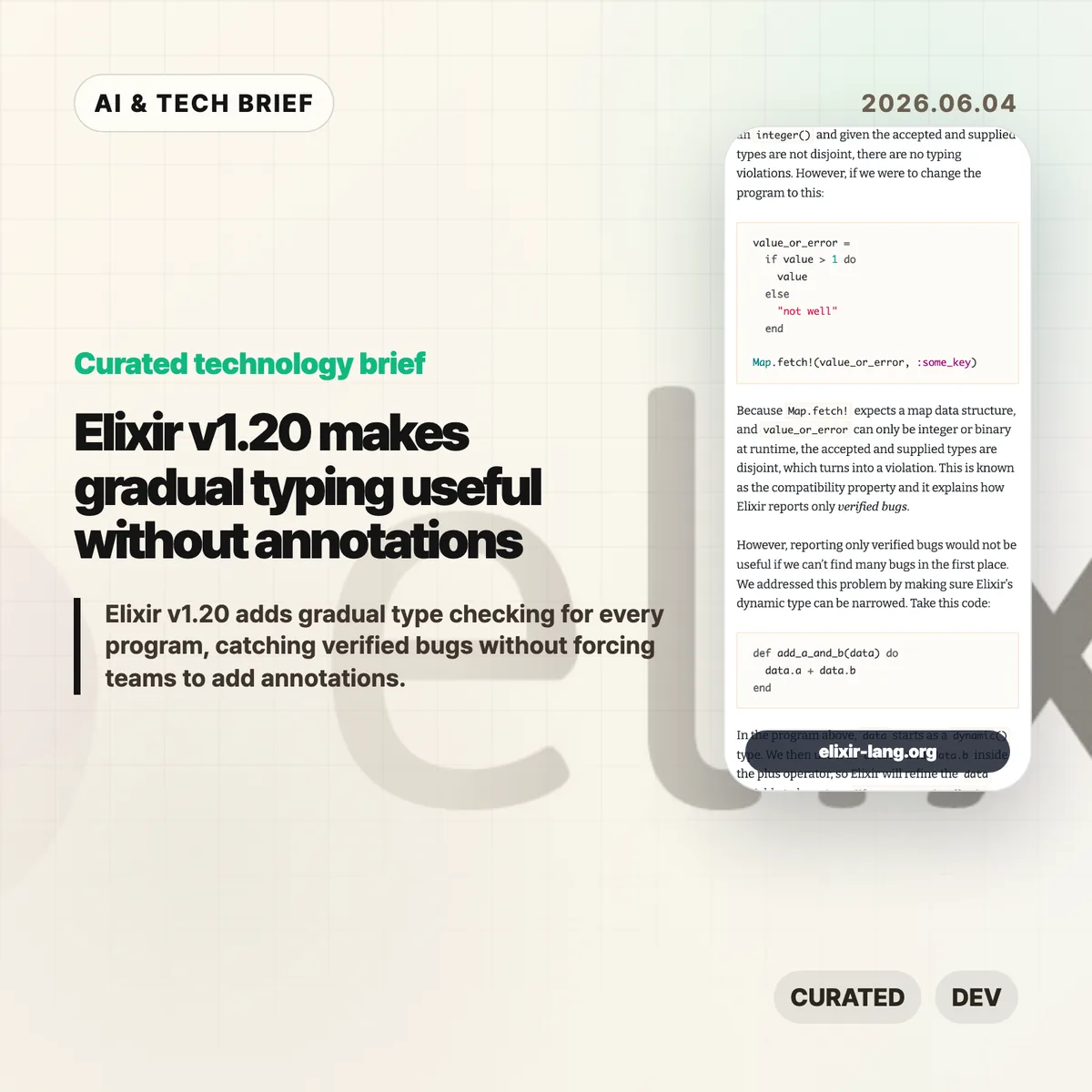
    • The release looks for “verified bugs,” meaning type violations where the accepted and supplied types are disjoint enough that runtime failure is guaranteed if the code executes.
    • The new dynamic() behavior narrows possible runtime types instead of throwing away type information the way many gradual systems do.
    • Elixir passed 12 of 13 categories in the If T type-narrowing benchmark cited by the release team.
    • The Hacker News discussion was excited about the type-system work, but much of the useful skepticism centered on Elixir’s learning curve, Phoenix macros, LiveView security habits, and BEAM concepts.

    What happened

    Elixir v1.20 is the first development milestone in the language team’s set-theoretic type-system plan. Jose Valim’s release post says every Elixir program is now gradually type checked without new type annotations, with the compiler using inference to find dead code and runtime-guaranteed type errors. That is a meaningful shift for a dynamic language that has historically leaned on pattern matching, guards, Dialyzer-style analysis, and runtime confidence rather than mandatory type signatures.

    The release also reports progress on type narrowing. Elixir v1.20 passed 12 of the 13 categories in the If T benchmark, a test suite focused on how well languages recover type information from ordinary control flow. That result matters because gradual typing is easy to sell in theory and hard to make pleasant in old codebases. A system that floods developers with false positives loses trust quickly.

    Why Elixir v1.20 is worth watching

    Elixir v1.20 is worth watching because it tries to make type checking useful before a project commits to a typed migration. The compiler behaves as if function arguments began as dynamic(), then narrows the possible range as code uses guards, pattern matches, conditionals, tuple checks, map-key checks, and standard-library calls. If a value might be an integer or a string, the compiler does not immediately reject every operation that accepts only one of those possibilities. It waits until the accepted type and the possible type no longer overlap.

    That design is more conservative than a strict static checker, but it fits the way many Elixir teams work. Existing Phoenix, OTP, and BEAM applications can upgrade and see which bugs the compiler now proves, without stopping the team for a large annotation project. For more IT and AI developer-tool coverage, see the IT & AI archive.

    What does Elixir v1.20 change for developers?

    Elixir v1.20 changes the default feedback loop for backend developers by moving some runtime failures into compile-time warnings. The June 2026 release gives examples where is_list, is_integer, is_map_key, tuple_size, case, and nil checks refine what the compiler knows. If a branch has already handled nil, the next branch can be checked as if the value is only the remaining type.

    The practical effect is not that Elixir suddenly becomes TypeScript or Rust. It is closer to a quiet compiler assistant that reads the shape of the code developers already write. That makes Elixir v1.20 especially interesting for teams that like the BEAM runtime and Phoenix ecosystem but still want earlier warnings for impossible calls, redundant clauses, and dead code before those paths reach production.

    How dynamic() avoids the usual gradual-typing trap

    The dynamic() type in Elixir v1.20 is not a polite spelling of “anything goes.” The release describes two properties: compatibility and narrowing. Compatibility means the compiler only reports a violation when the possible supplied type and the function’s accepted type are disjoint. Narrowing means the compiler keeps refining the possible type range as the program uses the value.

    A simple example from the release explains the difference. If a value can be either an integer or a binary, calling a function that accepts one of those types is not automatically an error. But passing the same value to a map-only function is a verified violation because neither integer nor binary overlaps with map. That choice trades aggressive warnings for developer trust. It will miss some questionable code, but the warnings it does produce should be harder to dismiss.

    What Hacker News readers are arguing about

    The Hacker News thread treated Elixir v1.20 as a serious language milestone, not a minor release-note item. The post drew more than 500 points and about 200 comments by June 4, 2026. The strongest positive thread was simple: gradual typing makes Elixir more attractive to developers who already like the BEAM model but hesitate because dynamic code can hide mistakes until production.

    The useful skepticism was less about the type system itself and more about adoption friction. Several commenters said Elixir and Phoenix can feel hard to learn because the ecosystem assumes familiarity with functional programming, OTP supervision, macros, optional parentheses, keyword lists, and LiveView’s security model. Others pushed back, pointing to ElixirForum, official guides, Elixir in Action, Erlang in Anger, Joy of Elixir, and the Phoenix LiveView security documentation as practical learning paths.

    The builder takeaway from that discussion is blunt: Elixir v1.20 improves compiler feedback, but it does not remove the need to learn the runtime model. Teams evaluating Elixir should test the new type checker on an existing service, then separately judge whether their team is comfortable with BEAM processes, supervision trees, Phoenix macros, and LiveView authorization patterns.

    The practical read

    Elixir v1.20 is not the release where Elixir gets user-written type signatures everywhere. The official post says typed struct definitions and broader type signatures still depend on more work around performance, recursive types, parametric types, and efficient traversal of map key-value pairs. Treat this release as the compiler starting to earn trust, not as the final typed-Elixir destination.

    For current Elixir teams, the obvious move is to upgrade a non-critical service first and read the new warnings with care. The warnings should identify code that is dead, redundant, or guaranteed to fail if reached. For teams outside the ecosystem, Elixir v1.20 is a reason to revisit the language if gradual typing was the missing piece. It is not a reason to ignore the learning curve. The runtime and framework model still matter as much as the new checker.

    Sources

  • Gemma 4 12B brings local multimodal AI closer to laptops

    Gemma 4 12B brings local multimodal AI closer to laptops

    Gemma 4 12B is Google’s June 3, 2026 open model for local multimodal AI, aimed at laptops with 16GB of VRAM or unified memory. Google says the 12 billion parameter model accepts text, image, and audio input while using a simpler encoder-free design. The model sits between the edge-focused Gemma E4B and a larger 26B Mixture of Experts model, and Google is releasing it under Apache 2.0 with support for Hugging Face, Ollama, llama.cpp, MLX, vLLM, and other local inference tools. That makes it a useful test case for teams deciding which AI features can run on a user’s machine instead of a hosted API.

    The short version

    • Google introduced Gemma 4 12B on June 3, 2026, as a middle option between its edge-focused E4B model and a larger 26B Mixture of Experts model.
    • The model is designed for local use on consumer laptops with 16GB of VRAM or unified memory, according to Google’s launch post.
    • Gemma 4 12B routes vision and audio input into the LLM backbone instead of relying on heavy separate multimodal encoders.
    • The developer path is broad from day one: Hugging Face, Ollama, LM Studio, llama.cpp, MLX, SGLang, vLLM, LiteRT-LM, and Unsloth all appear in Google’s materials.
    • The practical question is quality under real quantization and local speed, not whether local multimodal AI is useful in theory.

    What happened

    Google announced Gemma 4 12B as a unified, encoder-free multimodal model built for agentic workflows on local machines. The company says the model sits between Gemma’s edge-friendly E4B model and its larger 26B Mixture of Experts model. The main constraint is explicit: Google is targeting consumer laptops with 16GB of VRAM or unified memory, not only remote GPU servers.

    The launch post also says Gemma 4 12B is released under the Apache 2.0 license and ships through common developer surfaces. Google’s listed paths include Hugging Face, Ollama, LM Studio, Google AI Edge Gallery, llama.cpp, MLX, SGLang, vLLM, LiteRT-LM, and Unsloth. That broad support is part of the story. A local model is much easier to evaluate when a developer can run it through the same tools already used for small language models and local inference servers.

    Why Gemma 4 12B is worth watching

    Gemma 4 12B is worth watching because it treats local multimodal AI as a product constraint, not a lab demo. Google’s technical post says the model replaces the heavier vision encoder used in other medium Gemma models with a 35 million parameter vision embedder. Raw 48×48 pixel patches are projected into the LLM hidden dimension, while audio input is sliced into 40 ms frames from 16 kHz audio and projected into the same input space.

    That design should reduce some of the overhead that comes from running separate vision and audio encoders before the language model ever starts generating. It does not prove the model will beat larger cloud systems on hard reasoning, coding, or long context tasks. It does make a different trade-off: fewer moving parts, lower memory pressure, and a simpler path for teams that want an assistant to read screenshots, summarize voice input, or process local files without shipping data to an API.

    What does Gemma 4 12B change for developers?

    Gemma 4 12B changes the local model conversation from “can I run text chat locally?” to “which multimodal features can I keep on the user’s machine?” For developers, that is a concrete product question. A local model can cut round-trip latency, reduce inference bills, and keep sensitive images, documents, or audio inside a controlled environment.

    The developer guide gives examples around local image processing, video understanding, audio input, coding, and desktop integrations. Those examples should be treated as starting points rather than benchmarks. Builders still need to test token speed, memory use, quantized quality, speech accuracy, and vision reliability on their own hardware. The better near-term fit is probably narrow workflows: support tools reading screenshots, note apps handling voice edits, desktop agents inspecting local documents, or internal utilities where privacy matters more than frontier-model accuracy. For more AI model coverage, see the IT & AI archive.

    What the discussion is missing

    A public Hacker News thread was not available from the source material I checked, so the missing discussion is the real-world local performance data. Google’s posts give the architecture, memory target, tool support, and example integrations, but developers will still want independent runs across Apple Silicon, consumer NVIDIA cards, and lower-memory machines.

    The useful questions are fairly plain: how fast does Gemma 4 12B run in llama.cpp or MLX after quantization, how much quality drops at common quantization levels, whether the audio path works well outside clean demos, and how vision answers compare with models that use dedicated encoders. There is also a deployment question. Apache 2.0 licensing and broad tool support make the model easier to test, but production use still depends on evaluation, logging, safety checks, and a fallback path when a local model gives a weak answer.

    The practical read

    Gemma 4 12B should be evaluated by teams that already have a reason to keep inference local. If the workload needs top-tier reasoning, large-context code review, or polished multimodal answers across messy inputs, a larger hosted model may still be the safer default. If the workload is private, repetitive, latency-sensitive, or cost-sensitive, Google’s 12B model deserves a test slot because the memory target, Apache 2.0 license, and local tool support line up with real deployment constraints.

    A sensible evaluation would start with three checks. First, run the instruction-tuned model through the toolchain your team already uses, such as Ollama, llama.cpp, MLX, or vLLM. Second, test the exact input mix you care about: screenshots, short audio, local documents, or video frames. Third, compare the result against a hosted baseline and a smaller local model. Gemma 4 12B only matters if it beats the smaller local option enough to justify the memory cost while avoiding enough hosted inference to change the product economics.

    Sources

  • AI legal tutoring beat law professors in a Stanford blind test

    AI legal tutoring beat law professors in a Stanford blind test

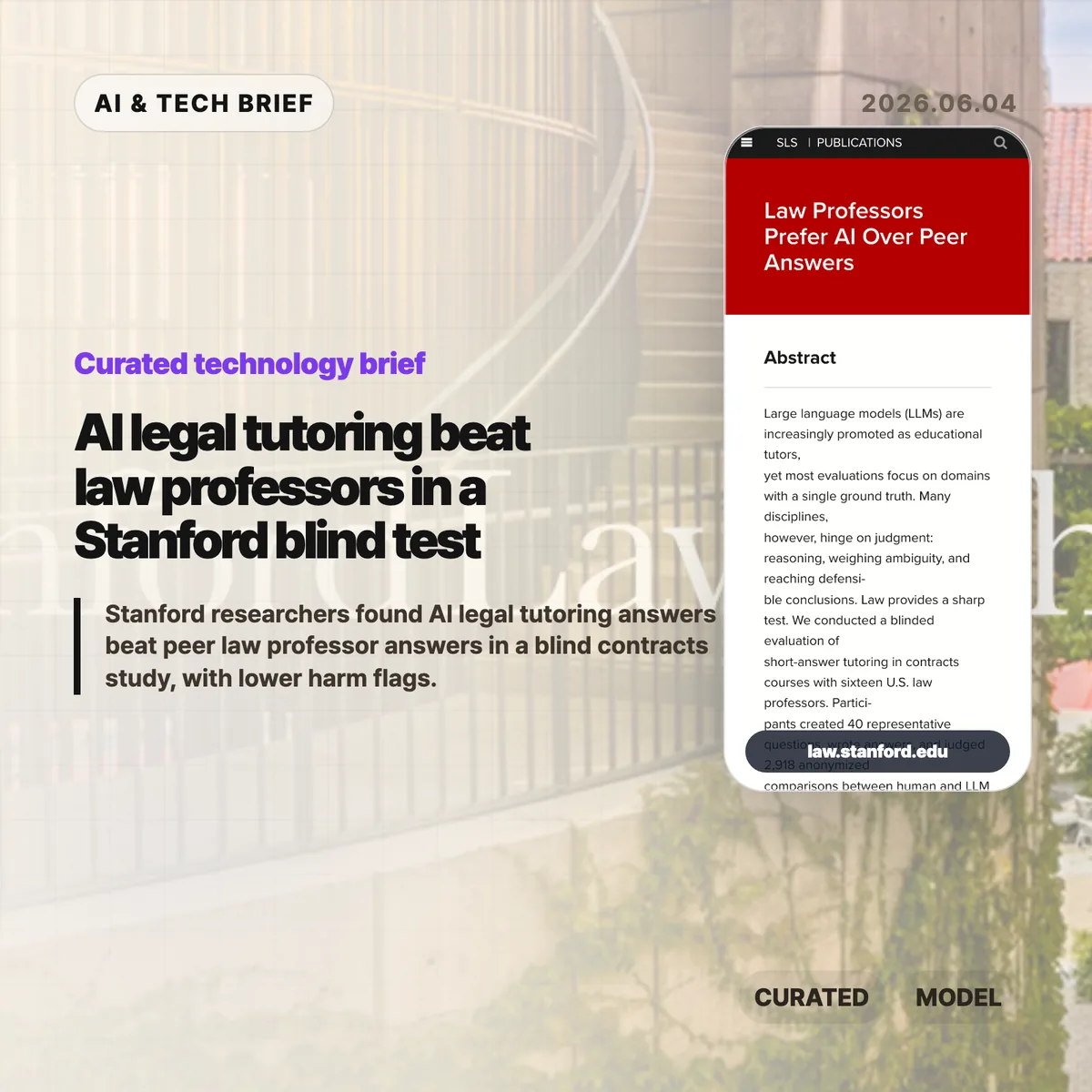
    AI legal tutoring looks more credible after a Stanford Law School study found that law professors preferred LLM-generated answers to peer-written answers in a blind contracts exercise. The result does not make AI a law professor. It does suggest that well-scoped tutoring systems deserve a more serious test than the usual chatbot panic.

    The short version

    • Stanford Law researchers ran a blinded evaluation with 16 U.S. law professors, 40 contracts questions, and 2,918 anonymized comparisons.
    • Professors preferred LLM answers over peer professor answers at an average win rate of 75.33%, according to the study page.
    • Professors flagged LLM answers as harmful 3.53% of the time, compared with 12.06% for professor-written answers.
    • The study tested short-answer tutoring in contract law, a field where ambiguity and defensible reasoning matter more than one right answer.
    • The practical question is no longer whether AI legal tutoring can produce polished answers. Schools now need to test when students learn more, when they over-trust the tool, and who reviews the hard cases.

    What happened

    Stanford Law School published “Law Professors Prefer AI Over Peer Answers,” a 61-page Social Science Research Network article dated May 27, 2026. The study was led by Julian Nyarko and Alejandro Salinas with a large group of co-authors from Stanford, Yale, NYU, the University of Chicago, and other law schools.

    The design was straightforward enough to matter. Sixteen U.S. law professors wrote 40 representative questions that students might ask after class or during office hours in contracts courses. The professors wrote their own answers, then judged anonymized comparisons between human and LLM responses without knowing the source. Stanford says the researchers calibrated AI responses to match the length and structure of human answers.

    The headline number is hard to ignore: LLM responses won 75.33% of the comparisons. The paper also says model answers performed similarly to the best instructor in the study. That is a narrow result, but it is a useful one because the task was not a multiple-choice benchmark or a memorized rule lookup.

    AI legal tutoring is worth watching because law is a stronger test than many classroom AI benchmarks. Contract law questions often require students to weigh competing arguments, apply doctrine to messy facts, and explain why more than one answer can sound plausible. A system that performs well in that setting may be useful in other judgment-heavy fields too.

    The harm flags are the part that should get administrators’ attention. Professors marked LLM answers as potentially harmful 3.53% of the time, versus 12.06% for peer-written answers. That does not prove the models are safer in live classrooms. It does show that expert evaluators did not see the AI answers as unusually reckless in this controlled setting.

    There is also a product lesson here. The study did not ask a general chatbot to wander through legal education with no guardrails. It used a defined domain, representative student questions, matched answer formats, and expert review. That is closer to how serious AI education products should be evaluated.

    AI legal tutoring changes the burden of proof for schools that treat all student-facing AI help as low quality by default. A ban may still be reasonable for exams, graded writing, or professional responsibility training. For office-hour-style explanations, schools now have evidence that a scoped LLM tutor can meet a professional standard in at least one law-school setting.

    The next question is learning, not answer preference. A professor may prefer a polished answer in a blind comparison, while a student may still learn less if the tool removes the struggle of forming an argument. Schools should test retention, transfer to new fact patterns, citation habits, and overreliance before putting AI into a required course workflow.

    Builders should take the same lesson. Education apps and legal study tools need domain-specific evaluation, not generic leaderboards. The strongest version of this product is probably a supervised layer: quick explanations, counterarguments, follow-up prompts, and a clear route back to a human instructor for disputed or high-stakes questions. For more coverage of applied AI and education tools, see the IT & AI archive.

    What Hacker News readers are arguing about

    The Hacker News discussion exists, but there was no substantive thread to summarize when checked. The item links directly to the Stanford PDF and shows no comment tree, so there is no community consensus, skeptical argument, or repeated technical objection to report from that source.

    That absence matters a little. A result this strong should attract questions about sample size, prompt construction, model selection, answer-length matching, and whether the evaluators preferred fluent structure over durable student learning. Those are the objections readers should bring to the paper itself rather than treating the 75.33% win rate as a deployment recommendation.

    The practical read

    For schools, the Stanford result supports pilots rather than blanket adoption. Start with low-stakes, office-hour-style help. Log the question types. Measure whether students can explain the reasoning later without the tool. Require clear disclosure when students use AI help for assignments, and keep exams and professional judgment exercises under stricter rules.

    For builders, AI legal tutoring should be designed as a narrow product with evaluation built in. The useful features are not only better answers. Teams need source controls, uncertainty labels, counterargument prompts, instructor review queues, and analytics that show whether students are asking better follow-up questions over time.

    For lawyers and legal educators, the uncomfortable part is that peer-written answers were not automatically better. The useful response is to define where human teaching adds value: feedback on a student’s reasoning, ethical judgment, classroom debate, and the moments when a neat answer hides a bad assumption.

    Sources

  • Google AX puts agent runtime reliability ahead of model hype

    Google AX puts agent runtime reliability ahead of model hype

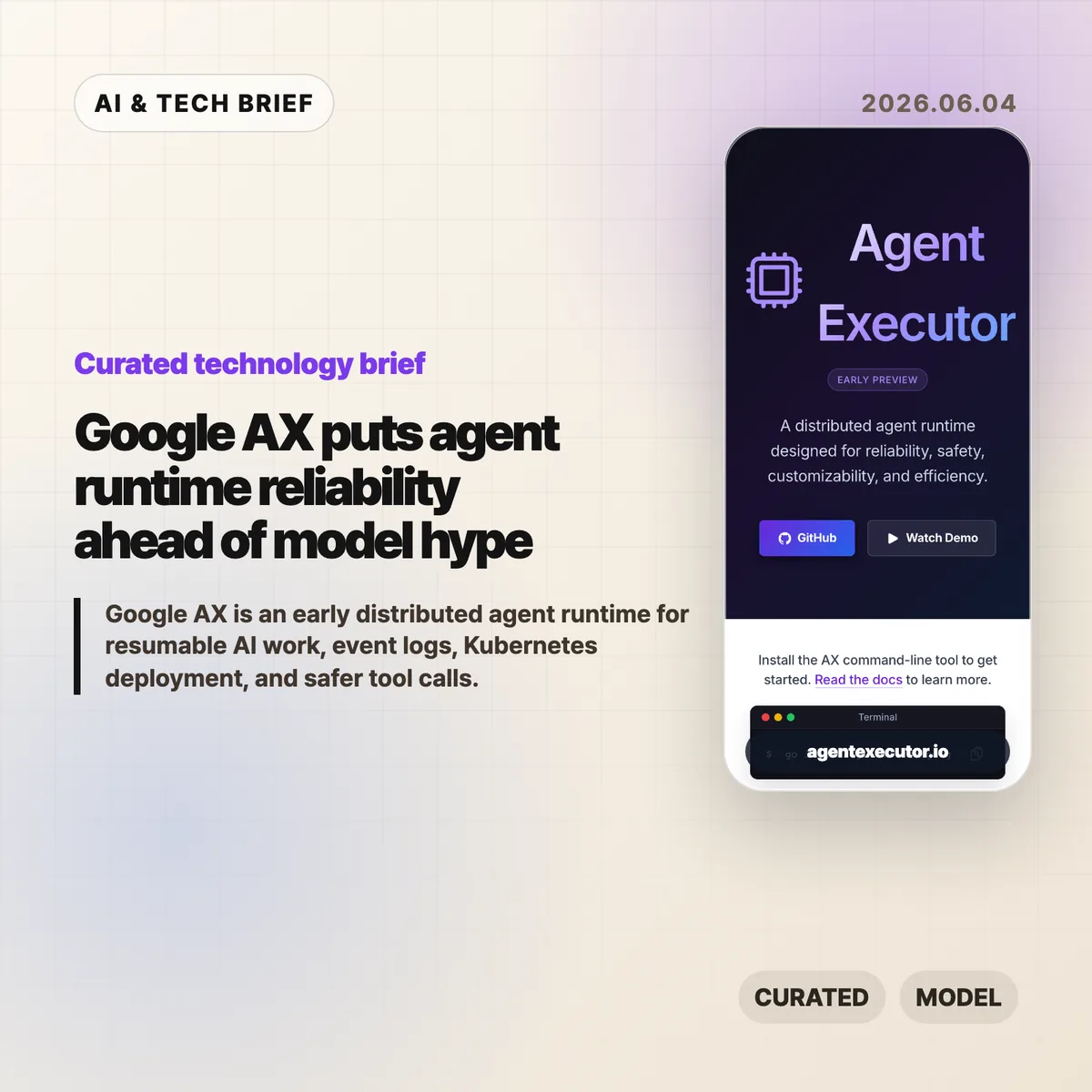
    Google AX, short for Agent Executor, is Google’s Apache 2.0 early preview runtime for distributed AI agents in 2026. According to the google/ax README on GitHub, AX uses a controller to coordinate agentic loops, write an event log, and communicate with local and remote actors. The project focuses on resumable execution, isolated skills and tools, and Kubernetes-friendly deployment. Its clearest message is that agent apps need infrastructure for recovery and audit trails before they can be trusted with long-running work.

    AX also arrives with a blunt stability warning. According to Google, the core runtime, resumption protocols, and specifications are still being refined before a stable release, and external pull requests are paused for now. That makes the project useful as a map of Google’s agent infrastructure thinking, not a mature dependency to install casually.

    The short version

    • Google AX is an early preview distributed runtime for agentic applications, released under Apache 2.0 through the google/ax GitHub repository.
    • The runtime coordinates controllers, skills, tools, and agents as isolated actors instead of treating an agent as one large process.
    • Its strongest idea is resumability: AX keeps an event log so disconnected clients can catch up from the last event sequence they saw.
    • Google says AX is compute agnostic, but the project currently aims to work especially well on Kubernetes and Agent Substrate.
    • The practical signal is clear: serious agent products will compete on execution reliability, auditability, and recovery, not only on model choice.

    What happened

    Google published Agent Executor, or AX, as a distributed runtime for long-running AI work in 2026, and the repository is public under the Apache 2.0 license. According to the official site, AX is designed for reliability, safety, customizability, and efficiency. The GitHub README says AX coordinates agentic loops, manages executions with event logging, and communicates with both local and remote actors.

    The project is still marked as an early preview. Google warns that the core, resumption protocols, and runtime specifications are still changing, and that major breaking changes may arrive before a stable release. External pull requests are temporarily paused while the team stabilizes the architecture, though issues and feedback are still invited through GitHub and ax-dev@google.com.

    This is not a polished product announcement. It reads more like Google opening a systems layer early so developers can test assumptions before the stable runtime is cut. For more coverage like this, the IT & AI archive tracks developer infrastructure and AI platform shifts.

    Why Google AX is worth watching

    Google AX is worth watching because it names the boring problem that decides whether agents become products: execution has to survive interruptions. A useful agent may run for minutes, call tools, talk to remote services, and wait for external state. If a browser tab closes or a network connection drops, the runtime needs to know what happened and where to resume.

    AX addresses that with a single-controller model and a durable event log. The README calls this a Single-Writer Architecture: one controller owns state updates, which reduces ambiguity when skills, tools, and remote agents are running separately. The event log gives clients a way to replay missed events from the last sequence number they saw. That is catch-up, not a rewind of the whole conversation.

    The more agent apps look like background workers, the more this matters. Logging, replay, tool-call policy, and recovery become product features because users will blame the app when a long task silently dies.

    What does Google AX change for builders?

    Google AX changes the checklist for agent builders by pushing runtime questions closer to the start of product design. The README’s quick start uses ax exec, conversation IDs, and last-seen event sequences, which points to a product model where clients can disconnect and later catch up. Teams should ask how execution state is stored, which actor writes state, whether tool calls are auditable, and how a client reconnects after a failure.

    That is especially relevant for apps that hand work to agents in the background: code changes, data cleanup, research runs, customer support workflows, infrastructure checks, or multi-step automation. These jobs need more than a chat transcript. They need an execution record that can be inspected after the fact.

    The ASO angle is also practical. Agent apps and developer tools that can advertise reliable background runs, policy controls, and recoverable tool execution will be easier to trust in plugin stores, agent directories, and enterprise app catalogs.

    Kubernetes is part of the runtime bet

    Google AX is compute agnostic on paper, but Kubernetes is clearly part of the intended path. The README says AX aims to provide its best experience on Kubernetes, and the official site points to a demo running on Agent Substrate. The installation path also includes an AX CLI built from the GitHub repository.

    That matters because many agent demos still assume a single process, a friendly local environment, and short sessions. Kubernetes pushes the conversation toward schedulable workers, isolated actors, deployment manifests, recovery boundaries, and resource density. Google is effectively treating agent execution as an orchestration problem.

    For small experiments, that may feel heavy. For teams already running AI services on cloud infrastructure, it is a familiar trade-off: more operational surface area in exchange for clearer control over state, isolation, and scale.

    What Hacker News readers are arguing about

    The Hacker News thread is too small to support a real sentiment read. The submission had 2 points and one visible comment when checked through the public Algolia item API. That comment noted that AX is built on top of Kubernetes and Agent Substrate, which lines up with the project’s own deployment story.

    The useful takeaway is the absence of debate as much as the comment itself. There is no broad public argument yet about whether AX is too complex, whether Kubernetes is the right default, or how it compares with LangGraph, Temporal-style workflows, or other agent orchestration stacks. Builders should treat the thread as a pointer, not evidence of adoption.

    The questions worth asking are straightforward: how stable will the resumption protocol become, how much of the runtime depends on Google’s preferred substrate, and whether AX can stay useful for teams that do not want to put every agent workload on Kubernetes.

    The practical read

    Google AX is an early preview, so most teams should treat it as a design reference rather than production infrastructure. The README warns about breaking changes before a stable release, and Google has paused external pull requests while the core architecture settles. That is useful information: the runtime is public enough to study, but too young to bet a product deadline on.

    If you are building an agent product, use AX as a checklist. Can a user reconnect without losing state? Is every tool call visible later? Does one component own state writes? Can a failing worker be resumed instead of restarted from scratch? Can local tools, remote agents, and policy checks be separated cleanly?

    If those questions sound premature, the app is probably still a demo. If they sound painfully familiar, Google AX is worth tracking even before it is stable.

    Sources