Author: Diligesker Editorial Desk

  • AI IPOs face a $4 trillion public-market test

    AI IPOs face a $4 trillion public-market test

    AI IPOs from SpaceX, Anthropic, and OpenAI would move some of the most valuable private technology companies into public markets at once. The Economist framed the combined market-capitalization effect as potentially reaching about $4 trillion, with index inclusion and passive funds doing much of the early buying. That makes this less a normal IPO story and more a stress test for how public investors price AI infrastructure, frontier models, and Elon Musk’s space business when supply finally appears.

    The short version

    • The Economist asked whether public markets could absorb possible listings from SpaceX, Anthropic, and OpenAI, with up to roughly $4 trillion of public-market value at stake.
    • The practical issue is float, timing, and index demand, not whether the U.S. stock market is large enough in total.
    • Hacker News readers focused less on AI model benchmarks and more on passive funds, retirement accounts, valuation math, and whether public investors would inherit private-market prices.
    • Builders should watch these AI IPOs because public filings would reveal revenue quality, gross margins, inference costs, customer concentration, and infrastructure spending that private AI companies can currently keep opaque.

    What happened

    The Economist’s piece looks at a scenario where SpaceX, Anthropic, and OpenAI become public companies within a compressed window. The article’s headline question is whether the stock market can “swallow” those companies, but the real tension is how much stock would be available for trading and who would be forced or strongly incentivized to buy it.

    The reported numbers are large even by mega-cap standards: a possible addition of up to $4 trillion in public-company value, a comparison with the 2019 Saudi Aramco listing, and the risk that index providers could bring newly listed giants into major benchmarks faster than older seasoning rules would have allowed. The article also pointed to IPO research from Jay Ritter at the University of Florida, where post-listing returns have often lagged the market, especially for companies priced at high revenue multiples.

    For readers who follow AI as product news, the shift matters because public markets ask different questions than private investors do. Model quality, developer enthusiasm, and enterprise pilots still matter. Public shareholders also care about free cash flow, stock compensation, data-center leases, inference margins, debt, customer churn, and how much revenue depends on a few cloud or enterprise contracts.

    Why AI IPOs is worth watching

    AI IPOs are worth watching because they would put private-market AI valuations under daily public pricing. OpenAI and Anthropic can be discussed today as model labs, platform companies, and research organizations. Once they list, investors can compare revenue growth with compute costs, customer concentration, and the capital intensity of serving frontier models at scale.

    SpaceX adds a different kind of pressure. It is not an AI lab, but any large listing tied to Elon Musk, Starlink, launch economics, and possibly adjacent Musk-controlled assets would draw retail interest, index-fund demand, and institutional scrutiny at the same time. The useful question is not whether SpaceX, OpenAI, or Anthropic are important companies. It is whether the first public shareholders would be buying durable earnings power or paying private-market prices after much of the early upside has already accrued.

    There is also a market-structure angle. If index providers add a giant listing quickly, funds that track those indexes may need to buy regardless of whether the price looks attractive. That can support an IPO price in the short run while leaving later buyers exposed if lockups expire, insiders sell, or growth expectations cool.

    What do AI IPOs change for builders?

    AI IPOs would give builders a clearer view of the economics behind the platforms they depend on. Private AI labs can announce model launches, funding rounds, and enterprise partnerships without showing the full income statement. Public companies must disclose revenue mix, risk factors, customer concentration, capital commitments, losses, and sometimes enough segment detail to show where gross margins are improving or breaking.

    That matters for product teams choosing between OpenAI, Anthropic, open-source models, or cloud-hosted alternatives. A public filing cannot tell a builder which API will ship the best next model, but it can show whether a platform is burning cash to subsidize prices, depending on one cloud partner, or spending heavily enough on infrastructure to constrain future pricing. For AI app teams, those filings may become part of vendor diligence, much like uptime history and data-retention terms already are. The IT & AI archive tracks the same shift from model announcements to operator economics.

    What Hacker News readers are arguing about

    The Hacker News discussion was unusually large, with more than 1,000 comments, and the thread quickly turned into a debate about who would end up buying these shares. The strongest concern was that index-rule changes could push passive retirement money into mega-valued IPOs soon after listing. Several commenters framed that as a transfer from private holders to 401(k), ETF, and pension investors who did not actively choose the trade.

    A second camp argued that the dollar amount sounds scarier than it is. U.S. equity markets and household fund flows are enormous, and a listing does not put an entire company’s market value up for sale on day one. Commenters in this camp focused on float: if only a limited slice trades initially, the question becomes liquidity and rebalancing, not whether the entire market can absorb trillions in one transaction.

    The more technical disagreement centered on valuation. Some readers called Anthropic and OpenAI thin-moat businesses whose model advantages could erode as competitors catch up. Others pushed back, saying revenue growth, enterprise adoption, and infrastructure demand make blanket bubble claims too easy. SpaceX drew a separate split. Skeptics worried about Musk-related complexity and bundled assets, while defenders pointed to launch cost advantages, Starlink, and a clearer operating business than many AI labs have.

    The thread is useful as sentiment, not proof. It shows that technical readers are not only asking whether AI works. They are asking whether public-market mechanics will let ordinary investors buy the companies at a fair price.

    The practical read

    Treat the AI IPOs story as a financing and disclosure event, not a verdict on AI progress. A strong product can still be a poor stock at the wrong price. A stretched IPO can also fund real infrastructure that competitors struggle to match. Both can be true in the same listing.

    For builders, the filings would be worth reading before the share-price chart. Look for inference gross margins, cloud commitments, customer concentration, churn, usage-based revenue, safety or regulatory constraints, and whether model costs fall fast enough to support current pricing. For investors, the cleaner question is whether index demand and retail allocation are supporting the first trade more than fundamentals are. If that is the case, the opening price may tell more about market plumbing than business quality.

    For everyone else, the story is a reminder that AI has moved from demos and benchmarks into balance sheets. The next phase will be measured in filings, margins, debt, power contracts, data-center commitments, and the patience of public shareholders.
    Sources

  • AI product building needs taste more than raw speed

    AI product building needs taste more than raw speed

    AI product building can now turn rough ideas into prototypes, screens, and working flows faster than most teams could a few years ago. In a June 2026 Figma essay, chief product officer Yuhki Yamashita argues that once making gets easier, the real advantage moves to choosing the right thing to make and shaping it with enough care that users can tell the difference. The point is especially relevant for teams using Figma Make, AI coding tools, or prompt-based prototyping to compress the path from idea to demo.

    The short version

    • Figma says speed is becoming table stakes as AI lowers the cost of turning product ideas into prototypes.
    • The harder job for product teams is choosing a direction before they spend weeks refining the wrong one.
    • Product teams should compare several concrete directions in parallel, not fall in love with the first plausible output.
    • Craft still matters because AI defaults can make products feel polished but interchangeable.

    What happened

    Figma published a June 2026 essay by chief product officer Yuhki Yamashita on what changes when AI lets more people build products. The article, titled “What Matters When Anyone Can Build,” frames the shift around a concrete product pressure: if many teams can generate screens, prototypes, and flows quickly, shipping speed alone becomes a weaker signal of product quality.

    The essay argues that builders face two traps. Newer teams can go deep on the first idea because AI makes that idea feel alive almost immediately. More experienced teams can stay too abstract, comparing strategy maps and wireframes without seeing how the end user experience feels. Figma’s proposed middle ground is to go broad and deep at the same time: explore multiple directions and push each far enough to be experienced, not merely described.

    That framing fits Figma’s own product direction. The company has been leaning into AI-assisted prototyping through tools such as Figma Make, where teams can generate interactive versions of an idea and compare them side by side. The article is part product philosophy, part pitch for a workflow where humans and AI agents test options together before a team commits.

    Why AI product building is worth watching

    AI product building is worth watching because the bottleneck is moving from production to judgment. When a team can make five plausible prototypes instead of one static mockup, the question changes from “can we build this?” to “which version deserves the team’s attention?” That is a more useful question, but it is also easier to dodge when every generated result looks polished enough to keep.

    Figma’s useful warning is that AI tools can accelerate a team inside a bad starting point. Agents tend to be helpful and agreeable. They extend the initial prompt, fill in missing pieces, and make the current direction look more complete. That makes local improvement feel productive even when the team has not checked whether the starting idea is the right one.

    The better habit is parallel exploration. Product managers, designers, founders, and engineers can ask for distinct directions, make each one concrete, and then compare actual flows. Teams get a better conversation when they react to screens, states, copy, and friction instead of arguing over a vague concept board.

    What does AI product building change for teams?

    AI product building changes the product team’s job by making taste, prioritization, and review harder to outsource. A model can propose layout patterns, write interface copy, or generate a clickable flow, but it does not know which trade-off fits the customer, the market, or the company’s appetite for risk. Teams still have to decide what problem is worth solving and what level of finish the first release needs.

    For founders and small app teams, this is a practical point rather than a design slogan. AI can shorten the distance between idea and demo, which is useful for app discovery, MVP testing, and investor conversations. It can also make weak ideas look more credible than they are. A generated prototype should start a sharper review: which user problem is this solving, what did the team intentionally leave out, and where does the experience still feel generic?

    For larger product teams, the collaboration pattern may matter as much as the tooling. Figma describes teammates and agents reacting together to multiple options. That pushes AI work out of a private prompt box and into a shared review process, where a team can challenge the defaults before they harden into the product.

    What the discussion is missing

    There was no reliable Hacker News thread for this specific Figma essay at the time of writing. The missing debate is still easy to name: Figma’s argument is strong on product craft, but it leaves open how teams should measure whether AI-assisted exploration actually improves decisions.

    The hard questions are operational. How many directions should a team generate before comparison becomes theater? Who decides when a prototype is realistic enough to test? How does a team avoid rewarding the most visually convincing option when the best product choice may be less flashy? Those questions matter because AI tools can produce a lot of plausible work, and plausible work can crowd out slow, uncomfortable customer evidence.

    A good discussion would also separate craft from polish. Figma is right that products can become interchangeable when teams accept model defaults. But a high-gloss interface is not the same as a cared-for product. The real test is whether the team can explain the choices behind the flow, the words, the empty states, the constraints, and the things it decided not to build.

    The practical read

    Teams using AI prototyping tools should treat the first output as evidence, not as a draft to protect. A practical review process starts with competing directions, pushes each one into a testable flow, and then compares the options against a real user problem. The generated UI matters only after the team can explain why this direction deserves to exist.

    The best use of this Figma essay is as a checklist for product reviews. Before a team ships, it should be able to answer three questions: did we explore more than one direction, did we choose this direction for a reason we can defend, and did we refine the parts users will actually feel? If the answer is no, the team may have used AI to move faster without getting closer to a better product.

    Readers tracking AI tools, design systems, and product workflows can find more related coverage in the IT & AI archive. The short version: faster building raises the bar for choosing well. Teams that treat AI product building as a review discipline, rather than a shortcut, will have a better chance of making products that feel intentional rather than merely generated.

    Sources

  • Codex Sites moves OpenAI coding closer to hosted apps

    Codex Sites moves OpenAI coding closer to hosted apps

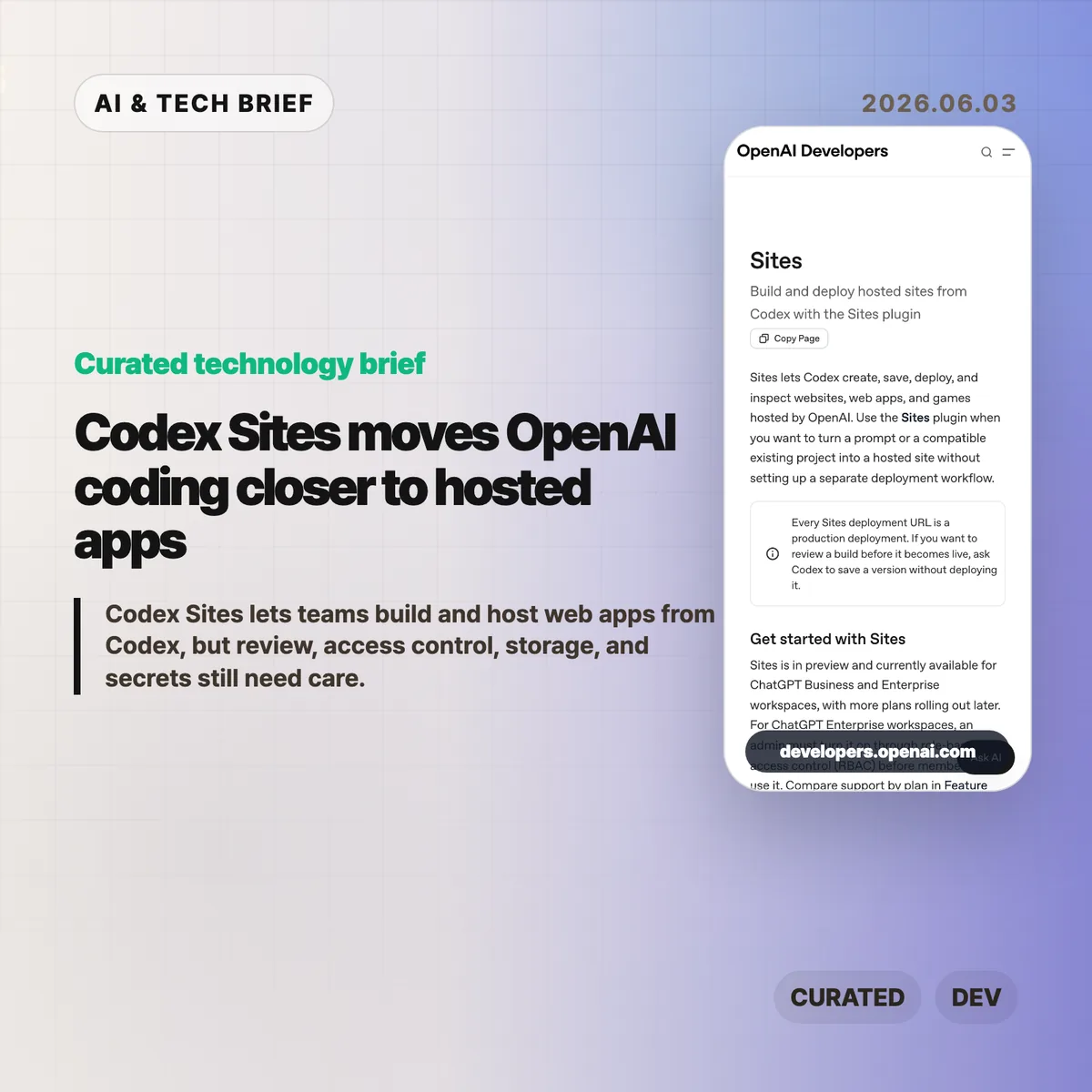
    Codex Sites is OpenAI’s 2026 preview feature for creating, saving, deploying, and inspecting hosted websites, web apps, and games from Codex. According to OpenAI, Sites is available across 2 workspace plans, ChatGPT Business and ChatGPT Enterprise, targets Cloudflare Worker-compatible ES modules, and treats every deployment URL as production. The product shift is practical: Codex is moving from code edits toward hosted app delivery.

    The short version

    • Codex Sites lets Codex turn a prompt or compatible existing project into a hosted site without a separate deployment setup.
    • OpenAI says every deployment URL is a production deployment, so teams should save a version for review before publishing it.
    • The feature is in preview for ChatGPT Business and Enterprise workspaces; Enterprise admins must enable it through RBAC.
    • Sites targets Cloudflare Worker-compatible ES module output and can use D1 for structured data, R2 for files, and workspace or external identity for authentication.
    • The builder value is speed, but the operational work still sits with the team: secrets, access modes, migrations, and final review.

    What happened

    OpenAI published documentation for Sites, a Codex plugin that can create, save, deploy, and inspect hosted projects. In 2026, the preview covers 2 workspace plans: ChatGPT Business and ChatGPT Enterprise. The docs describe a workflow where a user can ask Codex to build a website, dashboard, internal tool, or game, then either save a deployable version for review or deploy an approved version to a production URL.

    The feature is currently in preview. ChatGPT Business workspaces get Sites enabled by default, while ChatGPT Enterprise workspaces need an admin to turn it on through role-based access control. That makes the first audience clear: teams already using Codex inside managed workspaces, rather than every individual developer looking for a public hosting product.

    OpenAI’s docs also place a hard line between saving and deploying. Every Sites deployment URL is treated as production. If a team wants to inspect the build first, it should ask Codex to save a version without deploying it, then deploy only the approved saved version.

    Why Codex Sites is worth watching

    Codex Sites is worth watching because it turns Codex from a code-generation assistant into a deployment assistant for a defined class of hosted apps. OpenAI lists 5 apps or site shapes in the docs: websites, web apps, games, dashboards, and internal tools. Those are the jobs where a working URL often matters more than another static mockup.

    The docs say Sites hosts projects that build Cloudflare Worker-compatible output as ES modules. A new project can start from a recommended starter, while an existing project should be checked for compatibility before deployment. That framing matters. OpenAI is not promising that every frontend repository can be pushed blindly. Codex is being steered toward a narrower hosting shape where the agent can reason about build artifacts, saved versions, deployment state, and production URLs.

    For more developer-tool coverage, see the IT & AI archive.

    What does Codex Sites change for builders?

    Codex Sites changes the prototype path for builders who already use Codex to generate or edit code. OpenAI’s docs describe 5 apps or site shapes that fit the workflow, and according to OpenAI, Sites can publish an approved saved version to a production URL. In practice, the agent can help produce a hosted artifact that stakeholders can click, test, and reject.

    The feature also forces more precise prompts. OpenAI’s examples ask users to name the audience, core experience, required data, authentication needs, and persistence requirements. A vague request may produce a site, but a useful hosted app needs sharper product instructions: who uses it, what data should persist, which files can be uploaded, and who should be allowed to access it.

    That is the more interesting builder lesson. AI app generation becomes more valuable when the prompt includes operational intent, not only UI intent.

    Storage, access, and secrets are the real test

    Codex Sites is a higher-risk workflow when a generated app needs data, files, identity, or secrets. OpenAI maps 3 app needs to hosted primitives: D1 for durable structured data, R2 for object storage, and workspace or external identity for sign-in. Sites can also store a project ID plus optional D1 and R2 binding names in .openai/hosting.json after provisioning.

    That convenience comes with a boundary. OpenAI tells users not to put hosted environment variables or secrets in .openai/hosting.json or source files. Those values should be managed through the Sites panel, with local .env and .env.example files kept aligned for development. Before widening access, the docs tell teams to review source changes, database migrations, build status, selected version, audience, and secret configuration.

    In other words, Codex Sites can shorten the path to a deployed app. It does not remove the need for a release checklist.

    What the discussion is missing

    There was no reliable Hacker News thread available for this specific Codex Sites documentation at the time of writing. The missing discussion is still easy to predict because the technical trade-offs are concrete: compatibility with existing projects, runtime limits, pricing once the preview expands, how well Codex handles migrations, and whether teams trust an agent to manage deployment steps.

    The most useful public debate will probably center on workflow fit. Solo builders may compare Sites with Vercel, Netlify, Cloudflare Workers, Replit, and other AI app builders. Enterprise teams will care less about novelty and more about RBAC, auditability, data handling, secrets, and whether production URLs can be governed without adding another shadow deployment path.

    The practical read

    Use Codex Sites for small apps where a clickable deployment changes the conversation: internal dashboards, request trackers, landing pages, simple games, or prototypes that need stored records. In practice, the 5 checks are compatibility, saved-version review, access mode, secret configuration, and deployment status. Do not treat Sites as a replacement for your normal production process until your team has tested each one.

    The safest workflow is to ask Codex to build and validate, save a deployable version, review the source changes and any migrations, then deploy only the version you approved. Keep access limited to the owner and admins until the content, data handling, and audience are clear.

    Codex Sites is an early signal that AI coding products are becoming app-operation products. The teams that benefit most will be the ones that pair faster generation with stricter review, not the ones that publish every agent-built artifact as soon as it runs.

    Sources

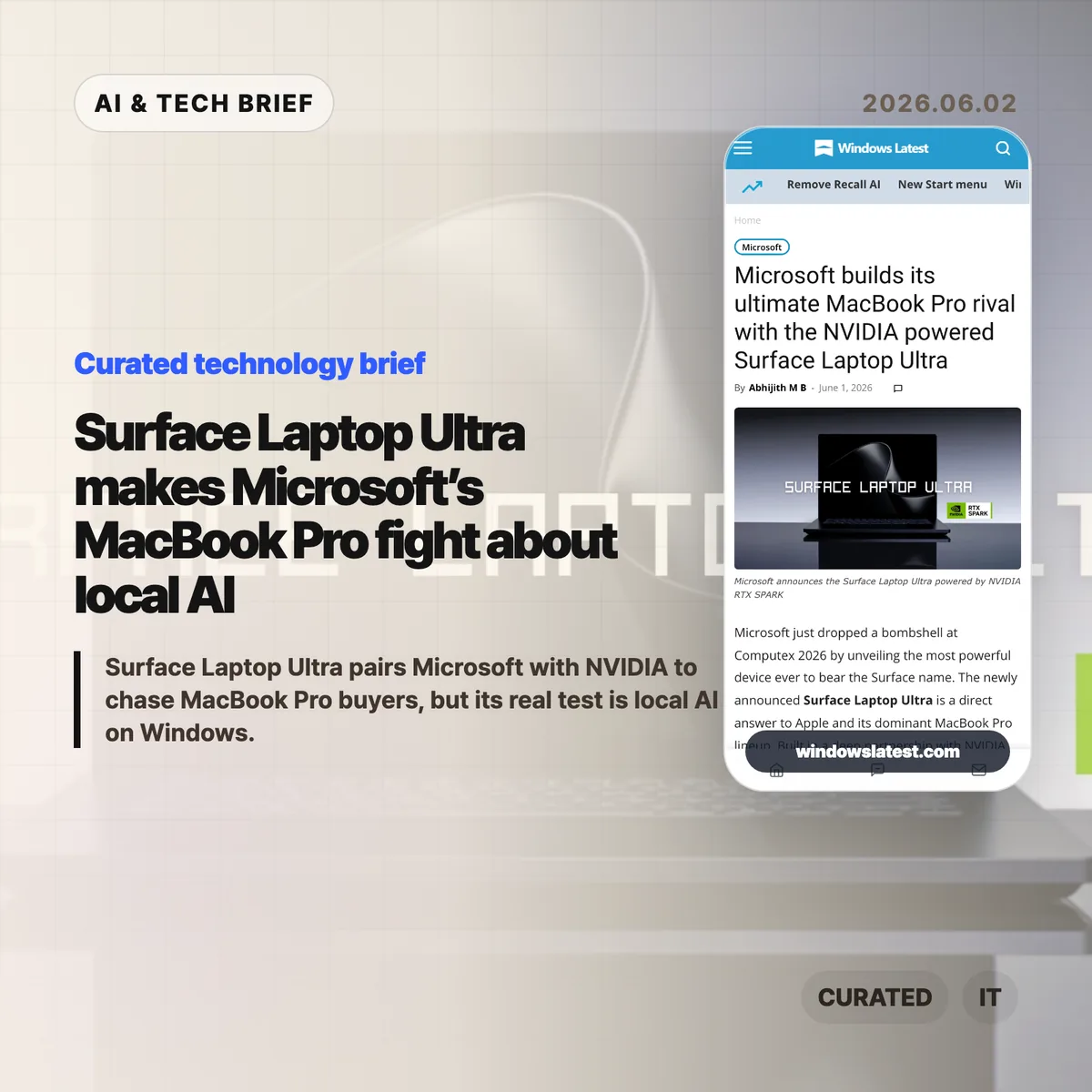
  • Surface Laptop Ultra makes Microsoft’s MacBook Pro fight about local AI

    Surface Laptop Ultra makes Microsoft’s MacBook Pro fight about local AI

    Surface Laptop Ultra is being framed as Microsoft’s answer to the MacBook Pro. That comparison is useful, but only up to a point. The more interesting question is whether Microsoft and NVIDIA can make a Windows laptop feel credible for local AI work instead of stopping at spec-sheet bragging.

    The short version

    • Windows Latest reports that Microsoft has introduced Surface Laptop Ultra, a high-end Windows on Arm laptop built around NVIDIA’s RTX Spark platform.
    • The headline specs are aggressive: a 20-core NVIDIA Grace CPU, Blackwell RTX graphics, up to 128GB of unified memory, CUDA support, and claims around 120-billion-parameter local model runs.
    • The hard part is not raw GPU marketing. Microsoft has to prove battery life, heat, x86 compatibility, creative-app support, and Windows on Arm developer tooling in daily use.
    • Hacker News readers mostly argued about price, fan noise, and whether large local AI workloads belong on a laptop at all.

    What happened with Surface Laptop Ultra

    Windows Latest says Microsoft used Computex 2026 to show Surface Laptop Ultra, a new top-end Surface laptop built with NVIDIA. The reported platform combines a 20-core NVIDIA Grace CPU, a Blackwell RTX GPU, fifth-generation Tensor Cores with FP4 support, NVLink-C2C between CPU and GPU, and up to 128GB of unified memory.

    The article also says Microsoft tuned Windows 11 on Arm for the platform. That includes scheduler work across 20 cores, power and thermal management, higher GPU-accessible memory limits, shared-memory page handling, Prism emulation changes for older x86 apps, and containment primitives for local AI agents.

    Those details matter more than the MacBook Pro comparison. Apple’s current advantage is not one chip or one benchmark. It is the boring, valuable mix of performance, battery life, unified memory, silence, app support, and predictable hardware behavior. Surface Laptop Ultra has to compete with that whole package.

    Why this is worth watching

    Surface Laptop Ultra could become a useful test case for the next phase of AI PCs. A lot of AI laptop talk has been stuck on NPU TOPS. This machine points at a different lane: local inference, CUDA-backed experimentation, video work, 3D rendering, and agent workflows that need a bigger shared memory pool.

    If the 128GB unified-memory configuration works as described, the appeal is obvious for developers who want to prototype with local models before moving serious jobs to the cloud. It could also matter for creators who already live inside Adobe, game engines, 3D tools, and GPU-heavy production software.

    The catch is that Windows on Arm still has to earn trust. Native apps are better than they were, and Prism emulation has improved, but professional buyers do not want a science project. They want Premiere, Photoshop, anti-cheat-protected games, IDEs, drivers, plugins, and weird old utilities to behave without becoming the day’s main problem.

    That is why this story fits the broader IT & AI archive: the hardware is interesting, but the platform question is the real story. Microsoft needs the laptop, the operating system, and the developer ecosystem to land at the same time.

    What Hacker News readers are arguing about

    The Hacker News thread was less impressed by the launch language than by the practical tradeoffs. Price came up first. Several commenters guessed that a 64GB or 128GB RTX Spark laptop would land somewhere around premium workstation pricing, with DGX Spark comparisons making a sub-$3,000 product sound unlikely.

    Fan noise became another sticking point. Some readers thought Microsoft’s promo emphasis on cooling was a strange way to chase MacBook Pro buyers, because one of Apple Silicon’s strongest selling points is how quiet it feels during normal work. Others pushed back: if you are running large local models or GPU-heavy creative jobs, fans are part of the deal.

    The most useful split was about local AI itself. One camp asked why anyone would run large models on a Windows laptop instead of using a server. The other camp wanted exactly that portability: a machine you can take to a coffee shop, run a coding model without depending on cloud access, and keep working when Wi-Fi is bad or locked down.

    There was also a familiar Windows skepticism. Some readers treated “built on Windows” as a warning label. Others brought up older Surface devices they still like, especially for unusual form factors, pens, keyboards, and portable creative work. The thread did not settle the question. It did make the buyer profile clearer: this only makes sense if local GPU work matters enough to pay for weight, heat, and price.

    The practical read

    Treat Surface Laptop Ultra as a platform bet, not a simple MacBook Pro clone. The spec list is strong enough to make Windows hardware interesting again for local AI, but the first reviews need to answer five plain questions.

    Can it stay quiet and fast under long AI or rendering jobs? Does battery life hold up when the GPU is actually doing work? Do x86 apps, anti-cheat systems, Adobe tools, drivers, and dev utilities behave on Windows on Arm? Is CUDA support easy to use on the laptop, or does it feel like a demo path? And does the price make sense against a MacBook Pro, a desktop workstation, or rented cloud GPU time?

    If Microsoft gets those answers right, Surface Laptop Ultra could give Windows developers and creators a serious local AI machine. If not, it will be another impressive Surface idea that people admire from a distance.

    Sources

  • AI in SRE: Google draws the line before agents touch production

    AI in SRE: Google draws the line before agents touch production

    AI in SRE is starting to mean more than better alert summaries. Google’s SRE team is describing a path where AI agents investigate incidents, propose mitigation, and eventually act through controlled execution layers. The useful part is not the promise of autonomous operations. It is the amount of friction Google says should exist before an agent can touch production.

    The short version

    • Google frames AI in SRE as a staged operating model, from L0 manual work to L4 systems that can monitor, investigate, mitigate, and act.
    • The paper centers on a “Safety Trifecta”: transparency, real-time risk checks, and progressive authorization.
    • AI Operator handles investigation and response support, while Actus is the controlled execution layer for production actions.
    • Google argues that recent human incident records should become evaluation data rather than postmortem archives.
    • The same logic applies to AI-generated code: humans move from line review toward design, intent, policy, and independent test harnesses.

    What happened

    Google published a long SRE paper on how it is preparing reliability work for AI-assisted software delivery. The paper starts from a practical pressure point: if AI coding tools increase code generation and deployment volume, human review and manual incident response cannot scale in the same shape.

    The proposal is not to hand production to a chatbot. Google breaks operational autonomy into five levels. At L0, humans investigate, approve, and execute. At L1, automation helps with monitoring and investigation. At L2, systems can prepare or run bounded actions only after human approval. At L3, the system can act within a defined scope. L4 is the full version, where monitoring, investigation, mitigation, actuation, and multi-step resolution are all automated.

    That ladder matters because “let the AI handle incidents” is too vague to be useful. Summarizing logs is one risk profile. Draining traffic from a serving cell is another. Google’s model treats those as different permissions, with different audit and approval requirements.

    Why this is worth watching

    The most concrete piece is the Safety Trifecta. Google says an AI agent needs transparency, real-time risk evaluation, and progressive authorization before it interacts with production. Transparency means the system records the signals it used, the hypotheses it considered, the confidence level, and the reason for a proposed action. Risk evaluation means the same action can be safe or unsafe depending on deployments, error budgets, active incidents, and time of day. Progressive authorization means agents earn more access only after lower-risk modes work.

    The architecture also separates reasoning from execution. AI Operator is described as a first-response agent that investigates alerts, checks similar past incidents, narrows causes, and hands off when it gets stuck. Actus is the execution side. It routes proposed actions through guardrails, dry-run support, agent-specific rate limits, circuit breakers, and emergency stops.

    That split is the part operators should borrow first. If an AI agent can reason about an outage, that does not mean it should hold broad standing credentials. A safer pattern is to give the agent a narrow identity, narrow tools, and a control plane that can say no.

    There is also a sharp point about evaluation. Google describes IRM Analyzer as a way to turn incident chats, notes, command traces, and operator decisions into structured trajectories. Those trajectories become Bronze, Silver, and Gold datasets, with human-verified Gold data used to calibrate the noisier layers. Nightly evaluations then test agents against recent incidents, while deterministic checks judge whether the final mitigation was actually correct.

    For readers following the IT & AI archive, this is a useful counterweight to the usual agent demo. The hard problem is not whether a model can suggest a fix. It is whether the organization can prove, every day, that the agent still behaves safely around live systems.

    What the discussion is missing

    I could not find a public Hacker News thread for this source at the time of writing, so the missing debate is worth spelling out. The obvious question is how much of Google’s design transfers to smaller teams.

    Google can build a separate execution layer, mine years of incident records, run nightly evaluations, and staff human review for Gold data. Many teams have a thinner history, messier runbooks, and fewer production actions that are already safe to call through an API. For them, the first usable version of AI in SRE may be much more modest: alert enrichment, incident timeline reconstruction, runbook lookup, and draft mitigation plans that a human still approves.

    The security angle also deserves more public scrutiny. Any agent that reads logs, queries infrastructure, or proposes production changes becomes a new control surface. Prompt injection, poisoned docs, stale runbooks, and overbroad credentials are not side issues here. They are the reasons the control plane matters.

    AI in SRE safety lines

    The paper’s strongest lesson is that autonomy is a product decision, not a model setting. If a team wants AI in SRE, it should define which actions are read-only, which actions are reversible, which actions need approval, and which actions are off limits. That map should exist before the agent is impressive.

    A practical starting point would look boring, and that is probably healthy. Give the agent read-only access to observability data. Let it write incident notes, compare the current alert to past incidents, and suggest a plan. Measure whether its hypotheses match what the on-call team later found. Only then consider a narrow execution path, with dry runs and a human in the loop.

    Google’s 4x productivity framing for AI-generated code is another warning. If code volume rises faster than review capacity, SRE cannot keep relying on line-by-line review as the last defense. The paper suggests moving human judgment earlier, toward designs, intent, policies, and independent harnesses. That is a less glamorous change than autonomous remediation, but it may be the one that keeps the system understandable.

    The practical read

    Treat AI in SRE as an access-control and evaluation problem first. The model is only one part of the system.

    If you run production services, start with three questions. What can the agent see? What can it change? How will you know it got better or worse this week? If those answers are fuzzy, the agent should stay at L1: investigate, summarize, and recommend.

    The teams that move safely toward higher autonomy will likely have a few things in common: clean runbooks, typed production actions, dry-run APIs, clear ownership, good incident records, and a culture that treats evaluation data as operational infrastructure. Without that, AI incident response can still be useful, but it should remain a copilot, not an operator.

    Sources

  • NVIDIA RTX Spark turns the local AI PC fight toward Windows

    NVIDIA RTX Spark turns the local AI PC fight toward Windows

    NVIDIA RTX Spark is Nvidia’s attempt to make the local AI PC feel less like a cloud workaround and more like a real Windows machine. The company says the platform combines Blackwell RTX graphics, Grace CPU cores, and up to 128GB of unified memory in slim laptops and small desktops. That is a direct pitch to developers and creators who want CUDA, local inference, and everyday PC software in one box.

    The short version

    • NVIDIA RTX Spark laptops are pitched with up to 1 petaflop of FP4 AI performance, up to 6,144 RTX GPU cores, and up to 128GB unified memory.
    • The bigger story is not gaming alone. Nvidia is trying to bring CUDA-heavy local AI development into Windows laptops and compact desktops.
    • Asus, Dell, HP, Lenovo, Microsoft, and MSI are listed as partners, which makes this look like a platform push rather than a single demo device.
    • The open questions are price, battery life, thermals, Windows on Arm compatibility, and whether real local LLM workloads run well enough to justify the hardware.

    What happened with NVIDIA RTX Spark

    NVIDIA RTX Spark is a PC platform built around what Nvidia calls the RTX Spark Superchip. The company describes it as a single processor that fuses NVIDIA AI acceleration with RTX graphics for creators, developers, and gamers. The headline configuration reaches up to 128GB of unified memory, which is unusually large for a consumer laptop class device and useful for local AI workloads that quickly run into memory limits.

    The pitch is easy to understand: keep more AI work on the machine. A developer could prototype an agent, run smaller models, test CUDA code, or do creative work without sending every step to a remote GPU. That does not remove the need for cloud compute, but it could make the first loop faster and cheaper for some teams. If you follow AI hardware and developer tools, the broader IT & AI archive is the right place to track this shift.

    Nvidia is also selling RTX Spark as a Windows PC story, not a lab box story. That matters because a laptop has to survive normal laptop questions: does it sleep properly, does the battery last, do creative apps behave, do games run, and does the fan sound reasonable under mixed workloads?

    Why this is worth watching

    The phrase “AI PC” has been stretched thin. A lot of recent PC marketing has centered on NPUs, meeting effects, or small assistant features. NVIDIA RTX Spark is a heavier bet. It puts the focus on local model work, CUDA software, RTX graphics, and large unified memory.

    That makes the comparison set more interesting. Apple Silicon has strong unified memory and a mature Arm transition. AMD’s Strix Halo points at high-end integrated graphics and local AI experiments. Traditional RTX laptops already have CUDA, but usually with a split between system memory and VRAM. NVIDIA RTX Spark tries to combine pieces from all three worlds.

    The catch is that specs do not settle this market. Local LLM performance depends on memory bandwidth, quantization, prefill speed, software support, and thermal limits. A machine that looks excellent in a product page can still feel awkward if the developer workflow is fragile or the best apps are not native.

    What Hacker News readers are arguing about

    The Hacker News discussion is less about whether local AI is useful and more about whether Windows is the right home for it. One camp is skeptical of Microsoft and Windows on Arm. Their concern is simple: previous Arm Windows machines had compatibility gaps, and a high-end AI laptop still has to run normal Windows apps, developer tools, games, and drivers.

    Another camp is more pragmatic. For them, the operating system matters less than getting a portable CUDA machine with enough unified memory to run local models. Some commenters framed it as a possible alternative to Apple Silicon Macs, AMD Strix Halo laptops, or a desktop full of used GPUs. The useful caveat in that argument is memory bandwidth. Several readers pointed out that 128GB of unified memory is attractive, but bandwidth and real model throughput will decide whether the machine feels fast.

    There is also a hardware-nerd thread around what Nvidia and MediaTek actually built. Commenters picked apart the CPU side, the relationship to DGX Spark, and whether the same silicon will be constrained by laptop power limits. That is the right kind of skepticism. RTX Spark may be a strong developer machine, but the first reviews need to show sustained performance, Linux behavior, Windows on Arm compatibility, and price before anyone can call it a MacBook or workstation replacement.

    The practical read

    If you build AI tools, NVIDIA RTX Spark is worth watching because it could make the local development loop more realistic on Windows. The sweet spot is not training frontier models on a laptop. It is running smaller models, testing agents, doing CUDA-first prototyping, and moving fewer early experiments to paid cloud GPUs.

    If you are buying hardware soon, wait for benchmarks. Look for sustained tokens per second, prefill speed, memory bandwidth, battery behavior under AI workloads, fan noise, Linux support, and whether your actual Windows apps run natively or through translation. A spec sheet can tell you the direction. It cannot tell you whether the machine is pleasant to use.

    Sources

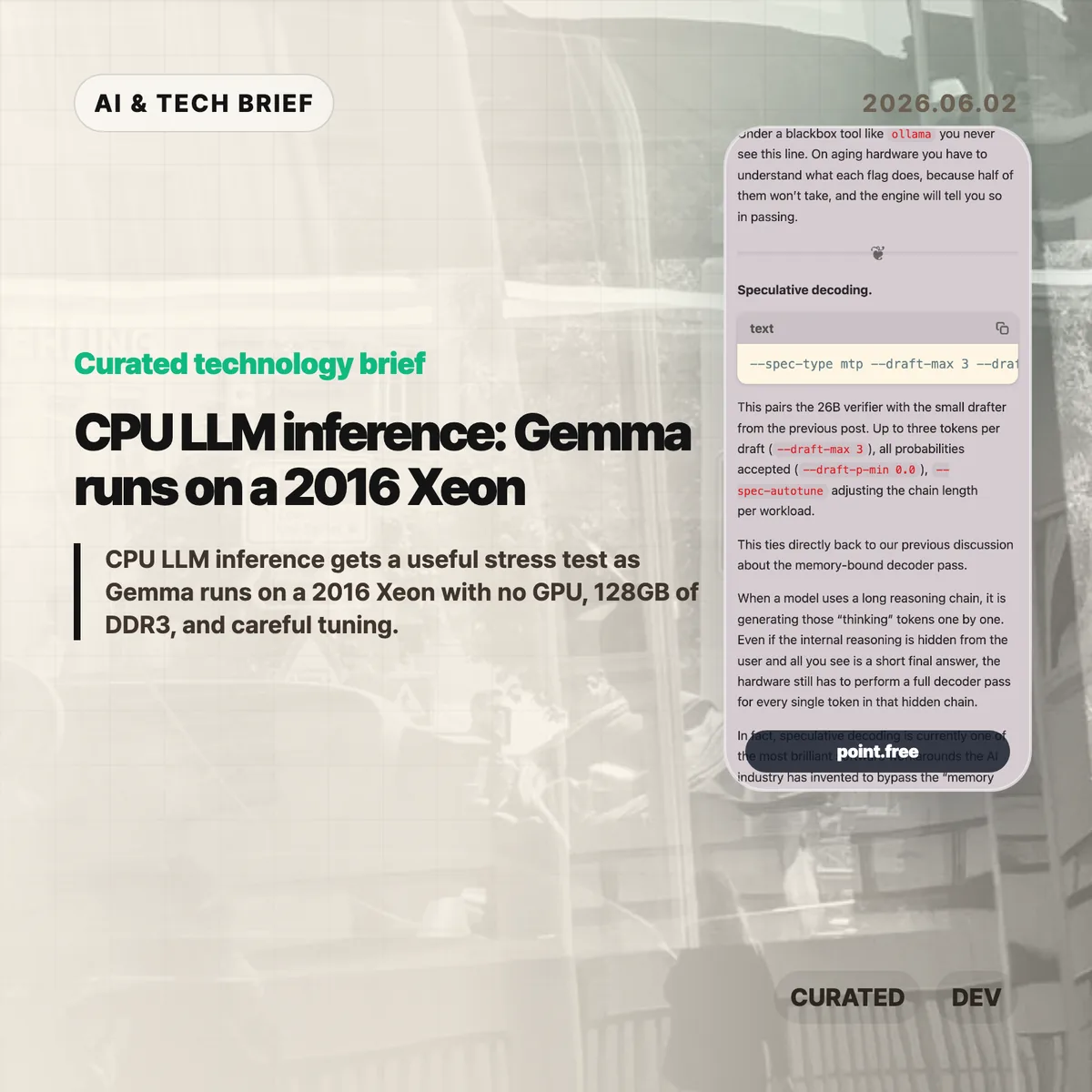
  • CPU LLM inference: Gemma runs on a 2016 Xeon

    CPU LLM inference: Gemma runs on a 2016 Xeon

    CPU LLM inference usually sounds like a compromise you make when a GPU is unavailable. Christina Sorensen’s test makes the compromise more interesting: Gemma 4 26B-A4B ran at roughly reading speed on a 2016 Intel Xeon E5-2620 v4 server with no GPU, 128GB of DDR3 memory, and a long list of ik_llama.cpp flags. The useful lesson is not that old Xeons are suddenly better than GPUs. It is that memory bandwidth, KV cache size, speculative decoding, and engine control matter more than a simple hardware checklist.

    The short version

    • The test used one Intel Xeon E5-2620 v4, 8 physical cores, 16 threads, 128GB of DDR3 RAM, and no GPU.
    • Gemma 4 26B-A4B is described as a roughly 25.2B parameter Mixture-of-Experts model with about 3.8B active parameters per token.
    • The run needed about 82GB of memory at the full 262K context, with roughly 25GB for weights and 56GB for KV cache.
    • The practical win came from engine-level tuning: MTP speculative decoding, CPU-aware MoE routing, runtime repacking, Flash Attention, and explicit KV-cache handling.
    • For builders, the test is a reminder that local AI can make sense for privacy or batch jobs, but power draw, noise, and setup time still count.

    What happened

    Sorensen published a detailed run of Gemma 4 26B-A4B on a recycled server that looks weak by current AI standards. The CPU is a single Xeon E5-2620 v4 from 2016. It has AVX2, but no AVX-512, no AVX-VNNI, no BF16, and no integrated GPU. The memory is the saving grace and the bottleneck at the same time: 128GB is enough capacity, but DDR3 is slow compared with modern laptop memory.

    The run did not use a simple wrapper. The command line included --spec-type mtp, --draft-max 3, --cpu-moe, --merge-up-gate-experts, --run-time-repack, --flash-attn on, --mla-use 3, --mlock, and --no-kv-offload. Some of those flags are about speed. Some are about avoiding wasted work. Some are there because the engine has to be told, explicitly, that there is no GPU to lean on.

    The memory accounting is the part that should make people pause. At the full 262K context, the run needed 82,355 MiB for model tensors plus cache. The KV cache was larger than the model weights. That is a good mental reset for CPU LLM inference: once the context gets large, the short-term memory of the conversation can become the thing that dominates RAM.

    CPU LLM inference in plain terms

    The decoder phase of an LLM is often memory-bound. Each new token requires the system to stream model weights through memory and cache. On a GPU server, high-bandwidth memory hides a lot of that pain. On an old CPU box, the memory wall is right in your face.

    That is why the details in this post matter. Speculative decoding tries to get more useful tokens out of each expensive verifier pass by pairing the main model with a smaller drafter. CPU-aware MoE routing tries to keep expert weights from thrashing the cache. Runtime repacking reshapes weight matrices so the CPU can read them more efficiently. Flash Attention and MLA reduce the amount of attention and KV-cache data that has to be materialized in memory.

    None of this makes the setup friendly. It actually proves the opposite. If the only way to make CPU LLM inference usable is a 25-flag command, missing documentation, and logs that quietly downgrade unsupported settings, then the open-model stack still has a usability problem. The model may be open. The working recipe is harder to get.

    Why this is worth watching

    The interesting part is not nostalgia for old servers. It is the gap between “can run” and “can run well.” Local AI is full of that gap right now. A consumer tool may hide all the knobs, which is fine until the defaults waste RAM, miss a CPU optimization, or let a model swap to disk.

    This matters for teams that want local inference for internal documents, private workflows, or overnight automation. A slow local model can still be useful if the job is summarizing PDFs, drafting code comments, classifying logs, or running background research. For more stories like this, the IT & AI archive tracks practical AI tooling rather than launch-day hype.

    The catch is cost. A repurposed server is not free if it burns power, runs loud, and takes hours to tune. The right comparison is not “old Xeon versus H100.” It is “owned hardware for patient workloads versus hosted inference for fast ones.” CPU LLM inference belongs in that second-level decision, not in a slogan about replacing GPUs.

    What Hacker News readers are arguing about

    The Hacker News thread is mostly useful because it pushes back on the romance of the homelab. Several readers liked the privacy and offline angle, especially for data that should not leave a home or company network. Others pointed out that rack-era Xeon machines can be noisy, hot, and inefficient. One commenter compared old Xeon boxes with newer small Intel systems and argued that the modern machine is often faster while using far less power.

    A second thread of discussion focused on measurement. Readers questioned whether a tiny prompt such as “Why is the sky blue?” tells enough about real workloads. Coding, log analysis, and document tasks often start with thousands of input tokens, so prompt evaluation, prefix caching, and long-context behavior matter as much as output speed. That skepticism is fair. Reading-speed generation is useful, but it is not a full benchmark.

    There was also a more technical argument about cache and CPU choice. Some readers noted that older Xeons vary a lot, and modern consumer CPUs can have comparable or better cache behavior. Others brought up AMD 3D V-Cache and high-memory consumer systems as a better direction than keeping loud server hardware alive. The strongest practical takeaway from the thread: local inference is attractive when privacy or control matters, but hosted models may still be cheaper for casual batch jobs once electricity and time are included.

    The practical read

    If you are building with local models, treat this as a checklist, not a buying guide. Start with the workload. If the job is interactive chat, an old CPU box will probably frustrate users. If the job runs in the background and handles sensitive data, a slower local model can be fine.

    Then check memory before you check FLOPS. Model weights are only part of the footprint. Long context can make the KV cache bigger than the model itself, and swapping will destroy performance. After that, look at the engine. A wrapper that is easy to install may be the wrong tool if it hides the settings needed for your hardware.

    For app builders, the ASO angle is simple: local AI features should be marketed around privacy, offline use, and patient background work, not raw speed. CPU LLM inference is credible when the product promise matches the hardware reality.

    Sources

  • AI technical interviews need a reset, not a chatbot test

    AI technical interviews need a reset, not a chatbot test

    AI technical interviews are getting harder to design because coding assistants can now help with the exact artifacts companies used to treat as evidence. A polished take-home project no longer tells you as much about how a candidate thinks. The better question is whether the interview still exposes reasoning, review judgment, and the ability to finish one messy problem without hiding behind a model.

    The short version

    • Charles-Axel Dein argues that most companies should keep AI out of technical interviews unless the exercise is explicitly about AI use.
    • Take-home coding challenges are the weakest signal now because candidates can generate strong-looking submissions faster than interviewers can review them.
    • Live exercises, follow-up changes, and review-style questions still give companies a better look at how a candidate reasons under constraint.
    • AI fluency matters at work, but the piece treats it as an instrumental skill rather than the foundation of engineering judgment.
    • Anthropic’s own candidate guidance makes a similar split: AI can help with preparation and refinement, while take-home assessments and live interviews are usually meant to show the candidate’s own thinking.

    What happened

    Charles-Axel Dein published an essay on how companies should adapt engineering interviews as AI coding tools improve. His core recommendation is blunt: do not let AI use become the default in most interviews, and do not turn the process into a contest over who has the best prompts.

    The essay breaks interview design into two practical dimensions: signal quality and company cost. A good interview should reveal the traits the role actually needs, while staying cheap enough to run, calibrate, and explain to candidates. AI pushes on both sides. It can make a take-home challenge easier for the candidate, but it can also leave the company with more code to inspect and less confidence about who made the important decisions.

    The piece is not anti-tooling. Dein’s sharper point is that AI skill is closer to editor fluency or language familiarity than to engineering judgment. You can teach a strong engineer a new tool. It is much harder to teach the habit of breaking down ambiguous requirements, spotting risk in a codebase, or explaining why a design will fail.

    Why this is worth watching

    AI technical interviews are now a hiring product problem, not only an engineering culture debate. A company has to decide what it is actually buying with each interview round: implementation speed, reasoning, communication, review quality, integrity, or all of those at different points in the funnel.

    That matters because the old take-home model is becoming expensive in a strange way. The candidate can produce more. The company must verify more. If the review loop turns into “AI wrote it, AI graded it, and a human checked both,” the process has not saved much work. It may have added another layer of uncertainty.

    The useful move is to separate tool use from fundamentals. Let candidates prepare with AI if that matches normal work. Be explicit when AI is allowed. But keep at least part of the process focused on human reasoning: explain the tradeoff, modify the solution live, critique an AI-generated plan, review a small codebase, or walk through a product requirement that has gaps.

    For readers tracking developer tools and hiring workflows, this is also a market signal. Interview platforms, coding assessment vendors, and AI IDEs will all be pulled into the same question: are they helping teams see better evidence, or just producing cleaner artifacts? The IT & AI archive tracks similar shifts where AI tools change the workflow before teams agree on the evaluation rules.

    What Hacker News readers are arguing about

    The Hacker News submission for the essay exists, but it has no meaningful comment thread at the time of writing. That silence is useful in a small way: this is not a case where a loud thread can be treated as community consensus.

    The discussion worth having is still clear. One camp will argue that banning AI in interviews creates an artificial test because real engineers use tools. The stronger reply is that interviews are already artificial; the point is to isolate a signal. Companies do not ban calculators in every job because arithmetic is sacred. They ban them in some tests when the goal is to see whether the person understands the underlying operation.

    The builder argument cuts the other way. If the job requires daily collaboration with AI agents, a company should test that workflow directly. The problem is making it the whole interview. A candidate who can drive a model well but cannot detect a flawed assumption is still a risky hire.

    The practical read

    Companies should stop treating “AI allowed” as a yes-or-no policy and make it a per-stage rule. Use AI freely for application polish and interview preparation. For take-home work, either forbid it clearly or allow it and make the live follow-up do the real evaluation. For live interviews, keep at least one round where the candidate has to reason without outside assistance.

    The most practical interview formats are review-heavy. Ask candidates to inspect an AI-generated plan, find bugs in an existing implementation, respond to a changed requirement, or explain what they would delete from a proposed architecture. Those tasks map better to how AI-assisted engineering actually feels: less typing from scratch, more judgment under uncertainty.

    For candidates, the lesson is simple. Being good with AI tools helps, but it does not replace the basics. You still need to understand the code well enough to defend it, change it, and catch the part where the model sounded confident and got the problem wrong.

    AI technical interviews in practice

    A useful hiring loop should state the AI rule for each stage, then test the candidate’s own judgment somewhere in the process. That is the part a cleaner code sample cannot prove on its own.

    Sources

  • systemd timers vs cron: a cleaner way to run scheduled Linux jobs

    systemd timers vs cron: a cleaner way to run scheduled Linux jobs

    systemd timers are worth another look if your Linux servers already run systemd and your scheduled jobs have grown beyond a one-line cron entry. The argument is not that cron is obsolete. It is that many production tasks need logs, status, retry behavior, missed-run handling, and readable schedules more than they need the shortest possible config file.

    The short version

    • systemd timers split the schedule from the work: a .timer decides when to run, while a .service defines what runs.
    • For operators, the biggest win is observability. systemctl status, journalctl, and systemctl list-timers make failures easier to inspect than a quiet crontab.
    • Timer expressions can be wall-clock based, such as OnCalendar=daily, or event based, such as OnBootSec=1h and OnUnitActiveSec=1h.
    • Options like Persistent=true, RandomizedDelaySec, and WakeSystem help with laptops, fleets, and jobs that should not all fire at the same second.
    • Cron still matters, especially across mixed Unix, BSD, embedded, or older Linux environments where systemd is not guaranteed.

    What happened

    Tyler Langlois published a long, practical defense of systemd timers as a better default for many scheduled Linux jobs. The piece walks through a service-and-timer pair, shows how timer units activate matching service units, and points readers toward systemd.time(7) and systemd-analyze calendar for checking schedule expressions before trusting them in production.

    The useful part is the framing. Cron makes it easy to say “run this at this time.” systemd timers make it easier to say “run this service under the same supervision, logging, environment, and failure semantics I use for the rest of the machine.” That matters for backups, cleanup jobs, refresh tasks, polling loops, and other background work that becomes painful only after it fails.

    If you follow Linux and infrastructure tooling, this fits naturally beside other practical operations notes in the IT & AI archive: small workflow changes that do not look dramatic, but remove a lot of late-night debugging.

    Why this is worth watching

    systemd timers change the shape of a scheduled job. Instead of hiding the command inside a crontab line, you describe the command as a service unit. That means stdout and stderr land in the journal, the job can use systemd features such as ExecCondition=, OnFailure=, and Restart=, and the current state is visible through familiar systemctl commands.

    The schedule language is also less narrow than classic cron. OnCalendar= covers fixed dates and times. OnBootSec= handles jobs that should run after a machine has been up for a while. OnUnitActiveSec= handles “run again one hour after the last successful activation” style tasks. For many jobs, that is closer to the real requirement than “run at minute 0 of every hour.”

    The fleet angle is easy to miss. If every server checks the same API at midnight, cron can create avoidable spikes unless you build jitter yourself. systemd timers include randomized delay options, so the schedule can spread work across machines without turning the command into a pile of shell glue.

    What Hacker News readers are arguing about

    The Hacker News discussion was tiny, so there is no broad community verdict to report. The most useful objection came from a commenter who works across mixed commercial environments: cron is still the portable skill, and good cron setups can explicitly set PATH, redirect output, and feed audit logs or syslog pipelines.

    That is the right caveat. systemd timers are compelling when systemd is already the operating layer. They are a weaker default if you support BSD, embedded Linux, vendor appliances, HPC systems, or older distributions where systemd is absent or politically unwelcome. The practical takeaway is not “replace every crontab.” It is “do not leave production Linux jobs in cron by habit when systemd would give you better inspection tools.”

    systemd timers in practice

    The safest first test is a job with annoying failure modes: a backup, cleanup task, local cache refresh, or polling script that already sends people looking through logs. Those are the jobs where systemd timers usually pay for their extra unit file.

    The practical read

    Use cron for simple, portable, low-risk jobs. Use systemd timers when you care about status, logs, dependency ordering, missed runs, restart behavior, or event-based scheduling.

    A reasonable migration path is boring: pick one recurring job that already causes questions when it fails. Move the command into a .service, create a matching .timer, validate the schedule with systemd-analyze calendar, then check it with systemctl list-timers and journalctl -u your-job.service. If that feels clearer than the old crontab, move the next job.

    For developer tool builders, there is also a product lesson here. Scheduled work is easier to trust when the system can answer three questions quickly: when did it last run, what happened, and when will it run again? systemd timers get closer to that model than a bare cron line.

    Sources