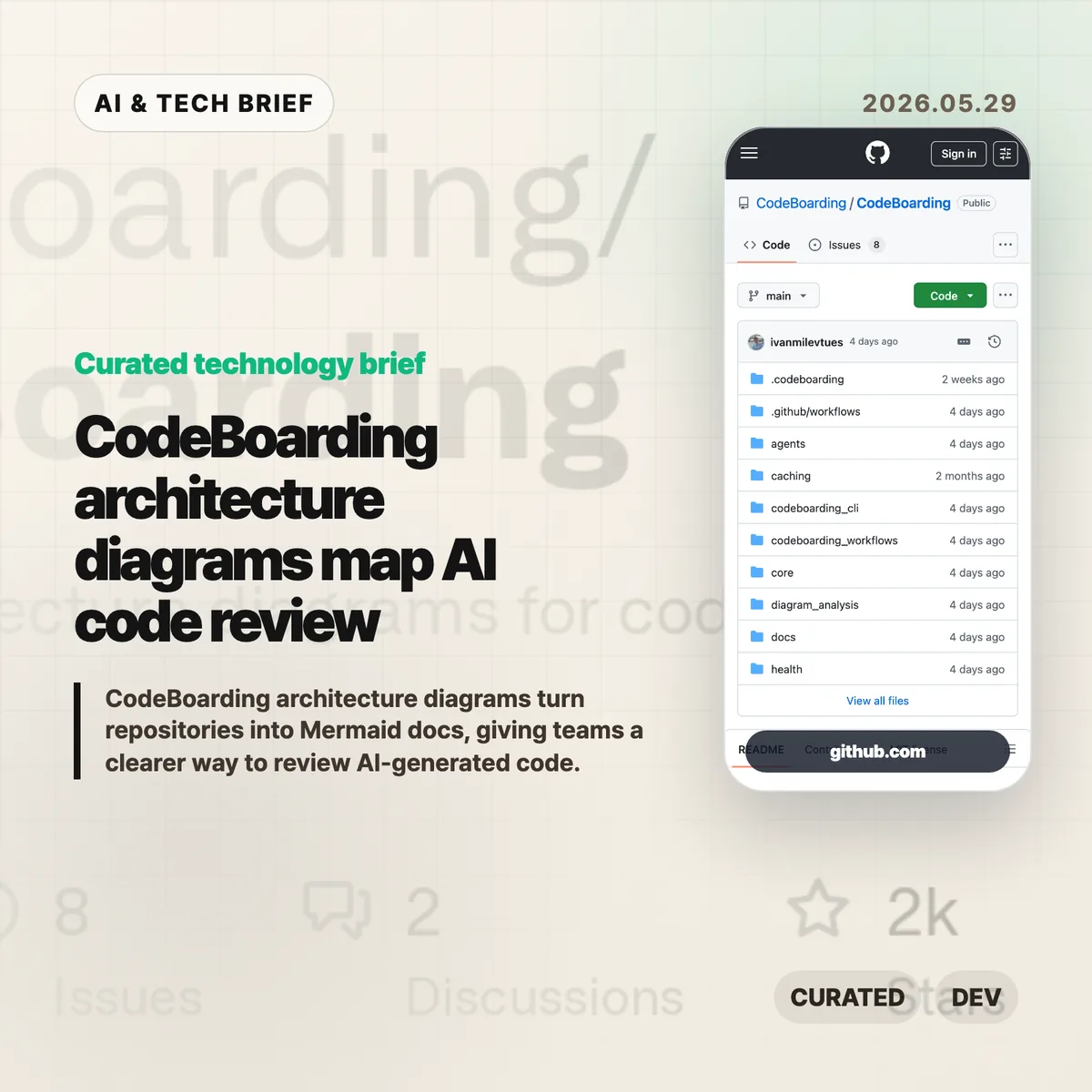
CodeBoarding architecture diagrams turn a repository into navigable Mermaid docs, with static analysis and LLM reasoning doing the first pass. The pitch is simple: if AI coding agents are changing more code, reviewers need a faster way to see the shape of the system before they approve the diff.
Tag: AI
-
Claude Opus 4.8 is a quieter bet on AI coding teamwork
Claude Opus 4.8 is Anthropic’s latest Opus model, and the more interesting part is not a single benchmark jump. The release points to a different priority for AI coding tools: fewer unsupported claims, larger Claude Code jobs, clearer cost controls, and API behavior that fits long-running agent work.
Table of Contents
The short version
- Anthropic says Claude Opus 4.8 improves coding, agentic tasks, reasoning, and professional work while keeping regular Opus 4.7 pricing at $5 per million input tokens and $25 per million output tokens.
- The company says Opus 4.8 is around four times less likely than Opus 4.7 to let flaws in its own code pass without comment.
- Claude Code is getting dynamic workflows, a research preview feature that can plan large jobs, run hundreds of parallel subagents, verify outputs, and report back.
- Effort control lets users trade speed and rate-limit usage against deeper reasoning, while fast mode now runs at 2.5x speed and costs less than before.
- The Hacker News thread reads less like a celebration and more like a stress test: many readers see a modest update, but builders are watching the workflow changes.
What happened
Anthropic introduced Claude Opus 4.8 as an upgrade to Opus 4.7, available now through claude.ai, Claude Code, and the Claude API. The company frames the model as stronger across coding, agentic skills, reasoning, and professional work, but it also says users should expect a “modest but tangible” step over the prior version.
The regular API price stays the same: $5 per million input tokens and $25 per million output tokens. Fast mode is priced at $10 per million input tokens and $50 per million output tokens. Anthropic says fast mode can work at 2.5x the speed and is now three times cheaper than it was for earlier models.
The release also changes the product around the model. Claude Code gets dynamic workflows for very large codebase tasks. claude.ai and Cowork get effort control. The Messages API now accepts system entries inside the messages array, so developers can update instructions during a task without breaking prompt caching or disguising the change as a user message.
Why this is worth watching
The useful signal in Claude Opus 4.8 is that Anthropic is optimizing around collaboration, not only raw answer quality. That matters because AI coding failures often come from confidence at the wrong moment: the model says a migration is done, misses a test failure, or keeps moving after the plan has gone stale.
Anthropic’s honesty claim is therefore worth watching, even if the phrase sounds a little odd in a model release. If Opus 4.8 really flags uncertainty more often and catches more of its own code defects, teams may be able to give Claude Code larger chunks of work without turning every run into a manual audit.
The product changes point in the same direction. Dynamic workflows are available in Claude Code for Enterprise, Team, and Max plans. The feature lets Claude plan a large task, split it across many subagents, and check the work before returning it. For readers who track AI tooling beyond this single release, the broader IT & AI archive is a useful place to follow how model updates are turning into workflow products.
Claude Opus 4.8 in practice
For developers, Claude Opus 4.8 is less about replacing the current coding stack and more about changing where the model sits in the process. Autocomplete lives inside a narrow edit loop. Claude Code’s dynamic workflows move the model closer to project manager, migration assistant, and reviewer.
That shift creates a harder evaluation problem. A model that writes one function can be judged by tests and review. A model that runs a multi-step migration across hundreds of thousands of lines needs better guardrails: scoped permissions, clear rollback points, test gates, logging, and a human who knows when to stop the run.
Effort control also matters here. Low effort is the right default for routine answers. Higher effort makes more sense when the model is planning, touching many files, or making decisions that cost money if they are wrong. The control is not glamorous, but it is the kind of product detail teams need before they trust AI agents with bigger jobs.
What Hacker News readers are arguing about
The Hacker News discussion is skeptical, but not in a simple anti-AI way. The most common reaction is that Claude Opus 4.8 feels incremental. Several commenters point to Anthropic’s own “modest but tangible” phrasing and argue that benchmark tables no longer tell them much because many public evals feel saturated.
A second thread is about language. Anthropic’s emphasis on model “honesty” annoyed some readers, who felt the company talks about models as if they were organisms being observed in the wild. That led to a more technical argument about whether models are “grown” or “built,” and how much researchers can really explain about why a trained model behaves the way it does.
The builder-side reading is more practical. Same regular price, cheaper fast mode, effort control, and dynamic workflows are the pieces people can actually use. The useful objection is that bigger agentic runs raise the cost of a bad assumption. If Claude can run hundreds of subagents, the test suite, permission model, and review process become part of the product, not afterthoughts.
The practical read
If you already use Claude for coding, Claude Opus 4.8 is worth testing on the tasks where earlier models were annoying rather than impossible: long refactors, migration planning, bug hunts, and code review loops where the model had to admit uncertainty. Do not judge it only on one-shot prompts.
For teams, the first test should be operational. Compare Opus 4.8 against Opus 4.7 on the same repository, with the same tests, the same token budget, and the same review checklist. Track where it stops, where it asks for clarification, and where it claims success too early.
For product builders, the release says something broader about AI tool competition. The next useful layer may be less about a smarter chat box and more about controls around the model: effort settings, fast modes, mid-task instruction updates, subagent orchestration, and honest failure reporting. Claude Opus 4.8 is a good release to study if your product depends on developers trusting an agent for work that lasts longer than a single prompt.
Sources
-
Figma design agent moves AI into the canvas
Figma design agent is Figma’s new beta assistant that works directly on the design canvas. The useful part is not that it can produce more mockups. It can read the working file, use team components and tokens, summarize feedback, and stay inside the place where designers already make decisions.
Table of Contents
The short version
- Figma is rolling out a beta design agent inside Figma Design, available from the canvas and left rail.
- The agent can use components, tokens, variables, libraries, file context, and comments rather than starting from a blank prompt.
- Figma positions the agent for exploration, bulk edits, design system maintenance, and feedback cleanup.
- The company separates the Figma design agent from Figma MCP: the agent works in the canvas, while MCP connects code and Figma workflows.
- The beta is planned for Full seat users on Professional, Organization, and Enterprise plans, with Collab and Dev seats limited to drafts.
What happened
Figma announced the Figma design agent as a beta feature built into Figma Design. It appears on the canvas and in the left rail, so a designer can ask for changes without moving to a separate AI tool or exporting work elsewhere.
The product pitch is fairly specific. Figma says the agent has extra context about a team’s design system, including components, tokens, standards, recent component usage, variables, and libraries. That matters because generic image or UI generators often miss the rules that make a product feel like itself.
Figma also draws a line between the agent and its MCP work. The Figma MCP server is for moving between code and Figma, including code-to-canvas and design-to-code workflows. The Figma design agent is for work that happens in the file: generating design layers, trying variants, applying systems, changing content, and turning feedback into tasks.
Why this is worth watching
The Figma design agent is interesting because it aims at the messy middle of product design. Many AI design demos stop at a polished first screen. Real teams spend more time comparing options, naming variables, swapping components, rewriting copy, handling dark mode, and making sense of review comments.
That is where Figma’s approach could be useful. If the agent can safely handle bulk edits and design system chores, it saves time without pretending that taste has been automated. If it can summarize comments and turn them into next steps, it can reduce the lag between critique and revision.
There is still a quality trap. More variants can mean more mediocre options. Figma’s own post admits that once a direction is clear, hands-on editing is often faster and more natural than continuing to prompt. That is the right framing. The agent looks more credible as a design operations helper than as a replacement for judgment.
For readers who track product and AI tooling, this also fits a broader shift covered in our IT & AI archive: AI features are moving into the main workspace rather than asking teams to adopt a new destination app.
What the discussion is missing
I did not find a reliable Hacker News thread for this specific Figma announcement. The questions worth asking are still clear.
First, product teams should watch how much control designers keep when the agent edits real files. Bulk changes sound useful, but a bad edit across dozens of frames can create cleanup work fast. Version history, review habits, and scoped prompts will matter.
Second, design system teams should test the boring cases before the impressive ones. Renaming variables, documenting component variants, replacing repeated UI elements, and converting screens to dark mode will reveal whether the agent understands the system or merely imitates it.
Third, the seat and plan limits matter for adoption. During beta, Figma says the agent will not consume credits. At general availability, AI credits will apply. That pricing detail could decide whether teams treat the feature as a daily helper or a limited experiment.
The practical read for the Figma design agent
If your team already works heavily in Figma, the Figma design agent is worth testing on contained work first. Try comment summaries, bulk component swaps, copy population, dark mode conversion, and design system documentation before asking it to invent a product direction.
For designers, the safest posture is to use the agent to widen the search and clear repetitive tasks, then make the final calls by hand. For design system owners, the first win may be maintenance: descriptions, tags, states, variants, and naming rules. For app builders, the ASO angle is simple enough: faster UI exploration can help teams compare onboarding, checkout, and feature-discovery flows before they reach the app store.
The main thing to avoid is treating canvas-native AI as a quality guarantee. It is closer to a junior collaborator with unusually broad file access. Useful, but still in need of review.
Sources
-
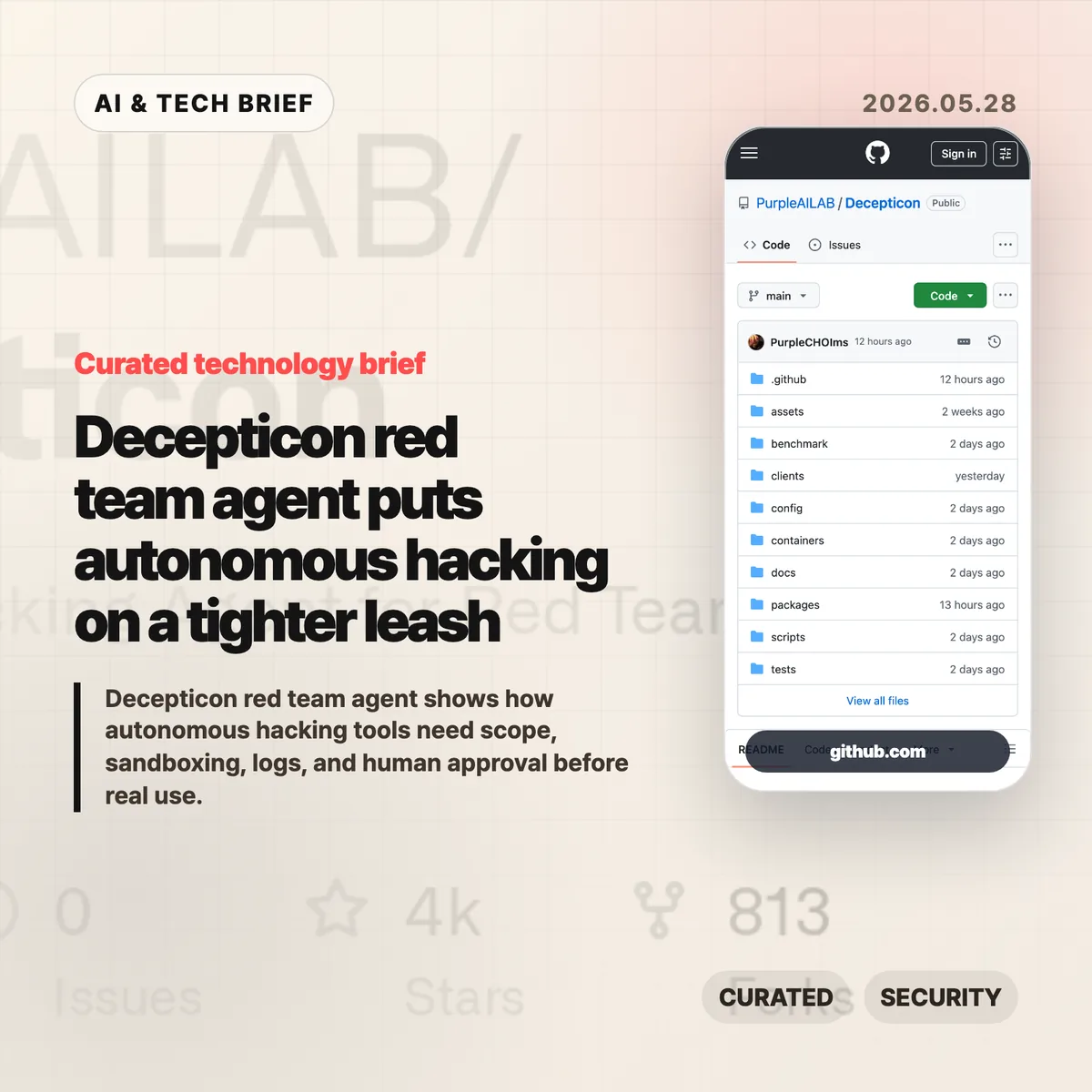
Decepticon red team agent puts autonomous hacking on a tighter leash
Decepticon red team agent is an open source attempt to turn red team work into an agent workflow rather than a scanner-plus-report routine. The interesting part is not that it can call offensive tools. It is that the project puts rules of engagement, sandbox isolation, and an operation plan in front of the automation.
Table of Contents
The short version
- Decepticon describes itself as an autonomous red team agent for reconnaissance, exploitation, privilege escalation, lateral movement, and command-and-control work.
- The project claims a 102 out of 104 pass rate on the XBOW validation benchmarks, which is useful context but still not a substitute for testing in your own lab.
- Its design separates management services from a Kali Linux sandbox and says commands run inside that sandboxed operational network.
- The product question is less “can an AI hack?” and more “who approves the target, constrains the run, and reads the logs afterward?”
What happened
Purple AI Lab published Decepticon as an Apache-2.0 open source project on GitHub. The repository describes it as an autonomous red team agent that can work across a full attack chain: reconnaissance, exploitation, privilege escalation, lateral movement, and command-and-control.
The README also claims a 98.08% result on the XBOW validation benchmarks: 102 passes out of 104 challenges. That number will draw attention, but the repo’s operating model is the more useful part for security teams. Before activity begins, Decepticon says it generates an engagement package with rules of engagement, concept of operations, a deconfliction plan, and an operation plan mapped to MITRE ATT&CK.
Architecturally, Decepticon separates management services such as LiteLLM, PostgreSQL, LangGraph, and the web interface from the sandbox side where Kali, command-and-control components, and targets live. It also describes 16 specialist agents organized by kill chain phase, with a fresh context window per objective.
Why this is worth watching
Security automation has a different risk profile from code completion or meeting notes. A coding agent can break a test suite. A red team agent can touch a network, run a tool against the wrong host, or leave artifacts that defenders have to explain later.
That is why Decepticon is worth reading even if you never run it. Its docs force a practical checklist: target scope, written authorization, network isolation, tool execution boundaries, prompt and command logs, model fallback behavior, and a human stop button. Those controls are the difference between a useful internal security tool and a liability with a web dashboard.
The broader signal is also clear. AI agent products are moving into jobs where mistakes have real blast radius. For more coverage of agent tools and security-adjacent developer workflows, see the IT & AI archive.
why the Decepticon red team agent matters
The Decepticon red team agent is a good test case for how AI security tools should be judged. A long feature list is not enough. Teams need to know whether the agent can be confined to an approved lab, whether it records each command and decision, and whether operators can interrupt it before a bad assumption turns into traffic on the wire.
The project’s use of specialist agents also raises a product design question. Splitting work by kill chain phase can keep context cleaner, but it can also make accountability harder if the system does not preserve a readable trail. Security teams should ask how the agent chose a path, which tool produced each result, and which human approved the next step.
For app builders and security vendors, this is also an app discovery problem. Agent directories and security marketplaces will need trust markers that ordinary software listings do not capture well: safe defaults, isolated execution, audit export, model provider controls, and clear warnings around authorization.
What the discussion is missing
A public Hacker News thread was not available for this brief. The missing discussion is still easy to predict because offensive security automation tends to split readers into familiar camps.
Builders will want to know whether the benchmark claims hold outside curated environments, whether the tool can handle messy interactive shells, and how well it recovers when a scan or exploit path fails. Operators will care more about containment: where credentials live, what traffic can leave the sandbox, how logs are stored, and whether the model can be tricked into stepping outside the engagement plan.
The useful skepticism is not “AI hacking is scary.” It is more specific: any autonomous offensive tool needs proof that its guardrails are harder to bypass than its demo is impressive.
The practical read
Treat Decepticon as a design reference before treating it as an operational tool. If you evaluate it, start in a lab you own, with disposable targets, no production credentials, and a written scope. Then read the logs as closely as the results.
For security teams, the buying or adoption checklist should be boring on purpose: authorization workflow, sandbox boundaries, network egress controls, credential handling, audit retention, model/provider configuration, and rollback steps. If those pieces are unclear, the automation is not ready for real assets.
For AI product teams, the lesson is broader. Once an agent can run terminal commands, cloud tools, or security scanners, product quality depends on operational discipline as much as model quality. The Decepticon red team agent makes that tradeoff visible.
Sources
-
Dropbox AI strategy gets a CEO reset after 19 years
Dropbox AI strategy is moving from founder story to product execution. Drew Houston plans to step down as CEO after 19 years, product chief Ashraf Alkarmi is moving into the top job, and Dropbox Dash now has to prove that the company can be more than a familiar place to store files.
Table of Contents
The short version
- Drew Houston will shift from Dropbox CEO to executive chairman after a period as co-CEO with Ashraf Alkarmi.
- Alkarmi, who joined from Vimeo in late 2024, is being promoted from product chief to the eventual sole CEO.
- Dropbox still has more than 18 million paying users, but revenue has been roughly flat for two years and slipped slightly in 2025.
- The company’s AI bet is Dash, a search and work-knowledge product that reaches across documents, messages, video, and audio.
- For more on similar shifts in AI and software, see the IT & AI archive.
What happened
CNBC reported that Houston is telling Dropbox staff he will move into an executive chairman role. Alkarmi will first serve alongside him as co-CEO, then take over the CEO job on his own. Dropbox also said Mike Torres, currently a Google Chrome product executive, will join as chief product officer in July.
The timing is not tied to a single crisis, at least publicly. Houston told CNBC there is “never a perfect time” for this kind of handoff. The more useful read is that Dropbox is putting product leadership at the center of its next phase.
That matters because Dropbox is no longer selling a novel idea. Cloud storage is bundled into Google, Apple, Amazon, and Microsoft ecosystems. Box still competes in the same business. A standalone subscription has to earn its place every month.
Why this is worth watching for Dropbox AI strategy
Dropbox has scale, but scale is not the same thing as momentum. CNBC notes that Dropbox has more than 18 million paying users. Annual revenue passed $1 billion in 2017 and $2 billion four years later, but it has been mostly flat over the past two years. The company’s market cap is a little over $6 billion, below the $10 billion private valuation it reached in 2014.
The interesting part is that AI has not simply crushed Dropbox. Houston said he has not met customers who are canceling Dropbox because they use ChatGPT. That sounds right. Most companies do not replace file permissions, shared folders, audit trails, and client workflows with a chatbot overnight.
The pressure is subtler. AI changes what users expect from software they already pay for. A storage product that only stores files feels easier to question. A product that helps teams find the right file, the relevant meeting, the missing approval, and the next action has a better reason to exist.
Dash is Dropbox’s answer. It is meant to search and work across third-party apps, including documents, messages, video, and audio. If it works, Dropbox AI strategy becomes an enterprise search and work-context story. If it feels like another search box, the company is still stuck defending a mature storage business.
What the discussion is missing
There does not appear to be a public Hacker News thread worth treating as a source for this story. The missing debate is still obvious: whether Dropbox can win the work-knowledge layer when Microsoft 365, Google Workspace, Slack, Notion, and every AI assistant vendor want the same surface.
The useful question is not whether AI will end SaaS. That framing is too broad to help operators. The better question is where the trusted context lives. Dropbox has years of file and sharing behavior, but it does not always own the daily workspace where teams make decisions.
For app builders, that is the lesson. AI features are easier to ship than new habits. Dash has to fit the way teams already search, share, approve, and reuse work. Otherwise the feature may be technically capable and still feel optional.
The practical read
Dropbox AI strategy is now a test of product distribution, not model novelty. Alkarmi has to show that Dash can become a daily workflow, not a demo attached to a storage brand.
Existing Dropbox customers should watch for three things: how well Dash handles permissions, whether it works across the apps teams already use, and whether it saves enough time to justify another paid seat. Investors will probably watch the same signals through revenue growth, retention, and enterprise adoption.
The CEO change also says something about older SaaS companies in the AI cycle. They do not need to panic-sell a future where every app disappears. They do need a sharper answer to why their product should remain a system of record when AI tools can sit above many systems at once.
Sources
-
Local AI coding costs are starting to pressure frontier labs
Local AI coding costs are becoming a real budget line for teams that run coding agents all day. A SignalBloom essay argues that cheap open-source models, local inference, and lower-cost engineering labor could put a ceiling on what frontier labs can charge for routine software work. The claim is a little aggressive, but the cost pressure is not imaginary.
Table of Contents
The short version
- The essay compares frontier-model API economics with much cheaper open-source model usage, using a roughly 30x token-cost gap as the headline example.
- Coding agents burn tokens differently from chatbots: they read files, retry commands, inspect logs, and loop through implementation work.
- The strongest case for local AI is not replacing every frontier model call. It is routing boring, repeatable coding tasks to cheaper systems.
- The hard part is quality control. Architecture, product judgment, security review, and long-context debugging still need stronger models or stronger humans.
- For more coverage of AI tools and software economics, see the IT & AI archive.
What happened
SignalBloom published an argument that outsourcing plus LocalAI-style setups may soon look more economical than relying on frontier AI labs for a large share of coding work. The piece frames the issue around price: if frontier model calls keep getting more expensive while open-source models keep improving, teams that run many coding-agent loops will start looking for cheaper routing strategies.
The article cites a large gap between high-end commercial model pricing and DeepSeek-style open model costs, with the headline comparison landing around 30x in favor of the cheaper option. Treat that number as a directional example, not a permanent price table. Model pricing changes quickly, and a token price alone does not include hardware, orchestration, monitoring, review time, or failed attempts.
Still, the basic point is useful. AI coding agents are not one-shot assistants. They may scan a repository, write code, run tests, read the failure, try again, and repeat the loop. That makes local AI coding costs more important than they looked when teams were only comparing chat subscriptions.
Why this is worth watching
The interesting shift is in routing. A team does not have to choose one model for everything. It can use a frontier model for planning, ambiguous debugging, security-sensitive review, or architecture. It can then hand well-scoped implementation chores to cheaper open-source models or local inference when the task is narrow enough.
That is why this story matters for developer-tool companies. Heavy users are already different from casual users. A founder asking a chatbot for a landing-page tweak is not the same customer as a team running ten agents across a monorepo. Once agents become part of the workflow, inference starts to look like cloud spend. You need budgets, limits, queues, caches, and a reason for every expensive call.
The catch is that cheap does not mean free. Local inference brings hardware costs, model-serving work, evaluation, prompt routing, and review burden. Outsourced engineering also adds coordination cost. If the cheaper system produces work that a senior engineer must constantly unwind, the apparent savings vanish fast.
What Hacker News readers are arguing about
The Hacker News thread is more useful than the headline because it pushes on the economics from several angles. One camp buys the basic pressure story: open-source models only need to become good enough for day-to-day software tasks to take revenue away from frontier labs. Several commenters imagined hybrid workflows where a strong model handles planning while cheaper models handle the token-heavy implementation loop.
The main objection is marginal cost. Some readers argued that AI is not like older software, where serving one more user can feel close to free. Inference uses expensive hardware, and the cost curve becomes stepwise: if existing capacity is full, the next user may require another server. That makes price competition more complicated than a simple SaaS comparison.
A second thread focused on energy, chips, and geography. Some commenters thought lower energy costs and more efficient inference infrastructure could favor Chinese labs or local deployment. Others pushed back, noting that training expertise, capital allocation, chip constraints, and regulatory friction still matter.
The practical signal from the discussion is that nobody should model this as a clean replacement story. The believable version is a mixed stack: frontier models where quality pays for itself, cheaper local models where repetition dominates, and humans watching the seams.
The practical read on local AI coding costs
If you run a small team, the move is not to rip out frontier models. Start by measuring where the tokens go. Coding-agent usage often hides the expensive part in repository reads, failed runs, and repeated edits. Once you know that, you can test cheaper models on bounded tasks: test generation, mechanical refactors, migration scripts, documentation updates, and first-pass bug fixes.
Keep the evaluation boring. Compare accepted pull requests, reviewer time, rollback rate, failed test loops, and security findings. If a local model saves 80% on inference but doubles review time, it did not save money. If it handles repetitive changes while the frontier model handles planning, it may be worth keeping.
The bigger lesson is that local AI coding costs will become a product-design constraint. Coding-assistant vendors, agent platforms, and internal tooling teams need pricing that survives power users. The winning stack may be less glamorous than the model leaderboard: good routing, clear budgets, strong review, and enough taste to know when the cheap path is getting expensive.
Sources
-
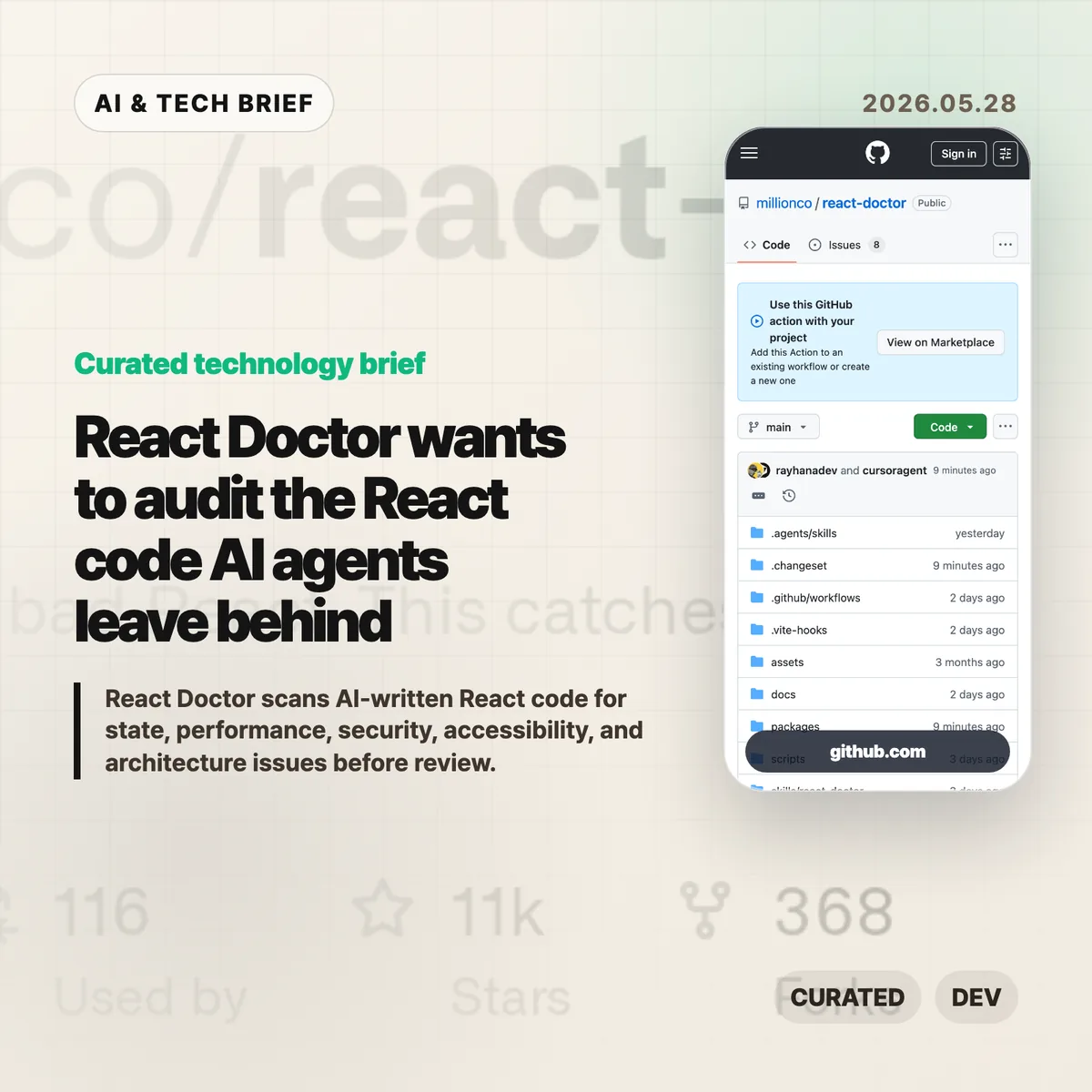
React Doctor wants to audit the React code AI agents leave behind
React Doctor is an open source scanner for React projects that are getting more code from AI agents than humans can comfortably review line by line. It runs from the command line, reports issues across state, effects, performance, architecture, security, and accessibility, and can be wired into GitHub Actions for pull request feedback.
Table of Contents
The short version
- React Doctor is published by Million.co under an MIT license and lives at
millionco/react-doctoron GitHub. - The quick start is
npx react-doctor@latest, which runs an audit from a project root without a long setup step. - Its pitch is narrower than a general linter: catch React-specific trouble that may slip through when agents generate code quickly.
- The tool supports agent setup, GitHub Actions annotations, and diff-focused scanning for pull requests.
- Treat it as a second reviewer, not a verdict machine. Static analysis can point at suspicious code, but a team still has to decide what matters.
What happened
Million.co has released React Doctor, a static analysis tool with the blunt tagline: “Your agent writes bad React, this catches it.” The README says it scans React codebases for issues across state and effects, performance, architecture, security, and accessibility. It also says the tool works across common React environments, including Next.js, Vite, TanStack, React Native, and Expo.
The basic command is intentionally small:
npx react-doctor@latest. After an audit, teams can runnpx react-doctor@latest installto set up agent-facing guidance for tools such as Claude Code, Cursor, Codex, and OpenCode. There is also a GitHub Marketplace action for pull request annotations and comments.The repository was created in February 2026 and, when checked on May 28, showed more than 11,000 GitHub stars, hundreds of forks, and an MIT license. Those numbers can move quickly, but they are enough to show that this is not a quiet side note in the React tooling world.
Why this is worth watching
React Doctor lands in a gap that many frontend teams are starting to feel. AI coding tools can generate components, hooks, and refactors fast. The slow part is figuring out whether the result quietly introduced a stale effect dependency, an accessibility miss, a performance trap, or an unsafe pattern that only shows up later.
Existing linters already catch plenty of mistakes. The interesting part here is the packaging: React Doctor talks like an audit tool for agent output, not a hand tuned rule set that a team spends a week configuring. That framing matters. If agents are going to submit more pull requests, teams will want cheap automated friction before a human reviewer spends attention.
For readers tracking developer tools, the IT & AI archive has more coverage of how coding agents are changing the review loop. React Doctor fits that same pattern: code generation is becoming normal, so code acceptance needs better guardrails.
React Doctor in practice
The first useful test is simple. Run React Doctor on a real project and read the false positives before wiring it into CI. A scanner that finds every possible smell can still waste a reviewer’s time if the signal is too noisy.
The safer rollout is report-only mode on a few pull requests, then diff scanning for changed files once the team understands the output. The GitHub Action is the obvious place to start because reviewers already live inside pull requests. If the tool catches repeated issues, move those categories into a stronger policy. If a category is mostly noise, keep it as advisory or turn it off if the tool allows that path.
This is especially relevant for teams using agents to touch React Native, Expo, or Next.js code. Those stacks have enough framework-specific behavior that a generic code review checklist often misses practical UI bugs.
What Hacker News readers are arguing about
There is a Hacker News submission for React Doctor, but it had no comments when checked through the public HN APIs. That means there is no real thread to summarize yet.
The absence of debate is its own small warning. React developers should judge the tool on runs against production code, not on launch-day voting. The questions worth asking are concrete: How many findings are actionable? Does it duplicate ESLint, TypeScript, or existing React rules? Can it explain issues well enough for a junior developer or an agent to fix them safely?
The practical read
React Doctor is worth a trial if AI coding tools are already producing React changes in your repo. Start with
npx react-doctor@lateston a branch, save the report, and compare the findings with issues your team has actually seen in reviews.Do not make it a required CI gate on day one. Put it beside ESLint and TypeScript first. If React Doctor repeatedly catches issues that your current checks miss, then promote the narrow categories that proved useful. That is the boring path, but it is also how static analysis becomes part of a workflow instead of another dashboard nobody trusts.
Sources
- React Doctor is published by Million.co under an MIT license and lives at
-
AI generated answers are making online work feel fake
AI generated answers have created a strange new failure mode: you ask a person a question, and the person sends back machine-written text they may not have read. A short Orchid Files post captured that irritation through three small scenes: a malware-reporting problem on GitHub, a bad ChatGPT screenshot at work, and a Reddit exchange that turned out to be an AI agent.
Table of Contents
The short version
- Orchid Files argues that the worst part of AI generated answers is not the model being wrong. It is the human handoff without judgment.
- The GitHub malware example matters because security reports need context, ownership, and a clear path to action.
- The workplace example is more familiar: a coworker forwards a ChatGPT screenshot instead of answering the actual question.
- The Hacker News discussion turned into a broader argument about online trust, fake productivity, and whether human contact is getting rarer.
- For more coverage of AI and developer culture, see the IT & AI archive.
What happened
Orchid Files published “I’m tired of talking to AI” on May 22, 2026. The post is brief, but it lands because the examples are painfully ordinary.
The author says they found GitHub repositories spreading malware and asked an AI system what to do. The answer was not useful. They then opened a GitHub discussion, only to receive a reply that matched the earlier AI answer. After they called it out, the comment disappeared, and another person posted essentially the same AI-generated response.
A second example came from work. The author asked a business owner a question about a task. Instead of answering, the person sent a ChatGPT screenshot. When the author said the response did not answer the question and was wrong, another screenshot arrived almost immediately. The problem was not that ChatGPT existed. The problem was that the human in the loop seemed absent.
The last example came from Reddit. After several messages, the author realized the other side of the conversation was an AI agent. That is the line the post keeps circling: people want to talk to real people, but even real people increasingly route the conversation through AI.
Why this is worth watching
The post is useful because it moves AI fatigue away from the usual benchmark debate. The issue is not whether a model can produce a plausible answer. The issue is whether the person sending that answer understands it, agrees with it, and will stand behind it.
That distinction matters for developer teams. A generated response to a malware report, dependency question, or product requirement can sound polished while skipping the part that actually matters: who checked the facts, who owns the next step, and what context the answer depends on.
It also matters for AI product design. If a tool makes it easier to paste generated text into another person’s workflow, it should also make review and accountability harder to fake. Agent builders, support software teams, and workplace AI vendors should treat that as a product requirement, not a nice extra.
why AI generated answers feel different
AI generated answers feel different because they shift work onto the receiver. A normal bad answer can be challenged directly: the person misunderstood, missed context, or disagreed. A generated answer adds another layer. Now the receiver has to ask whether the sender read it, whether the model invented something, and whether anyone owns the claim.
That is why a screenshot can feel ruder than a short human reply. The screenshot says, in effect, “the machine said this,” while leaving the other person to do the checking. In low-stakes conversations, that is annoying. In security, hiring, customer support, or product planning, it can become expensive.
What Hacker News readers are arguing about
The Hacker News thread was large and messy, with more than 900 comments at the time it was indexed. The useful split was not pro-AI versus anti-AI. It was closer to this: some readers saw the post as evidence that people are outsourcing thought, while others argued that low-quality online content existed long before chatbots.
One recurring argument was that “thinking” may become more valuable, not less, because cheap generated text makes real judgment easier to spot. The skeptical version of that point was harsher: many workplaces already rewarded simulated work, and AI just made the simulation faster.
Another thread focused on detection. Several commenters pushed back on AI-content detector statistics, arguing that detectors produce false positives and often punish style markers rather than authorship. The more practical objection was that detection may be the wrong goal. If generated text can impersonate human communication cheaply, the social problem remains even when detection is unreliable.
There was also a builder/operator angle. Some readers were less upset about AI as a drafting tool than about unreviewed AI in business workflows. A generated note in a private draft is one thing. A generated answer sent as if it were a person’s judgment is another.
The mood was mostly weary, with a streak of gallows humor. People joked about needing to go offline, but the serious worry was trust: once every message might be machine-shaped, even real human messages start to feel suspect.
The practical read
Teams do not need a dramatic AI policy to handle this. They need a small norm: if you send an AI-assisted answer, you own it.
That means reading it before forwarding it, cutting anything you cannot verify, and adding your own judgment in plain language. If you are unsure, say what is uncertain instead of hiding behind a generated paragraph. For technical work, link to the source, issue, documentation, or log that supports the answer.
For product teams building AI assistants, the lesson is just as concrete. The best workflow is not the one that produces the most fluent text. It is the one that makes the human review step visible enough that the recipient can trust the answer.
Sources
-
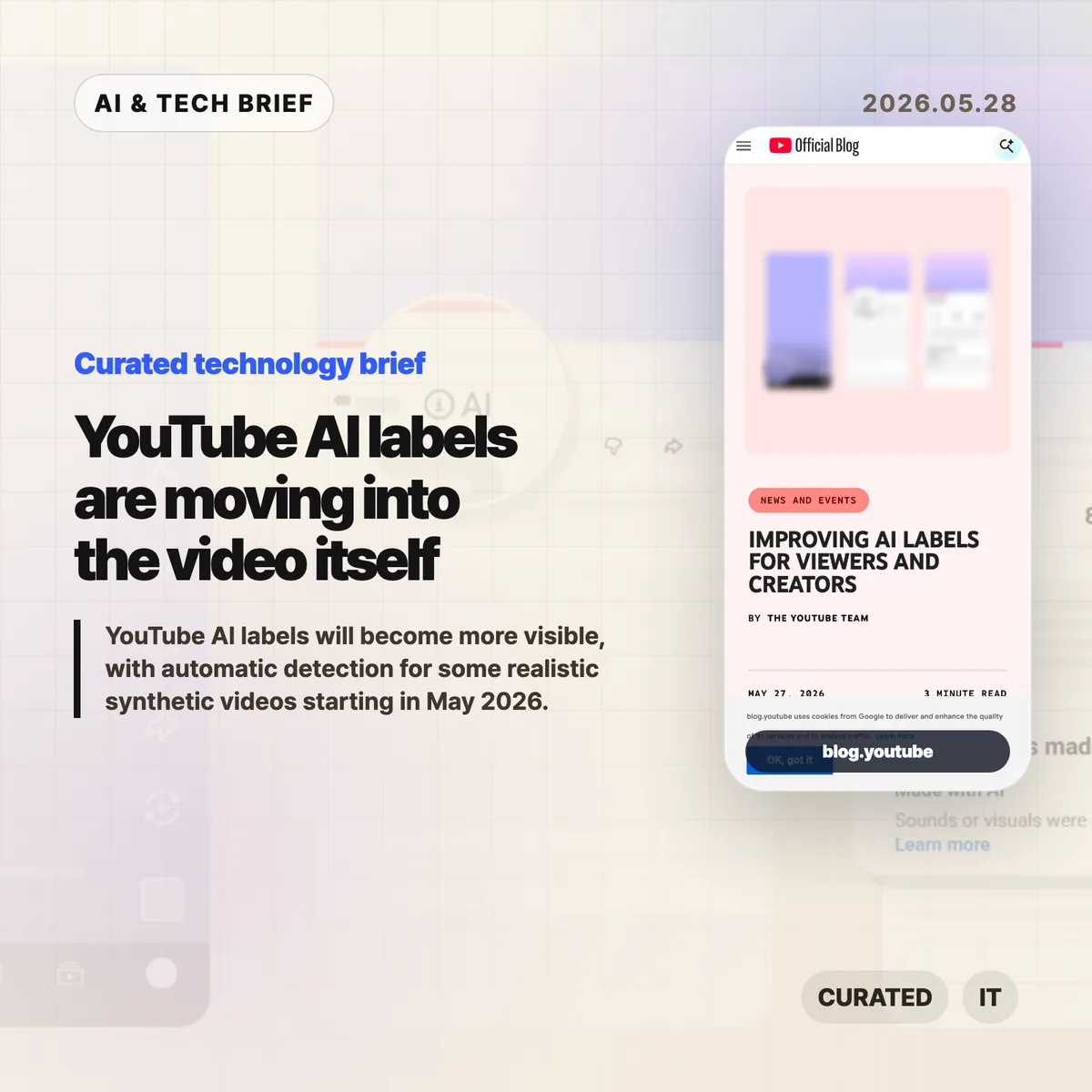
YouTube AI labels are moving into the video itself
YouTube AI labels are getting harder to miss. Starting in May 2026, YouTube says it will automatically apply a label when its systems detect significant photorealistic AI use and the creator has not disclosed it. The change matters because synthetic video disclosure is moving from the description box into the viewing experience.
Table of Contents
The short version
- YouTube will place labels for photorealistic or meaningfully AI-altered videos directly below long-form videos and as overlays on Shorts.
- Creators still have to disclose realistic AI use during upload, but YouTube will add internal detection signals in May 2026.
- If YouTube applies a label by mistake, creators can update the disclosure status in YouTube Studio.
- Labels will stay permanent for content made with YouTube’s own AI tools, including Veo and Dream Screen, or for fully generative AI content carrying C2PA metadata.
- YouTube says the label by itself does not change recommendations or monetization eligibility.
What happened
YouTube announced two changes to how it handles AI disclosure on May 27, 2026. The first is placement. For long-form videos, the disclosure label for photorealistic or meaningfully AI-altered content will appear below the player and above the description. For Shorts, the label will sit on the video as an overlay.
The second change is automatic detection. YouTube will keep asking creators to disclose realistic AI use, but it will also use internal signals to identify significant photorealistic AI content. If a creator leaves the disclosure blank and YouTube’s systems detect that kind of AI use, the platform can apply the label itself.
There are limits. YouTube says unrealistic, animated, or lightly altered content can still keep its disclosure in the expanded description. It also says creators can correct a mistaken label in YouTube Studio, except in cases tied to YouTube’s own generative tools or C2PA metadata that marks the content as fully generative.
Why this is worth watching
The useful part of this update is the placement. A buried disclosure is easy to miss, especially on mobile, where people often watch before they read anything around the video. A label near the player or on a Short changes the timing. Viewers see the context while they are deciding whether to trust the clip.
That matters for health advice, news-like clips, fake trailers, product demos, political speech, and anything that uses synthetic people or scenes to look filmed. The disclosure does not prove a video is bad. It tells the viewer that the production method should be part of the interpretation.
For more coverage of AI product and platform policy, the IT & AI archive tracks similar shifts across consumer apps and developer platforms.
YouTube AI labels and the moderation problem
YouTube AI labels are also a moderation bet. Manual disclosure depends on creators knowing the rule, understanding the boundary, and choosing to be honest. Automatic detection tries to close the gap, but it creates a different risk: false positives can annoy creators, while false negatives can make the label feel decorative.
The hard cases will not be the obvious fully synthetic clips. They will be videos with AI narration over real footage, synthetic b-roll in otherwise human commentary, AI-generated music, partial face replacement, or educational videos that show synthetic examples. A platform can write a policy for those categories, but the product still has to make the answer legible to the person uploading the video.
This is also an app-builder lesson. If a product lets users generate or publish media, disclosure belongs in the interface. Hiding it in a help page or a terms-of-service update will not scale once synthetic media becomes normal.
What Hacker News readers are arguing about
The Hacker News thread is less interested in the label UI than in what AI video has already done to YouTube. The strongest concern is not that all synthetic content is fake news. It is that children, older viewers, and casual users are being pulled into low-effort, procedurally generated videos that look like stories, advice, documentary clips, or entertainment but offer very little substance.
One camp sees visible labels as a necessary minimum. They argue that people need a quick signal before treating a video as ordinary reporting, health advice, or real-world footage. Several commenters also wanted stronger viewer controls: filters for synthetic videos, recommendation settings, or easier ways to keep AI-heavy channels out of a feed.
The skeptical camp focuses on detection quality and incentives. If YouTube cannot reliably tell the difference between fully synthetic video, AI-assisted editing, narration, b-roll, and ordinary post-production, the label could become noisy. Some creators will complain about being mislabeled. Other creators will try to route around the system. The thread also keeps returning to a broader point: labels help, but recommendation systems decide how much of this material people actually see.
The practical read
Creators should treat realistic AI disclosure as part of the upload workflow, especially if a video includes synthetic people, altered real events, AI-generated scenes, or footage that could be mistaken for camera capture. Waiting for YouTube to detect it is a weak strategy because a visible label applied after the fact can feel worse than a clear disclosure from the start.
Platforms should read this as a product-pattern change. AI disclosure is becoming a surface-level control, closer to captions, paid-promotion labels, or age restrictions than to a policy footnote. Video apps, creator tools, and marketplaces should decide where the disclosure appears, when it appears, how users can appeal it, and what happens when metadata such as C2PA is present.
Viewers should still be careful. YouTube AI labels can add context, but they do not tell you whether a clip is accurate, useful, or manipulative. The label answers one question: was realistic synthetic media likely used? Trust still depends on the source, the claim, and the evidence behind the video.
Sources
-
Enterprise AI agents are where OpenAI and Anthropic may finally get paid
Enterprise AI agents are starting to look less like a subscription perk and more like a metered workplace bill. Simon Willison argues that OpenAI and Anthropic have found a version of product market fit through coding agents such as Codex and Claude Code, because companies are paying closer to API prices when employees use them heavily. The uncomfortable part is also the point: the bills are high because people are actually using the tools.
Table of Contents
The short version
- Heavy personal plans can make Codex and Claude Code look cheap compared with API-equivalent token usage.
- Enterprise AI agents change the business model because companies pay for team usage, contract terms, support, and usage controls.
- Hacker News readers mostly agreed the usage is real, but argued hard about whether the economics can survive open models, cheaper providers, and missing ROI data.
- The practical test is no longer whether a coding agent is impressive. It is whether a team can prove the agent is worth the tokens it burns.
What happened
Willison compared his own heavy usage of Anthropic Claude Code and OpenAI Codex with what the same token volume would cost at API prices. His estimate came to about $1,199.79 for Anthropic and $980.37 for OpenAI over 30 days, while he paid $200 total for two consumer plans.
That gap matters because the enterprise side appears to be moving in the opposite direction. Willison points to Anthropic’s shift from broad seat-based expectations toward $20 per seat per month plus API-style usage, and to OpenAI’s Codex rate card, which says April 2026 pricing moved toward API token usage rather than per-message pricing. Anthropic also announced Claude Code for Team and Enterprise plans, with admin controls and higher business limits.
The claim is not that every AI lab is suddenly healthy. It is narrower: enterprise AI agents give OpenAI and Anthropic a way to charge where the usage actually happens. Coding agents run longer jobs, inspect repositories, rewrite files, execute commands, and loop through fixes. That can consume far more tokens than a chat session.
Why this is worth watching: enterprise AI agents
Enterprise AI agents create a cleaner revenue story than consumer chat subscriptions. A consumer pays a flat monthly fee and may use far more inference than the plan costs. A company that rolls an agent into daily engineering work can be billed by usage, seats, support, and contract commitments.
That also explains why the sales motion looks old-fashioned. Willison scraped job listings and found large chunks of OpenAI and Anthropic hiring tied to enterprise sales, customer support, account management, and forward deployed engineering. The irony is useful. The companies selling automation still need humans to close enterprise contracts, handle security reviews, and keep customers from turning a runaway token bill into a cancellation.
For app and developer tool builders, the lesson is blunt. If an agent marketplace or coding platform wants durable revenue, discovery is only the start. Teams also need budgets, admin controls, usage reporting, and a way to tell whether the agent saved more money than it spent.
For more coverage of software teams, AI products, and developer platforms, see the IT & AI archive.
What Hacker News readers are arguing about
The Hacker News thread was huge and messy, which fits the topic. The most useful split was between “usage proves demand” and “usage does not prove sustainable economics.”
The bullish camp treated $200 per user per month as ordinary enterprise software pricing, especially compared with expensive engineering, CAD, cloud, or security tools. Some readers argued that the controversy itself proves the tools have entered real workflows. Nobody complains about a bill for software nobody uses.
The skeptical camp kept coming back to ROI. Several commenters asked whether companies can show more shipped product, better features, or higher engineering output, instead of more commits and larger token bills. One recurring objection was that a 20% to 40% productivity lift may fail to support the scale of infrastructure spending implied by trillion-dollar valuations.
A second line of skepticism was commoditization. Readers pointed to cheaper open-weight models, Chinese providers, caching, and alternative inference platforms. Their argument was not that Claude Code or Codex are useless. It was that API-priced usage may be a temporary window if “good enough” models keep getting cheaper.
There was also a pricing trust issue. Some commenters pushed back on the idea of “$2,000 worth of tokens” as if token list prices were an objective measure of value. That is a fair caution. List price, marginal compute cost, customer value, and investor narrative are four different things.
The practical read
Enterprise AI agents are a budget conversation now. If you run engineering, the next step is to avoid both blanket bans and unlimited access. Put them in the same category as cloud spend: useful, measurable, and dangerous when nobody owns the bill.
Track agent usage by team, task type, and outcome. Watch where agents save review time, test-writing time, migration effort, or support toil. Also watch where they create cleanup work. The argument for enterprise AI agents gets much weaker if the only metric is token volume.
For OpenAI and Anthropic, the next year is a proof period. They have signs of demand, enterprise contracts, and tools that people use all day. Now they need to show that usage can turn into durable margins before cheaper models and procurement teams squeeze the story.
Sources