Tag: AI

  • LLM oriented engineering puts human context first

    LLM oriented engineering puts human context first

    LLM oriented engineering is less about making models write more code and more about protecting the parts of software work that still need human judgment. Yair Weinberger, writing from his work at Reindeer, argues that the scarce resource in AI-assisted teams is not typing speed. It is human context: the time and attention needed to understand architecture, say no to bad API changes, and keep generated work from spreading through the codebase.

    The short version

    • Weinberger frames human attention as the real bottleneck: LLMs can produce code, comments, documents, and PRs faster than people can read them.
    • His practical answer is stricter modeling discipline, especially around APIs and component boundaries.
    • Human code review alone does not scale when AI-generated pull requests grow, so teams need linters, LLM judges, tests, and smaller PRs.
    • PMs can use LLMs to prototype in isolated repositories, but product ideas that touch customers still need a slower modeling path before they reach production.
    • The sharpest claim is that AI multiplies both good and bad engineering habits. Weak structure now turns into debt faster.

    What happened

    Weinberger published a long X post under the phrase “LLM Oriented Engineering,” based on roughly 18 months of thinking about how Reindeer builds product in the LLM era. The post is not a tooling launch or a benchmark. It is a working theory for how a software organization should behave once generated code, documents, and PR descriptions become cheap.

    The starting point is simple: people have limited context windows too. If LLMs fill the organization with bloated comments, verbose documents, and sprawling pull requests, the next human reviewer gets less signal. Then the next model reads that noisy context and copies the pattern.

    That is why Weinberger puts modeling at the center. Translating a customer user journey into API flows, components, and boundaries is still human work. A model can add a convenient field to an API in seconds. The team may then have to support that field as a public contract for years.

    Why this is worth watching

    A lot of AI coding discussion still treats productivity as the main question. The more interesting question is what happens after productivity rises. LLM oriented engineering gives that problem a name: the team does not run out of code, it runs out of readable context.

    The post also pushes back on the idea that review can stay mostly human. Weinberger’s view is blunt: people cannot beat LLM output volume by reading harder. Absolute rules, such as forbidden service dependencies, belong in linters. Softer contracts can be checked by LLM judges on clean context. Humans should spend their attention on modeling changes, API changes, and other load-bearing decisions.

    One useful phrase from the post is “padded rooms.” These are parts of the system where LLMs can move fast because mistakes do not create long-term dependencies. Customer-specific work and experiments can live there. Core architecture should not.

    That distinction matters for anyone building coding agents or developer tooling. The product does not only need a better autocomplete loop. It needs workflows that separate throwaway experiments from production contracts, and it needs review surfaces that make human attention easier to spend. For more coverage of AI and developer tools, the IT & AI archive is the closest internal reference point.

    What the discussion is missing

    I could not find a matching Hacker News thread for this specific post, so there is no public HN argument to summarize. The missing debate is still obvious enough: Weinberger is describing a company that already has a strong internal engineering culture, strong tests, and enough discipline to keep prototypes away from production.

    That is the hard part to generalize. A small team can say “use padded rooms” and still let customer work leak into core code because the customer is loud, the deadline is real, and the AI-generated patch appears to work. A larger team can add LLM judges and still end up trusting a model that checks the wrong thing.

    The post would be stronger with concrete examples of the enforcement layer: what a useful LLM judge prompt checks, what gets blocked by linters, and how the team decides that an API change is load-bearing enough for human review. Without those examples, the argument is directionally useful but still a playbook outline.

    LLM oriented engineering, in practice

    There are five habits worth pulling out of the post.

    First, keep organizational text tight. If a comment or PR description explains history instead of the result, it probably costs more attention than it saves.

    Second, treat APIs as contracts. A field that helps one generated patch can become a long-running support burden.

    Third, make pull requests small enough to read. If a reviewer cannot hold the change in their head, the approval is mostly theater.

    Fourth, invest in reward functions. In software work, that means useful tests, end-to-end coverage where it matters, evals for LLM-backed features, and automated review that starts from clean context.

    Fifth, isolate experiments. Let PMs and agents build fast demos, but make production adoption a separate modeling decision.

    None of this is glamorous. That is the point. LLM oriented engineering is not a new layer of magic on top of software teams. It is old engineering hygiene under much higher output pressure.

    The practical read

    If your team is adopting coding agents, start by mapping which parts of your codebase are load-bearing. APIs, shared data models, permission boundaries, and core workflows should get slower review. UI experiments, customer-specific adapters, and disposable prototypes can move faster if they stay isolated.

    Then look at the review burden. If AI has made PRs bigger, comments longer, and docs noisier, you have not gained as much leverage as it looks. You have moved work from typing to comprehension.

    The practical test is simple: can a new engineer, or a clean-context review agent, understand why the system is shaped the way it is? If not, more generated code will make the team feel faster while making the product harder to change.
    Sources

  • OpenRouter Series B shows the multi-model stack getting real

    OpenRouter Series B shows the multi-model stack getting real

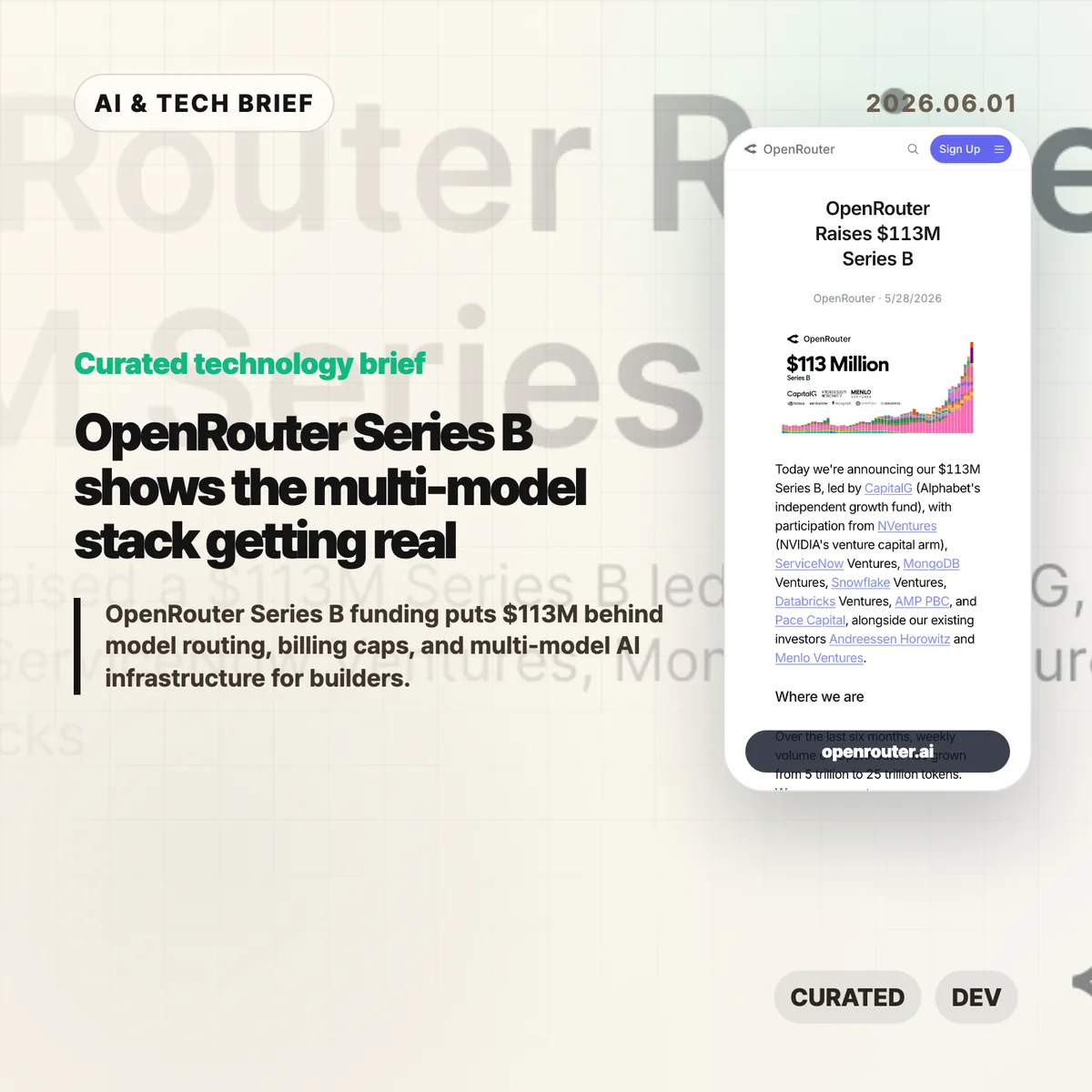
    OpenRouter Series B funding puts $113 million behind a simple bet: AI apps will not settle on one model provider. The company says it now serves more than 8 million developers across 400-plus models, with weekly volume growing from 5 trillion to 25 trillion tokens in six months.

    The short version

    • OpenRouter raised a $113 million Series B led by CapitalG, with NVentures, ServiceNow Ventures, MongoDB Ventures, Snowflake Ventures, and Databricks Ventures also joining the round.
    • The useful part of the OpenRouter Series B announcement is not the valuation story. It is the claim that model routing, billing, failover, and data controls are becoming a real infrastructure layer.
    • Developers on Hacker News like the convenience, model coverage, and billing caps, but they are also arguing about the 5% markup, privacy, lock-in, and whether this should be a library instead of a hosted proxy.
    • For builders, the decision is practical: use a gateway while experimenting, then decide whether the routing layer is still worth paying for at scale.

    What happened

    OpenRouter announced a $113 million Series B led by CapitalG. The round also includes NVentures, ServiceNow Ventures, MongoDB Ventures, Snowflake Ventures, Databricks Ventures, Andreessen Horowitz, and Menlo Ventures.

    The company describes itself as the layer between AI applications and model providers. Its pitch is routing, reliability, cost optimization, compliance, workspaces, spend controls, guardrails, and zero-data-retention options. That is a different business from selling access to a single frontier model.

    The growth numbers are the hook. OpenRouter says weekly volume rose from 5 trillion to 25 trillion tokens over the last six months, and that it is on pace to process more than a quadrillion tokens this year. The company also says more than 8 million developers are building across more than 400 models through the platform.

    For more English tech briefs like this, the IT & AI archive tracks the same shift from model launches to the infrastructure around them.

    why OpenRouter Series B matters

    OpenRouter Series B matters because it points to a boring but important problem inside AI products: model choice is becoming operational work. Teams may want Claude for one task, Gemini or GPT for another, an open model for cost-sensitive traffic, and a specialist model for image, code, or long-context jobs.

    That choice gets messy once real users arrive. Each provider has its own API behavior, pricing, rate limits, outage patterns, logging terms, and privacy controls. A model gateway can turn that mess into a single integration, at least in theory.

    There is a cost to that convenience. A proxy adds another dependency, another policy surface, and another bill. If the app is small or experimental, that trade may be easy. If the app is moving millions of expensive requests, the markup and data path need a harder look.

    Why this is worth watching

    The investor list is telling. CapitalG is leading, but the strategic names around the table are enterprise infrastructure companies. ServiceNow, MongoDB, Snowflake, and Databricks all have reasons to care about how companies route AI work across models and data systems.

    That does not mean OpenRouter owns the category. Cloudflare, Vercel, Replicate, direct provider APIs, client libraries, and internal gateways all crowd the same space from different directions. The question is whether developers want a neutral marketplace-style router, a cloud vendor gateway, or a small shim they control themselves.

    The market is still young enough that the answer may change by workload. A solo builder testing models has different needs from a company with compliance reviews, budget owners, abuse controls, and incident response.

    What Hacker News readers are arguing about

    The Hacker News thread is useful because it does not read like a victory lap. The strongest positive case is convenience. Developers like being able to try new models without wiring up every provider, and several comments point to consolidated billing, usage limits, and fast model switching as the real value.

    The skepticism is just as practical. Some commenters argue that a 5% fee becomes painful when a team is already spending heavily on expensive models. Others ask why this needs to be a hosted company at all when a client library or self-run gateway could normalize provider APIs.

    Privacy and data handling come up repeatedly. One camp warns that free or cheap model access may mean prompts and outputs are valuable to someone else. Another points out that OpenRouter offers filters for zero-data-retention providers, which helps but still leaves teams responsible for understanding the full data path.

    There is also a scale split. OpenRouter looks attractive for experiments, early products, and teams that value billing caps. At higher volume, several commenters expect serious users to compare the gateway against first-party APIs, internal routing, or alternatives like Cloudflare and Vercel.

    The practical read

    If you are building an AI app, OpenRouter is easiest to understand as a routing and procurement layer, not as a better model. It can reduce setup time, make model comparisons easier, and give smaller teams controls that some model providers still handle awkwardly.

    The practical test is simple. Use a gateway when it speeds up exploration or gives you spend limits you cannot get elsewhere. Revisit the choice once traffic is predictable. At that point, compare total cost, outage behavior, logging policy, privacy terms, and how hard it would be to move away.

    For agent products, the routing layer may matter even more. Multi-step workflows are sensitive to latency, failures, and model drift. A gateway can help, but it cannot replace evaluation, monitoring, and clear fallbacks inside the product.

    Sources

  • Domain expertise is the AI coding moat

    Domain expertise is the AI coding moat

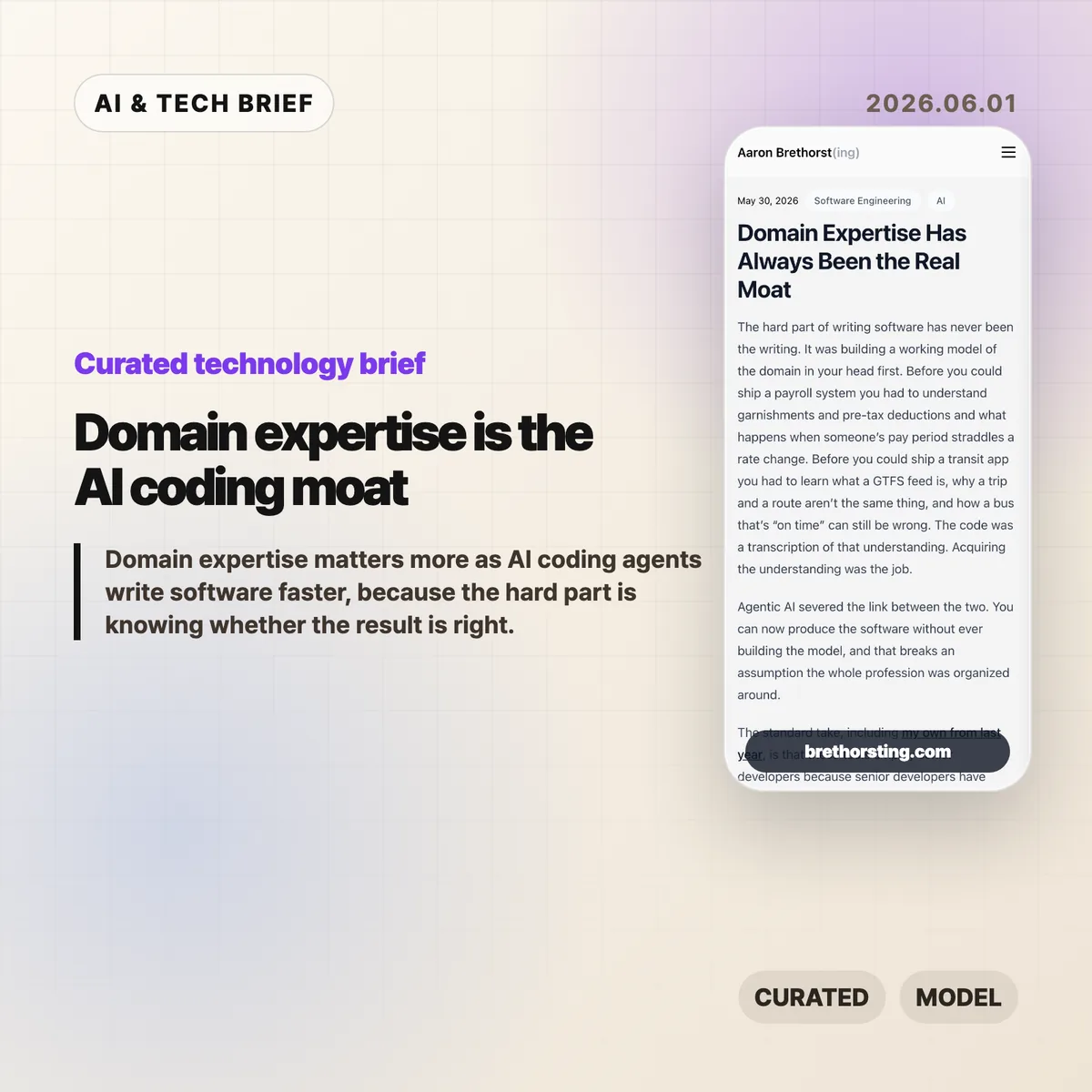
    Domain expertise is becoming more valuable as AI coding agents make software easier to produce. Aaron Brethorst’s argument is simple and uncomfortable: the bottleneck moves from writing the code to knowing whether the thing the code does is correct.

    The short version: domain expertise

    • AI coding agents lower the cost of implementation, but they do not automatically know the messy rules inside payroll, transit, insurance, logistics, or clinical billing.
    • Domain expertise matters because the expert can spot a plausible answer that is wrong before it turns into a costly system.
    • The strongest engineer in this setup is not the fastest prompt writer. It is the person who can judge the code and the real-world result.
    • Hacker News readers mostly agreed with the premise, but pushed back on the idea that domain experts can easily explain their own rules to an AI system.

    What happened

    Brethorst’s essay argues that software has always depended on a mental model of the domain. A payroll system is hard because of garnishments, deductions, rate changes, and edge cases. A transit app is hard because routes, trips, schedules, and rider expectations do not line up cleanly.

    In that view, code is the transcription layer. The harder work is learning enough of the domain to know what the software should do.

    AI coding agents weaken the old link between understanding and implementation. A person can now ask an agent to build screens, APIs, tests, and deployment scripts without years of programming practice. That helps domain experts, because the missing piece for many of them was code production. It does less for a generalist engineer who lacks the domain model and cannot tell whether a generated output is actually right.

    That distinction matters for teams following AI and software engineering closely in the IT & AI archive. Faster output is useful only when the organization has someone who can define and verify correctness.

    Why this is worth watching

    The essay lands because it pushes against a lazy version of the AI coding story. If code gets cheaper, the valuable work does not disappear. It moves closer to judgment.

    A logistics dispatcher may not read a stack trace, but they can look at a generated schedule and know that a driver cannot legally work that shift. A clinical coder may not care how the rules engine is structured, but they can see when a claim is likely to be denied. That is not generic “business context.” It is accumulated pattern recognition from years of seeing inputs, outputs, exceptions, and consequences.

    This is also a career argument. Senior developers still need architecture, reliability, testing, and incident judgment. But if their only advantage is turning clear requirements into clean code, that advantage is getting thinner. The rarer combination is engineering skill plus a working model of a real domain.

    For product teams, the practical question is where domain expertise sits in the AI workflow. If experts only review the product after engineers and agents have already built it, the process will keep producing polished wrong answers. The expert needs to shape tests, examples, acceptance criteria, and failure cases early.

    What Hacker News readers are arguing about

    The Hacker News discussion was less about whether domain expertise matters and more about whether domain experts can make their knowledge explicit enough for software.

    One strong objection was that verifying an answer is different from explaining how to generate it. Several commenters who had worked with finance or accounting teams said experts often know a rule when they see it, but struggle to describe it fully. That led to a useful thread around tacit knowledge and Polanyi’s paradox: people can know more than they can explain.

    Another camp argued that requirements work has always been the real software job. In small companies and internal systems, refining what the system should do often takes more time than writing the code. AI may make this more obvious rather than make it new.

    There was also a builder-friendly angle. Some commenters said AI can help engineers learn a domain faster because it removes boilerplate and lets them build experiments quickly. A few mentioned domain-specific languages as a better bridge: instead of expecting experts to write software, give them a constrained language that encodes the rules and can be tested against past cases.

    The useful skepticism is this: domain experts are not automatically good product designers, requirements writers, or system builders. The win probably comes from tighter collaboration, where experts supply examples and corrections while engineers turn that knowledge into reliable systems.

    The practical read

    If you run an engineering team, do not measure AI coding only by tickets closed or lines generated. Add domain validation to the workflow. Ask who owns the examples, who writes the edge-case tests, and who can reject a result that looks reasonable but fails a real rule.

    If you are a developer, the career move is not to panic about code generation. Pick a domain where mistakes matter and learn it seriously. Billing, compliance, logistics, security operations, financial workflows, health care administration, industrial systems, and public-sector processes all have rules that are hard to fake.

    The near-term advantage belongs to people who can ask an AI agent for working software, then say with evidence whether the output is correct. Domain expertise is the moat because correctness is still tied to the world outside the editor.

    Sources

  • Cursor Developer Habits Report shows AI coding is changing shape

    Cursor Developer Habits Report shows AI coding is changing shape

    Source: The Cursor Developer Habits Report

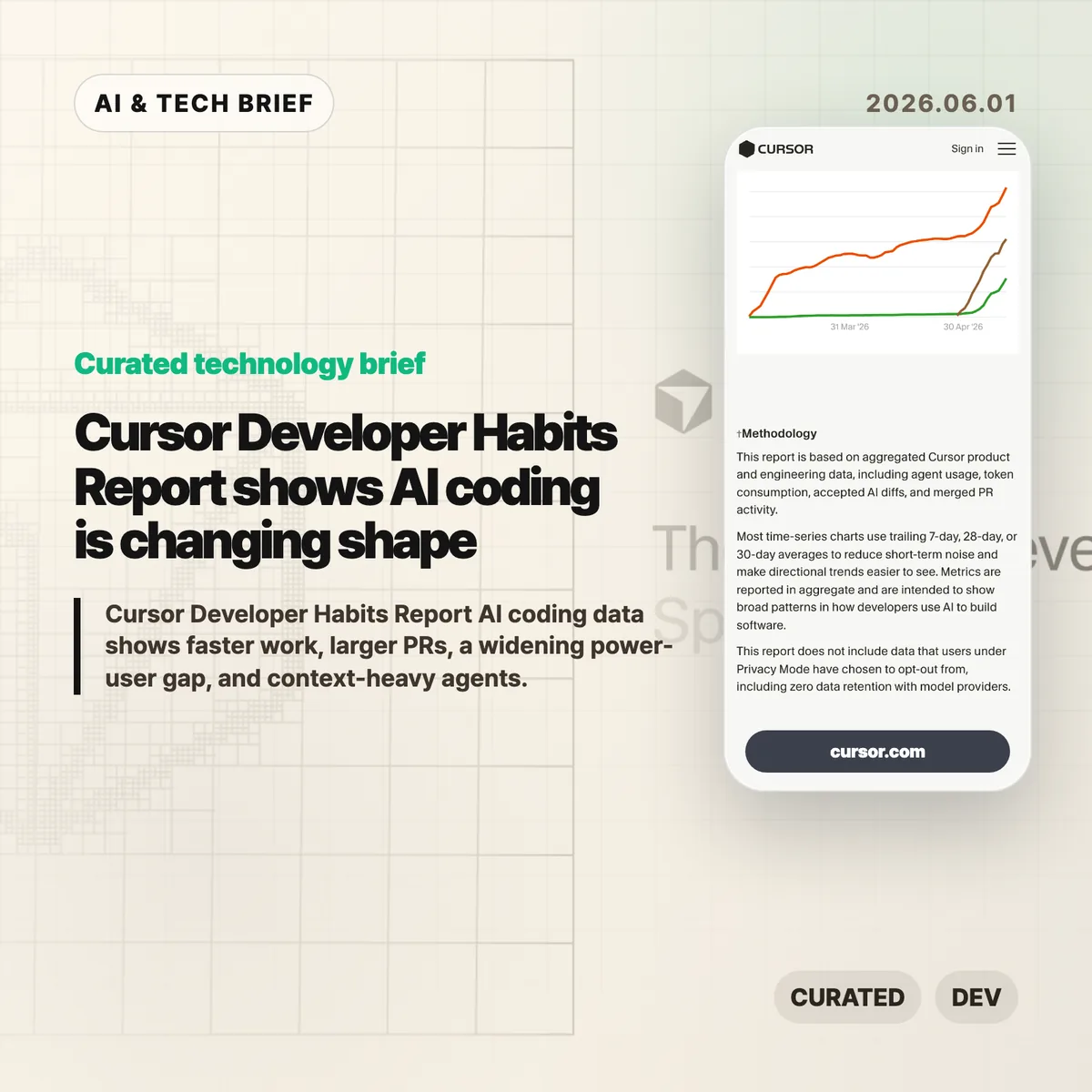
    AI coding tools are no longer just making autocomplete feel smarter. Cursor’s Spring 2026 Developer Habits Report points to something messier: more code, larger PRs, deeper agent sessions, and a widening gap between casual users and people who have turned agents into a real workflow.

    The short version

    • The Cursor Developer Habits Report says lines added per developer per week rose from 3.6K in early 2025 to 8.6K by May 2026.
    • PRs are getting much larger. The p75 lines added per PR moved from 125.86 to 345.02.
    • Big PRs are less rare now: merged PRs with at least 1,000 changed lines rose from 8.0% to 13.8%.
    • AI usage is concentrated. Cursor reports Gini scores of 0.77 for AI lines, 0.75 for AI spend, and 0.72 for token consumption.
    • The input/output token ratio rose from 4.52× to 11.41×, which means agents are reading far more before they write.

    What happened

    Cursor published a product-data report on how developers are using AI inside its coding environment. The headline number is easy to understand: developers are adding more code. But the more useful signal is that the unit of work is getting bigger.

    Lines added per developer per week rose from 3.6K to 8.6K. That is a big jump. It is also a dangerous number to overread. More lines can mean more output. They can also mean more churn, more review load, or more code that somebody has to clean up later.

    Cursor chart showing weekly lines added per developer
    Cursor chart showing weekly lines added per developer

    Source: The Cursor Developer Habits Report

    The PR data is harder to ignore. The p75 lines added per PR went from 125.86 to 345.02, and the share of merged PRs with at least 1,000 changed lines rose from 8.0% to 13.8%. That changes the reviewer’s job. A larger diff needs a clearer intent, better tests, and a smaller blast radius.

    Cursor chart showing p75 lines added per pull request
    Cursor chart showing p75 lines added per pull request

    Source: The Cursor Developer Habits Report

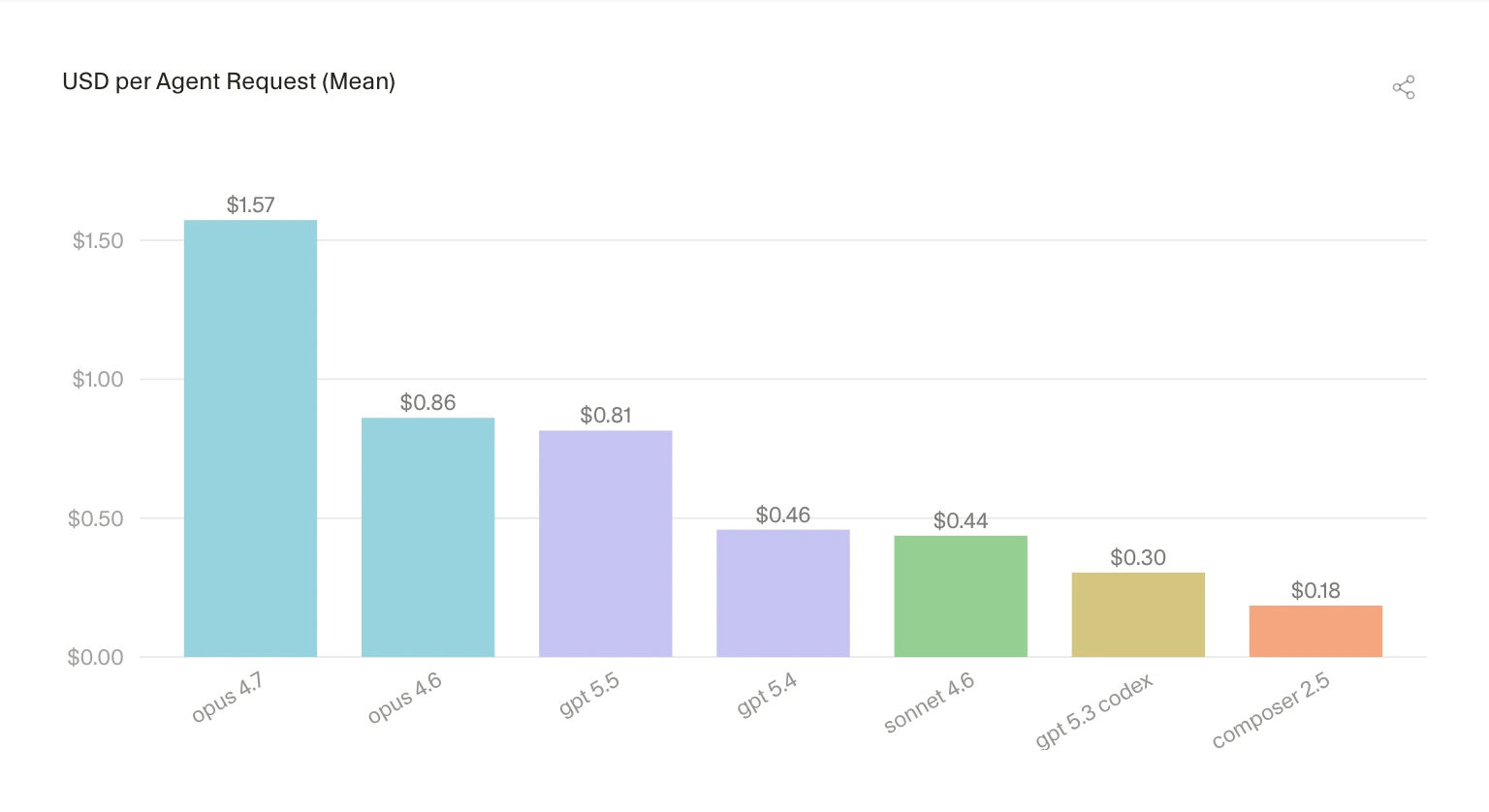
    Cost is part of the story too. Cursor shows average agent request cost varying from $1.57 for opus 4.7 to $0.18 for composer 2.5. The gap gets narrower when measured by accepted added line, but it does not go away. Model choice now affects product quality and margins at the same time.

    Cursor chart comparing average agent request cost by model
    Cursor chart comparing average agent request cost by model

    Source: The Cursor Developer Habits Report

    Why this is worth watching

    The Cursor Developer Habits Report is useful because it shows the awkward middle stage of AI coding. The tools are good enough to change how people work, but not clean enough to remove the need for discipline.

    Bigger PRs are not automatically better. Deeper agent sessions are not automatically safer. Cursor also reports that the 60-minute survival share for accepted AI lines rose from roughly 76% to 81%, which is a decent signal. But a line surviving for an hour is not the same as a line staying cheap to maintain for six months.

    The power-user gap may be the most important part. If the top users learn how to scope work, feed context, inspect diffs, and run checks, their curve bends faster than everyone else’s. Buying the tool does not spread that skill evenly across a team.

    Cursor chart showing AI usage concentration and Gini scores
    Cursor chart showing AI usage concentration and Gini scores

    Source: The Cursor Developer Habits Report

    AI coding notes for builders

    For developer-tool teams, the context numbers are the part to stare at. The input/output token ratio climbed above 11×. That suggests the agent experience is becoming a reading problem as much as a writing problem.

    Cursor chart showing input to output token ratio growth
    Cursor chart showing input to output token ratio growth

    Source: The Cursor Developer Habits Report

    Repo maps, search, cache behavior, tool calls, terminal output, and review surfaces may matter as much as the base model. Users do not experience “model quality” in the abstract. They notice whether the agent understood their codebase or confidently edited the wrong thing.

    What the discussion is missing

    Cursor’s data comes from real product usage, which makes it more useful than a survey. It is still Cursor’s own user base. Treat it as a strong signal, not an industry-wide average.

    The missing comparison is downstream quality. Defect rates. Rollbacks. Review time. Test coverage. Maintenance cost after AI-assisted changes land. Lines added and PR size are easy to chart. Engineering health is where the bill shows up later.

    The practical read

    Engineering leaders should watch review systems alongside AI adoption. If agents make PRs larger, teams need sharper change descriptions, better test evidence, and a habit of splitting risky work before it becomes unreadable.

    Individual developers should treat AI coding as a workflow skill. Ask for smaller changes. Provide the files that matter. Read the diff. Run the tests. Reject output quickly when it drifts. That sounds boring, but that is the difference between speed and cleanup.

    For more AI and developer-tool coverage, see the AI & Technology archive.

    Sources

  • Boring technology matters more when AI writes the code

    Boring technology matters more when AI writes the code

    Boring technology is not a nostalgia play. Aaron Brethorst argues that AI coding tools make the old “choose boring technology” rule more useful, because generated code is easier to trust when your team can actually review it. The uncomfortable part is simple: AI can write code for stacks you do not understand, but it cannot give your team the judgment it skipped.

    The short version

    • Brethorst revisits Dan McKinley’s 2015 “Choose Boring Technology” essay and applies it to Claude, Copilot, and agentic coding tools.
    • The risk is not that AI writes bad code. The risk is that it writes plausible code in unfamiliar stacks, where teams have weak review instincts.
    • Boring technology works well with AI because known tools have known failure modes, docs, operational patterns, and people who can spot odd suggestions.
    • The useful question for a new stack is: if AI generated this implementation, could the team review it without guessing?

    What happened

    Brethorst’s post starts from McKinley’s idea of “innovation tokens”: teams can afford only a limited number of new, risky technical choices before their ability to operate the system gets worse. A new language, a new framework, and a new infrastructure model in the same project may feel exciting, but every unknown adds review cost.

    AI coding assistants change the feel of that tradeoff. Claude or Copilot can produce professional-looking code for Kubernetes, GraphQL federation, Rails, JavaScript, or a framework the team barely knows. That makes the unfamiliar stack look cheaper than it is. The generated code may run. It may follow naming conventions. It may include error handling. None of that proves the design is safe, maintainable, or idiomatic.

    Brethorst’s practical rule is blunt: use AI as a multiplier for stacks you already understand. If the team knows Rails, AI-generated Rails code is easier to check. If the team knows JavaScript, Copilot’s suggestions can be reviewed against real language knowledge. In a stack nobody understands, the tool becomes a confidence machine.

    Why this is worth watching

    Boring technology has a different meaning in the AI coding era. It does not mean old for the sake of old. It means the team knows how it fails, where to find answers, which APIs are deprecated, how performance problems usually show up, and what production pain looks like at 3 a.m.

    That matters because AI-generated code has become tidy enough to hide its own problems. Bad code used to look suspicious. Now the risky version may look clean, because the model has learned the surface shape of good code. The reviewer still needs taste, context, and memory of prior failures.

    For more software and AI briefings, the IT & AI archive tracks similar stories about developer tools, AI infrastructure, and product engineering choices.

    What Hacker News readers are arguing about

    The Hacker News thread is tiny, so there is no broad community verdict to report. The one useful comment points to Django as an example of boring technology that still makes a developer more productive.

    That small reaction fits the essay better than a noisy debate would. The point is not that every team should pick Django, Rails, Postgres, or any other specific default. The point is that mature tools often pair better with AI coding assistants because the human reviewer has a sharper baseline. The discussion does not prove the argument, but it shows the kind of practical response the essay invites: name the stack you know well enough to trust yourself around.

    The practical read for boring technology

    A team evaluating AI coding tools should separate two decisions that often get mixed together. One decision is whether AI can speed up the work. The other is whether the team can review the output.

    If a project already uses a familiar stack, AI can help with boilerplate, tests, migrations, refactors, and repetitive glue code. If the project also introduces a new framework or infrastructure pattern, slow down. Build a small internal test first. Ask someone to review the generated code without running to the docs every two minutes. If that review is mostly vibes, the stack is not ready for core production work.

    Boring technology is a review strategy. It gives AI less room to fool the team and gives humans more chances to catch the mistake before customers do.

    Sources

  • MCP context cost is why the CLI still matters

    MCP context cost is why the CLI still matters

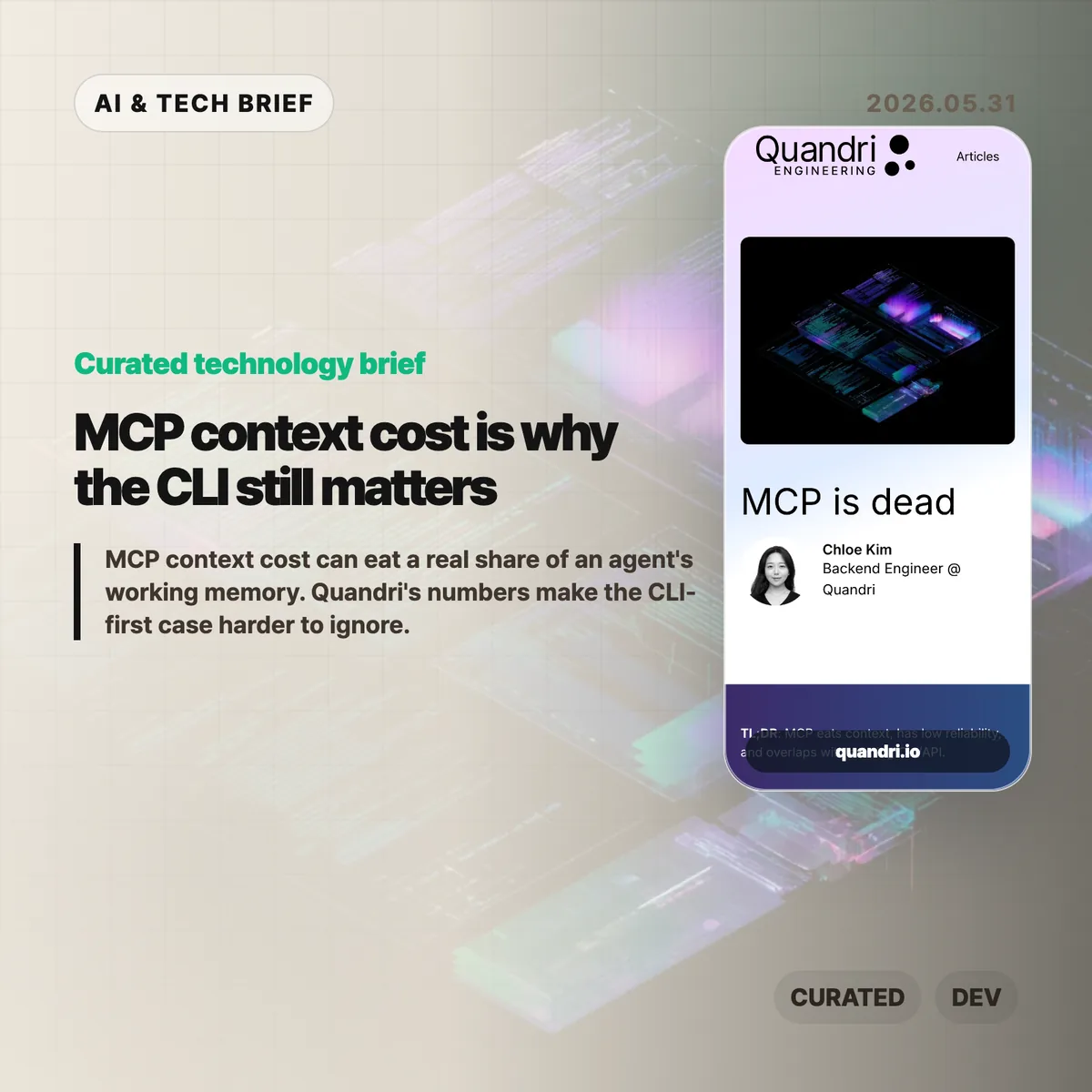
    MCP context cost is becoming the awkward part of the Model Context Protocol story. Quandri measured its own MCP setup and found that tool schemas, before any actual work happens, can take more than 21,000 tokens across four connected servers.

    The short version: MCP context cost

    • Quandri measured Linear, Notion, Slack, and Postgres MCP servers at roughly 21,077 tokens of tool definitions, or 10.5% of a 200K Claude context window.
    • Linear alone accounted for about 12,807 tokens across 42 tool definitions, compared with roughly 200 tokens for a direct GraphQL issue lookup via curl.
    • Claude Code’s newer Tool Search with Deferred Loading reportedly cuts the schema-loading burden by more than 85%, so the context complaint is less absolute than the headline suggests.
    • The useful debate is not whether MCP is dead. It is whether a given workflow needs a protocol server, or whether a CLI and a small amount of documentation are easier to run, debug, and trust.

    What happened

    Quandri published a blunt engineering note arguing that MCP is often too expensive for everyday developer workflows. The post builds on Eric Holmes’s earlier “MCP is dead. Long live the CLI” argument, then adds measurements from Quandri’s own stack.

    The headline number is the MCP context cost. Quandri says its Linear, Notion, Slack, and Postgres MCP servers expose 77 tools whose definitions total about 84,308 characters, or an estimated 21,077 tokens. On Claude’s 200K context window, that is about 10.5%. On GPT-4o’s 128K window, it would be about 16.5%.

    The Linear example is sharper. Quandri estimates that Linear’s MCP server loads 42 tool definitions at about 12,807 tokens. A direct Linear GraphQL lookup through curl, by contrast, is framed as roughly 50 tokens for the command and 150 for the response. That is where the “65x” comparison comes from.

    The post also includes an important correction. Since Quandri took its measurements, Claude Code added Tool Search with Deferred Loading, which loads MCP tool schemas on demand and reportedly reduces context use by more than 85%. That does not erase the operational objections, but it does make the original context-window argument more version-dependent.

    Why this is worth watching

    MCP became popular because it gives AI agents a common way to call external tools. That is valuable when a service has no good CLI, when an admin wants centralized access control, or when a tool needs to hide credentials from the agent and the developer.

    But developers already have a mature tool interface: the command line. gh, aws, kubectl, psql, jq, and curl are boring in the best way. Humans can run the same command an agent ran. Logs and errors are visible. Auth usually follows existing workflows. Pipelines can filter large outputs before they ever reach the model.

    That matters for AI builders because integrations are turning into product features. A developer tool that ships only an MCP server may look modern, but a strong CLI can be easier for both humans and agents to adopt. For more AI tooling coverage, see the IT & AI archive.

    The practical split is probably simple. Use MCP when the protocol server gives you safer permissions, shared administration, or access to a product that has no good local interface. Prefer a CLI or direct API when the job is already scriptable and the main need is repeatability.

    What Hacker News readers are arguing about

    The Hacker News discussion is split between individual developer ergonomics and enterprise control.

    The CLI-first camp mostly agrees with the article’s debugging point. Several commenters argue that agents are already good at shell tools, that Unix permissions and sandboxing are better understood than bespoke tool servers, and that wrapper scripts can expose narrow read or write operations without making every tool a separate protocol project.

    The strongest pro-MCP argument is about organizations, not solo workflows. Commenters defending MCP point to shared credentials, admin-controlled access, consistent tool rollout across teams, and the ability to keep secrets away from both the developer and the agent. In that view, MCP is less about convenience and more about putting a managed boundary around many services.

    There is also a security argument running in both directions. Critics worry that local MCP servers can become extra escape hatches unless they are deployed inside the same sandbox as the agent. Supporters counter that a server-managed interface can enforce read-only behavior or parameter limits more cleanly than asking every developer to maintain local scripts.

    The useful takeaway from the thread is that MCP context cost is only one axis. The real tradeoff includes who owns credentials, where policy is enforced, how failures are debugged, and whether the tool will be used by one power user or a whole company.

    The practical read

    If you are adding an integration to an AI coding workflow, start with the boring question: can a person reproduce the agent’s action in a terminal?

    If the answer is yes, a CLI-first setup may be enough. Put the exact commands, examples, and safe usage notes where the agent can load them only when needed. That keeps the interface close to what developers already understand.

    If the answer is no, MCP may be the right shape. It is especially reasonable for non-CLI products, centrally managed enterprise tools, shared credentials, and workflows where the organization needs one enforcement layer rather than dozens of local setups.

    The worst version is cargo-cult MCP: adding a server because agents are fashionable, then paying the maintenance cost, auth friction, and MCP context cost for tasks that curl or gh could already do.

    Sources

  • Human intent in AI is the part benchmarks miss

    Human intent in AI is the part benchmarks miss

    Caleb Gross’s “You can just say it” makes a clean argument about human intent in AI: defending people by saying they still outperform models is a weak move. The stronger claim is simpler. Humans matter before the comparison starts, and creative work should be judged by more than surface polish.

    The short version

    • Gross argues that tying human worth to better output than AI is fragile because model capability keeps moving.
    • His sharper definition of AI slop is work with form but little readable intent, not merely bad work or machine-made work.
    • The Hacker News discussion mostly found the intent framing useful, especially for writing, email, and AI-assisted coding.
    • The hard question is whether readers can still feel a person’s judgment when AI has cleaned up every sentence.

    What happened

    Caleb Gross published “You can just say it” on May 28, 2026. The essay pushes back on a common defense of human value in the age of generative AI: people are special because they can still do some things better than machines.

    That argument may feel reassuring for a while. It also makes human dignity depend on the next benchmark run. Gross’s alternative is intentionally plain: humans are valuable. You do not need to attach that claim to writing speed, design quality, coding productivity, or any other measure of output.

    The essay then moves from human value to creative quality. Gross describes creation as intent taking form. A resignation letter, a drawing, a design, a piece of code, or a message all carry some mix of what the maker meant and what the maker produced. Generative AI changes that balance because it can produce convincing form from a thin prompt.

    That is where the essay’s useful definition of AI slop appears. Slop is not automatically “content made with AI.” It is output where the intent is hard to find. A human can make it. A person using AI can avoid it. The difference is whether judgment, taste, and purpose remain visible.

    Why this is worth watching: human intent in AI

    The phrase human intent in AI can sound abstract until you apply it to ordinary work. Think about the email example in the essay. If someone uses a model to turn a blunt request into a long, polite message, the result may be smoother. It may also make the recipient work harder to infer what the sender actually wants.

    That matters for product teams and app builders. AI writing tools often sell polish: clearer tone, better structure, faster drafting. Polish is useful. The risk is that a product can make every message sound finished while removing the cues that tell the reader what the sender chose, cared about, or understood.

    The same applies to AI-assisted coding. A generated patch can look complete. The better question is whether the prompts, review comments, tests, and edits add up to a coherent specification. If they do, AI is helping a human express intent. If they do not, the model may be producing code-shaped material that nobody fully owns.

    For more coverage of AI product and developer-tool debates, see the IT & AI archive.

    What Hacker News readers are arguing about

    The main Hacker News thread was unusually substantive for an AI culture argument: 383 points and more than 200 extracted comments. The most productive camp liked the essay because it separated a complaint about AI misuse from a blanket complaint about AI itself.

    One widely upvoted line of discussion treated the essay’s slop definition as a better mental model for AI-assisted coding. The useful distinction was between a chain of prompts that forms a real specification and a chain of retries that amounts to “it does not work, try again.” In the first case, the human is still steering. In the second, the human may be outsourcing responsibility.

    Another cluster focused on communication. Several commenters reacted to the quoted line about preferring the raw prompt over an AI-written email. The shared irritation was not that a machine touched the prose. It was that the sender might be asking the reader to decode a polished message the sender did not bother to write or fully understand.

    There was also pushback. Some readers disliked the essay’s religious reference to Genesis as support for human value, even when they agreed with the broader claim. Others argued over whether “valuable” was the right word at all, since it can imply something measurable. “Invaluable” felt closer to what some commenters wanted to say.

    The liveliest disagreement was about intent itself. One commenter prompted Claude to make something unconstrained and asked how anyone could be sure there was no intent in the result. Replies split between people who saw that as anthropomorphism and people who thought dismissing machine intent by saying “it is numbers” was too glib. That argument is not settled by Gross’s essay, but the essay gives readers a cleaner vocabulary for having it.

    The practical read

    If you are building with generative AI, the practical test is not “did AI touch this?” That question is already too blunt. Ask whether a reader, user, or teammate can still see the human intent in AI-assisted work.

    For writing tools, that means preserving the user’s point rather than inflating it into generic professional language. For coding tools, it means making review, tests, and constraints visible enough that the generated output has a responsible owner. For content teams, it means rejecting pieces that look finished but do not seem to come from anyone in particular.

    This is also a useful editorial standard. Bad AI output is easy to mock. Polished, empty output is harder to catch because it passes a quick scan. Gross’s essay is worth reading because it names that problem without pretending the answer is to avoid every AI tool.

    Human intent in AI is not nostalgia for manual labor. It is the part that tells another person, “someone meant this.” When that disappears, even technically competent output starts to feel cheap.

    Sources

  • Mistral AI full stack bet is bigger than models

    Mistral AI full stack bet is bigger than models

    Mistral AI full stack strategy is becoming the company’s clearest pitch to enterprises: own more of the stack, run closer to the customer, and sell practical AI deployment rather than another benchmark headline. Notes from Mistral’s AI Now Summit in Paris describe a company talking about compute, on-prem deployments, agent harnesses, small models, and industry partnerships more than model release theater.

    The short version

    • Mistral is positioning itself as an enterprise AI supplier with compute, models, platforms, consulting, and deployment help in one package.
    • The summit notes mention a 40MW data center in Paris, more European data center plans, and on-prem use cases at BNP Paribas and Abanca.
    • Vibe is now the company’s unified agent product for work and coding, with Work Mode, Code Mode, a VS Code extension, and subscription tiers starting at $14.99 per month for Pro.
    • The useful debate is whether this enterprise route is a moat or a retreat from frontier model competition.
    • For builders, the Mistral AI full stack story is a reminder that model choice is only one part of shipping reliable AI inside regulated organizations.

    What happened

    Developer Koen van Gilst published notes from Mistral’s AI Now Summit after attending the Paris event. His read was blunt: Mistral did not sound like a pure model lab. It sounded like a European AI partner trying to own compute, models, platforms, customization, and services.

    The post points to several pieces of that plan: a 40MW data center in Paris, more data centers on the way, partnerships with ASML, BNP Paribas, Amazon Alexa+, and the EU Patent Office, plus a clear emphasis on on-prem deployment for customers that cannot casually send sensitive data to a hyperscaler.

    Mistral’s own Vibe announcement fits the same pattern. Vibe now covers long-running work tasks and coding work under one product line. Work Mode can search across enterprise tools, draft documents, analyze structured data, and run scheduled tasks. Code Mode connects to GitHub, runs coding sessions, and can take work through to a pull request. The VS Code extension brings that agent into the editor.

    Why this is worth watching: Mistral AI full stack

    The Mistral AI full stack angle matters because many enterprises do not buy AI the way developers test models on leaderboards. Banks, public agencies, manufacturers, and large European companies care about data location, procurement, support, security review, and who takes responsibility when the system misbehaves.

    That is where Mistral’s pitch is more interesting than another model comparison chart. BNP Paribas reportedly runs Mistral models on-prem for KYC work in Belgium, keeping sensitive data inside the bank. Abanca was described as using agent orchestration for customer information at large scale. Whether those deployments are technically better than the best US or Chinese model APIs is only part of the buying decision.

    This also changes the product lesson for AI builders. A strong model matters, but the surrounding harness often decides whether the product survives contact with real work. Memory, context, connectors, permissions, observability, error recovery, and human review are where many enterprise AI projects either become useful or quietly die.

    There is a simple answer-engine version of this: Mistral AI full stack strategy means Mistral is trying to sell an enterprise AI operating layer, rather than plain model access.

    What Hacker News readers are arguing about

    The Hacker News thread is split between people who want a credible European AI company and people who think Mistral is falling behind where it matters.

    The supportive camp likes the direction. Several commenters argued that on-prem deployment, bespoke models, and a European supplier make sense for banks, government, insurance, and industrial companies. One practical point came up more than once: in regulated European procurement, a trusted vendor with support and implementation help can matter more than the cheapest model API.

    The skeptical camp focused on model quality and cost. Commenters compared Mistral unfavorably with Qwen, DeepSeek, Gemma, and frontier US labs, especially for reasoning and smaller open models. Some saw the summit’s enterprise framing as a sign that Mistral is moving away from hard model competition. Others pushed back, saying enterprise AI is not consumer chatbot competition and that compliance, reliability, and support are where the money is.

    There was also a useful debate about model size. Some commenters want Mistral to build much larger open-weight reasoning models and let the community distill them. Others argued that small, task-focused models are exactly what many business workflows need if cost, latency, and data control matter.

    The thread is a discussion, not evidence. Still, it captures the risk in the strategy: Mistral can build a durable enterprise business without winning every benchmark, but it cannot let the product feel like a sovereignty-branded fallback.

    The practical read

    If you are choosing AI infrastructure for a regulated company, this is a reason to evaluate deployment shape before picking a model. Ask where data sits, who can inspect tool calls, how permissions work, how model updates are handled, and whether the vendor can support custom or on-prem use cases.

    If you are building an AI product, the Vibe launch is worth reading for product shape rather than hype. The interesting part is the bundle: work agent, coding agent, connectors, scheduled tasks, editor extension, cloud sessions, CLI, and permissions. That is a lot of surface area, and it shows where agent products are heading. More coverage like this lives in the IT & AI archive.

    The watch item is whether Mistral can keep its models close enough to the best alternatives while making the full stack easier to buy and safer to run. If the model gap gets too wide, enterprise packaging will look defensive. If the gap stays manageable, the packaging may be the product.

    Sources

  • AI coding deskilling is repeating frontend’s old mistake

    AI coding deskilling is repeating frontend’s old mistake

    AI coding deskilling is starting to look familiar to web developers who watched frontend work move from browser craft to framework operation. Mauro Bieg’s Mastro essay argues that AI coding tools may repeat the same trade: more people can ship software, but fewer people may understand the details that decide whether it is any good.

    The short version

    • Bieg frames AI coding deskilling through the same lens Alex Russell used for frontend’s lost decade: abstraction made teams faster, but it also hid browser behavior, accessibility, and performance costs.
    • The warning is not “never use AI.” It is that LLM generated code still needs someone who can read the output, spot missing context, and cut the wrong abstraction back down to size.
    • The Hacker News thread pushes back in useful ways. Some readers argue that frameworks and LLMs lower barriers, while others say they widen the gap between acceptable MVPs and decent software.
    • For product teams, the practical question is whether AI coding agents are paired with tests, accessibility checks, performance budgets, and human review rather than treated as a replacement for those habits.

    What happened

    Mauro Bieg published an essay asking whether AI is causing a repeat of frontend’s lost decade. The piece compares agentic coding with the way JavaScript frameworks changed frontend development over the past decade.

    His core claim is simple enough: frameworks made frontend work easier to staff and faster to start, but they also encouraged teams to treat the browser as a compilation target. That can push semantic HTML, CSS knowledge, accessibility, progressive enhancement, and network performance into the background.

    Bieg then applies the same idea to AI coding tools. If a worker can describe a change in natural language and receive a working patch, the job shifts from writing code to steering and reviewing output. That can be useful. It can also move important details out of sight.

    The essay points back to Alex Russell’s “Frontend’s Lost Decade” talk, which argued that modern frontend tooling often optimized for developer convenience while users paid the cost through slow, heavy web experiences. The point lands harder now because AI coding tools make it even easier to generate a lot of code quickly.

    Why this is worth watching

    AI coding deskilling feels familiar because frontend already lived through a version of this story. A higher level abstraction can be a gift when it removes accidental work. It becomes a problem when teams forget which details were removed and who still pays for them.

    That distinction matters for AI coding tools. A model can produce a React component, a test file, a migration, or a refactor in seconds. It cannot know by default whether the component traps keyboard focus, whether the generated test checks real behavior, or whether the new abstraction makes next month’s bug harder to find.

    The useful way to read Bieg’s argument is not as nostalgia for hand coded everything. It is a warning about ownership. If the team cannot explain the tradeoffs in AI generated code, the speed is probably being financed with technical debt.

    There is a good reason builders keep reaching for these tools anyway. Fast prototypes matter, especially before product market fit. The trap is treating prototype speed as proof that the architecture, accessibility, and performance choices are good enough for production. Readers who follow the IT & AI archive will recognize the pattern: the best AI tooling stories are usually about better review loops, not magic replacement.

    What Hacker News readers are arguing about

    The Hacker News discussion is split, but not in the usual “AI good” versus “AI bad” way. The more interesting disagreement is about what counts as waste.

    One camp argues that a lot of old frontend expertise was accidental complexity. Browser quirks, CSS specificity, and hand rolled accessible components were hard to learn, and abstracting them away let more people build things. From this view, frameworks and LLMs are acceptable tradeoffs if the alternative is fewer products getting built at all.

    The other camp says that this misses the cost to users. Accessibility, performance, compatibility, and clean architecture are easy to ignore when the demo works. AI coding can make that worse by producing a convincing first draft before anyone has checked whether it behaves well outside the happy path.

    The thread gets especially practical around testing. Optimists argue that agents can write tests, run red green cycles, and encode project rules in files like AGENTS.md. Skeptics answer that AI generated tests often mock too much, test the wrong layer, or create a maintenance burden that looks impressive without protecting real behavior. Accessibility testing gets the same treatment: automated checks help, but screen reader behavior, keyboard traps, focus restoration, and alt text still need judgment.

    A useful middle position shows up in the discussion too. AI tools may make good engineering practices more visible. Tests, design docs, specs, and review checklists suddenly matter more because they give the agent something concrete to obey. That is a better argument than claiming the model has rigor on its own.

    The practical read

    Teams using AI coding tools should separate speed from confidence. Faster output is real. Confidence still has to come from review, tests that check behavior, accessibility passes, performance measurement, and a shared idea of what “good enough” means.

    For a small MVP, the right move may be to let AI help with boilerplate and simple iteration. Keep the stack boring. Keep the code small enough that a human can still read it. Do not let generated layers pile up faster than the team can explain them.

    For production web apps, AI coding deskilling is a management problem as much as a tooling problem. If every patch goes through an agent but nobody owns browser behavior, accessibility, latency, or long term maintainability, the team has only moved the work out of sight.

    The best use of AI coding may be less glamorous: ask it to write the boring test, summarize the risky diff, check the accessibility checklist, or propose the smaller version of a change. If the tool helps experienced developers notice more, it is useful. If it helps inexperienced teams ignore more, Bieg’s frontend analogy is probably right.

    AI coding deskilling checklist

    A team does not need to reject AI coding to avoid AI coding deskilling. It needs a review loop that checks behavior, not only syntax. Start with four questions: can a human explain the change, can tests catch the obvious failure, can keyboard and screen reader users complete the flow, and does the page still feel fast on an ordinary device?

    Sources

  • Claw Patrol agent firewall puts action-level limits on AI agents

    Claw Patrol agent firewall puts action-level limits on AI agents

    The Claw Patrol agent firewall is an open source security layer for teams that want AI agents to touch production systems without handing them raw secrets or blank-check access. It sits between agents and services such as Postgres, ClickHouse, Kubernetes, GitHub, and Slack, then checks the actual request before it goes out.

    The short version

    • Claw Patrol keeps credentials outside the agent process and injects them only after a request passes policy checks.
    • The system can inspect HTTP method and body, SQL verbs and functions, and Kubernetes resources and verbs instead of stopping at a coarse network allowlist.
    • Risky requests can pause for an LLM judge or a human reviewer in Slack, a dashboard, or a webhook.
    • Teams can record real actions as JSON fixtures and run policy regression tests with clawpatrol test before changing rules.
    • The practical question is whether action-level security becomes a normal requirement for production AI agents.

    Claw Patrol agent firewall notes

    The Claw Patrol agent firewall is best understood as a policy checkpoint for live agent actions, not as another chatbot wrapper. It watches what the agent is about to send to production systems and decides whether that specific request deserves to pass.

    What happened

    Deno’s Claw Patrol project describes itself as “the security firewall for agents.” The idea is simple enough: agents route traffic through a gateway, and the gateway decides whether a specific action should be allowed, denied, logged, or sent for approval before it reaches the destination service.

    That distinction matters. OAuth scopes, IAM roles, and Kubernetes RBAC usually answer the access question: can this identity reach a service or resource? Claw Patrol is aimed at the next question: once the agent has a path to the service, what is it trying to do?

    The project gives concrete examples. A Postgres-capable agent may be allowed to run ordinary reads but blocked from calling functions such as pg_read_file, pg_read_binary_file, lo_get, or dblink_ routines. A Kubernetes agent may be allowed to inspect pods but forced through an LLM review before kubectl exec commands run. HTTP requests can be matched by method, path, headers, and body, then routed through custom approval logic.

    Claw Patrol can run as a gateway, join a gateway over WireGuard or Tailscale, or wrap a single agent process with clawpatrol run. The GitHub repository is MIT licensed and had 518 stars when checked for this brief.

    Why this is worth watching

    The Claw Patrol agent firewall points at a real gap in agent deployments. Prompt filtering and output scanning help, but they do not fully answer what happens when an agent already has a database password, a Kubernetes context, or an API token. A compromised or confused agent with those credentials can still make valid-looking calls.

    Moving the control point to the wire changes the shape of the problem. The agent can ask to do something, but the gateway can parse the request and make a second decision using operational facts: SQL verb, table name, Kubernetes namespace, HTTP route, request body, approval status, and prior policy tests.

    That is more useful than treating agent security as a model-only problem. It fits the way infrastructure teams already think: credentials, policy, logs, approvals, and regression tests. For readers tracking adjacent tools, the broader IT & AI archive is where we keep similar developer infrastructure briefs.

    What the discussion is missing

    I could not find a public Hacker News discussion tied to the Claw Patrol release. That absence is worth noting because the project raises the sort of questions operators usually pick apart in public: latency, failure modes, policy drift, coverage across protocols, and whether LLM approval adds a new weak point.

    The useful debate should be about boundaries. A gateway can stop a class of bad requests, but it still depends on accurate parsing, careful policy writing, and safe defaults when a reviewer or model is unavailable. Claw Patrol says human approval can time out closed, which is the right direction, but teams will need to test how that behaves during real incidents.

    There is also a deployment tradeoff. Routing an agent through WireGuard, Tailscale, NetworkExtension, or a per-process tunnel is cleaner than sprinkling checks through every tool call, but it adds another piece of infrastructure. Some teams will accept that cost for production agents. Others will keep agents away from production until the risk model is simpler.

    The practical read

    If your agents only run local coding chores, the Claw Patrol agent firewall may be more machinery than you need. The moment an agent can touch production data, customer communication, deployment systems, or cloud APIs, action-level controls start to look less optional.

    The first test is narrow: pick one dangerous action and see whether the policy can express it without blocking normal work. For a database, that might mean allowing read-only queries while denying filesystem-reaching functions. For Kubernetes, it might mean allowing inspection commands while pausing exec, deletes, and secret reads for review.

    The second test is operational. Check whether the audit log is clear enough to reconstruct what happened, whether recorded fixtures catch policy regressions, and whether approval timeouts fail closed. If those pieces work, the tool becomes more than an agent demo accessory. It becomes part of the production safety case.

    Sources