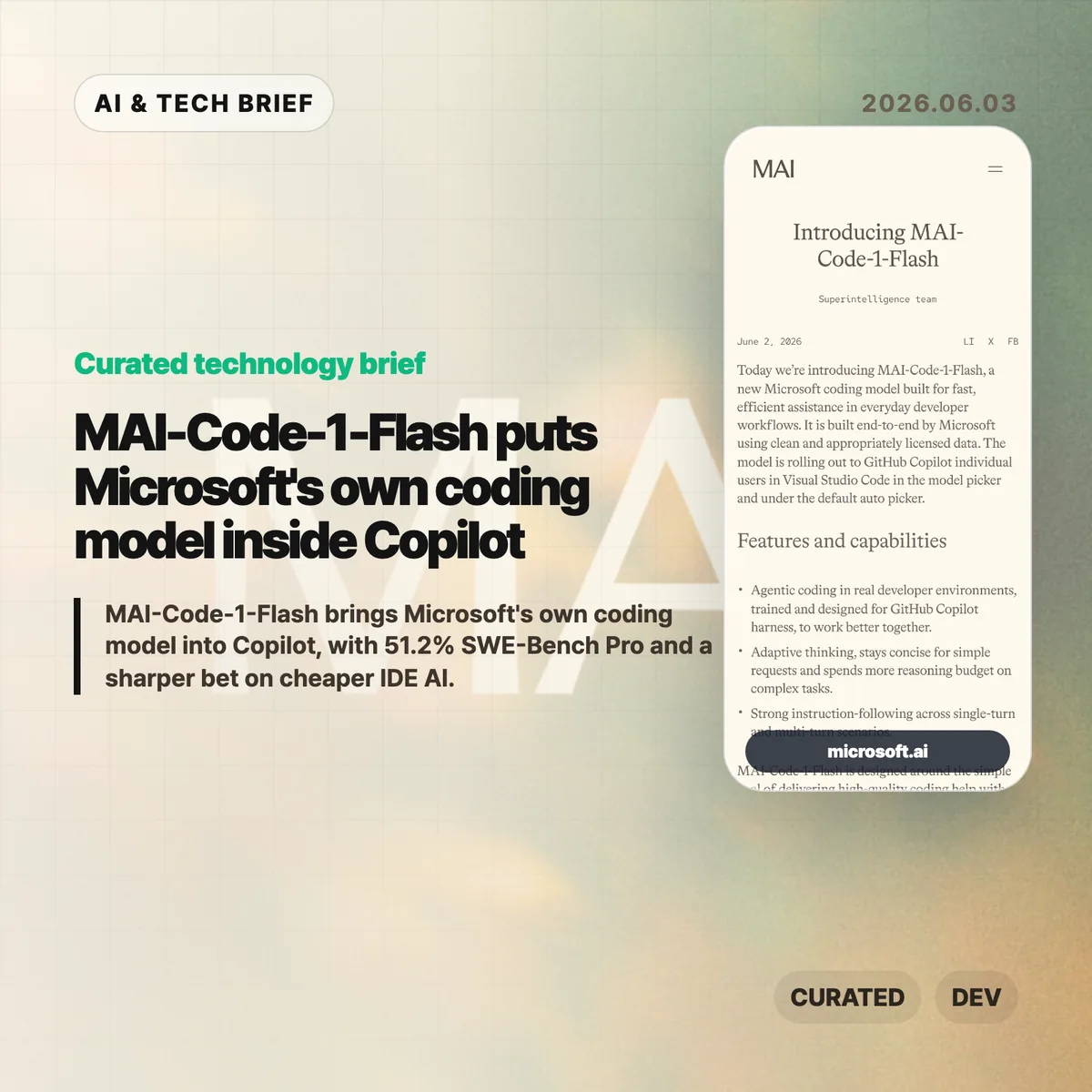
MAI-Code-1-Flash is Microsoft’s new coding model for GitHub Copilot, built for fast day-to-day developer assistance rather than frontier-model demos. Microsoft says the model is rolling out to Copilot individual users in Visual Studio Code through the model picker and the default Auto picker.
Table of Contents
The short version
- Microsoft built MAI-Code-1-Flash end to end for Copilot, using clean and appropriately licensed data, according to the company announcement.
- The company reports 51.2% on SWE-Bench Pro, compared with 35.2% for Claude Haiku 4.5, plus higher scores on SWE-Bench Verified, SWE-Bench Multilingual, Terminal Bench 2, and IF Bench.
- The model is tuned to spend fewer tokens on simple requests and more reasoning budget on complex coding tasks, which matters for latency, cost, and Copilot’s product margins.
- Microsoft’s own adversarial reasoning test shows gaps: MAI-Code-1-Flash reached 85.8% adjusted accuracy overall, while some trap categories stayed below 50%.
- The Hacker News discussion centered on price, speed, benchmark trust, and whether a small Copilot model is useful if it is not open weight.
What happened
Microsoft introduced MAI-Code-1-Flash on June 2, 2026 as a coding model designed for GitHub Copilot workflows. The announcement describes the model as trained for repository question answering, refactoring, software engineering tasks, and Copilot-derived evaluations rather than generic chat alone.
The placement matters. GitHub Copilot already sits inside the IDE for many developers, so Microsoft does not need MAI-Code-1-Flash to win every public benchmark to make it useful. A model that is fast, cheap enough to call repeatedly, and good at common code edits can still improve the product if Copilot routes the right work to it.
For readers tracking AI tooling, this fits the broader move toward specialized models inside products. The public model choice may look simple, but the product can route a request through different models depending on task shape, expected cost, and latency. That is also why this story belongs with other IT & AI archive coverage of developer tools rather than only model leaderboard news.
Why MAI-Code-1-Flash is worth watching
MAI-Code-1-Flash is worth watching because Microsoft is moving model selection closer to the product layer. Copilot can choose a Microsoft-built model for ordinary coding help while still reserving larger or more expensive models for harder tasks. That makes the model less of a standalone chatbot launch and more of an infrastructure choice inside a paid developer tool.
Microsoft’s numbers frame the model as efficient rather than maximal. The company says MAI-Code-1-Flash solved harder SWE-Bench Verified problems using up to 60% fewer tokens. It also claims a 16-point lead over Claude Haiku 4.5 on SWE-Bench Pro, with 51.2% versus 35.2%.
Those claims need context. Haiku is Anthropic’s smaller model line, not its most capable coding model. The useful question is whether MAI-Code-1-Flash gives Copilot a better default for frequent, lower-cost tasks such as local edits, refactors, command-driven fixes, and repository-aware explanations.
What does MAI-Code-1-Flash change for developers?
MAI-Code-1-Flash changes the Copilot experience only if Microsoft can make model routing feel boring in a good way. Developers usually do not want to think about which small model should answer a lint fix, which model should inspect a repository, and which one should spend more tokens on a multi-file change. Copilot’s Auto picker can hide that decision when the routing is good.
The risk is that benchmark performance does not map cleanly to working code. Microsoft’s adversarial evaluation is a useful warning: the model scored 85.8% adjusted accuracy across 186 questions and 34 categories, but fell below 50% on some trap types such as Einstellung-style problems. In practice, teams should treat MAI-Code-1-Flash as a fast assistant for contained tasks, not as a reason to weaken tests or review.
For app and tool builders, the product angle may matter more than the model card. If Copilot can make specialized model routing normal inside VS Code, other developer tools will face pressure to offer similar model pickers, agent modes, and cost-aware routing.
What Hacker News readers are arguing about
The Hacker News discussion was less impressed by the headline benchmark than by the economics behind it. Several commenters asked for tokens-per-second and price-per-token numbers, arguing that an “efficient” coding model is hard to judge without latency and pricing. One practical objection was simple: developers care about price, performance, and latency together, not token count as an implementation detail.
Another thread focused on benchmark trust. Some readers questioned whether the model had been tuned too closely against SWE-Bench-style tasks, while others pointed to Microsoft’s decontamination language and model-card material. The thread did not settle the issue, but the skepticism is useful. Coding benchmarks can be gamed, and even honest benchmark gains may not predict whether the assistant helps on messy internal repositories.
The split on small models was more interesting. Some commenters saw MAI-Code-1-Flash as evidence that specialized small or mixture-of-experts models will handle more work locally or cheaply. Others pushed back that state-of-the-art models will keep growing because the target tasks will grow too. There was also disappointment that the model does not appear to be open weight, especially given Microsoft’s history with Phi.
The practical read
MAI-Code-1-Flash should be judged as a Copilot routing model, not as a replacement for Claude, GPT, or other high-end coding agents. The right test is whether it makes common IDE work faster without making developers babysit wrong patches.
For individual developers, the first useful experiment is narrow: try MAI-Code-1-Flash on refactors, small bug fixes, repository Q&A, and terminal-driven cleanup tasks. Check whether it stays concise on simple requests and whether it asks for context when a task is underspecified.
For engineering teams, the adoption question is about guardrails. Keep tests, code review, and permission boundaries in place. Track whether the model reduces repeated small edits or simply moves review effort later in the workflow. If Copilot’s Auto picker improves, most developers may never care which model answered. If routing is noisy, the model picker becomes another thing to manage.
The broader read is that Microsoft wants more control over the cost and behavior of coding assistance inside its own developer platform. MAI-Code-1-Flash gives the company a way to tune Copilot around real IDE usage, not only around whichever third-party model is available at a given price.