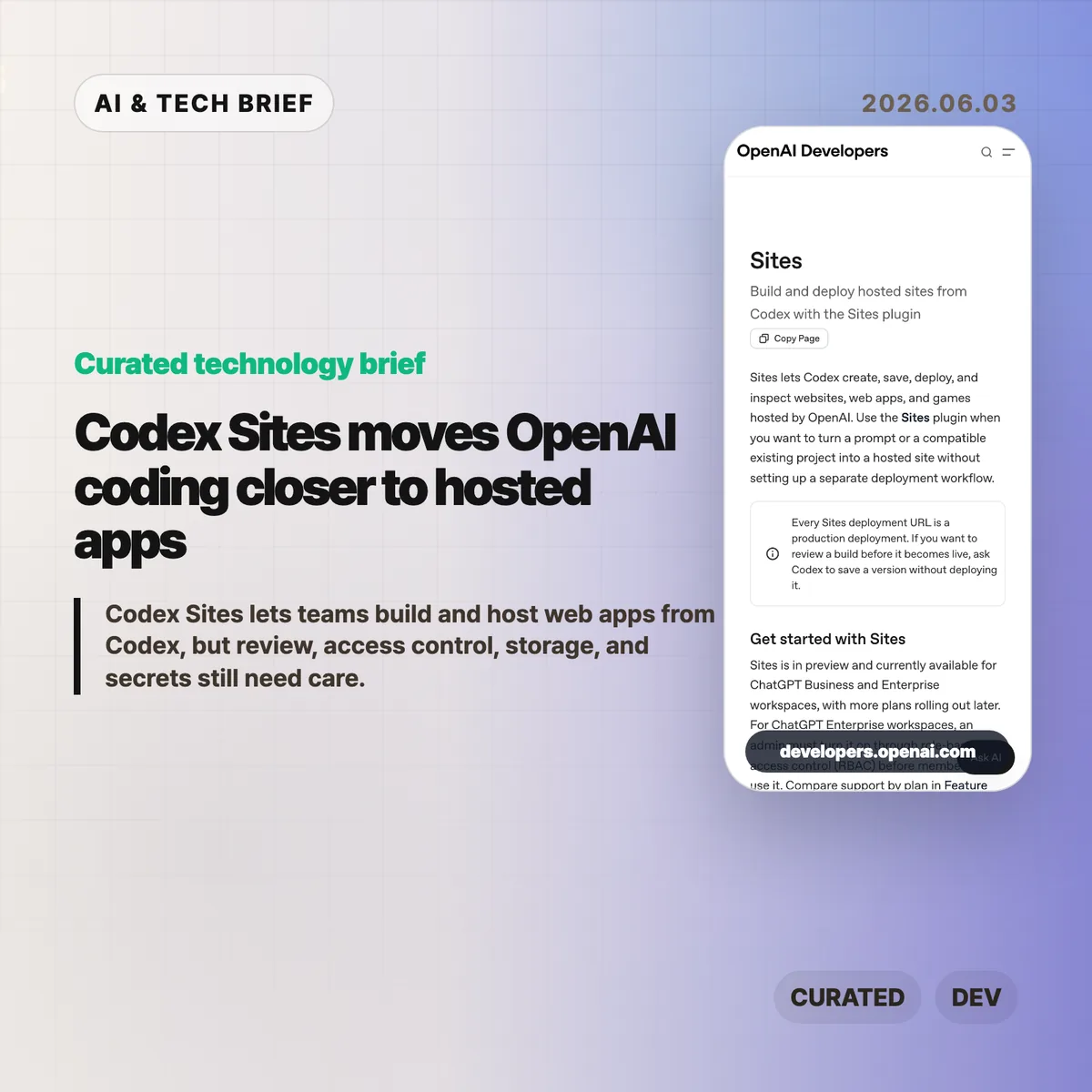
Codex Sites is OpenAI’s 2026 preview feature for creating, saving, deploying, and inspecting hosted websites, web apps, and games from Codex. According to OpenAI, Sites is available across 2 workspace plans, ChatGPT Business and ChatGPT Enterprise, targets Cloudflare Worker-compatible ES modules, and treats every deployment URL as production. The product shift is practical: Codex is moving from code edits toward hosted app delivery.
Table of Contents
The short version
- Codex Sites lets Codex turn a prompt or compatible existing project into a hosted site without a separate deployment setup.
- OpenAI says every deployment URL is a production deployment, so teams should save a version for review before publishing it.
- The feature is in preview for ChatGPT Business and Enterprise workspaces; Enterprise admins must enable it through RBAC.
- Sites targets Cloudflare Worker-compatible ES module output and can use D1 for structured data, R2 for files, and workspace or external identity for authentication.
- The builder value is speed, but the operational work still sits with the team: secrets, access modes, migrations, and final review.
What happened
OpenAI published documentation for Sites, a Codex plugin that can create, save, deploy, and inspect hosted projects. In 2026, the preview covers 2 workspace plans: ChatGPT Business and ChatGPT Enterprise. The docs describe a workflow where a user can ask Codex to build a website, dashboard, internal tool, or game, then either save a deployable version for review or deploy an approved version to a production URL.
The feature is currently in preview. ChatGPT Business workspaces get Sites enabled by default, while ChatGPT Enterprise workspaces need an admin to turn it on through role-based access control. That makes the first audience clear: teams already using Codex inside managed workspaces, rather than every individual developer looking for a public hosting product.
OpenAI’s docs also place a hard line between saving and deploying. Every Sites deployment URL is treated as production. If a team wants to inspect the build first, it should ask Codex to save a version without deploying it, then deploy only the approved saved version.
Why Codex Sites is worth watching
Codex Sites is worth watching because it turns Codex from a code-generation assistant into a deployment assistant for a defined class of hosted apps. OpenAI lists 5 apps or site shapes in the docs: websites, web apps, games, dashboards, and internal tools. Those are the jobs where a working URL often matters more than another static mockup.
The docs say Sites hosts projects that build Cloudflare Worker-compatible output as ES modules. A new project can start from a recommended starter, while an existing project should be checked for compatibility before deployment. That framing matters. OpenAI is not promising that every frontend repository can be pushed blindly. Codex is being steered toward a narrower hosting shape where the agent can reason about build artifacts, saved versions, deployment state, and production URLs.
For more developer-tool coverage, see the IT & AI archive.
What does Codex Sites change for builders?
Codex Sites changes the prototype path for builders who already use Codex to generate or edit code. OpenAI’s docs describe 5 apps or site shapes that fit the workflow, and according to OpenAI, Sites can publish an approved saved version to a production URL. In practice, the agent can help produce a hosted artifact that stakeholders can click, test, and reject.
The feature also forces more precise prompts. OpenAI’s examples ask users to name the audience, core experience, required data, authentication needs, and persistence requirements. A vague request may produce a site, but a useful hosted app needs sharper product instructions: who uses it, what data should persist, which files can be uploaded, and who should be allowed to access it.
That is the more interesting builder lesson. AI app generation becomes more valuable when the prompt includes operational intent, not only UI intent.
Storage, access, and secrets are the real test
Codex Sites is a higher-risk workflow when a generated app needs data, files, identity, or secrets. OpenAI maps 3 app needs to hosted primitives: D1 for durable structured data, R2 for object storage, and workspace or external identity for sign-in. Sites can also store a project ID plus optional D1 and R2 binding names in .openai/hosting.json after provisioning.
That convenience comes with a boundary. OpenAI tells users not to put hosted environment variables or secrets in .openai/hosting.json or source files. Those values should be managed through the Sites panel, with local .env and .env.example files kept aligned for development. Before widening access, the docs tell teams to review source changes, database migrations, build status, selected version, audience, and secret configuration.
In other words, Codex Sites can shorten the path to a deployed app. It does not remove the need for a release checklist.
What the discussion is missing
There was no reliable Hacker News thread available for this specific Codex Sites documentation at the time of writing. The missing discussion is still easy to predict because the technical trade-offs are concrete: compatibility with existing projects, runtime limits, pricing once the preview expands, how well Codex handles migrations, and whether teams trust an agent to manage deployment steps.
The most useful public debate will probably center on workflow fit. Solo builders may compare Sites with Vercel, Netlify, Cloudflare Workers, Replit, and other AI app builders. Enterprise teams will care less about novelty and more about RBAC, auditability, data handling, secrets, and whether production URLs can be governed without adding another shadow deployment path.
The practical read
Use Codex Sites for small apps where a clickable deployment changes the conversation: internal dashboards, request trackers, landing pages, simple games, or prototypes that need stored records. In practice, the 5 checks are compatibility, saved-version review, access mode, secret configuration, and deployment status. Do not treat Sites as a replacement for your normal production process until your team has tested each one.
The safest workflow is to ask Codex to build and validate, save a deployable version, review the source changes and any migrations, then deploy only the version you approved. Keep access limited to the owner and admins until the content, data handling, and audience are clear.
Codex Sites is an early signal that AI coding products are becoming app-operation products. The teams that benefit most will be the ones that pair faster generation with stricter review, not the ones that publish every agent-built artifact as soon as it runs.