Tag: Web Development

  • Angular v22 makes agentic development part of the framework story

    Angular v22 makes agentic development part of the framework story

    Angular v22, announced by the Angular team on June 3, 2026, is a release about production defaults and agentic development. The team moved Signal Forms, Angular Aria, resource, and httpResource into stable status while adding MCP tools and WebMCP documentation for AI coding agents that need to build, run, and inspect Angular apps.

    The short version

    • Angular v22 makes Signal Forms, Angular Aria, resource, and httpResource production ready, giving teams stable APIs for forms, accessibility, and asynchronous data.
    • Angular MCP now includes development server tools such as devserver.start, devserver.stop, and devserver.wait_for_build, which helps coding agents read build output and continue work.
    • Google is tying Angular to AI development surfaces, including Angular Agent Skills, experimental WebMCP support, Google AI Studio, and Gemini Canvas.
    • New apps now use OnPush by default, while the old default change detection strategy has been renamed ChangeDetectionStrategy.Eager.
    • Webpack-related Angular builders and @ngtools/webpack are deprecated in v22 as the team shifts attention toward TSGo support.

    What happened

    Angular v22 was announced on June 3, 2026, and it stabilizes several APIs that Angular teams have been watching since earlier releases. Signal Forms is now ready for production with documentation, Angular Material support, Angular Aria support, and fixes based on community feedback. Angular Aria also moves to production with accessible UI patterns, test harnesses, and support for Signal Forms.

    The release also makes the asynchronous reactivity APIs resource and httpResource production ready. That matters because Angular developers can keep a signal-style mental model for async work instead of treating every network-backed state change as a separate pattern. The Angular blog frames this as a way to request resources without giving up the ergonomics of signals.

    The practical reading is simple: Angular v22 gives teams fewer excuses to keep these APIs in a wait-and-see bucket. For teams maintaining design systems, admin tools, and long-lived enterprise apps, stable forms and accessibility primitives are the parts of this release most likely to affect day-to-day code.

    Why Angular v22 is worth watching

    Angular v22 is worth watching because it gives coding agents official ways to understand and operate an Angular project. The updated Angular MCP tooling can start and stop the development server, wait for builds, and expose build output to an agent. That creates a cleaner loop for tools that generate code, run the app, inspect errors, and revise the implementation.

    Angular Agent Skills are the second piece. The new angular-developer and angular-new-app skills give AI assistants compact guidance on modern Angular patterns, including Signal Forms and Angular Aria. The team says the core skill is under 140 lines and uses progressive disclosure, so an agent can pull deeper references only when it needs them.

    WebMCP pushes the same idea into browser interaction. Angular’s experimental WebMCP support lets apps expose structured tools for agents, including tools for routes, services, and dynamic Signal Forms. For builders following AI-assisted development, the direction is clear: Angular wants agents to use framework-native structure instead of guessing through the DOM.

    For more IT and AI coverage, see the IT & AI archive.

    What Angular v22 changes for frontend teams

    Angular v22 changes the migration conversation for frontend teams by making performance and maintainability more explicit defaults. New Angular apps use OnPush by default, aligning with Angular’s zoneless direction. The old ChangeDetectionStrategy.Default name becomes ChangeDetectionStrategy.Eager, which is clearer about what the strategy does.

    The router also gets closer to the browser platform. Angular v22 adds experimental integration with the platform Navigation API, so the router can intercept navigation requests, rely on native scroll behavior, and make global loading indicators or accessibility announcements easier to coordinate during page transitions.

    The template updates are smaller but useful. Angular v22 adds comments inside HTML elements, spread and rest syntax in templates, more capable @switch blocks, exhaustive checks, and short arrow functions in templates. These are not flashy features, but they reduce the amount of workaround code that tends to accumulate in large Angular projects.

    What does Angular v22 mean for app builders?

    Angular v22 gives app builders a more direct path from prompt-driven prototype to structured Angular project. The Angular team says builders can choose Angular in Google AI Studio’s framework selector and use Gemini Canvas to generate an Angular app in the browser, keep editing by chat, and add services such as Firebase later. The release post shows Angular selected alongside options such as React and Next.js.

    That does not make generated apps production ready by default. The useful change is that Angular is appearing inside the workflow where non-specialist builders already experiment. If an app starts as a quick Gemini Canvas prototype, a team can still move toward Angular’s conventional strengths: typed code, routing, testable components, accessible primitives, and framework-owned build tooling.

    For app teams, the ASO angle is less about an app store keyword and more about discovery surfaces. Agent directories, prompt-based builders, and IDE copilots are becoming places where frameworks compete for mindshare. Angular v22 gives Google a clearer story in those surfaces.

    What Hacker News readers are arguing about

    The Hacker News discussion around Angular v22 is less about one feature and more about whether modern Angular deserves a fresh look. Several commenters argued that Angular is much better than its early v2-era reputation, with one recurring comparison to Django because Angular ships more of the application stack in one place. Signal-based APIs, control flow, and reduced boilerplate came up as reasons some developers are reconsidering it.

    The skeptical thread is toolchain control. Some readers still see Angular CLI, the compiler, and custom build integration as the framework’s weak spot, especially when compared with Vite-centered workflows. Others pushed back that the integrated tooling is a feature for teams that want fewer decisions.

    RxJS also remains a fault line. Commenters welcomed signals and stable Signal Forms, but several noted that Angular still has promises, observables, and signals in the same ecosystem. The most useful criticism is that Angular v22 improves the situation without erasing the learning curve. Accessibility drew a similar split: Angular Aria was praised, but one reader flagged keyboard behavior in the docs as worth checking rather than assuming the primitives are perfect.

    The practical read

    Angular v22 is worth testing first in teams that already use Angular for large, maintained web apps. Start with the production-ready APIs from the June 2026 release: Signal Forms for form-heavy screens, Angular Aria for shared accessible components, and httpResource for data fetching that fits signals.

    If your team uses AI coding tools, test Angular MCP in a real repository instead of judging it from the release notes. The important question is whether an agent can run the dev server, read build errors, and make useful corrections without a developer babysitting every step.

    Teams with custom build pipelines should read the deprecation notes before upgrading. Angular v22 deprecates Webpack support, @angular-devkit/build-angular builders, and @ngtools/webpack, while the team says it is focusing on TSGo support in the application builder. That is probably good for agentic workflows and framework consistency. It may be annoying for teams that built their own toolchain around Angular years ago.
    Sources

  • Codex Sites moves OpenAI coding closer to hosted apps

    Codex Sites moves OpenAI coding closer to hosted apps

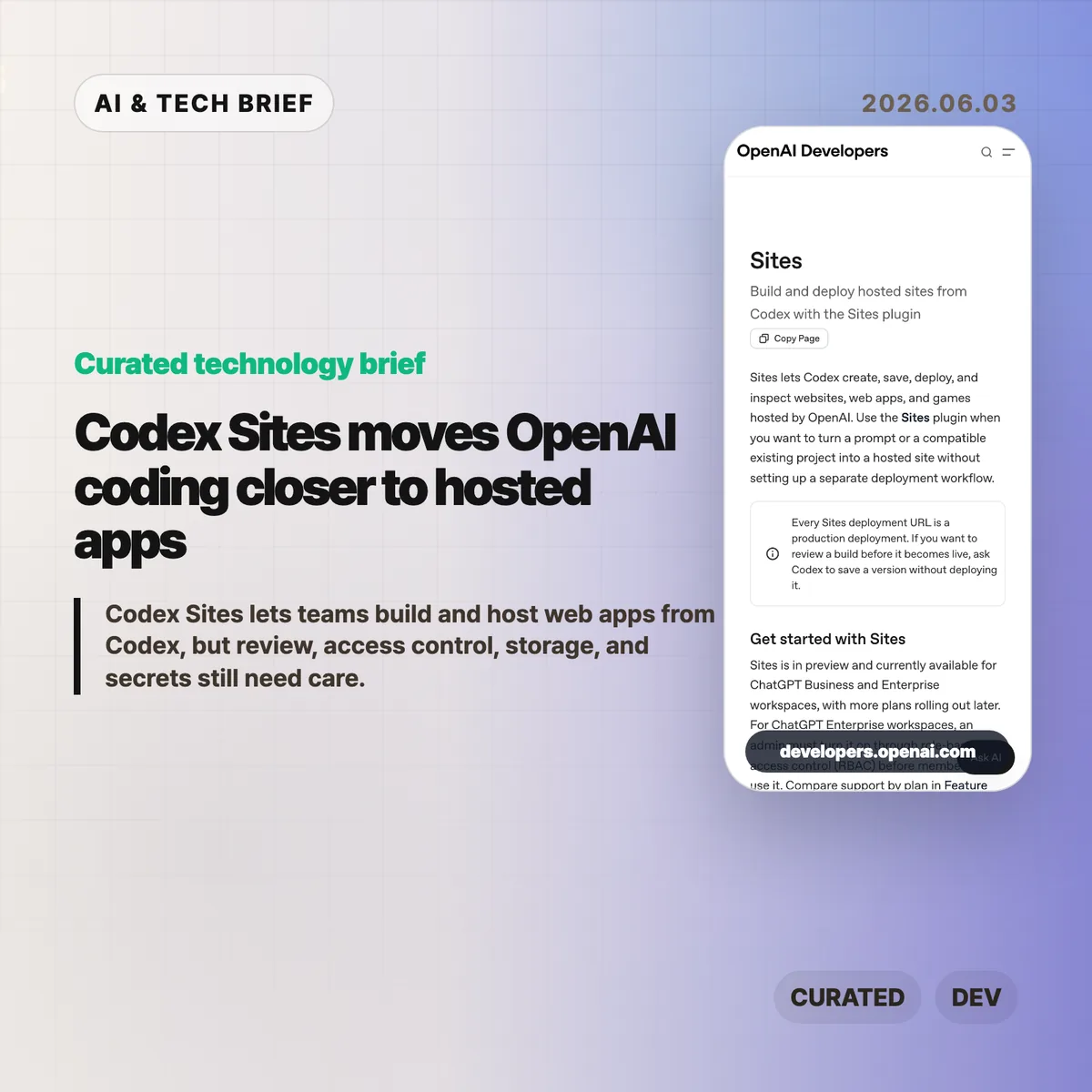
    Codex Sites is OpenAI’s 2026 preview feature for creating, saving, deploying, and inspecting hosted websites, web apps, and games from Codex. According to OpenAI, Sites is available across 2 workspace plans, ChatGPT Business and ChatGPT Enterprise, targets Cloudflare Worker-compatible ES modules, and treats every deployment URL as production. The product shift is practical: Codex is moving from code edits toward hosted app delivery.

    The short version

    • Codex Sites lets Codex turn a prompt or compatible existing project into a hosted site without a separate deployment setup.
    • OpenAI says every deployment URL is a production deployment, so teams should save a version for review before publishing it.
    • The feature is in preview for ChatGPT Business and Enterprise workspaces; Enterprise admins must enable it through RBAC.
    • Sites targets Cloudflare Worker-compatible ES module output and can use D1 for structured data, R2 for files, and workspace or external identity for authentication.
    • The builder value is speed, but the operational work still sits with the team: secrets, access modes, migrations, and final review.

    What happened

    OpenAI published documentation for Sites, a Codex plugin that can create, save, deploy, and inspect hosted projects. In 2026, the preview covers 2 workspace plans: ChatGPT Business and ChatGPT Enterprise. The docs describe a workflow where a user can ask Codex to build a website, dashboard, internal tool, or game, then either save a deployable version for review or deploy an approved version to a production URL.

    The feature is currently in preview. ChatGPT Business workspaces get Sites enabled by default, while ChatGPT Enterprise workspaces need an admin to turn it on through role-based access control. That makes the first audience clear: teams already using Codex inside managed workspaces, rather than every individual developer looking for a public hosting product.

    OpenAI’s docs also place a hard line between saving and deploying. Every Sites deployment URL is treated as production. If a team wants to inspect the build first, it should ask Codex to save a version without deploying it, then deploy only the approved saved version.

    Why Codex Sites is worth watching

    Codex Sites is worth watching because it turns Codex from a code-generation assistant into a deployment assistant for a defined class of hosted apps. OpenAI lists 5 apps or site shapes in the docs: websites, web apps, games, dashboards, and internal tools. Those are the jobs where a working URL often matters more than another static mockup.

    The docs say Sites hosts projects that build Cloudflare Worker-compatible output as ES modules. A new project can start from a recommended starter, while an existing project should be checked for compatibility before deployment. That framing matters. OpenAI is not promising that every frontend repository can be pushed blindly. Codex is being steered toward a narrower hosting shape where the agent can reason about build artifacts, saved versions, deployment state, and production URLs.

    For more developer-tool coverage, see the IT & AI archive.

    What does Codex Sites change for builders?

    Codex Sites changes the prototype path for builders who already use Codex to generate or edit code. OpenAI’s docs describe 5 apps or site shapes that fit the workflow, and according to OpenAI, Sites can publish an approved saved version to a production URL. In practice, the agent can help produce a hosted artifact that stakeholders can click, test, and reject.

    The feature also forces more precise prompts. OpenAI’s examples ask users to name the audience, core experience, required data, authentication needs, and persistence requirements. A vague request may produce a site, but a useful hosted app needs sharper product instructions: who uses it, what data should persist, which files can be uploaded, and who should be allowed to access it.

    That is the more interesting builder lesson. AI app generation becomes more valuable when the prompt includes operational intent, not only UI intent.

    Storage, access, and secrets are the real test

    Codex Sites is a higher-risk workflow when a generated app needs data, files, identity, or secrets. OpenAI maps 3 app needs to hosted primitives: D1 for durable structured data, R2 for object storage, and workspace or external identity for sign-in. Sites can also store a project ID plus optional D1 and R2 binding names in .openai/hosting.json after provisioning.

    That convenience comes with a boundary. OpenAI tells users not to put hosted environment variables or secrets in .openai/hosting.json or source files. Those values should be managed through the Sites panel, with local .env and .env.example files kept aligned for development. Before widening access, the docs tell teams to review source changes, database migrations, build status, selected version, audience, and secret configuration.

    In other words, Codex Sites can shorten the path to a deployed app. It does not remove the need for a release checklist.

    What the discussion is missing

    There was no reliable Hacker News thread available for this specific Codex Sites documentation at the time of writing. The missing discussion is still easy to predict because the technical trade-offs are concrete: compatibility with existing projects, runtime limits, pricing once the preview expands, how well Codex handles migrations, and whether teams trust an agent to manage deployment steps.

    The most useful public debate will probably center on workflow fit. Solo builders may compare Sites with Vercel, Netlify, Cloudflare Workers, Replit, and other AI app builders. Enterprise teams will care less about novelty and more about RBAC, auditability, data handling, secrets, and whether production URLs can be governed without adding another shadow deployment path.

    The practical read

    Use Codex Sites for small apps where a clickable deployment changes the conversation: internal dashboards, request trackers, landing pages, simple games, or prototypes that need stored records. In practice, the 5 checks are compatibility, saved-version review, access mode, secret configuration, and deployment status. Do not treat Sites as a replacement for your normal production process until your team has tested each one.

    The safest workflow is to ask Codex to build and validate, save a deployable version, review the source changes and any migrations, then deploy only the version you approved. Keep access limited to the owner and admins until the content, data handling, and audience are clear.

    Codex Sites is an early signal that AI coding products are becoming app-operation products. The teams that benefit most will be the ones that pair faster generation with stricter review, not the ones that publish every agent-built artifact as soon as it runs.

    Sources

  • Website Specification turns web QA into a 128-point map

    Website Specification turns web QA into a 128-point map

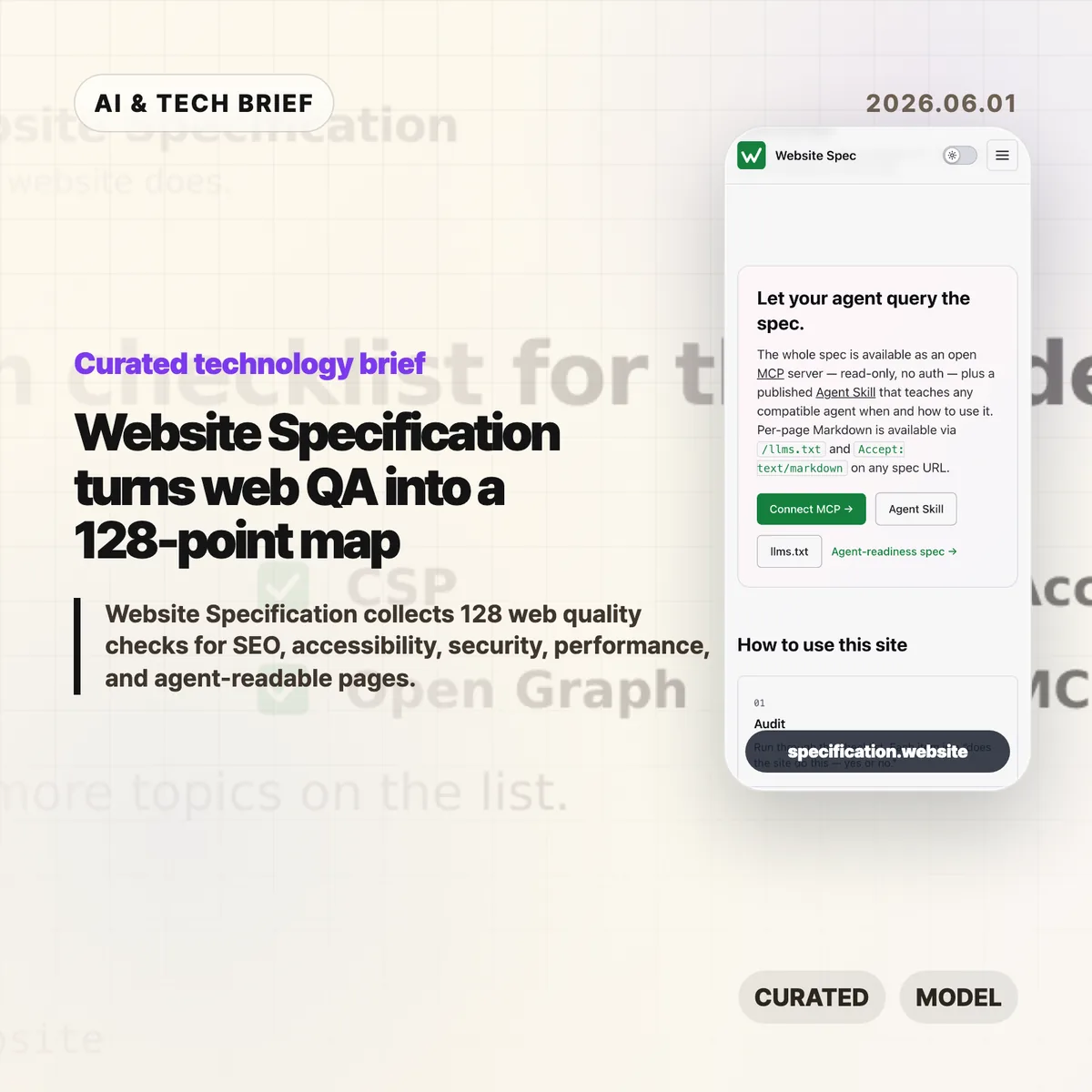
    Website Specification is a new open web checklist that tries to put the boring, easy-to-miss parts of a good site in one place. It covers 128 topics across SEO, accessibility, security, performance, privacy, resilience, internationalisation, and agent-readable surfaces such as Markdown pages and llms.txt.

    The short version

    • Website Specification is platform-agnostic: WordPress, Next.js, Astro, Django, Drupal, plain HTML, and other stacks are meant to be checked against the same list.
    • The project groups 128 topics into 10 areas, including foundations, SEO, accessibility, security, well-known URIs, agent readiness, performance, privacy, resilience, and internationalisation.
    • The useful part is not that every site must pass every item. It is that teams can discuss site quality with a shared map instead of a pile of scattered audit tools.
    • The controversial part is agent readiness. Hacker News readers liked the checklist but argued hard about llms.txt, MCP, and whether machine-facing pages invite abuse.

    What happened

    The Website Specification site describes itself as “a platform-agnostic specification of the technical features every decent website should have.” The home page points to familiar basics, such as <title>, /.well-known/security.txt, WCAG contrast, and llms.txt, then links into a full topic index.

    The index currently lists 128 topics across 10 categories. Foundations alone covers the doctype, <html lang>, UTF-8 charset, viewport, title, meta description, canonical URLs, favicons, theme color, Open Graph tags, feed discovery, and related basics. Other sections move into robots.txt, sitemaps, structured data, WCAG-aligned accessibility checks, security headers, Core Web Vitals, privacy signals, error handling, and language metadata.

    The project is also deliberately machine-readable. It publishes llms.txt, per-page Markdown via .md URLs or Accept: text/markdown, a full llms-full.txt, a public MCP server, and an Agent Skill. That makes the site a reference for humans, but also a test case for how web documentation might expose itself to AI coding tools and audit agents.

    Why this is worth watching

    Most website quality work is fragmented. One audit tool catches missing metadata. Another complains about contrast. A security scanner checks headers. A performance tool cares about images, caching, and script weight. Product teams often end up with a spreadsheet that mixes browser requirements, SEO advice, accessibility obligations, and someone’s personal preferences.

    Website Specification is interesting because it pulls those concerns into one model and cites the underlying sources: WHATWG, W3C, IETF RFCs, WCAG, MDN, IANA, and other web references. That does not make every recommendation equally urgent. It does make the tradeoffs easier to see.

    The agent-readable layer is the part to watch. A checklist that can be queried over MCP or consumed as Markdown is useful for AI-assisted QA, especially for teams building developer tools, site generators, CMS plugins, or agent workflows. If you track this space, the IT & AI archive is a good place to follow similar shifts in web tooling and AI developer infrastructure.

    Website Specification in practice

    For builders, the best use of Website Specification is probably as a deployment review, not a religion. A small landing page may not need every feed, structured data, or internationalisation detail. A public product site, docs site, or media site probably needs many more of them than its team remembers before launch.

    The checklist is also a useful way to split ownership. Engineers can handle headers, status codes, caching, redirects, and HTML correctness. Designers can review contrast, focus states, and readable layouts. Product and growth teams can own metadata, previews, search snippets, and feed behavior. The spec gives those conversations a common vocabulary.

    The weak spot is the same one that makes the project interesting: agent readiness is still unsettled. llms.txt, public MCP endpoints, and agent skills may help tools inspect a site, but they are not equivalent to browser standards or WCAG. Treat them as experiments until real adoption patterns become clearer.

    What Hacker News readers are arguing about

    The Hacker News discussion is split in a useful way. Many readers liked having a single checklist and said they discovered features they had missed, especially around /.well-known/ URLs and older web basics. A few developers with long experience said the list is handy precisely because websites accumulate quiet technical debt.

    The strongest objection is checklist inflation. Several commenters worried that a 128-item list could become another Jira mandate where teams must justify why a simple site does not implement every modern web feature. That is a fair concern. A spec like this is only helpful if teams can mark items as required, recommended, optional, or irrelevant for their context.

    The sharpest argument was about agent readiness. Some readers dismissed llms.txt as unsupported by major AI providers. Others argued that giving agents a separate surface could repeat old SEO problems, where machines see a cleaner or more flattering version of the site than humans do. The practical counterpoint is that plain Markdown, accessible HTML, and predictable URLs also help screen readers, search engines, archivers, and developer tools. The safest reading is boring but useful: make the human site clean first, then expose machine-readable versions only when they match the real content.

    The practical read

    If you run a website, use Website Specification as a triage tool. Start with the items that affect every visitor: valid HTML basics, mobile viewport, titles and descriptions, canonical URLs, accessible contrast and focus states, HTTPS, security headers, useful error pages, and reasonable performance.

    If you build web tooling, the project is more interesting as an interface pattern. A spec exposed through pages, Markdown, llms.txt, MCP, and an agent skill gives coding assistants something concrete to query. That could turn site QA from a vague prompt into a repeatable audit.

    Just do not let the checklist replace judgment. A good website still has to serve its users. The list helps you find gaps; it cannot decide which gaps matter this week.

    Sources