Tag: Technology

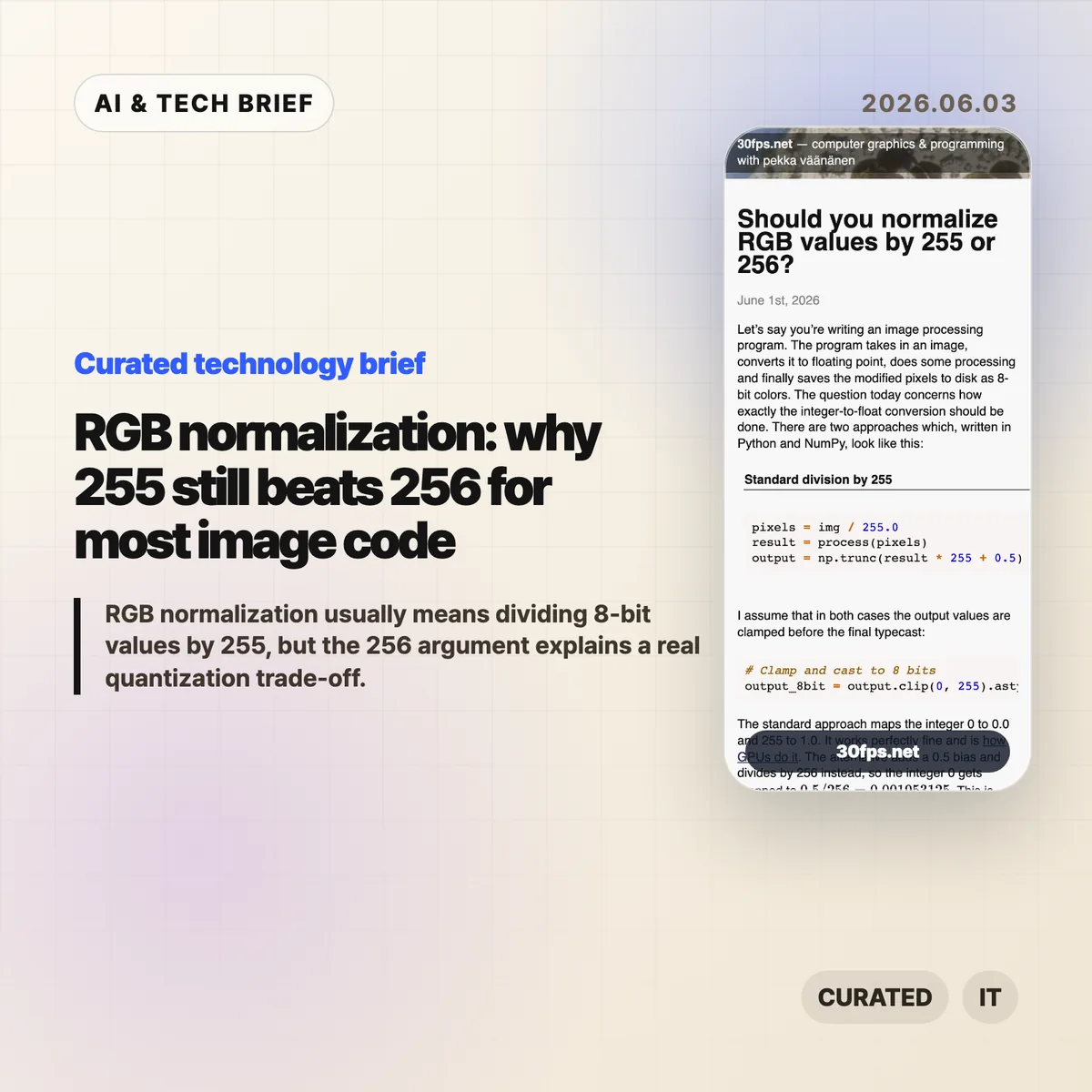
  • RGB normalization: why 255 still beats 256 for most image code

    RGB normalization: why 255 still beats 256 for most image code

    RGB normalization for 8-bit images usually means mapping channel values 0-255 into floating point with value / 255.0. Pekka Vaananen’s June 1, 2026 article on 30fps.net explains why (value + 0.5) / 256.0 can look cleaner as a quantization model, but still makes a poor default when a program loads ordinary PNGs, screenshots, textures, or user-supplied images.

    The short version

    • RGB normalization by 255 maps the 256 possible 8-bit codes so that 0 becomes 0.0 and 255 becomes 1.0, matching common GPU UNORM behavior.
    • The 256 formula, (value + 0.5) / 256.0, maps black to 0.001953125 instead of 0.0, which complicates exact endpoint checks.
    • A centered 256-bin model can help in controlled color-depth conversion or dithering, as Andrew Kensler argued in his 2015 note on color conversion.
    • For outside images, the safer rule is to decode with 255, round and clamp on output, and avoid mixing quantizer contracts in one pipeline.
    • The public Hacker News thread reached 322 points and 137 comments, with the best arguments centered on whether a byte represents an endpoint or a bucket.

    What happened

    Pekka Vaananen published a detailed note on whether 8-bit RGB values should be converted to floats with img / 255.0 or (img + 0.5) / 256.0. The standard formula preserves endpoints: integer 0 becomes 0.0, and integer 255 becomes 1.0. Vaananen points out that this is also the direction used by GPUs when they convert unsigned normalized values to floating point.

    The alternative formula treats each byte as the center of a quantization interval. Under that model, 0 maps to 0.5 / 256, 128 maps near the center of its interval, and the output bins are more evenly arranged inside the [0, 1] range. That makes the math feel tidier, especially for programmers thinking about quantizers, dithering, or fixed-point color-depth conversion.

    The article’s practical conclusion is conservative: use 255 when loading and processing images from outside your own pipeline. A 256-based mapping can make sense when a team controls the entire save-load cycle and accepts that exact black and exact white no longer map to the endpoints that most tools expect.

    Why RGB normalization is worth watching

    RGB normalization is worth watching because one divisor changes the contract for every later step in an image pipeline. With 255, 8-bit black is exactly 0.0 and 8-bit white is exactly 1.0. With the centered 256 formula, black becomes 0.001953125 and white becomes 0.998046875, so a shader, image editor, ML preprocessor, or Python threshold may stop seeing the endpoints it expects.

    The 255 formula is not mathematically perfect. Vaananen shows that when uniformly distributed floats in [0, 1] are rounded back into 8-bit values, the two extreme bins can be half-width compared with the interior bins. He also notes that values like 128 / 255.0 are not exactly representable in binary floating point. His judgment is that these are usually aesthetic or theoretical objections, not bugs that justify decoding other people’s images with a different scale.

    The more useful takeaway is consistency. A graphics pipeline can use an endpoint model or a centered-bin model, but it needs to use the same model when it decodes, processes, dithers, and writes pixels back to disk.

    What does RGB normalization change for builders?

    RGB normalization changes real builder work when the project crosses a boundary between libraries, file formats, GPU APIs, and custom math. Most app developers, graphics programmers, and ML engineers should divide 8-bit image channels by 255.0 because that is what surrounding tools usually expect. It keeps black and white easy to test, preserves common assumptions in masks and alpha, and matches the way many APIs expose normalized bytes.

    The 256 approach is still worth understanding. Andrew Kensler’s 2015 post on converting color depth argues for a centered mapping because it generalizes cleanly across bit depths and works nicely with dithering. If a team is building a custom renderer, a pixel-art tool, a color quantizer, or an image codec experiment, that model can be cleaner. The catch is that the team must own both sides of the conversion. Reading arbitrary PNGs with the centered formula does not recover precision that was lost when someone else quantized the file.

    For app builders, the ASO angle is simple: image tools get judged by visual trust. A filter app, camera editor, or pixel art workflow that shifts black levels or changes round-trip behavior can create visible differences users describe as washed out, crushed, or inconsistent.

    What Hacker News readers are arguing about

    The Hacker News thread around the article was active, with 322 points and 137 comments when checked through the public Algolia API. The useful part of the discussion was not a unanimous verdict. It was the set of mental models commenters used to decide what the byte means.

    One camp leaned on the endpoint model: if the byte runs from 0 to 255, then the span from darkest to lightest has length 255, much like a ruler with marks at both ends. That view supports dividing by 255, especially when 0 and 255 are physical or display endpoints. Another camp pushed back with an interval model: a byte can represent one of 256 buckets, and placing the reconstructed value at the bucket center is a reasonable estimate of the original continuous value.

    Several commenters moved the debate into implementation details. Some argued that division by 256 can be faster in integer-heavy software rendering because it becomes a shift. Others replied that modern float multiplication, SIMD, GPU execution, compiler behavior, memory bandwidth, and color-space correctness matter more than a single divisor in most real pipelines. A separate thread pointed out that compositing math should happen in linear color space, which is a larger correctness issue than 255 versus 256.

    The best practical objection in the discussion was that graphics code often mixes domains: file bytes, display-referred sRGB values, linear-light math, alpha compositing, dithering, and GPU formats. The divisor decision only stays clean if the code is honest about which domain it is in.

    The practical read

    Use value / 255.0 for ordinary RGB normalization when reading 8-bit images from files, user uploads, screenshots, design assets, game textures, or third-party libraries. It matches common expectations, keeps endpoints exact, and avoids surprising downstream code. If the code later writes back to 8-bit, use a matching encode path with rounding and clamping rather than mixing formulas. For more technical briefs like this, browse the IT & AI archive.

    Consider (value + 0.5) / 256.0 only when the pipeline is designed around centered quantization from the start. That means the encoder, decoder, tests, documentation, and any dithering logic agree on the same model. It is a pipeline contract, not a drop-in replacement for the standard image-loading formula.

    The debugging rule is even simpler: if colors look slightly lifted, blacks stop comparing equal to zero, or round-trips change pixels unexpectedly, check whether one stage divided by 255 and another stage assumed 256. These bugs are small enough to hide in code review and visible enough to annoy anyone looking at the output.
    Sources

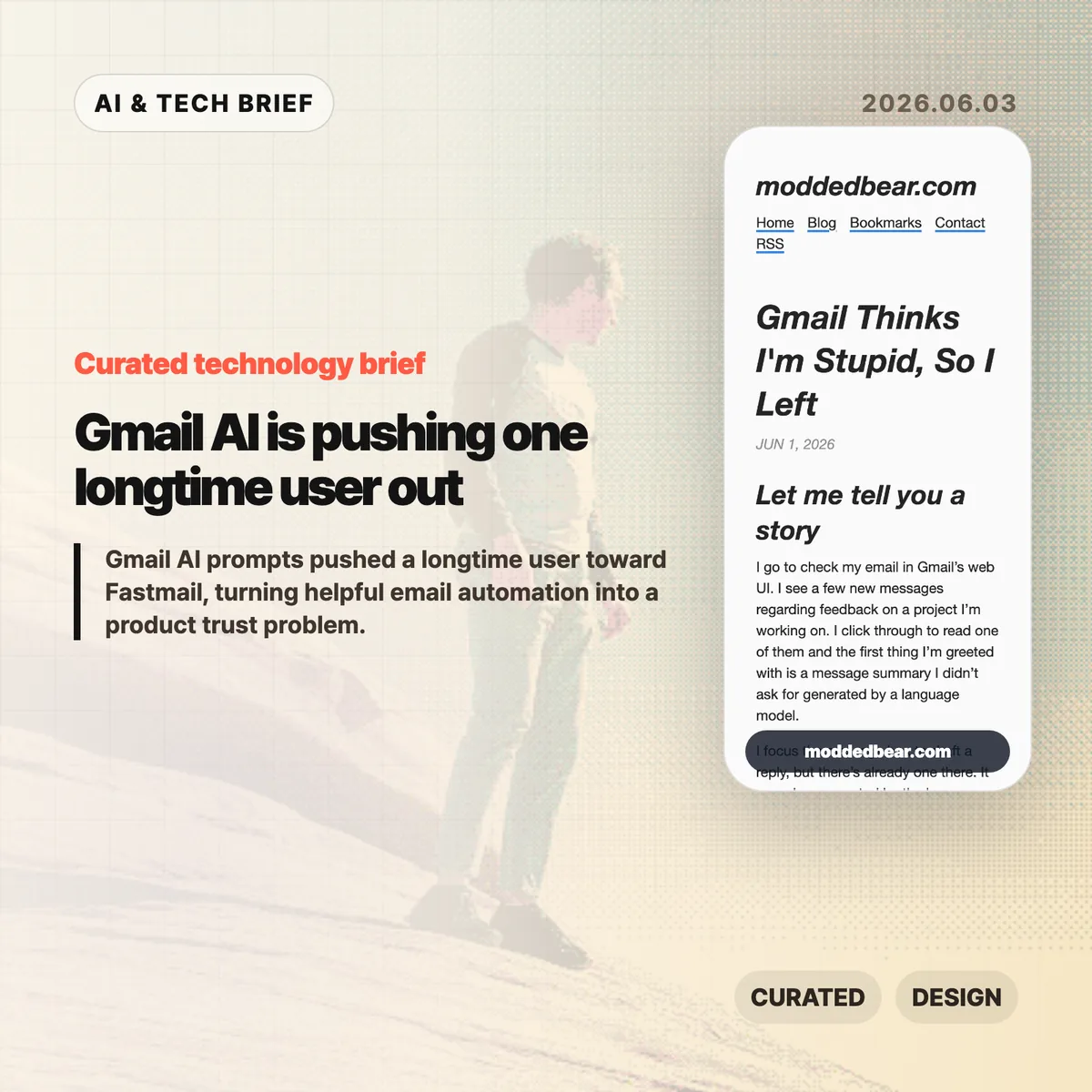
  • Gmail AI is pushing one longtime user out

    Gmail AI is pushing one longtime user out

    Gmail AI is no longer a quiet side feature for every user. In a June 1, 2026 post, developer JP described leaving a 16-year Gmail account after the web UI kept inserting AI summaries, reply drafts, and writing prompts into ordinary email work. By June 2, the post had reached Hacker News, where the discussion drew more than 600 points and hundreds of comments about forced AI in everyday tools.

    The short version

    • A longtime Gmail user says the web UI showed an unsolicited message summary, an AI-generated reply draft, a “Help me write” nudge, and a “Tab to improve” prompt while reading and writing email.
    • The author is moving toward a custom domain and Fastmail after 16 years on Gmail, partly because some unwanted smart features are hard to separate from useful older Gmail behavior.
    • The Hacker News discussion drew 399 comments and focused less on whether AI can write emails, and more on whether Google, Microsoft, and other large platforms are forcing AI into workflows to satisfy internal product metrics.
    • For product teams, Gmail AI is a useful warning: AI assistants need clear consent, easy opt-out controls, and restraint in high-trust communication tools.

    What happened

    JP’s June 1 post describes a specific Gmail web session: Gmail showed an unsolicited message summary, inserted a generated reply draft, promoted “Help me write,” and later suggested “Tab to improve.” The post says the prompts appeared while JP was reading project feedback and composing ordinary email, which made Gmail AI feel like a judgment on the user’s own reading and writing.

    The author says some Gmail AI settings can be disabled, but the controls are not cleanly separated from older Gmail features such as automatic thread categorization. That coupling matters because an off switch should not make users give up unrelated mail organization. JP’s response was to start leaving Gmail after 16 years, connect a custom domain to a mail host, try Fastmail, and set up multiple domains and aliases. The switching cost makes the story useful for product teams: email users rarely move unless irritation has become durable.

    Why Gmail AI is worth watching

    Gmail AI is worth watching because email is one of the worst places to make users feel managed by software. Reading a message, deciding tone, and writing a reply are small acts of judgment. If an AI assistant appears before the user asks for help, the product can make a competent person feel supervised rather than supported.

    The useful distinction is not AI versus no AI. Many people want summaries, drafts, translation, and tone help in email. The problem is where the assistant sits in the workflow. A visible command, a compose toolbar button, or a clearly labeled opt-in feature gives users control. A recurring prompt next to the cursor changes the mood of the tool. It turns the inbox from a communication surface into another place where the platform asks for attention.

    That is why this story travels beyond Gmail. Builders adding AI to mature products have to decide whether the assistant is a tool the user summons or a layer the company pushes across the interface. The first can save time. The second can make users wonder whose workflow the product is serving.

    What does Gmail AI change for builders?

    Gmail AI changes the product design question from “can this model help?” to “who gets interrupted, and when?” For email clients, CRMs, support desks, note apps, and developer tools, an AI writing feature touches communication, privacy, and user confidence at the same time. A weak suggestion in Gmail is not only weak text. It can make the product feel as if Google is grading the user.

    App builders should treat AI writing features like power tools. Put the assistant behind a deliberate action, keep the off switch separate from unrelated features, and avoid prompts that appear under the cursor while someone is composing. If the feature learns from user content or appears in a sensitive workflow, explain the setting in plain language. A smaller product can also compete by promising less noise: the assistant is available when asked, and quiet the rest of the time. For more IT and AI product briefs, see the IT & AI archive.

    What Hacker News readers are arguing about

    The Hacker News discussion reached roughly 642 points and 399 comments by June 3, and the argument was mostly about control. Readers treated the Gmail AI story as part of a broader platform pattern: Microsoft Copilot prompts, LinkedIn’s AI-heavy feed, Windows setup screens, Apple Intelligence, and Linux desktops all became comparison points for software that either respects or interrupts user intent.

    The strongest objection was that the same Gmail behavior is not visible to everyone. Some readers had never seen the prompts, while others pointed to Gmail settings for Smart Reply and broader smart features. That makes the story weaker as a universal Gmail diagnosis, but stronger as a rollout lesson. If account settings, Google Workspace policies, regions, or feature flags change the experience, Gmail needs clearer language about what is on, what is off, and what users lose when opting out.

    The practical thread focused on alternatives such as Fastmail, Proton Mail, Apple Mail, self-hosting, Linux desktops, and GrapheneOS. Commenters still acknowledged email switching costs, self-hosted deliverability problems, and the compromises in every provider. The frustration was less “AI is useless” and more “default software has become too needy.”

    The practical read

    Gmail AI is a product trust story before it is an AI capability story. Google may have good reasons to put Gemini-powered summaries and writing help inside Gmail, and some users will benefit from them. The risk is that email is a habit product. If the interface nags at the wrong moment, the user does not evaluate the model in isolation. He judges the whole service.

    For teams shipping AI features, the checklist is simple. Put the assistant behind a deliberate action. Keep the off switch separate from unrelated non-AI features. Avoid prompts that appear under the cursor while someone is composing. Measure repeat voluntary use, not accidental exposure. If users are moving a 16-year account because the interface feels condescending, the feature is no longer just an experiment.

    For users, the lesson is more practical: own the domain if email matters. A custom domain does not remove migration work, spam filtering problems, or provider lock-in, but it makes the next move less painful. JP’s move toward Fastmail is a reminder that switching email is still possible, especially before a provider becomes the only address people know.

    Sources

  • Human intent in AI is the part benchmarks miss

    Human intent in AI is the part benchmarks miss

    Caleb Gross’s “You can just say it” makes a clean argument about human intent in AI: defending people by saying they still outperform models is a weak move. The stronger claim is simpler. Humans matter before the comparison starts, and creative work should be judged by more than surface polish.

    The short version

    • Gross argues that tying human worth to better output than AI is fragile because model capability keeps moving.
    • His sharper definition of AI slop is work with form but little readable intent, not merely bad work or machine-made work.
    • The Hacker News discussion mostly found the intent framing useful, especially for writing, email, and AI-assisted coding.
    • The hard question is whether readers can still feel a person’s judgment when AI has cleaned up every sentence.

    What happened

    Caleb Gross published “You can just say it” on May 28, 2026. The essay pushes back on a common defense of human value in the age of generative AI: people are special because they can still do some things better than machines.

    That argument may feel reassuring for a while. It also makes human dignity depend on the next benchmark run. Gross’s alternative is intentionally plain: humans are valuable. You do not need to attach that claim to writing speed, design quality, coding productivity, or any other measure of output.

    The essay then moves from human value to creative quality. Gross describes creation as intent taking form. A resignation letter, a drawing, a design, a piece of code, or a message all carry some mix of what the maker meant and what the maker produced. Generative AI changes that balance because it can produce convincing form from a thin prompt.

    That is where the essay’s useful definition of AI slop appears. Slop is not automatically “content made with AI.” It is output where the intent is hard to find. A human can make it. A person using AI can avoid it. The difference is whether judgment, taste, and purpose remain visible.

    Why this is worth watching: human intent in AI

    The phrase human intent in AI can sound abstract until you apply it to ordinary work. Think about the email example in the essay. If someone uses a model to turn a blunt request into a long, polite message, the result may be smoother. It may also make the recipient work harder to infer what the sender actually wants.

    That matters for product teams and app builders. AI writing tools often sell polish: clearer tone, better structure, faster drafting. Polish is useful. The risk is that a product can make every message sound finished while removing the cues that tell the reader what the sender chose, cared about, or understood.

    The same applies to AI-assisted coding. A generated patch can look complete. The better question is whether the prompts, review comments, tests, and edits add up to a coherent specification. If they do, AI is helping a human express intent. If they do not, the model may be producing code-shaped material that nobody fully owns.

    For more coverage of AI product and developer-tool debates, see the IT & AI archive.

    What Hacker News readers are arguing about

    The main Hacker News thread was unusually substantive for an AI culture argument: 383 points and more than 200 extracted comments. The most productive camp liked the essay because it separated a complaint about AI misuse from a blanket complaint about AI itself.

    One widely upvoted line of discussion treated the essay’s slop definition as a better mental model for AI-assisted coding. The useful distinction was between a chain of prompts that forms a real specification and a chain of retries that amounts to “it does not work, try again.” In the first case, the human is still steering. In the second, the human may be outsourcing responsibility.

    Another cluster focused on communication. Several commenters reacted to the quoted line about preferring the raw prompt over an AI-written email. The shared irritation was not that a machine touched the prose. It was that the sender might be asking the reader to decode a polished message the sender did not bother to write or fully understand.

    There was also pushback. Some readers disliked the essay’s religious reference to Genesis as support for human value, even when they agreed with the broader claim. Others argued over whether “valuable” was the right word at all, since it can imply something measurable. “Invaluable” felt closer to what some commenters wanted to say.

    The liveliest disagreement was about intent itself. One commenter prompted Claude to make something unconstrained and asked how anyone could be sure there was no intent in the result. Replies split between people who saw that as anthropomorphism and people who thought dismissing machine intent by saying “it is numbers” was too glib. That argument is not settled by Gross’s essay, but the essay gives readers a cleaner vocabulary for having it.

    The practical read

    If you are building with generative AI, the practical test is not “did AI touch this?” That question is already too blunt. Ask whether a reader, user, or teammate can still see the human intent in AI-assisted work.

    For writing tools, that means preserving the user’s point rather than inflating it into generic professional language. For coding tools, it means making review, tests, and constraints visible enough that the generated output has a responsible owner. For content teams, it means rejecting pieces that look finished but do not seem to come from anyone in particular.

    This is also a useful editorial standard. Bad AI output is easy to mock. Polished, empty output is harder to catch because it passes a quick scan. Gross’s essay is worth reading because it names that problem without pretending the answer is to avoid every AI tool.

    Human intent in AI is not nostalgia for manual labor. It is the part that tells another person, “someone meant this.” When that disappears, even technically competent output starts to feel cheap.

    Sources

  • Dead economy theory: AI labor has a demand problem

    Dead economy theory: AI labor has a demand problem

    Dead economy theory is a useful name for a blunt question: if AI labor savings come from replacing workers, who keeps buying the goods and software those companies sell? Owen McGrann’s essay pushes past the usual productivity story and follows the money after the layoffs. The uncomfortable part is that a rational choice for one company can still weaken demand for everyone else.

    The short version

    • McGrann argues that large AI valuations make the most sense if investors expect a huge share of labor spending to move from payroll to software.
    • The demand problem is simple: workers are also customers, and broad layoffs can cut the spending that businesses rely on.
    • The related “AI Layoff Trap” paper models this as an automation arms race where firms automate more than is healthy for the whole economy.
    • Hacker News readers pushed back on the essay’s assumptions, but the thread kept returning to the same worry: past automation is not proof that every future shock will land gently.

    What happened

    Owen McGrann published “The Dead Economy Theory” on The Palimpsest, framing it as an economic cousin of the dead internet theory. The essay starts from the way AI firms sell themselves to investors and enterprise buyers. Words like copilot and assistant sound harmless, but the business case often points toward doing more work with fewer people.

    That framing matters because the biggest possible market for AI is not better autocomplete. It is labor spend. McGrann connects that to benchmarks such as OpenAI’s GDPVal, which evaluates model performance on economically valuable work, and to a newer paper called “The AI Layoff Trap.” The paper argues that firms can get stuck in a competitive automation race even when they understand that mass displacement may reduce consumer demand.

    The dead economy theory is not a forecast with a date attached. It is a stress test for the AI investment story. If software replaces labor faster than new income channels appear, the savings show up before the missing demand does.

    Why this is worth watching

    The best version of the AI productivity argument says automation raises output, lowers prices, and eventually creates new work. That has happened before. Mechanized farming, factory automation, and computers all hurt some workers while expanding other parts of the economy.

    The weaker version skips the transition cost. It assumes the people displaced from cognitive work will quickly find new work that pays enough to support the same consumption. That is a large assumption, especially if AI systems also chase the next white collar task those workers might move into.

    How dead economy theory changes the AI sales pitch

    For readers tracking AI companies, dead economy theory is a way to separate product language from financial logic. If an AI tool is priced and marketed around headcount reduction, the macro question is not a side issue. It is part of the product’s long-run market size.

    There is also a builder angle. AI app and agent teams should be careful about promising pure labor removal when the healthier pitch may be workflow capacity, error reduction, or work that would not have been done at all. That distinction matters for customers, regulators, and platform marketplaces. For more AI business coverage, see the IT & AI archive.

    What Hacker News readers are arguing about

    The Hacker News discussion was large and messy, which fits the topic. One camp saw the essay as a dressed-up recession story: firms cut costs, workers spend less, and demand falls. Their objection was that this is not unique to AI and that previous waves of automation did not end employment.

    The stronger skeptical point was about history. Several readers argued that farms and factories automated without making everyone permanently jobless. Others answered that this does not settle the AI case. Past transitions took decades, hurt real people, and depended on new sectors absorbing displaced workers. If AI keeps moving into those sectors too, the usual escape route gets narrower.

    Another thread focused on whether an economy even needs human consumers. Some commenters imagined a machine-heavy economy where AI firms sell compute, energy, data, and services to one another. That idea sounded extreme, but it exposed the core dispute: is the economy supposed to serve human demand, or can capital keep circulating after most people lose market power?

    The most practical comments were less dramatic. They asked who pays for the data centers, GPUs, electricity, and subscriptions if the middle class gets weaker. They also pointed out that consumption-based pricing does not solve much unless the consuming agents are attached to customers with money. The discussion is not evidence, but it shows where technical readers are uneasy.

    The practical read

    Dead economy theory does not prove that AI will destroy demand. It does make one test harder to ignore: does an AI product create new output, or does it mostly move wages into vendor spend and shareholder margin?

    Founders should be specific about that answer. If the product helps a small team handle work it could not otherwise touch, the demand story is different from a product sold mainly as a layoff machine. Investors should ask the same question from the other side. A market built on replacing customers’ payrolls may be large, but it can also be self-limiting if too many buyers make the same move at once.

    Policy people will read the piece differently. The “AI Layoff Trap” paper argues for an automation tax, while noting that basic income, worker equity, and retraining do not fully remove the competitive incentive to automate. You do not have to accept that policy answer to see the problem. The incentive to cut labor is immediate. The cost of weaker demand arrives later and gets shared.

    Sources

  • Claude Code dynamic workflows raise the bar for agentic coding

    Claude Code dynamic workflows raise the bar for agentic coding

    Claude Code dynamic workflows are Anthropic’s new attempt to make AI coding agents handle work that usually breaks a single chat session: large migrations, broad bug hunts, code review passes, and security audits. The feature lets Claude Code create orchestration scripts, fan work out to tens or hundreds of subagents, and fold the results back into one coordinated answer.

    The short version

    • Anthropic says Claude Code can now split large coding tasks into parallel subagents, then check the results before combining them.
    • The headline case is Bun’s Zig-to-Rust port: roughly 750,000 lines of Rust, 99.8% of the existing test suite passing, and 11 days from first commit to merge.
    • The feature is available in research preview for Claude Code CLI, Desktop, the VS Code extension, the API, Amazon Bedrock, Vertex AI, and Microsoft Foundry.
    • The useful question is not whether agents can generate more code. It is whether teams can afford the tokens, trust the tests, and review the output without losing control.

    What happened

    Anthropic introduced dynamic workflows for Claude Code on May 28, 2026. The feature is built for tasks that have too much breadth for one agent pass: searching a service for related bugs, migrating many files, stress-testing a plan, or running several review angles before a team commits to a change.

    The mechanics matter. Claude Code plans from the prompt, breaks the work into subtasks, runs subagents in parallel, checks the outputs, and keeps iterating until the answers converge. Anthropic also says progress is saved during longer runs, so an interrupted job can resume instead of starting from zero.

    Availability is broad, but not identical across plans. Max and Team users, plus API users, get the feature on by default. Enterprise customers need an admin to enable it. Anthropic also warns that the feature can use substantially more tokens than a normal Claude Code session, which is probably the first thing a team should test before pointing it at a real migration.

    Why this is worth watching

    The Bun example is the reason this announcement is getting attention. Anthropic says Jarred Sumner used dynamic workflows to port Bun from Zig to Rust, with one workflow mapping Rust lifetimes for struct fields, another writing behavior-identical Rust files from Zig counterparts, and a fix loop driving builds and tests until they passed.

    That is an impressive story, but it is also a narrow one. Bun had an owner who knew the codebase deeply and a test suite strong enough to be a useful target. Many companies have neither. In those environments, faster agent output can create a larger review burden instead of a cleaner path to shipping.

    The more durable shift is that coding tools are moving from autocomplete toward orchestration. For more coverage of that shift, the IT & AI archive tracks similar developer-tool and AI infrastructure moves. Claude Code dynamic workflows fit that pattern: the product is less about a clever code suggestion and more about managing a temporary swarm of workers around a codebase.

    What Hacker News readers are arguing about

    The Hacker News discussion is skeptical in a useful way. Several commenters read the launch as a token-burn feature first and a productivity feature second. Their concern is straightforward: more agents, more reviewers, and longer runs can multiply usage before a team knows whether the result is correct.

    The strongest technical objection is about ground truth. Bun is a convenient proof point because a port can be checked against an existing behavior model and a large test suite. Most software work is messier. Product intent, hidden invariants, flaky tests, and review judgment are harder to encode than “make the tests pass.” A few commenters described agents drifting from the requested task or even damaging the test harness while still producing passing CI.

    The builder argument is not empty, though. Some commenters said more tokens can be worth it when they buy independent review passes, adversarial checks, and broader search across a codebase. Jarred Sumner also joined the thread to say dynamic workflows made Claude more effective at complex long-running tasks, describing the workflow as closer to a task-specific build system than a freeform chat.

    The thread lands in a practical middle: parallel agents may help when the task is wide, testable, and well-scoped. They look much weaker when the team cannot define success, interrupt the run cleanly, inspect decisions, or cap cost.

    Claude Code dynamic workflows in practice

    The safest mental model is a temporary build system for one difficult job. You give it a narrow target, enough checks to catch bad work, and a human-owned merge gate at the end.

    The practical read

    Treat Claude Code dynamic workflows as an orchestration tool, not a replacement for engineering judgment. The first good use case is not a vague feature build. It is a bounded job with a reliable check: a mechanical migration, dead-code discovery, broad static review, security candidate search, or a refactor guarded by tests.

    Teams should run one small pilot and measure four things before expanding it: token cost, changed-line volume, review time, and defect rate after human review. If those numbers are worse than a normal Claude Code session, the parallelism is noise. If they are better, the next question is governance: who can start long runs, which repositories are allowed, where logs live, and what must be reviewed before merge.

    For app and developer-tool builders, the product lesson is clear enough. Discovery surfaces for coding assistants will increasingly reward tools that explain control, auditability, and workflow repeatability. Raw generation speed is no longer the whole pitch.

    Sources

  • Push notification summaries are changing who controls alerts

    Push notification summaries are changing who controls alerts

    Push notification summaries now sit between the app that sends an alert and the person who sees it. Apple and Google still run the delivery pipes through APNs and FCM, but the more interesting shift happens on the device, where Focus modes, notification channels, ranking systems, and AI summaries decide what appears on the lock screen.

    The short version

    • Apple and Google have always mediated mobile push through APNs and FCM, so the channel was never fully owned by app teams.
    • The newer layer is editorial: iOS and Android can group, delay, rank, or summarize notifications after delivery.
    • Push notification summaries make vague marketing copy riskier because the operating system may compress it into something less accurate or less persuasive.
    • Hacker News readers mostly sided with users, arguing that promotional pushes created the conditions for platform-level filtering.
    • App teams should measure downstream behavior, keep transactional alerts clean, and build owned surfaces such as in-app inboxes for anything important.

    What happened

    Jacques Corby-Tuech argues that push notifications are following the same path as email: a channel that once looked like transport is becoming an actively managed surface. On iOS, every third-party alert passes through Apple’s push service. On Android, it passes through Google’s Firebase Cloud Messaging or its predecessors. That architecture has existed for years, but the visible editing layer has become much stronger.

    The article traces the shift from battery-saving infrastructure to user and platform control. Android 8 introduced notification channels in 2017. iOS 15 added Focus modes, Scheduled Summary, and interruption levels. Android 13 made notification permission an explicit runtime grant. Apple Intelligence and Google’s Gemini Nano add another layer by summarizing, ranking, and organizing text on the device.

    The point is not that every alert gets rewritten. The point is that app teams can no longer assume that “delivered” means “shown as written.” For more coverage of mobile and AI platform shifts, see the IT & AI archive.

    Why this is worth watching

    Push notification summaries matter because the last mile is no longer just a UI template. The operating system can decide whether an alert belongs in a quiet batch, whether it looks time-sensitive, whether it should be grouped with other messages, or whether an AI-generated line is a better lock-screen representation than the sender’s original copy.

    How push notification summaries change control

    That creates an awkward measurement problem. APNs or FCM delivery tells a team that the platform accepted the message. It does not tell them whether the user saw it, whether a Focus mode hid it, whether Android organized it into a lower-priority bucket, or whether an AI summary changed its meaning. The old email lesson applies here: proxy metrics can survive long after they stop measuring what teams think they measure.

    It also changes copywriting. “Big update today” is easy to compress badly. “Your 6 p.m. delivery moved to 6:30” gives the system less room to blur the point. Amounts, names, times, status changes, and direct next actions are more likely to survive summarization than brand tone or urgency language.

    What Hacker News readers are arguing about

    The Hacker News thread was lively, with more than 300 comments, and the strongest reaction was not sympathy for marketers. Many readers framed push as a user-owned surface, not a sender-owned channel. Their practical stance was simple: transactional alerts are useful, promotional alerts are usually spam, and app teams have abused that trust often enough that platform filtering feels deserved.

    A second camp accepted the author’s broader platform-power concern but wanted the blame spread around. Several commenters argued that Apple and Google have too much arbitrary control over users and developers, yet also said that users need stronger defaults because most people will not tune every app’s notification settings. In that view, platform mediation is a messy defense mechanism rather than a clean win.

    The most useful operator thread came from people who have worked at scale. One commenter described monitoring push delay, suppression, and coalescing at WhatsApp years before today’s AI summaries. That is a good reminder: push was never a guaranteed real-time pipe. The newer concern is that the intervention is becoming more semantic. It is not only “when does this arrive?” but “what does the user actually read?”

    The practical read

    If you run a mobile product, separate alerts by user intent before the platform does it for you. Transactional messages, account security, delivery changes, chat, rides, timers, and live events should live in clean channels with plain copy. Promotional pushes should be opt-in, easy to turn off, and measured by clicks or downstream actions rather than delivery counts.

    Treat push notification summaries as a constraint on product writing. Put the non-negotiable fact first. Avoid clever subject lines that only make sense with the full body. Do not rely on repeated reminders to create urgency. If a message matters after the lock screen disappears, put it somewhere durable inside the app.

    The app-store angle is easy to miss. Notification behavior now affects retention, reviews, permission prompts, and whether users trust the app enough to keep alerts enabled. For app builders, that makes push design part of the product’s discovery and retention surface, not a growth hack bolted on after launch.

    Sources

  • Dropbox AI strategy gets a CEO reset after 19 years

    Dropbox AI strategy gets a CEO reset after 19 years

    Dropbox AI strategy is moving from founder story to product execution. Drew Houston plans to step down as CEO after 19 years, product chief Ashraf Alkarmi is moving into the top job, and Dropbox Dash now has to prove that the company can be more than a familiar place to store files.

    The short version

    • Drew Houston will shift from Dropbox CEO to executive chairman after a period as co-CEO with Ashraf Alkarmi.
    • Alkarmi, who joined from Vimeo in late 2024, is being promoted from product chief to the eventual sole CEO.
    • Dropbox still has more than 18 million paying users, but revenue has been roughly flat for two years and slipped slightly in 2025.
    • The company’s AI bet is Dash, a search and work-knowledge product that reaches across documents, messages, video, and audio.
    • For more on similar shifts in AI and software, see the IT & AI archive.

    What happened

    CNBC reported that Houston is telling Dropbox staff he will move into an executive chairman role. Alkarmi will first serve alongside him as co-CEO, then take over the CEO job on his own. Dropbox also said Mike Torres, currently a Google Chrome product executive, will join as chief product officer in July.

    The timing is not tied to a single crisis, at least publicly. Houston told CNBC there is “never a perfect time” for this kind of handoff. The more useful read is that Dropbox is putting product leadership at the center of its next phase.

    That matters because Dropbox is no longer selling a novel idea. Cloud storage is bundled into Google, Apple, Amazon, and Microsoft ecosystems. Box still competes in the same business. A standalone subscription has to earn its place every month.

    Why this is worth watching for Dropbox AI strategy

    Dropbox has scale, but scale is not the same thing as momentum. CNBC notes that Dropbox has more than 18 million paying users. Annual revenue passed $1 billion in 2017 and $2 billion four years later, but it has been mostly flat over the past two years. The company’s market cap is a little over $6 billion, below the $10 billion private valuation it reached in 2014.

    The interesting part is that AI has not simply crushed Dropbox. Houston said he has not met customers who are canceling Dropbox because they use ChatGPT. That sounds right. Most companies do not replace file permissions, shared folders, audit trails, and client workflows with a chatbot overnight.

    The pressure is subtler. AI changes what users expect from software they already pay for. A storage product that only stores files feels easier to question. A product that helps teams find the right file, the relevant meeting, the missing approval, and the next action has a better reason to exist.

    Dash is Dropbox’s answer. It is meant to search and work across third-party apps, including documents, messages, video, and audio. If it works, Dropbox AI strategy becomes an enterprise search and work-context story. If it feels like another search box, the company is still stuck defending a mature storage business.

    What the discussion is missing

    There does not appear to be a public Hacker News thread worth treating as a source for this story. The missing debate is still obvious: whether Dropbox can win the work-knowledge layer when Microsoft 365, Google Workspace, Slack, Notion, and every AI assistant vendor want the same surface.

    The useful question is not whether AI will end SaaS. That framing is too broad to help operators. The better question is where the trusted context lives. Dropbox has years of file and sharing behavior, but it does not always own the daily workspace where teams make decisions.

    For app builders, that is the lesson. AI features are easier to ship than new habits. Dash has to fit the way teams already search, share, approve, and reuse work. Otherwise the feature may be technically capable and still feel optional.

    The practical read

    Dropbox AI strategy is now a test of product distribution, not model novelty. Alkarmi has to show that Dash can become a daily workflow, not a demo attached to a storage brand.

    Existing Dropbox customers should watch for three things: how well Dash handles permissions, whether it works across the apps teams already use, and whether it saves enough time to justify another paid seat. Investors will probably watch the same signals through revenue growth, retention, and enterprise adoption.

    The CEO change also says something about older SaaS companies in the AI cycle. They do not need to panic-sell a future where every app disappears. They do need a sharper answer to why their product should remain a system of record when AI tools can sit above many systems at once.

    Sources

  • AI generated answers are making online work feel fake

    AI generated answers are making online work feel fake

    AI generated answers have created a strange new failure mode: you ask a person a question, and the person sends back machine-written text they may not have read. A short Orchid Files post captured that irritation through three small scenes: a malware-reporting problem on GitHub, a bad ChatGPT screenshot at work, and a Reddit exchange that turned out to be an AI agent.

    The short version

    • Orchid Files argues that the worst part of AI generated answers is not the model being wrong. It is the human handoff without judgment.
    • The GitHub malware example matters because security reports need context, ownership, and a clear path to action.
    • The workplace example is more familiar: a coworker forwards a ChatGPT screenshot instead of answering the actual question.
    • The Hacker News discussion turned into a broader argument about online trust, fake productivity, and whether human contact is getting rarer.
    • For more coverage of AI and developer culture, see the IT & AI archive.

    What happened

    Orchid Files published “I’m tired of talking to AI” on May 22, 2026. The post is brief, but it lands because the examples are painfully ordinary.

    The author says they found GitHub repositories spreading malware and asked an AI system what to do. The answer was not useful. They then opened a GitHub discussion, only to receive a reply that matched the earlier AI answer. After they called it out, the comment disappeared, and another person posted essentially the same AI-generated response.

    A second example came from work. The author asked a business owner a question about a task. Instead of answering, the person sent a ChatGPT screenshot. When the author said the response did not answer the question and was wrong, another screenshot arrived almost immediately. The problem was not that ChatGPT existed. The problem was that the human in the loop seemed absent.

    The last example came from Reddit. After several messages, the author realized the other side of the conversation was an AI agent. That is the line the post keeps circling: people want to talk to real people, but even real people increasingly route the conversation through AI.

    Why this is worth watching

    The post is useful because it moves AI fatigue away from the usual benchmark debate. The issue is not whether a model can produce a plausible answer. The issue is whether the person sending that answer understands it, agrees with it, and will stand behind it.

    That distinction matters for developer teams. A generated response to a malware report, dependency question, or product requirement can sound polished while skipping the part that actually matters: who checked the facts, who owns the next step, and what context the answer depends on.

    It also matters for AI product design. If a tool makes it easier to paste generated text into another person’s workflow, it should also make review and accountability harder to fake. Agent builders, support software teams, and workplace AI vendors should treat that as a product requirement, not a nice extra.

    why AI generated answers feel different

    AI generated answers feel different because they shift work onto the receiver. A normal bad answer can be challenged directly: the person misunderstood, missed context, or disagreed. A generated answer adds another layer. Now the receiver has to ask whether the sender read it, whether the model invented something, and whether anyone owns the claim.

    That is why a screenshot can feel ruder than a short human reply. The screenshot says, in effect, “the machine said this,” while leaving the other person to do the checking. In low-stakes conversations, that is annoying. In security, hiring, customer support, or product planning, it can become expensive.

    What Hacker News readers are arguing about

    The Hacker News thread was large and messy, with more than 900 comments at the time it was indexed. The useful split was not pro-AI versus anti-AI. It was closer to this: some readers saw the post as evidence that people are outsourcing thought, while others argued that low-quality online content existed long before chatbots.

    One recurring argument was that “thinking” may become more valuable, not less, because cheap generated text makes real judgment easier to spot. The skeptical version of that point was harsher: many workplaces already rewarded simulated work, and AI just made the simulation faster.

    Another thread focused on detection. Several commenters pushed back on AI-content detector statistics, arguing that detectors produce false positives and often punish style markers rather than authorship. The more practical objection was that detection may be the wrong goal. If generated text can impersonate human communication cheaply, the social problem remains even when detection is unreliable.

    There was also a builder/operator angle. Some readers were less upset about AI as a drafting tool than about unreviewed AI in business workflows. A generated note in a private draft is one thing. A generated answer sent as if it were a person’s judgment is another.

    The mood was mostly weary, with a streak of gallows humor. People joked about needing to go offline, but the serious worry was trust: once every message might be machine-shaped, even real human messages start to feel suspect.

    The practical read

    Teams do not need a dramatic AI policy to handle this. They need a small norm: if you send an AI-assisted answer, you own it.

    That means reading it before forwarding it, cutting anything you cannot verify, and adding your own judgment in plain language. If you are unsure, say what is uncertain instead of hiding behind a generated paragraph. For technical work, link to the source, issue, documentation, or log that supports the answer.

    For product teams building AI assistants, the lesson is just as concrete. The best workflow is not the one that produces the most fluent text. It is the one that makes the human review step visible enough that the recipient can trust the answer.

    Sources

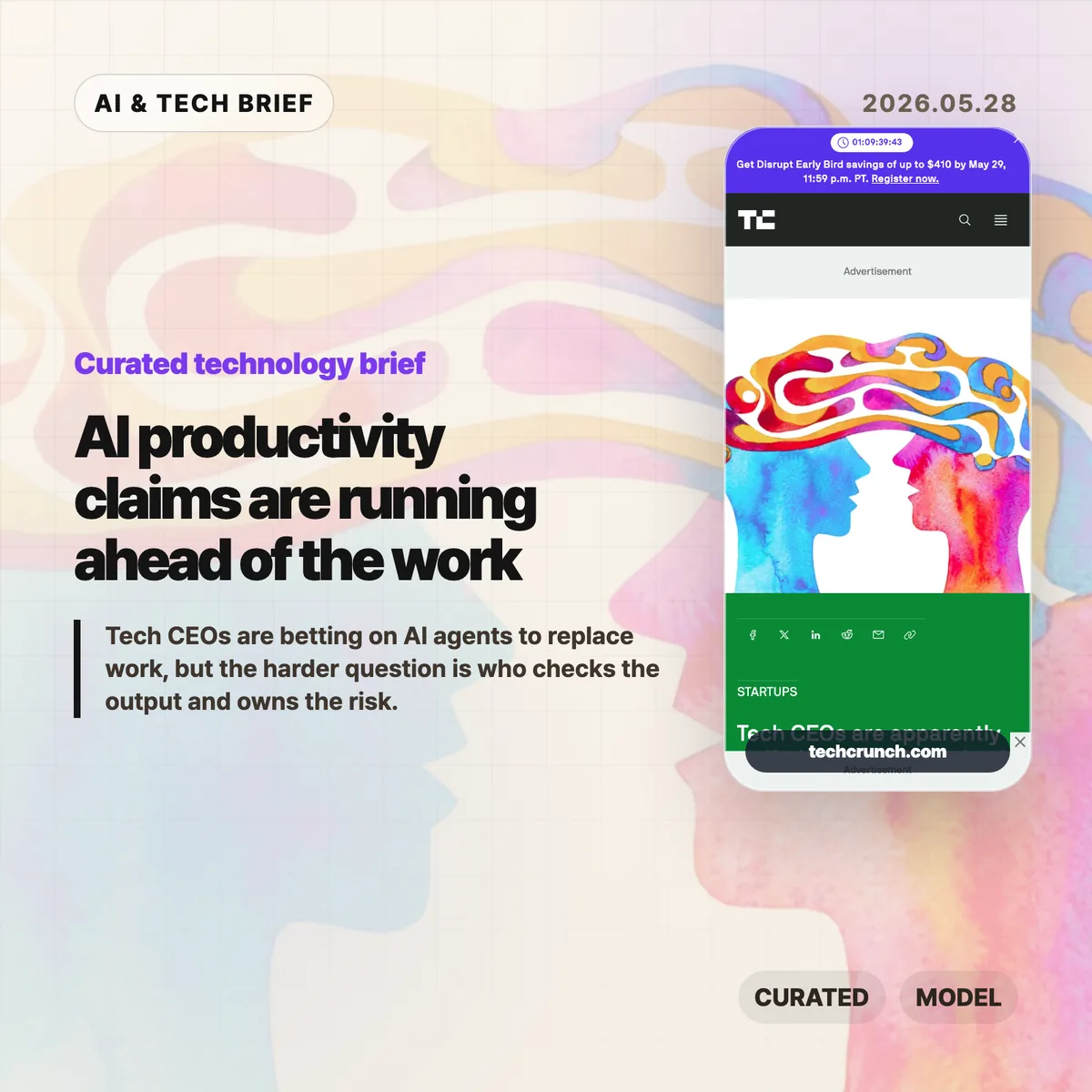
  • AI productivity claims are running ahead of the work

    AI productivity claims are running ahead of the work

    TechCrunch’s report on Aaron Levie’s warning about “AI psychosis” among CEOs lands because it names a familiar gap: executives see a strong demo, while teams still have to make the work correct, safe, and shippable. AI productivity claims can sound persuasive before that last-mile work is counted. The issue is not whether AI agents are useful. They are. The question is whether companies can tell the difference between a good prototype and a finished business process.

    The short version

    • Box CEO Aaron Levie argued that CEOs are especially vulnerable to overestimating AI because they sit far from the last mile of work.
    • Layoffs.fyi counted 115,430 tech layoffs across 152 companies in the first five months of 2026, close to the 124,636 total it tracked for all of 2025.
    • ClickUp CEO Zeb Evans said the company cut 22% of staff after deploying roughly 3,000 AI agents, a useful case study in how quickly the narrative is moving.
    • The hard part is measurement: more drafts, tickets, pull requests, or proposals do not automatically mean better output.
    • Hacker News readers mostly argued about two things: whether “psychosis” is a fair label, and whether executives understand the review work that AI creates.

    What happened

    The TechCrunch piece starts with Levie’s claim that CEOs are “uniquely prone to AI psychosis” because they are far enough away from frontline work to miss the remaining labor needed to turn AI output into value. That is the sharpest point in the article. A CEO can ask an agent to draft a contract, generate HTML, summarize a customer call, or produce a product mockup. Those outputs can look convincing in a meeting. They still need review, context, policy checks, security judgment, and someone willing to be accountable when the answer is wrong.

    The article also puts that argument next to a rough labor-market backdrop. Layoffs.fyi’s tracker shows 115,430 tech layoffs from 152 companies in the first five months of 2026. That does not prove AI caused the layoffs. It does show why the story is sensitive: AI is becoming part of the language companies use when they explain smaller teams, faster execution, and new operating models.

    ClickUp is the most concrete example in the report. CEO Zeb Evans said the company had deployed about 3,000 AI agents and reduced staff by 22%, while trying to build what he called a “100x org.” That framing is exactly why this debate matters for builders. If agents become part of the org chart, companies need a much better answer to a basic operating question: who reviews the agent’s work, and what happens when the agent is confidently wrong?

    Why this is worth watching for AI productivity claims

    The useful read is that AI adoption is moving faster than AI measurement. A team can count how many agent runs completed. It can count the number of documents, tickets, or pull requests generated. Those are activity metrics. They do not say much about whether the work reduced customer pain, lowered error rates, increased revenue per employee, or freed experts from low-value chores.

    That distinction matters because the research record is still mixed. California Management Review’s summary of AI productivity evidence warns against easy claims that AI adoption produces broad productivity gains by itself. An NBER paper on executives and AI productivity points to a gap between perceived gains and measured outcomes. MIT FutureTech’s labor-task research also suggests that many tasks remain harder to automate at human-level quality than the demo cycle implies.

    The management bottleneck may simply move. Harvard Business Review has made a similar point: if AI increases the volume of output, managers can become the constraint because more work needs to be read, compared, approved, or rejected. Anyone who has reviewed AI-generated code or AI-written legal text knows the pattern. The first draft arrives faster. The expensive part is deciding whether it can be trusted.

    For more briefs on AI products, software teams, and workplace automation, see the IT & AI archive.

    What Hacker News readers are arguing about

    The Hacker News thread around the TechCrunch article is active and messy in the usual useful way. A large part of the discussion focuses on the word “psychosis.” Some readers called it clickbait or a cheap use of medical language. Others defended it as a cultural shorthand for executives becoming detached from what AI can actually do. The split is worth noting because it mirrors the broader AI debate: people agree there is overconfidence, then fight over how harshly to name it.

    The more practical thread is about distance from the work. Several commenters argued that this is not new. Executives have long seen a toy example, assumed the hard part was solved, and pushed a rollout that frontline teams had to absorb. The AI-specific twist is that LLMs can flatter the user while producing a plausible artifact. A CEO who prompts a chatbot into a small front-end demo may come away feeling closer to engineering than they really are.

    There was also a strong operator objection: AI can create review debt. One commenter described a CEO who hit real walls around data architecture and deployment after experimenting with AI prototyping. That is the sane version of the story. The tool helped explore an idea, then exposed the need for human-designed infrastructure. Another repeated concern was failure rate. If a model gets 80% or 90% of text tasks right, the remaining errors can still be disastrous in legal, security, finance, support, or production engineering contexts.

    The thread is not evidence, but it is a useful sentiment check. Builders are not rejecting AI agents outright. They are rejecting the jump from “this generated something impressive” to “this can replace the people who know where the traps are.”

    The practical read

    Companies should treat AI productivity claims like product claims. Define the workflow, the baseline, the quality bar, and the failure mode before tying the result to headcount. If an agent writes support replies, measure refund errors, escalation rates, customer satisfaction, and policy violations. If it writes code, measure review time, defect rate, rollback frequency, and maintenance cost. If it drafts contracts, measure legal review burden and clause-level risk.

    For AI agent startups and workplace apps, the pitch also needs to mature. “We deployed 3,000 agents” is a flashy number, but buyers will eventually ask which agents survived contact with real work. The products that win will probably be the boring ones that make review easier, preserve audit trails, route uncertain cases to humans, and prove that cycle time improved without hiding risk.

    For workers, the signal is more personal. The safer skill is not prompt fluency by itself. It is judgment over the last 20%: checking the output, knowing the domain constraints, spotting the quiet mistake, and deciding when automation should stop.

    Sources