Tag: JavaScript

  • Angular v22 makes agentic development part of the framework story

    Angular v22 makes agentic development part of the framework story

    Angular v22, announced by the Angular team on June 3, 2026, is a release about production defaults and agentic development. The team moved Signal Forms, Angular Aria, resource, and httpResource into stable status while adding MCP tools and WebMCP documentation for AI coding agents that need to build, run, and inspect Angular apps.

    The short version

    • Angular v22 makes Signal Forms, Angular Aria, resource, and httpResource production ready, giving teams stable APIs for forms, accessibility, and asynchronous data.
    • Angular MCP now includes development server tools such as devserver.start, devserver.stop, and devserver.wait_for_build, which helps coding agents read build output and continue work.
    • Google is tying Angular to AI development surfaces, including Angular Agent Skills, experimental WebMCP support, Google AI Studio, and Gemini Canvas.
    • New apps now use OnPush by default, while the old default change detection strategy has been renamed ChangeDetectionStrategy.Eager.
    • Webpack-related Angular builders and @ngtools/webpack are deprecated in v22 as the team shifts attention toward TSGo support.

    What happened

    Angular v22 was announced on June 3, 2026, and it stabilizes several APIs that Angular teams have been watching since earlier releases. Signal Forms is now ready for production with documentation, Angular Material support, Angular Aria support, and fixes based on community feedback. Angular Aria also moves to production with accessible UI patterns, test harnesses, and support for Signal Forms.

    The release also makes the asynchronous reactivity APIs resource and httpResource production ready. That matters because Angular developers can keep a signal-style mental model for async work instead of treating every network-backed state change as a separate pattern. The Angular blog frames this as a way to request resources without giving up the ergonomics of signals.

    The practical reading is simple: Angular v22 gives teams fewer excuses to keep these APIs in a wait-and-see bucket. For teams maintaining design systems, admin tools, and long-lived enterprise apps, stable forms and accessibility primitives are the parts of this release most likely to affect day-to-day code.

    Why Angular v22 is worth watching

    Angular v22 is worth watching because it gives coding agents official ways to understand and operate an Angular project. The updated Angular MCP tooling can start and stop the development server, wait for builds, and expose build output to an agent. That creates a cleaner loop for tools that generate code, run the app, inspect errors, and revise the implementation.

    Angular Agent Skills are the second piece. The new angular-developer and angular-new-app skills give AI assistants compact guidance on modern Angular patterns, including Signal Forms and Angular Aria. The team says the core skill is under 140 lines and uses progressive disclosure, so an agent can pull deeper references only when it needs them.

    WebMCP pushes the same idea into browser interaction. Angular’s experimental WebMCP support lets apps expose structured tools for agents, including tools for routes, services, and dynamic Signal Forms. For builders following AI-assisted development, the direction is clear: Angular wants agents to use framework-native structure instead of guessing through the DOM.

    For more IT and AI coverage, see the IT & AI archive.

    What Angular v22 changes for frontend teams

    Angular v22 changes the migration conversation for frontend teams by making performance and maintainability more explicit defaults. New Angular apps use OnPush by default, aligning with Angular’s zoneless direction. The old ChangeDetectionStrategy.Default name becomes ChangeDetectionStrategy.Eager, which is clearer about what the strategy does.

    The router also gets closer to the browser platform. Angular v22 adds experimental integration with the platform Navigation API, so the router can intercept navigation requests, rely on native scroll behavior, and make global loading indicators or accessibility announcements easier to coordinate during page transitions.

    The template updates are smaller but useful. Angular v22 adds comments inside HTML elements, spread and rest syntax in templates, more capable @switch blocks, exhaustive checks, and short arrow functions in templates. These are not flashy features, but they reduce the amount of workaround code that tends to accumulate in large Angular projects.

    What does Angular v22 mean for app builders?

    Angular v22 gives app builders a more direct path from prompt-driven prototype to structured Angular project. The Angular team says builders can choose Angular in Google AI Studio’s framework selector and use Gemini Canvas to generate an Angular app in the browser, keep editing by chat, and add services such as Firebase later. The release post shows Angular selected alongside options such as React and Next.js.

    That does not make generated apps production ready by default. The useful change is that Angular is appearing inside the workflow where non-specialist builders already experiment. If an app starts as a quick Gemini Canvas prototype, a team can still move toward Angular’s conventional strengths: typed code, routing, testable components, accessible primitives, and framework-owned build tooling.

    For app teams, the ASO angle is less about an app store keyword and more about discovery surfaces. Agent directories, prompt-based builders, and IDE copilots are becoming places where frameworks compete for mindshare. Angular v22 gives Google a clearer story in those surfaces.

    What Hacker News readers are arguing about

    The Hacker News discussion around Angular v22 is less about one feature and more about whether modern Angular deserves a fresh look. Several commenters argued that Angular is much better than its early v2-era reputation, with one recurring comparison to Django because Angular ships more of the application stack in one place. Signal-based APIs, control flow, and reduced boilerplate came up as reasons some developers are reconsidering it.

    The skeptical thread is toolchain control. Some readers still see Angular CLI, the compiler, and custom build integration as the framework’s weak spot, especially when compared with Vite-centered workflows. Others pushed back that the integrated tooling is a feature for teams that want fewer decisions.

    RxJS also remains a fault line. Commenters welcomed signals and stable Signal Forms, but several noted that Angular still has promises, observables, and signals in the same ecosystem. The most useful criticism is that Angular v22 improves the situation without erasing the learning curve. Accessibility drew a similar split: Angular Aria was praised, but one reader flagged keyboard behavior in the docs as worth checking rather than assuming the primitives are perfect.

    The practical read

    Angular v22 is worth testing first in teams that already use Angular for large, maintained web apps. Start with the production-ready APIs from the June 2026 release: Signal Forms for form-heavy screens, Angular Aria for shared accessible components, and httpResource for data fetching that fits signals.

    If your team uses AI coding tools, test Angular MCP in a real repository instead of judging it from the release notes. The important question is whether an agent can run the dev server, read build errors, and make useful corrections without a developer babysitting every step.

    Teams with custom build pipelines should read the deprecation notes before upgrading. Angular v22 deprecates Webpack support, @angular-devkit/build-angular builders, and @ngtools/webpack, while the team says it is focusing on TSGo support in the application builder. That is probably good for agentic workflows and framework consistency. It may be annoying for teams that built their own toolchain around Angular years ago.
    Sources

  • Files SDK tries to make blob storage less annoying

    Files SDK tries to make blob storage less annoying

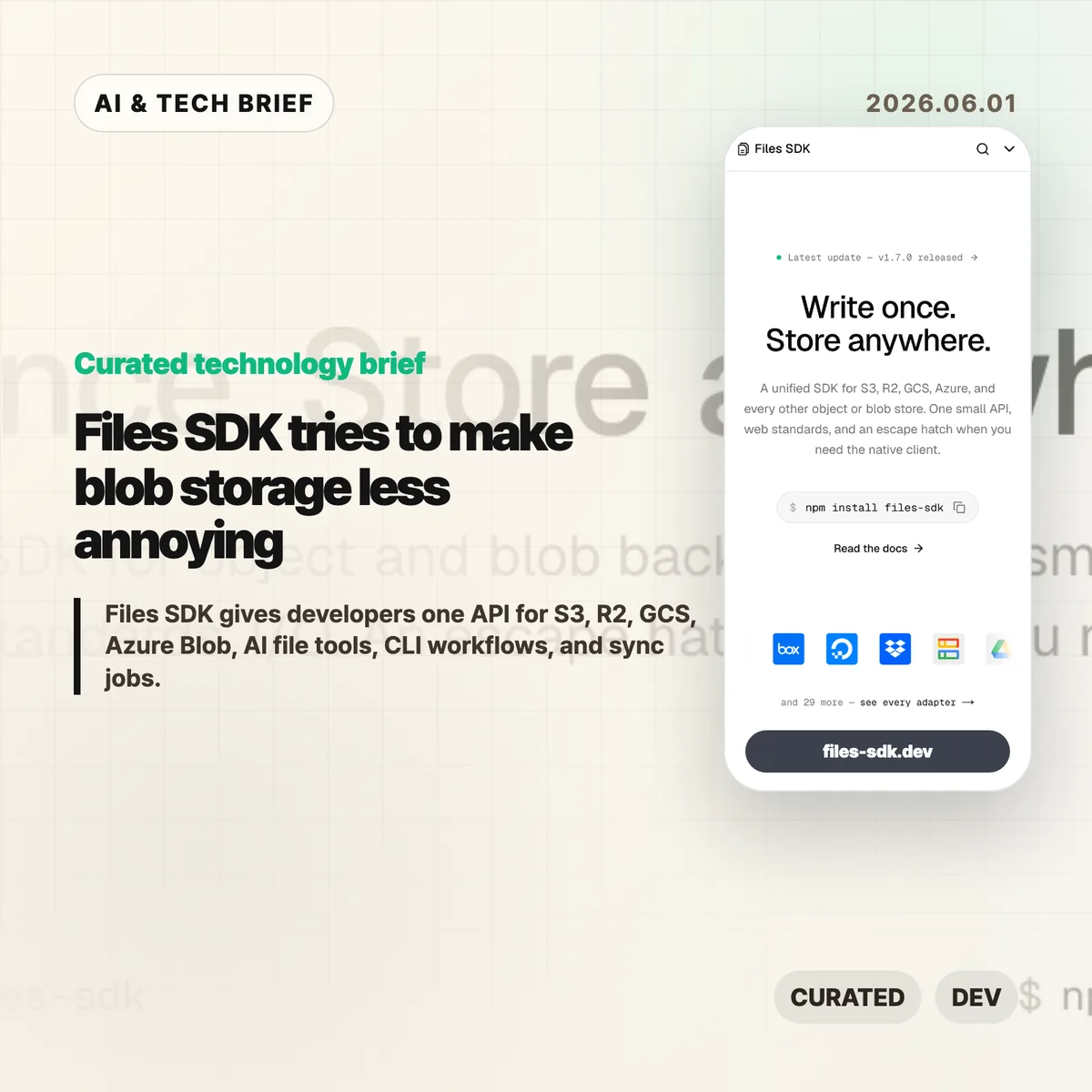
    Files SDK is an open source JavaScript storage library that puts S3, Cloudflare R2, Google Cloud Storage, Azure Blob, Vercel Blob, Netlify Blobs, MinIO, and other backends behind one file API. The pitch is simple: swap the adapter, keep the upload, download, list, head, copy, move, and delete calls mostly the same. For teams that keep writing the same storage glue in different projects, that is a boring problem worth solving.

    The short version

    • Files SDK advertises 40+ adapters, optional peer dependencies for provider clients, and npm install files-sdk as the base install path.
    • Version 1.7.0, published on May 31, 2026, adds sync() for incremental mirrors, dry runs, pruning, directory-style listing, and related CLI and MCP support.
    • The useful part is not that every storage backend becomes identical. It is that the common path gets smaller while escape hatches remain for native clients.
    • The agent angle matters: Files SDK can generate file tools for the Vercel AI SDK, OpenAI Agents, Claude, and MCP with read-only mode and approval gates.

    What happened

    The project site describes Files SDK as “one API” for object and blob storage, with examples for S3, R2, GCS, Azure Blob, Vercel Blob, Netlify Blobs, and MinIO. Its live snippets show the same basic sequence across providers: create a Files instance with an adapter, then call methods such as upload, download, head, list, and delete.

    The GitHub repository describes the package as a unified storage SDK for object and blob backends with web standards I/O and an escape hatch for native clients. The package is MIT licensed, authored by Hayden Bleasel, and published as an ES module package with a CLI binary named files.

    The latest release is files-sdk@1.7.0. The release notes add a few details that make the project more than a wrapper around upload and download. The new sync() API can mirror one provider into another, skip objects that already match, prune destination keys in mirror mode, and run a dry-run plan before it writes. The same release also adds directory-style listing through a delimiter option.

    Why this is worth watching

    Files SDK is aimed at the code that tends to age badly: migrations, backup scripts, user upload flows, admin tools, and one-off operations that quietly become production dependencies. If a product starts on S3, adds R2 for cheaper egress, stores some files in Vercel Blob, and later needs a GCS migration path, the API differences start leaking everywhere.

    A small abstraction can help there. It gives teams one place to handle routine file work, one CLI surface for scripts and CI, and one shape for bulk operations. The docs call out bounded concurrency for batch calls, async iterable listings, multipart upload, upload progress callbacks, byte-range downloads that map to HTTP 206, and lifecycle hooks such as onAction, onRetry, and onError.

    There is a catch. Storage providers differ in permissions, consistency behavior, object metadata, signed URL rules, regional constraints, and billing. Files SDK looks most useful when teams use it for the shared 80 percent and keep provider-native clients for the cases where those differences matter.

    For more developer tool briefs, the IT & AI archive keeps related coverage in one place.

    What the discussion is missing

    I could not find a public Hacker News thread for Files SDK in the usual search surface, so there is no community consensus to summarize yet. That leaves a few things buyers and maintainers should check directly.

    First, adapter depth matters more than adapter count. A list of 40+ adapters is useful only if the ones you need handle pagination, metadata, retries, range reads, signed URLs, and edge cases the way your app expects. Second, the AI agent file tools deserve a security review before anyone gives them write or delete access. Approval gates and read-only mode are good defaults, but the risk depends on what buckets, paths, and credentials the agent can reach.

    The missing debate is probably where the value lives: is this a clean common layer for boring file work, or will teams hit backend-specific behavior quickly enough that they return to native SDKs? That answer will vary by workload.

    Files SDK in practice

    Files SDK is worth testing if your team already has more than one blob store, expects to migrate between providers, or keeps rebuilding storage scripts for backups and cleanup. Start with a narrow path: list a prefix, copy a few objects, run sync() in dry-run mode, and compare the result against the provider’s native SDK.

    The practical read

    For AI workflows, keep the first integration read-only. Let an agent list and read files before it can upload, move, delete, or sync anything. If write tools are needed, put approval gates on destructive actions and limit the adapter credentials to the smallest bucket or prefix that works.

    Ignore the abstraction if your product depends heavily on provider-specific features. In that case, Files SDK may still be useful for CLI chores or migration scripts, but the core application path should stay close to the native client.

    Sources

  • AudioMass web audio editor adds browser multitrack

    AudioMass web audio editor adds browser multitrack

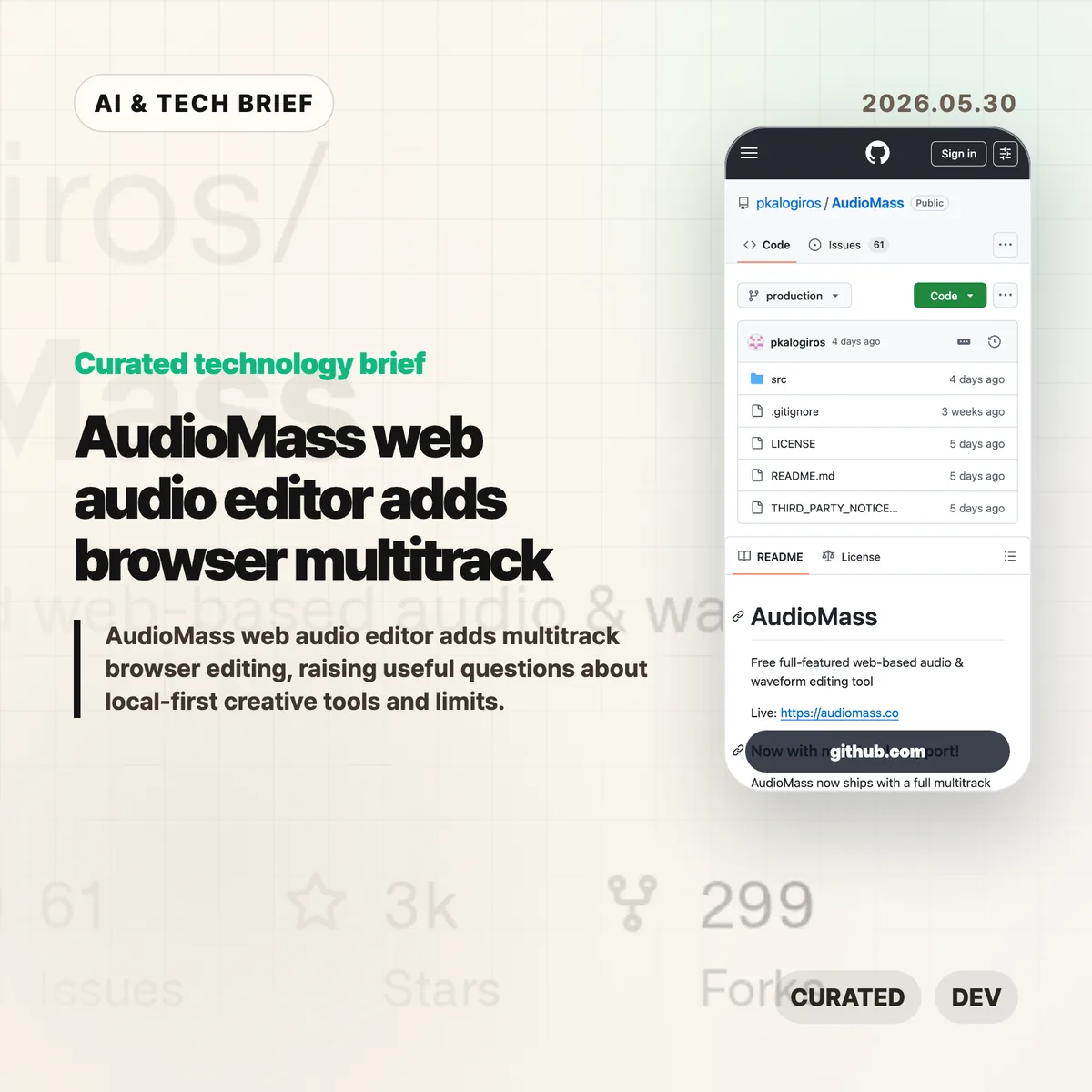
    The AudioMass web audio editor is a free browser-based tool for editing waveforms, applying effects, and now arranging multiple tracks without installing a desktop app. The interesting part is the product boundary: it treats the browser as the workspace, while keeping many audio jobs local to the user’s machine.

    The short version

    • AudioMass is a free web audio and waveform editor with a live browser version and an open GitHub repository.
    • Its newer multitrack mode lets users layer clips, drag tracks around, crossfade overlaps, record armed channels, and bounce a session to one file.
    • The tool fits quick edits, podcast clips, voice notes, samples, and rough arrangements better than heavy studio sessions.
    • The limits are real: browser memory, mobile audio behavior, autosave, large projects, and specialized DAW features still matter.
    • For builders, the AudioMass web audio editor is a useful example of a local-first creative app that can be found and used from a URL.

    What happened

    AudioMass describes itself as a “free full-featured web-based audio & waveform editing tool.” The live app runs at audiomass.co, and the GitHub repository points to a newer multitrack mode with layered tracks, draggable clips, crossfades, recording onto armed channels, and mixdown export.

    The project is written mostly in JavaScript and has been public since 2018. GitHub showed about 2,700 stars and roughly 300 forks when checked for this brief. The README also notes a local development path using either a small Go server or a Python web server, which makes the project easier to inspect than a closed online editor.

    This sits in a familiar category for web tools: the job used to require a desktop download, but the first useful version now loads in a tab. The same pattern already changed design tools, code editors, and image utilities. Audio editing is harder because timing, buffers, latency, file size, and crash recovery are less forgiving.

    Why this is worth watching

    The AudioMass web audio editor is useful because it does not ask every user to sign in, upload media, or wait for a server-side render before trimming a clip. That matters for small audio jobs. A creator can open a file, clean up a voice note, add a fade, export, and move on.

    It also points to a cleaner product model for some creative apps. Local-first browser tools can reduce hosting cost and privacy risk because files do not have to leave the device for basic edits. That is not a magic fix. The browser still owns the runtime, and audio workloads expose every weak spot in memory handling, mobile support, and background storage.

    The multitrack update is the bigger signal. Once a browser tool can handle layered tracks and session export, it starts to compete for the casual work that used to default to Audacity or a lightweight DAW. Readers following browser apps and creative tooling can find related coverage in the IT & AI archive.

    What Hacker News readers are arguing about

    The Hacker News discussion around the newer multitrack release was mostly positive, but the useful comments were practical rather than hype. Several readers compared AudioMass with Audacity, Ocenaudio, Ardour, and web ports such as Wavacity. The common praise was speed, a calmer interface, and the convenience of opening an editor from a link.

    The technical thread focused on limits. The creator said there is no hard track limit in the multitrack view, but the current waveform boxes are rendered with DOM elements, so very large sessions may slow down. WebGPU came up as a possible future direction. Another answer put the JavaScript payload around 98 KB plus about 10 KB of CSS, up from an older 65 KB single-editor version after adding FLAC support, tempo estimation, and multitrack mode.

    Commenters also pushed on project size and reliability. One asked what happens when the browser crashes. The creator said multitrack sessions can be exported as .amss files with settings, markers, and tracks, while a single-track crash can still lose work. IndexedDB caching exists, but the author was cautious about automatic storage because browsers make local persistence tricky and easy to abuse.

    The strongest skeptical point was scope. MIDI, VST support, stem-bundle imports, cloud collaboration, and version control for music all came up. Those are fair asks, but they also describe a much larger product. The practical read from the thread is that AudioMass looks compelling as a fast audio editor in a tab, not as a full studio replacement yet.

    The practical read

    If you edit a short voice clip once a week, try the AudioMass web audio editor before opening a heavier desktop app. It is the kind of tool that can save five minutes without becoming a new workflow.

    If you build creative software, the lesson is sharper. Browser-first does not mean cloud-first. For audio, keeping files local can be a feature, especially when users are handling interviews, music sketches, or private recordings. The product work then moves to the hard parts: autosave, large-file behavior, mobile playback, accessible controls, and clear expectations about what happens when the tab dies.

    For app and extension developers, this is also a discovery story. A small, fast creative tool with a public demo, open repository, and lightweight footprint has a better shot at being shared than another account-gated utility. The browser is the distribution surface.

    AudioMass web audio editor notes

    The useful way to frame this product is narrow: fast browser editing for real files, with enough multitrack support to handle simple layered work. That is already valuable, and it leaves room for heavier DAWs to own serious production.

    Sources