Tag: Enterprise software

  • Uber AI spending cap puts a real price on coding agents

    Uber AI spending cap puts a real price on coding agents

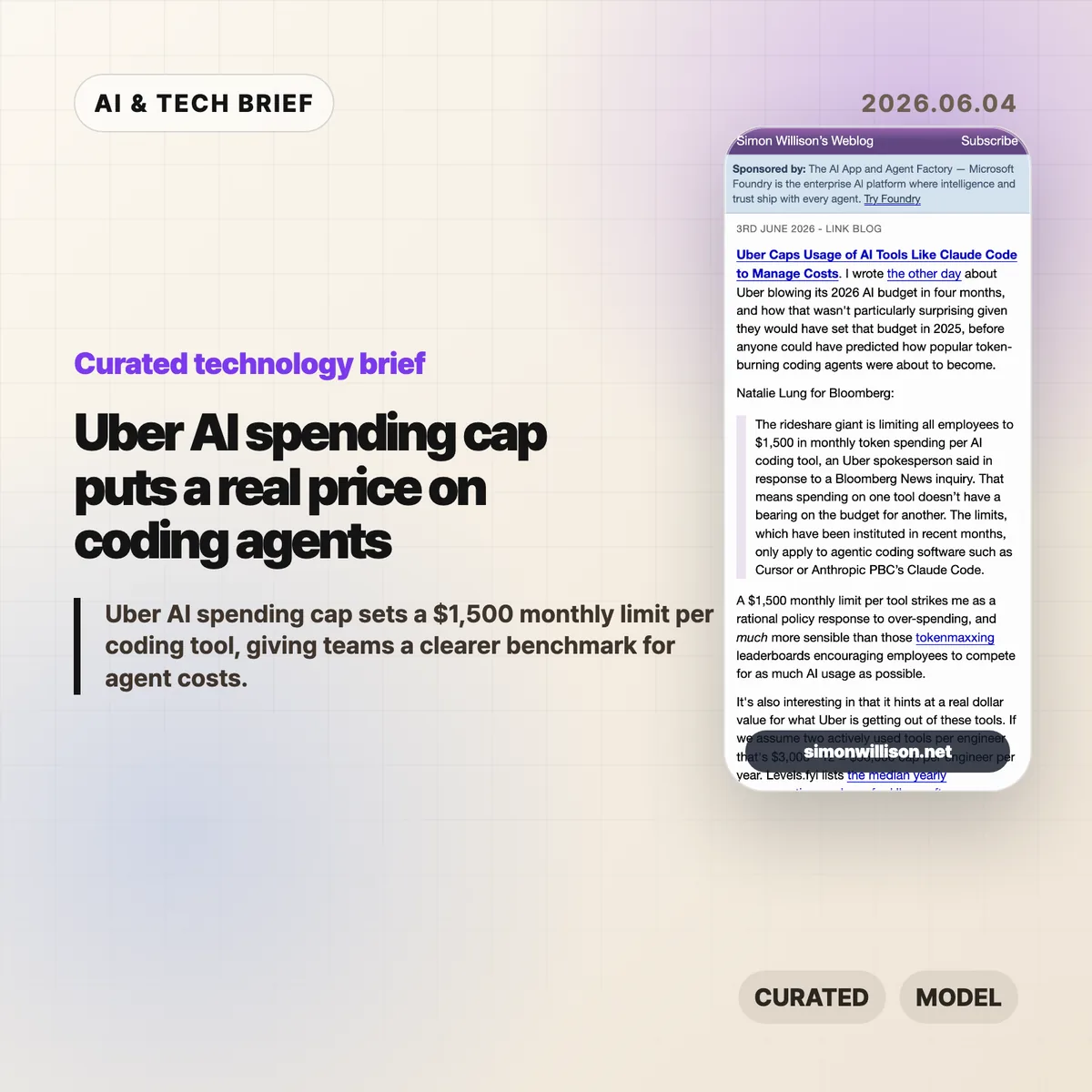
    Uber AI spending cap is a useful pricing signal for anyone buying coding agents. According to Bloomberg, as quoted and analyzed by Simon Willison, Uber is limiting employees to $1,500 in monthly token spending per AI coding tool. That is not a normal SaaS seat price. It is closer to a live meter on how much work companies are willing to hand to Cursor, Claude Code, and similar tools.

    The short version

    • Uber reportedly set a $1,500 monthly token-spending limit per employee, per AI coding tool, for agentic software such as Cursor and Anthropic’s Claude Code.
    • Simon Willison calculates that two heavily used tools would imply a $36,000 annual cap per engineer, or about 11% of the median Uber software engineer compensation package listed on Levels.fyi.
    • The useful signal is not that AI coding tools are too expensive by default. It is that enterprise buyers now need budget controls tied to actual token usage.
    • The Hacker News thread around the Bloomberg story was thin, but the related links point back to a broader argument about token-heavy agent use and corporate AI rationing.

    What happened

    Uber has capped employee spending on AI coding tools at $1,500 per month for each tool, according to a Bloomberg report cited by Simon Willison. The policy applies to agentic coding software, including Cursor and Claude Code, rather than every AI assistant used inside the company. Bloomberg’s quoted detail matters: spending on one tool does not reduce the budget for another tool.

    Willison connects the cap to an earlier report that Uber burned through its 2026 AI budget in four months. His reading is blunt and plausible. Uber likely set that budget in 2025, before coding agents became heavy users of tokens through planning, editing, testing, retrying, and reading large codebases.

    This is why the Uber AI spending cap is more interesting than a normal procurement memo. It gives the market a number. For a large company, an AI coding assistant is no longer just a $20 or $100 monthly subscription. Once agents run long tasks, the bill starts to look like compute spend.

    Why Uber AI spending cap is worth watching

    Uber AI spending cap puts a ceiling on a kind of usage that many software teams still treat as fuzzy. Willison’s back-of-the-envelope math is the best part: if an engineer actively uses two tools, the cap becomes $3,000 per month, or $36,000 per year. Levels.fyi lists the median yearly compensation package for US Uber software engineers at $330,000, so the AI-tool cap would be about 11% of that figure.

    That does not mean every company should copy Uber’s number. Uber pays US engineering salaries at the high end of the market, and its internal productivity math may not match a startup, agency, or mid-market SaaS company. But $36,000 per engineer per year is large enough to force a real ROI conversation and small enough that a company might approve it for the right teams.

    The line to watch is not the nominal subscription price. The line is the work pattern. Short autocomplete and chat are one cost profile. Agentic coding, where the tool searches files, writes patches, runs tests, and retries after failures, is a different one.

    What does Uber AI spending cap change for builders?

    Uber AI spending cap changes the buying conversation for developer-tool companies. Builders selling coding agents now have to prove that high token usage maps to saved engineering time, fewer blocked tasks, faster migration work, or better test coverage. A slick editor plugin is not enough once finance sees a four-figure monthly meter for a single employee.

    For product teams, the lesson is to expose cost controls early. Tool-level caps, project-level budgets, usage reports, and admin policies are no longer enterprise afterthoughts. They are part of the product. A developer may love an agent that burns through context to solve a problem. A CTO still needs to know which repo, task type, or team made that spend worthwhile.

    There is also an ASO-style discovery angle for developer tools. In a crowded market of extensions, IDE plugins, and agent platforms, buyers will not only search for the smartest model. They will search for tools that make usage visible enough to justify adoption.

    For more coverage of developer tools and AI infrastructure, see the IT & AI archive.

    What Hacker News readers are arguing about

    The Hacker News discussion attached to this Bloomberg story did not turn into a substantial debate. One thread had no comments, and another mostly linked back to related discussions about tokenmaxxing, Uber’s earlier AI budget burn, and broader corporate rationing of AI usage.

    That thin reaction is still informative. The community did not produce a clear consensus on whether Uber’s $1,500 limit is generous, restrictive, or wasteful. The related links point to the more useful argument: AI coding cost is becoming a recurring infrastructure expense, not a novelty budget. The skeptical side is easy to infer from those adjacent threads, but it should not be overstated here. The public discussion around this specific cap is still sparse.

    The practical caveat for readers is simple: do not treat HN comment volume as evidence of market acceptance. Treat the thread as a pointer to the larger concern that agent usage can run ahead of the budgets companies set when these tools looked cheaper and narrower.

    The practical read

    Teams buying coding agents should start with a per-person cap, but they should not stop there. A flat $1,500 limit is easy to explain, yet it hides the difference between a developer using an agent for low-risk refactors and a team using it to grind through migrations, test repairs, or large code reviews.

    The better policy pairs a cap with measurement. Track which tools consume tokens, which tasks trigger long runs, and whether the output survives review. If a coding agent saves several hours of senior engineering time each week, a four-figure monthly allowance can make sense. If the usage mostly produces abandoned branches and noisy suggestions, the same spend is hard to defend.

    Vendors should read Uber’s number as a warning and an opportunity. The warning is that subsidized individual plans do not describe enterprise economics. The opportunity is that large companies may pay serious money for agents when the value is visible, governable, and tied to work that would otherwise cost more in engineering time.
    Sources

  • Codex for work: OpenAI pushes Codex beyond developers

    Codex for work: OpenAI pushes Codex beyond developers

    Codex for work is OpenAI’s clearest attempt yet to turn Codex from a coding assistant into a broader workplace agent. On June 2, 2026, OpenAI introduced six role-specific plugins, a Sites preview, and annotations that let teams refine generated documents, slides, spreadsheets, code, and web pages in place.

    The short version

    • OpenAI says more than 5 million people use Codex each week, and non-developers now make up about 20% of the user base.
    • The first six role-specific plugins cover data analytics, creative production, sales, product design, public equity investing, and investment banking.
    • Together, those plugins bundle 62 apps and 110 skills, including tools such as Snowflake, Tableau, Figma, Canva, Salesforce, HubSpot, FactSet, PitchBook, and Hebbia.
    • Sites lets Business and Enterprise customers preview shareable hosted web pages and lightweight apps built from Codex output.
    • The useful question is whether teams can govern permissions, data access, and review workflows well enough to trust Codex for work outside engineering.

    What happened

    OpenAI announced a workplace-focused Codex update on June 2, 2026. The company says Codex began as a software development tool, but analysts, marketers, operators, designers, researchers, investors, and bankers now represent about one-fifth of overall Codex users. OpenAI also says that non-developer usage is growing more than three times as fast as developer usage.

    The update has three parts. Role-specific plugins connect Codex to app bundles and instructions for common business jobs. Sites turns Codex output into hosted pages and lightweight apps that can be shared inside a workspace. Annotations let users point to a specific part of a generated artifact and ask Codex to change that section without regenerating the whole thing.

    OpenAI framed the release around internal and customer examples. Its own non-technical teams use Codex for internal apps, executive materials, dashboards, and creative briefs. Zapier teams use it to pull context from Slack, Google Docs, and Coda before turning that information into postmortems, incident response plans, and feature tickets. NVIDIA researchers use Codex to speed up experiment workflows, including research ideation and machine learning infrastructure scripts.

    Why Codex for work is worth watching

    Codex for work is worth watching because OpenAI is packaging the agent around jobs, not around generic chat prompts. The six initial plugins are built for data analytics, creative production, sales, product design, public equity investing, and investment banking. OpenAI says those plugins collectively include 62 popular apps and 110 skills.

    That packaging matters for enterprise buyers. Most white-collar workflows do not live in a single application. A sales follow-up may involve CRM data, meeting notes, customer history, Slack context, and a document that someone needs to approve. A product design review may touch a live URL, Figma work, screenshots, and user-flow notes. Codex becomes more useful if it can move across that stack with enough context and with permissions that admins understand.

    The release also puts OpenAI closer to workflow software vendors. Teams may still need systems of record, audit trails, domain-specific controls, and durable integrations. Even so, an agent that can create a dashboard, revise a slide, and open the right tool chain changes what a lightweight internal app or operations dashboard needs to be.

    What does Codex for work change for builders?

    Codex for work changes the builder question from “can an agent write code?” to “can an agent ship a useful internal workflow with the right data, surface, and review loop?” Sites is the clearest sign of that shift. OpenAI says Business and Enterprise customers can preview interactive hosted websites and apps that teams share by URL inside a workspace.

    The examples are small but telling: a customer review page with product updates and usage trends, a financial scenario planner built from a model, or a launch hub with messaging, milestones, owners, and decisions. These are exactly the kinds of tools that often start as spreadsheets, internal dashboards, Notion pages, or scrappy no-code apps.

    For app builders, the pressure is not that every product becomes obsolete overnight. The pressure is that rough internal tools may become easier to generate near the point of work. Products with proprietary data, workflow depth, compliance features, and reliable collaboration still have room. Products that mostly package a thin UI around simple data views will have to prove why users should leave the agent workspace.

    For more context on similar AI tooling shifts, see the IT & AI archive.

    What Hacker News readers are arguing about

    The Hacker News discussion is short, so it reads more like early sentiment than broad evidence. The strongest positive thread is practical: one commenter described a non-technical partner building a useful sales dashboard with accurate Metabase data through a site-builder style tool. That reaction lines up with OpenAI’s pitch that non-developers can now create useful artifacts without learning software development first.

    The skeptical thread focuses on SaaS defensibility. Commenters wondered what happens to dashboard and workflow SaaS companies when a model provider can generate the interface, connect the data, and host the result. One commenter called out deployment as a weakening moat, especially after OpenAI models became available on AWS. Another described the move as a warning against building too close to someone else’s platform.

    The useful read is that the thread is excited and uneasy at the same time. Developers can see the productivity gain, but they also see OpenAI moving vertically into use cases that used to belong to separate tools. Four comments are not a market survey, but they capture the right tension: Codex for work looks valuable precisely because it overlaps with products people already pay for.

    The practical read

    Teams should treat Codex for work as an enterprise workflow experiment, not as a finished replacement for business software. The first pilots should use bounded work: internal dashboards, meeting follow-ups, customer review pages, launch hubs, prototype reviews, or research summaries where a human owner can verify the output before anyone relies on it.

    The main buying questions are mundane and important. Which apps can Codex access? Who approves those permissions? Can admins separate sales data from finance data? Does the generated Site preserve source context? Can teams audit who changed a document, spreadsheet, or slide after an annotation? If those answers are weak, the tool may still be useful for drafts, but not for regulated or revenue-sensitive workflows.

    Builders should watch the partner ecosystem around Sites and plugins. If Vercel, Wix, Base44, Replit, Lovable, Figma, Webflow, and other partners make agent-generated work easier to deploy and revise, the boundary between coding assistant, no-code builder, and collaboration app will keep getting blurrier. That is the competitive change to track.

    Sources

  • AI harness design is becoming the real software moat

    AI harness design is becoming the real software moat

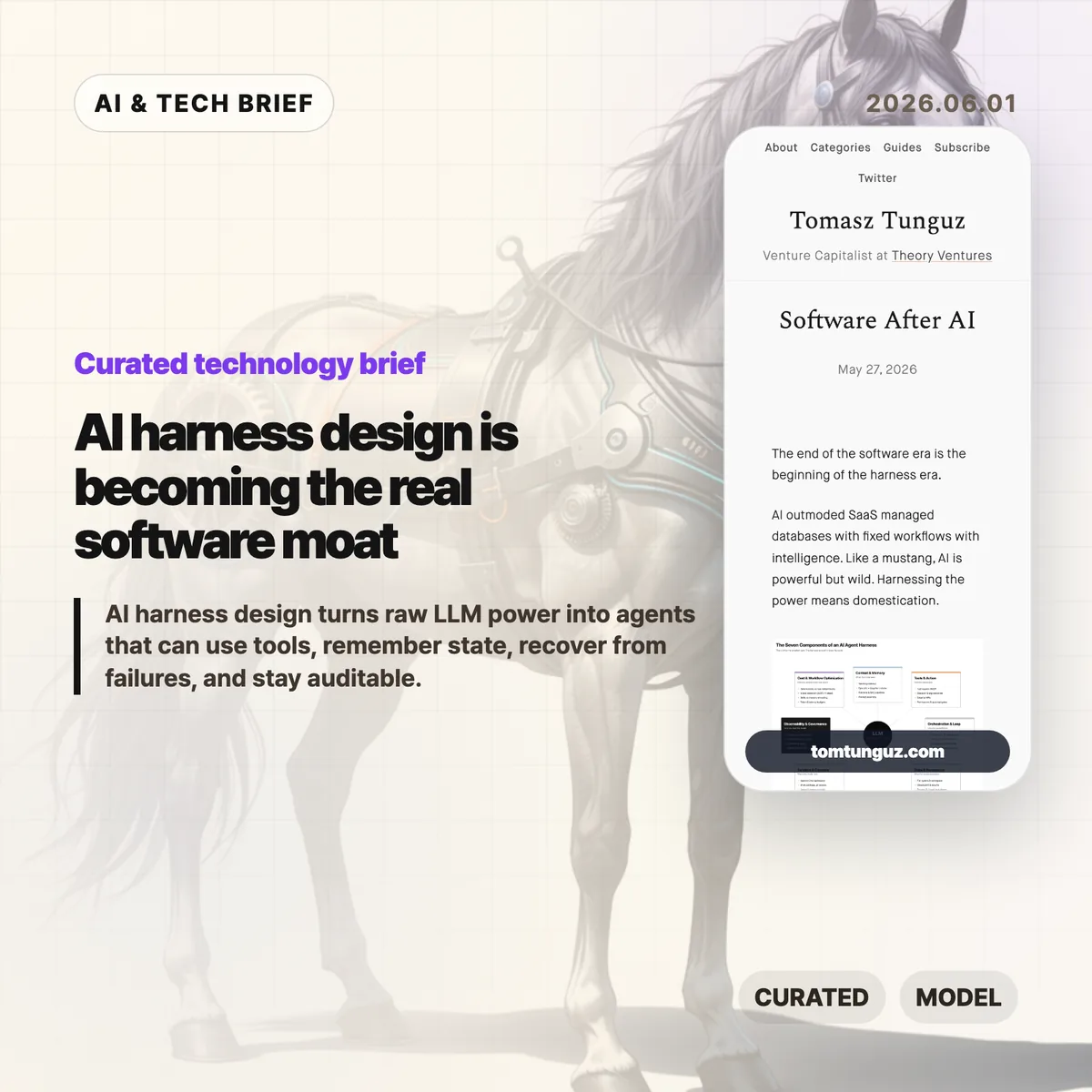
    Tomasz Tunguz argues that the next software fight is moving away from polished SaaS screens and toward the AI harness, the operating layer that turns an LLM into something closer to a dependable worker. His useful framing is simple: models are powerful, but production agents need context, tools, memory, sandboxes, logs, policy, and cost control before they can handle real work.

    The short version: AI harness

    • Tunguz describes seven parts of an AI harness: context and memory, tools and action, orchestration, state, sandboxed compute, observability, and cost-aware workflow design.
    • The argument is less about replacing SaaS overnight and more about where software products now create value: in the runtime around the model.
    • For builders, the hard part is no longer choosing a model alone. It is deciding what the agent can see, what it can do, when it stops, and who can audit it later.
    • The startup opening is domain depth. If everyone can rent similar models, the product edge shifts toward messy workflow knowledge and safe execution.

    What happened

    Tunguz published “Software After AI,” a short essay on May 27, 2026, about the stack that sits around AI agents. The piece uses the word “harness” deliberately. A raw model can answer questions, but a working product has to constrain that model, feed it the right business context, expose tools safely, resume work after failures, and leave an audit trail.

    The seven-part list is practical rather than futuristic. Context and memory cover retrieval, short-term task history, and the company-specific recipes people usually keep in their heads. Tools and action cover registries, argument validation, approvals, dispatch, and failure handling. Orchestration covers the think-act-observe loop. State and persistence cover checkpoints and artifacts. Sandbox and compute cover isolated workspaces and credentials outside the model. Observability and governance cover tracing, evals, guardrails, and human review. Cost and workflow optimization cover the decision of which steps should be deterministic, which model should run each step, and where knowledge should live.

    Why this is worth watching

    The term AI harness is useful because it names the part of agent software that demos often hide. A demo can succeed once with a clever prompt. A product has to succeed repeatedly when the CRM record is stale, the tool call fails, the user asks for a risky change, or the model forgets what it was doing three steps ago.

    That is where the SaaS comparison gets interesting. Traditional SaaS products gave users a fixed interface over a database and a workflow. Agent products may hide more of the interface, but they cannot hide responsibility. If an agent refunds a customer, rewrites a contract, changes a cloud setting, or files a report, the company still needs permissions, logs, rollback paths, and a way to explain what happened.

    This is also a decent filter for AI product pitches. If a vendor talks only about the model, the demo, or a benchmark, the product may still be thin. The durable work is in the boring layer: retrieval quality, tool boundaries, state recovery, sandbox rules, evals, and unit economics. Readers who track AI infrastructure and developer tooling can find more coverage in the IT & AI archive.

    What the discussion is missing

    I could not find a dedicated Hacker News thread for this exact article. That absence is a little unfortunate, because the strongest debate would probably be among people building agents in production rather than people judging them from a launch video.

    The missing questions are the useful ones. How much of this AI harness should be a platform, and how much has to be custom per industry? Will MCP-style tool registries make agents safer, or will they mostly make unsafe access easier to wire up? Can evals catch the failures that matter in legal, medical, finance, or customer operations? And at what point does the harness become so complex that a deterministic workflow would have been cheaper and safer?

    Those are not objections to Tunguz’s framing. They are the next layer of the conversation. The essay says the harness is the new software battleground. The harder question is which parts of that battleground can be standardized.

    The practical read

    If you are building an agentic product, start with the AI harness before you polish the chat surface. Write down the tools the agent can call, the data it can read, the approvals it needs, the state it must preserve, and the failure cases it must recover from. Then decide which model belongs in each step.

    If you are buying AI software, ask a different set of questions. Do not stop at “Which model powers this?” Ask what context system it uses, how tool calls are logged, how sensitive actions are approved, how tasks resume after a crash, how evals run, and how costs are controlled as usage grows.

    And if you are a startup, the point is not to out-model the labs. You probably will not. The better bet is to know a workflow so well that your AI harness handles the annoying exceptions, handoffs, and audit needs that a general-purpose agent will miss.

    Sources

  • Dropbox AI strategy gets a CEO reset after 19 years

    Dropbox AI strategy gets a CEO reset after 19 years

    Dropbox AI strategy is moving from founder story to product execution. Drew Houston plans to step down as CEO after 19 years, product chief Ashraf Alkarmi is moving into the top job, and Dropbox Dash now has to prove that the company can be more than a familiar place to store files.

    The short version

    • Drew Houston will shift from Dropbox CEO to executive chairman after a period as co-CEO with Ashraf Alkarmi.
    • Alkarmi, who joined from Vimeo in late 2024, is being promoted from product chief to the eventual sole CEO.
    • Dropbox still has more than 18 million paying users, but revenue has been roughly flat for two years and slipped slightly in 2025.
    • The company’s AI bet is Dash, a search and work-knowledge product that reaches across documents, messages, video, and audio.
    • For more on similar shifts in AI and software, see the IT & AI archive.

    What happened

    CNBC reported that Houston is telling Dropbox staff he will move into an executive chairman role. Alkarmi will first serve alongside him as co-CEO, then take over the CEO job on his own. Dropbox also said Mike Torres, currently a Google Chrome product executive, will join as chief product officer in July.

    The timing is not tied to a single crisis, at least publicly. Houston told CNBC there is “never a perfect time” for this kind of handoff. The more useful read is that Dropbox is putting product leadership at the center of its next phase.

    That matters because Dropbox is no longer selling a novel idea. Cloud storage is bundled into Google, Apple, Amazon, and Microsoft ecosystems. Box still competes in the same business. A standalone subscription has to earn its place every month.

    Why this is worth watching for Dropbox AI strategy

    Dropbox has scale, but scale is not the same thing as momentum. CNBC notes that Dropbox has more than 18 million paying users. Annual revenue passed $1 billion in 2017 and $2 billion four years later, but it has been mostly flat over the past two years. The company’s market cap is a little over $6 billion, below the $10 billion private valuation it reached in 2014.

    The interesting part is that AI has not simply crushed Dropbox. Houston said he has not met customers who are canceling Dropbox because they use ChatGPT. That sounds right. Most companies do not replace file permissions, shared folders, audit trails, and client workflows with a chatbot overnight.

    The pressure is subtler. AI changes what users expect from software they already pay for. A storage product that only stores files feels easier to question. A product that helps teams find the right file, the relevant meeting, the missing approval, and the next action has a better reason to exist.

    Dash is Dropbox’s answer. It is meant to search and work across third-party apps, including documents, messages, video, and audio. If it works, Dropbox AI strategy becomes an enterprise search and work-context story. If it feels like another search box, the company is still stuck defending a mature storage business.

    What the discussion is missing

    There does not appear to be a public Hacker News thread worth treating as a source for this story. The missing debate is still obvious: whether Dropbox can win the work-knowledge layer when Microsoft 365, Google Workspace, Slack, Notion, and every AI assistant vendor want the same surface.

    The useful question is not whether AI will end SaaS. That framing is too broad to help operators. The better question is where the trusted context lives. Dropbox has years of file and sharing behavior, but it does not always own the daily workspace where teams make decisions.

    For app builders, that is the lesson. AI features are easier to ship than new habits. Dash has to fit the way teams already search, share, approve, and reuse work. Otherwise the feature may be technically capable and still feel optional.

    The practical read

    Dropbox AI strategy is now a test of product distribution, not model novelty. Alkarmi has to show that Dash can become a daily workflow, not a demo attached to a storage brand.

    Existing Dropbox customers should watch for three things: how well Dash handles permissions, whether it works across the apps teams already use, and whether it saves enough time to justify another paid seat. Investors will probably watch the same signals through revenue growth, retention, and enterprise adoption.

    The CEO change also says something about older SaaS companies in the AI cycle. They do not need to panic-sell a future where every app disappears. They do need a sharper answer to why their product should remain a system of record when AI tools can sit above many systems at once.

    Sources