Category: IT & AI

  • RGB normalization: why 255 still beats 256 for most image code

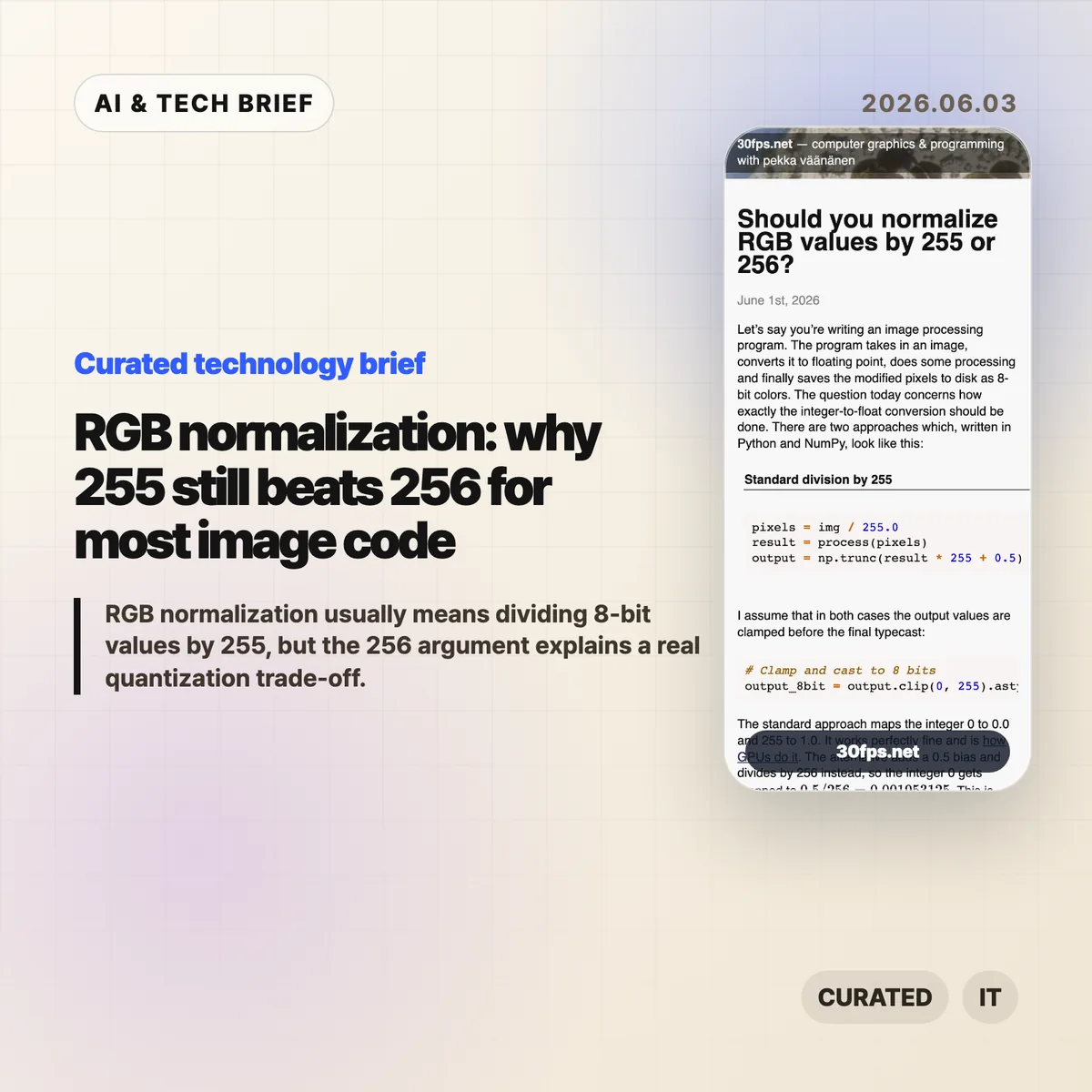
    RGB normalization: why 255 still beats 256 for most image code

    RGB normalization for 8-bit images usually means mapping channel values 0-255 into floating point with value / 255.0. Pekka Vaananen’s June 1, 2026 article on 30fps.net explains why (value + 0.5) / 256.0 can look cleaner as a quantization model, but still makes a poor default when a program loads ordinary PNGs, screenshots, textures, or user-supplied images.

    The short version

    • RGB normalization by 255 maps the 256 possible 8-bit codes so that 0 becomes 0.0 and 255 becomes 1.0, matching common GPU UNORM behavior.
    • The 256 formula, (value + 0.5) / 256.0, maps black to 0.001953125 instead of 0.0, which complicates exact endpoint checks.
    • A centered 256-bin model can help in controlled color-depth conversion or dithering, as Andrew Kensler argued in his 2015 note on color conversion.
    • For outside images, the safer rule is to decode with 255, round and clamp on output, and avoid mixing quantizer contracts in one pipeline.
    • The public Hacker News thread reached 322 points and 137 comments, with the best arguments centered on whether a byte represents an endpoint or a bucket.

    What happened

    Pekka Vaananen published a detailed note on whether 8-bit RGB values should be converted to floats with img / 255.0 or (img + 0.5) / 256.0. The standard formula preserves endpoints: integer 0 becomes 0.0, and integer 255 becomes 1.0. Vaananen points out that this is also the direction used by GPUs when they convert unsigned normalized values to floating point.

    The alternative formula treats each byte as the center of a quantization interval. Under that model, 0 maps to 0.5 / 256, 128 maps near the center of its interval, and the output bins are more evenly arranged inside the [0, 1] range. That makes the math feel tidier, especially for programmers thinking about quantizers, dithering, or fixed-point color-depth conversion.

    The article’s practical conclusion is conservative: use 255 when loading and processing images from outside your own pipeline. A 256-based mapping can make sense when a team controls the entire save-load cycle and accepts that exact black and exact white no longer map to the endpoints that most tools expect.

    Why RGB normalization is worth watching

    RGB normalization is worth watching because one divisor changes the contract for every later step in an image pipeline. With 255, 8-bit black is exactly 0.0 and 8-bit white is exactly 1.0. With the centered 256 formula, black becomes 0.001953125 and white becomes 0.998046875, so a shader, image editor, ML preprocessor, or Python threshold may stop seeing the endpoints it expects.

    The 255 formula is not mathematically perfect. Vaananen shows that when uniformly distributed floats in [0, 1] are rounded back into 8-bit values, the two extreme bins can be half-width compared with the interior bins. He also notes that values like 128 / 255.0 are not exactly representable in binary floating point. His judgment is that these are usually aesthetic or theoretical objections, not bugs that justify decoding other people’s images with a different scale.

    The more useful takeaway is consistency. A graphics pipeline can use an endpoint model or a centered-bin model, but it needs to use the same model when it decodes, processes, dithers, and writes pixels back to disk.

    What does RGB normalization change for builders?

    RGB normalization changes real builder work when the project crosses a boundary between libraries, file formats, GPU APIs, and custom math. Most app developers, graphics programmers, and ML engineers should divide 8-bit image channels by 255.0 because that is what surrounding tools usually expect. It keeps black and white easy to test, preserves common assumptions in masks and alpha, and matches the way many APIs expose normalized bytes.

    The 256 approach is still worth understanding. Andrew Kensler’s 2015 post on converting color depth argues for a centered mapping because it generalizes cleanly across bit depths and works nicely with dithering. If a team is building a custom renderer, a pixel-art tool, a color quantizer, or an image codec experiment, that model can be cleaner. The catch is that the team must own both sides of the conversion. Reading arbitrary PNGs with the centered formula does not recover precision that was lost when someone else quantized the file.

    For app builders, the ASO angle is simple: image tools get judged by visual trust. A filter app, camera editor, or pixel art workflow that shifts black levels or changes round-trip behavior can create visible differences users describe as washed out, crushed, or inconsistent.

    What Hacker News readers are arguing about

    The Hacker News thread around the article was active, with 322 points and 137 comments when checked through the public Algolia API. The useful part of the discussion was not a unanimous verdict. It was the set of mental models commenters used to decide what the byte means.

    One camp leaned on the endpoint model: if the byte runs from 0 to 255, then the span from darkest to lightest has length 255, much like a ruler with marks at both ends. That view supports dividing by 255, especially when 0 and 255 are physical or display endpoints. Another camp pushed back with an interval model: a byte can represent one of 256 buckets, and placing the reconstructed value at the bucket center is a reasonable estimate of the original continuous value.

    Several commenters moved the debate into implementation details. Some argued that division by 256 can be faster in integer-heavy software rendering because it becomes a shift. Others replied that modern float multiplication, SIMD, GPU execution, compiler behavior, memory bandwidth, and color-space correctness matter more than a single divisor in most real pipelines. A separate thread pointed out that compositing math should happen in linear color space, which is a larger correctness issue than 255 versus 256.

    The best practical objection in the discussion was that graphics code often mixes domains: file bytes, display-referred sRGB values, linear-light math, alpha compositing, dithering, and GPU formats. The divisor decision only stays clean if the code is honest about which domain it is in.

    The practical read

    Use value / 255.0 for ordinary RGB normalization when reading 8-bit images from files, user uploads, screenshots, design assets, game textures, or third-party libraries. It matches common expectations, keeps endpoints exact, and avoids surprising downstream code. If the code later writes back to 8-bit, use a matching encode path with rounding and clamping rather than mixing formulas. For more technical briefs like this, browse the IT & AI archive.

    Consider (value + 0.5) / 256.0 only when the pipeline is designed around centered quantization from the start. That means the encoder, decoder, tests, documentation, and any dithering logic agree on the same model. It is a pipeline contract, not a drop-in replacement for the standard image-loading formula.

    The debugging rule is even simpler: if colors look slightly lifted, blacks stop comparing equal to zero, or round-trips change pixels unexpectedly, check whether one stage divided by 255 and another stage assumed 256. These bugs are small enough to hide in code review and visible enough to annoy anyone looking at the output.
    Sources

  • Anthropic valuation: Michael Burry’s $1 trillion AI warning

    Anthropic valuation: Michael Burry’s $1 trillion AI warning

    Anthropic valuation is becoming a test of whether the AI boom can turn compute-heavy growth into durable margins. Business Insider reported on June 1, 2026 that Michael Burry questioned Anthropic after a reported $965 billion capital raise, arguing that expensive frontier-model development may not support a trillion-dollar company once compute becomes easier to buy.

    The short version

    • Business Insider reported on June 1, 2026 that Michael Burry questioned Anthropic after a reported $965 billion valuation and SpaceX after its May 20 IPO filing.
    • Burry’s Anthropic valuation critique centers on compute economics: training and serving frontier AI models can be expensive even when customer demand grows.
    • His strongest warning is margin risk. Inference prices can fall, GPU scarcity can fade, and data center commitments can outlast the highest-growth phase of AI demand.
    • There is no public Hacker News thread tied to the source article, so the useful debate is what investors, AI builders, and infrastructure buyers should verify next.

    What happened

    Business Insider reported that Michael Burry discussed SpaceX and Anthropic in subscriber chats on his Substack. Burry said SpaceX’s IPO prospectus lacked support for a $1 trillion valuation, let alone a reported target closer to $2 trillion. The same article said Anthropic had announced a capital raise at a $965 billion valuation, setting up the possibility of an even higher public-market price.

    Burry’s Anthropic argument was direct. He wrote that there was “no guarantee” and “not even a strong likelihood” that Anthropic would be worth anywhere near $1 trillion over the long term. He also described cutting-edge AI model development as “far too expensive” and “too much brute force,” then argued that compute power could become commoditized like internet access.

    That matters because Anthropic is not only being priced as a fast-growing AI product company. It is being priced as a company that can keep buying, renting, or accessing enough compute to train and serve frontier models while still building a business with attractive economics. For more AI and technology briefs, see the IT & AI archive.

    Why Anthropic valuation is worth watching

    Anthropic valuation is worth watching because it ties AI product demand to the cost curve underneath every API call. A model company can show rapid usage growth and still face pressure if training runs, inference capacity, data center commitments, and cloud bills absorb too much of that revenue. Burry’s critique puts the focus on the cost side of the AI story.

    The counterargument is that frontier model companies can earn durable premiums through model quality, safety work, enterprise trust, distribution, and developer lock-in. Claude has a strong brand with many technical users, and Anthropic has become one of the few names buyers compare directly with OpenAI and Google. A high valuation can make sense only if that differentiation survives lower model prices and a wider supply of compute.

    The hard question is whether compute scarcity is a temporary bottleneck or a lasting moat. If GPUs, inference chips, optimized runtimes, and data center capacity get cheaper faster than revenue per token falls, the business can improve. If infrastructure spending outruns paid demand, today’s growth could leave the sector with too much capacity and lower returns.

    how does Anthropic valuation affect AI builders?

    Anthropic valuation changes the way AI builders should read platform risk. The practical issue is not whether Claude is useful. The issue is whether the companies behind frontier APIs can keep lowering prices, raising context limits, improving reliability, and funding new models without pushing costs back onto customers.

    Teams building products on top of Claude or rival models should watch three signals. First, API pricing and rate limits show how much compute scarcity still matters. Second, enterprise contracts reveal whether buyers pay for reliability and safety rather than raw model access alone. Third, model portability matters more if prices fall and competing APIs become easier to swap in.

    For app builders, the safest product strategy is to treat model choice as an input, not the entire moat. A feature that works only because one frontier API is temporarily ahead can lose its edge when cheaper models catch up. A workflow, dataset, distribution channel, or customer-specific integration is harder for a lower-priced API to copy.

    What the discussion is missing

    There was no clear Hacker News discussion attached to the Business Insider story during this review. That leaves a gap: the public argument is leaning on Burry’s reputation and a few sharp quotes rather than a technical debate about Anthropic’s actual unit economics.

    The missing discussion should separate four questions. How much does Anthropic spend on frontier training versus inference for current customers? How much of its demand is durable enterprise usage rather than experimental AI budgets? How quickly can specialized chips, caching, distillation, routing, and smaller models reduce cost per task? How much pricing power remains if open models keep improving?

    Those questions are better than a generic bubble debate. Burry may be right about a false demand signal, or he may underestimate the value of trusted AI systems in enterprise workflows. The answer depends on numbers that are mostly private: gross margins by workload, cloud contract terms, customer retention, and the share of revenue coming from high-value use cases.

    The practical read

    The useful read is to treat Burry’s comment as a valuation checklist, not as a verdict on Anthropic or SpaceX. For Anthropic, the checklist starts with compute costs, inference margins, customer willingness to pay, and whether Claude keeps enough product differentiation as model access gets cheaper.

    Investors should avoid treating a $965 billion private valuation as proof that a $1 trillion public valuation will hold. Private rounds can reflect strategic positioning, limited float, and future-market expectations. Public investors usually ask harder questions about margins, comparables, and how much growth is already priced in.

    AI operators should watch the same issue from a different angle. If frontier model providers face margin pressure, they may change pricing, packaging, rate limits, or enterprise terms. If compute gets commoditized, customers may benefit from cheaper APIs, but model companies will need stronger reasons for buyers to stay loyal.

    For builders, the immediate move is simple: track model costs per user action, keep fallback models ready, and design products so the customer value sits in the workflow rather than in the brand name of the model alone. Anthropic can still become a huge company. The valuation case gets stronger only if the company proves that expensive intelligence can become a profitable, repeatable service.

    Sources

  • MAI-Code-1-Flash puts Microsoft’s own coding model inside Copilot

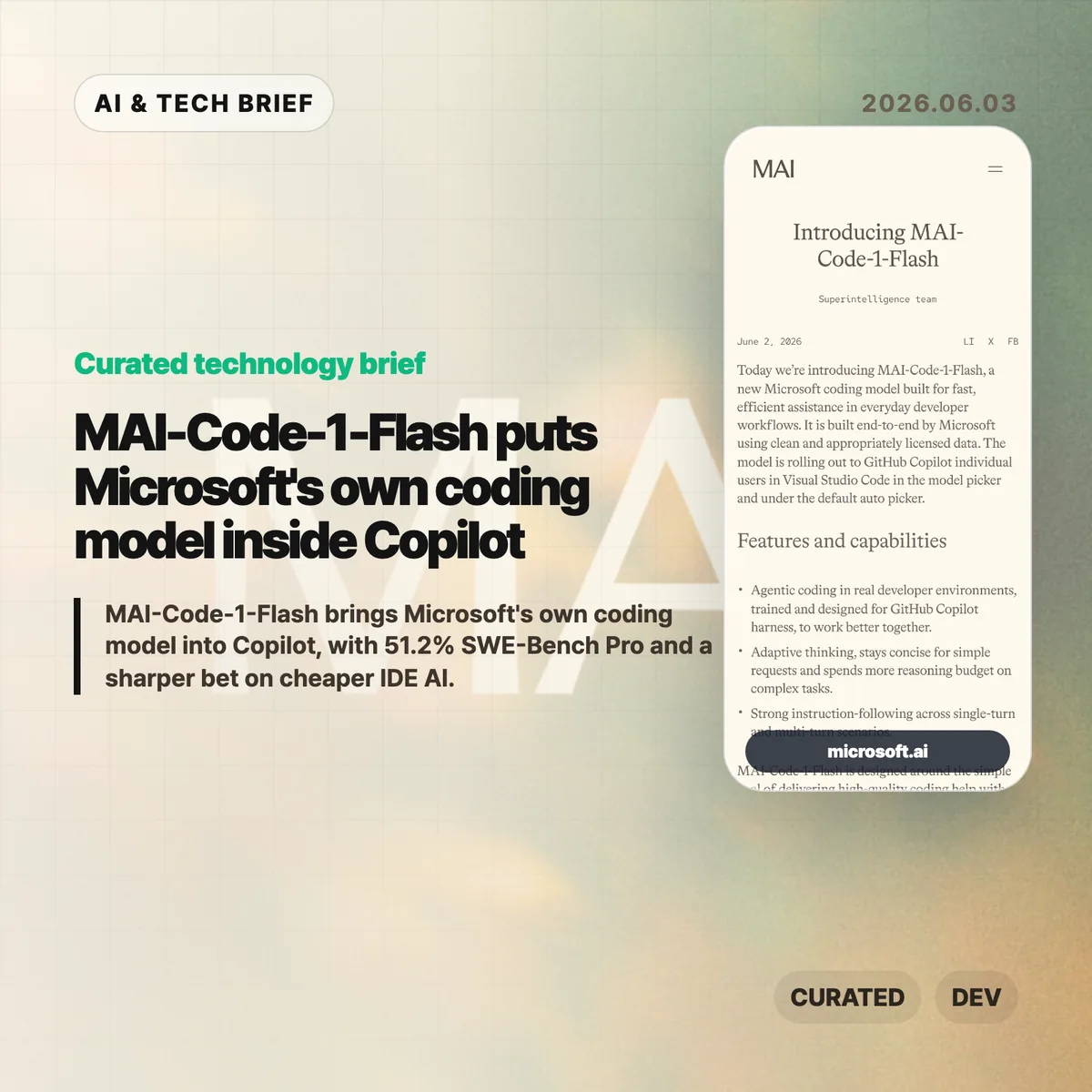
    MAI-Code-1-Flash puts Microsoft’s own coding model inside Copilot

    MAI-Code-1-Flash is Microsoft’s new coding model for GitHub Copilot, built for fast day-to-day developer assistance rather than frontier-model demos. Microsoft says the model is rolling out to Copilot individual users in Visual Studio Code through the model picker and the default Auto picker.

    The short version

    • Microsoft built MAI-Code-1-Flash end to end for Copilot, using clean and appropriately licensed data, according to the company announcement.
    • The company reports 51.2% on SWE-Bench Pro, compared with 35.2% for Claude Haiku 4.5, plus higher scores on SWE-Bench Verified, SWE-Bench Multilingual, Terminal Bench 2, and IF Bench.
    • The model is tuned to spend fewer tokens on simple requests and more reasoning budget on complex coding tasks, which matters for latency, cost, and Copilot’s product margins.
    • Microsoft’s own adversarial reasoning test shows gaps: MAI-Code-1-Flash reached 85.8% adjusted accuracy overall, while some trap categories stayed below 50%.
    • The Hacker News discussion centered on price, speed, benchmark trust, and whether a small Copilot model is useful if it is not open weight.

    What happened

    Microsoft introduced MAI-Code-1-Flash on June 2, 2026 as a coding model designed for GitHub Copilot workflows. The announcement describes the model as trained for repository question answering, refactoring, software engineering tasks, and Copilot-derived evaluations rather than generic chat alone.

    The placement matters. GitHub Copilot already sits inside the IDE for many developers, so Microsoft does not need MAI-Code-1-Flash to win every public benchmark to make it useful. A model that is fast, cheap enough to call repeatedly, and good at common code edits can still improve the product if Copilot routes the right work to it.

    For readers tracking AI tooling, this fits the broader move toward specialized models inside products. The public model choice may look simple, but the product can route a request through different models depending on task shape, expected cost, and latency. That is also why this story belongs with other IT & AI archive coverage of developer tools rather than only model leaderboard news.

    Why MAI-Code-1-Flash is worth watching

    MAI-Code-1-Flash is worth watching because Microsoft is moving model selection closer to the product layer. Copilot can choose a Microsoft-built model for ordinary coding help while still reserving larger or more expensive models for harder tasks. That makes the model less of a standalone chatbot launch and more of an infrastructure choice inside a paid developer tool.

    Microsoft’s numbers frame the model as efficient rather than maximal. The company says MAI-Code-1-Flash solved harder SWE-Bench Verified problems using up to 60% fewer tokens. It also claims a 16-point lead over Claude Haiku 4.5 on SWE-Bench Pro, with 51.2% versus 35.2%.

    Those claims need context. Haiku is Anthropic’s smaller model line, not its most capable coding model. The useful question is whether MAI-Code-1-Flash gives Copilot a better default for frequent, lower-cost tasks such as local edits, refactors, command-driven fixes, and repository-aware explanations.

    What does MAI-Code-1-Flash change for developers?

    MAI-Code-1-Flash changes the Copilot experience only if Microsoft can make model routing feel boring in a good way. Developers usually do not want to think about which small model should answer a lint fix, which model should inspect a repository, and which one should spend more tokens on a multi-file change. Copilot’s Auto picker can hide that decision when the routing is good.

    The risk is that benchmark performance does not map cleanly to working code. Microsoft’s adversarial evaluation is a useful warning: the model scored 85.8% adjusted accuracy across 186 questions and 34 categories, but fell below 50% on some trap types such as Einstellung-style problems. In practice, teams should treat MAI-Code-1-Flash as a fast assistant for contained tasks, not as a reason to weaken tests or review.

    For app and tool builders, the product angle may matter more than the model card. If Copilot can make specialized model routing normal inside VS Code, other developer tools will face pressure to offer similar model pickers, agent modes, and cost-aware routing.

    What Hacker News readers are arguing about

    The Hacker News discussion was less impressed by the headline benchmark than by the economics behind it. Several commenters asked for tokens-per-second and price-per-token numbers, arguing that an “efficient” coding model is hard to judge without latency and pricing. One practical objection was simple: developers care about price, performance, and latency together, not token count as an implementation detail.

    Another thread focused on benchmark trust. Some readers questioned whether the model had been tuned too closely against SWE-Bench-style tasks, while others pointed to Microsoft’s decontamination language and model-card material. The thread did not settle the issue, but the skepticism is useful. Coding benchmarks can be gamed, and even honest benchmark gains may not predict whether the assistant helps on messy internal repositories.

    The split on small models was more interesting. Some commenters saw MAI-Code-1-Flash as evidence that specialized small or mixture-of-experts models will handle more work locally or cheaply. Others pushed back that state-of-the-art models will keep growing because the target tasks will grow too. There was also disappointment that the model does not appear to be open weight, especially given Microsoft’s history with Phi.

    The practical read

    MAI-Code-1-Flash should be judged as a Copilot routing model, not as a replacement for Claude, GPT, or other high-end coding agents. The right test is whether it makes common IDE work faster without making developers babysit wrong patches.

    For individual developers, the first useful experiment is narrow: try MAI-Code-1-Flash on refactors, small bug fixes, repository Q&A, and terminal-driven cleanup tasks. Check whether it stays concise on simple requests and whether it asks for context when a task is underspecified.

    For engineering teams, the adoption question is about guardrails. Keep tests, code review, and permission boundaries in place. Track whether the model reduces repeated small edits or simply moves review effort later in the workflow. If Copilot’s Auto picker improves, most developers may never care which model answered. If routing is noisy, the model picker becomes another thing to manage.

    The broader read is that Microsoft wants more control over the cost and behavior of coding assistance inside its own developer platform. MAI-Code-1-Flash gives the company a way to tune Copilot around real IDE usage, not only around whichever third-party model is available at a given price.

    Sources

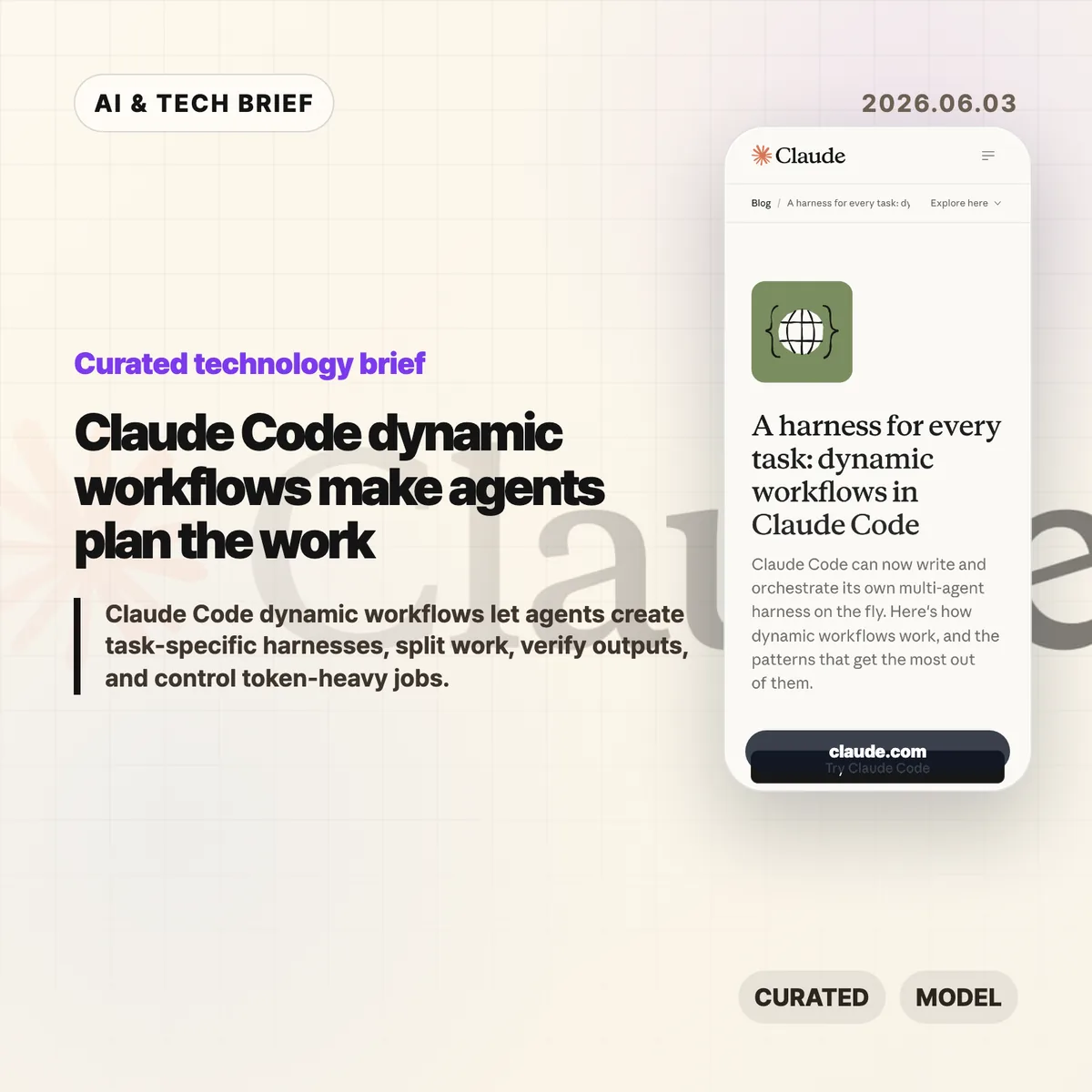
  • Claude Code dynamic workflows make agents plan the work

    Claude Code dynamic workflows make agents plan the work

    Claude Code dynamic workflows let Claude Code write a task-specific JavaScript harness, spawn subagents, and coordinate the result instead of keeping a long job in one chat thread. Anthropic introduced the feature on June 2, 2026, and frames it as a way to handle complex coding, research, security, triage, and verification work without forcing developers to build the orchestration layer by hand.

    The short version

    • Claude Code dynamic workflows create custom harnesses for a task, then use subagents to split, verify, compare, or synthesize work.
    • Anthropic names seven useful patterns: classify-and-act, fan-out-and-synthesize, adversarial verification, generate-and-filter, tournament, loop until done, and model routing.
    • The feature is aimed at complex, high-value jobs such as refactors, migrations, deep research, source checking, support triage, and root-cause analysis.
    • The trade-off is cost and complexity. Anthropic says dynamic workflows can use significantly more tokens and are not needed for ordinary coding tasks.

    What happened

    Anthropic says Claude Code can now create a custom harness on the fly for the job in front of it. The harness is a JavaScript file with special functions for spawning and coordinating subagents, plus ordinary JavaScript utilities such as JSON, Math, and Array for processing data. A workflow can choose which model an agent uses and whether subagents run in their own worktree, which matters when a task needs isolation or a higher intelligence model.

    The company’s post describes this as a move beyond static orchestration. Developers could already coordinate multiple Claude Code runs through the Claude Agent SDK or claude -p, but those static harnesses tend to be generic because they have to survive many edge cases. Dynamic workflows push more of that planning into Claude Code itself: ask for a workflow, or use Anthropic’s trigger word “ultracode,” and Claude Code can build a structure for the current task.

    Why this is worth watching

    Claude Code dynamic workflows are worth watching because Anthropic is moving Claude Code from a single assistant loop toward task-level orchestration. In the June 2, 2026 post, Anthropic names three failure modes that show up in long agent runs: agentic laziness, self-preferential bias, and goal drift. Those are practical problems, not abstract benchmark issues.

    A separate harness gives Claude Code a cleaner way to check work against evidence and rubrics. One subagent can inspect logs, another can review files, another can verify claims, and a synthesis step can wait until each branch returns structured output. The feature will matter if that structure reduces missed requirements more often than it burns extra tokens. For more analysis of developer tooling and AI systems, see the IT & AI archive.

    What does Claude Code dynamic workflows change for developers?

    Claude Code dynamic workflows let developers request a repeatable process with a stop condition, a rubric, and isolated work streams. Anthropic’s examples include reproducing a flaky test that fails 1 in 50 runs, mining the last 50 Claude Code sessions for repeated corrections, checking every technical claim in a draft against a codebase, ranking 80 resumes, and reviewing a business plan from investor, customer, and competitor viewpoints.

    The strongest fit is work where one context window becomes a liability. Large refactors can be split by call site, module, or failing test. Security reviews can assign one verifier per rule. Research workflows can fan out source gathering and then check claims. Triage workflows can classify a backlog, dedupe it against known issues, and quarantine agents that read untrusted public content from agents that can take higher privilege actions.

    Seven workflow patterns Anthropic highlights

    Anthropic’s seven workflow patterns turn Claude Code dynamic workflows into something developers can prompt deliberately. Classify-and-act routes different tasks to different behavior. Fan-out-and-synthesize splits work into clean contexts and merges structured outputs after a barrier. Adversarial verification asks another agent to check a result against a rubric. Generate-and-filter produces candidates, removes duplicates, and keeps the best tested ideas.

    The remaining patterns handle comparison, persistence, and model choice. Tournament workflows make agents compete on the same task and use judging agents for pairwise comparisons. Loop-until-done workflows keep spawning work until no new findings or errors remain. Model and intelligence routing uses a classifier agent to decide whether a job needs a cheaper model or a stronger one such as Opus. The pattern list gives teams concrete language to use instead of vague prompts like “be thorough.”

    When not to use Claude Code dynamic workflows

    Claude Code dynamic workflows should not become the default for every prompt. Anthropic says the feature is new, best practices are still developing, and workflows may consume significantly more tokens. Most normal coding tasks do not need five reviewers, a tournament bracket, or a loop that keeps running until a broad condition is met.

    A good rule is to reserve workflows for jobs where the structure is part of the value. Use them when the task needs parallel evidence gathering, adversarial checking, repeated passes, isolated worktrees, or qualitative comparison at scale. Skip them for a small bug fix, a one-file change, or a question where a normal Claude Code session can answer cleanly. Token budgets can also be set directly in the prompt, such as asking the workflow to stay under 10,000 tokens.

    What Hacker News readers are arguing about

    The Hacker News submission for Anthropic’s post existed when checked, but it had no substantive discussion attached to it. That means there is no useful community consensus to summarize yet, and it would be misleading to turn a quiet thread into a debate.

    The missing discussion is still worth noting. The questions developers should bring to a fuller thread are predictable: whether dynamic workflows are reliable enough for real codebases, how often they waste tokens, how safe the worktree isolation is, whether adversarial verification catches real mistakes, and whether teams can share reusable workflows without turning them into brittle scripts. Treat the Hacker News link as a place to watch for later operator feedback, not as evidence today.

    The practical read

    Claude Code dynamic workflows are best understood as an orchestration feature for messy work. If your team already knows how to decompose a task, the feature may remove boilerplate around spawning agents and combining results. If your team does not know the right rubric, stop condition, or trust boundary, the workflow can still produce confident noise.

    The first experiments should be bounded. Try a flaky-test reproduction, a code review checklist, a migration with isolated worktrees, or a claim-verification pass on a technical document. Give Claude Code the workflow pattern you want, the token budget, the stop condition, and the rubric for success. Then inspect the transcript and saved workflow before using it on a higher-stakes job.

    Sources

  • Codex for work: OpenAI pushes Codex beyond developers

    Codex for work: OpenAI pushes Codex beyond developers

    Codex for work is OpenAI’s clearest attempt yet to turn Codex from a coding assistant into a broader workplace agent. On June 2, 2026, OpenAI introduced six role-specific plugins, a Sites preview, and annotations that let teams refine generated documents, slides, spreadsheets, code, and web pages in place.

    The short version

    • OpenAI says more than 5 million people use Codex each week, and non-developers now make up about 20% of the user base.
    • The first six role-specific plugins cover data analytics, creative production, sales, product design, public equity investing, and investment banking.
    • Together, those plugins bundle 62 apps and 110 skills, including tools such as Snowflake, Tableau, Figma, Canva, Salesforce, HubSpot, FactSet, PitchBook, and Hebbia.
    • Sites lets Business and Enterprise customers preview shareable hosted web pages and lightweight apps built from Codex output.
    • The useful question is whether teams can govern permissions, data access, and review workflows well enough to trust Codex for work outside engineering.

    What happened

    OpenAI announced a workplace-focused Codex update on June 2, 2026. The company says Codex began as a software development tool, but analysts, marketers, operators, designers, researchers, investors, and bankers now represent about one-fifth of overall Codex users. OpenAI also says that non-developer usage is growing more than three times as fast as developer usage.

    The update has three parts. Role-specific plugins connect Codex to app bundles and instructions for common business jobs. Sites turns Codex output into hosted pages and lightweight apps that can be shared inside a workspace. Annotations let users point to a specific part of a generated artifact and ask Codex to change that section without regenerating the whole thing.

    OpenAI framed the release around internal and customer examples. Its own non-technical teams use Codex for internal apps, executive materials, dashboards, and creative briefs. Zapier teams use it to pull context from Slack, Google Docs, and Coda before turning that information into postmortems, incident response plans, and feature tickets. NVIDIA researchers use Codex to speed up experiment workflows, including research ideation and machine learning infrastructure scripts.

    Why Codex for work is worth watching

    Codex for work is worth watching because OpenAI is packaging the agent around jobs, not around generic chat prompts. The six initial plugins are built for data analytics, creative production, sales, product design, public equity investing, and investment banking. OpenAI says those plugins collectively include 62 popular apps and 110 skills.

    That packaging matters for enterprise buyers. Most white-collar workflows do not live in a single application. A sales follow-up may involve CRM data, meeting notes, customer history, Slack context, and a document that someone needs to approve. A product design review may touch a live URL, Figma work, screenshots, and user-flow notes. Codex becomes more useful if it can move across that stack with enough context and with permissions that admins understand.

    The release also puts OpenAI closer to workflow software vendors. Teams may still need systems of record, audit trails, domain-specific controls, and durable integrations. Even so, an agent that can create a dashboard, revise a slide, and open the right tool chain changes what a lightweight internal app or operations dashboard needs to be.

    What does Codex for work change for builders?

    Codex for work changes the builder question from “can an agent write code?” to “can an agent ship a useful internal workflow with the right data, surface, and review loop?” Sites is the clearest sign of that shift. OpenAI says Business and Enterprise customers can preview interactive hosted websites and apps that teams share by URL inside a workspace.

    The examples are small but telling: a customer review page with product updates and usage trends, a financial scenario planner built from a model, or a launch hub with messaging, milestones, owners, and decisions. These are exactly the kinds of tools that often start as spreadsheets, internal dashboards, Notion pages, or scrappy no-code apps.

    For app builders, the pressure is not that every product becomes obsolete overnight. The pressure is that rough internal tools may become easier to generate near the point of work. Products with proprietary data, workflow depth, compliance features, and reliable collaboration still have room. Products that mostly package a thin UI around simple data views will have to prove why users should leave the agent workspace.

    For more context on similar AI tooling shifts, see the IT & AI archive.

    What Hacker News readers are arguing about

    The Hacker News discussion is short, so it reads more like early sentiment than broad evidence. The strongest positive thread is practical: one commenter described a non-technical partner building a useful sales dashboard with accurate Metabase data through a site-builder style tool. That reaction lines up with OpenAI’s pitch that non-developers can now create useful artifacts without learning software development first.

    The skeptical thread focuses on SaaS defensibility. Commenters wondered what happens to dashboard and workflow SaaS companies when a model provider can generate the interface, connect the data, and host the result. One commenter called out deployment as a weakening moat, especially after OpenAI models became available on AWS. Another described the move as a warning against building too close to someone else’s platform.

    The useful read is that the thread is excited and uneasy at the same time. Developers can see the productivity gain, but they also see OpenAI moving vertically into use cases that used to belong to separate tools. Four comments are not a market survey, but they capture the right tension: Codex for work looks valuable precisely because it overlaps with products people already pay for.

    The practical read

    Teams should treat Codex for work as an enterprise workflow experiment, not as a finished replacement for business software. The first pilots should use bounded work: internal dashboards, meeting follow-ups, customer review pages, launch hubs, prototype reviews, or research summaries where a human owner can verify the output before anyone relies on it.

    The main buying questions are mundane and important. Which apps can Codex access? Who approves those permissions? Can admins separate sales data from finance data? Does the generated Site preserve source context? Can teams audit who changed a document, spreadsheet, or slide after an annotation? If those answers are weak, the tool may still be useful for drafts, but not for regulated or revenue-sensitive workflows.

    Builders should watch the partner ecosystem around Sites and plugins. If Vercel, Wix, Base44, Replit, Lovable, Figma, Webflow, and other partners make agent-generated work easier to deploy and revise, the boundary between coding assistant, no-code builder, and collaboration app will keep getting blurrier. That is the competitive change to track.

    Sources

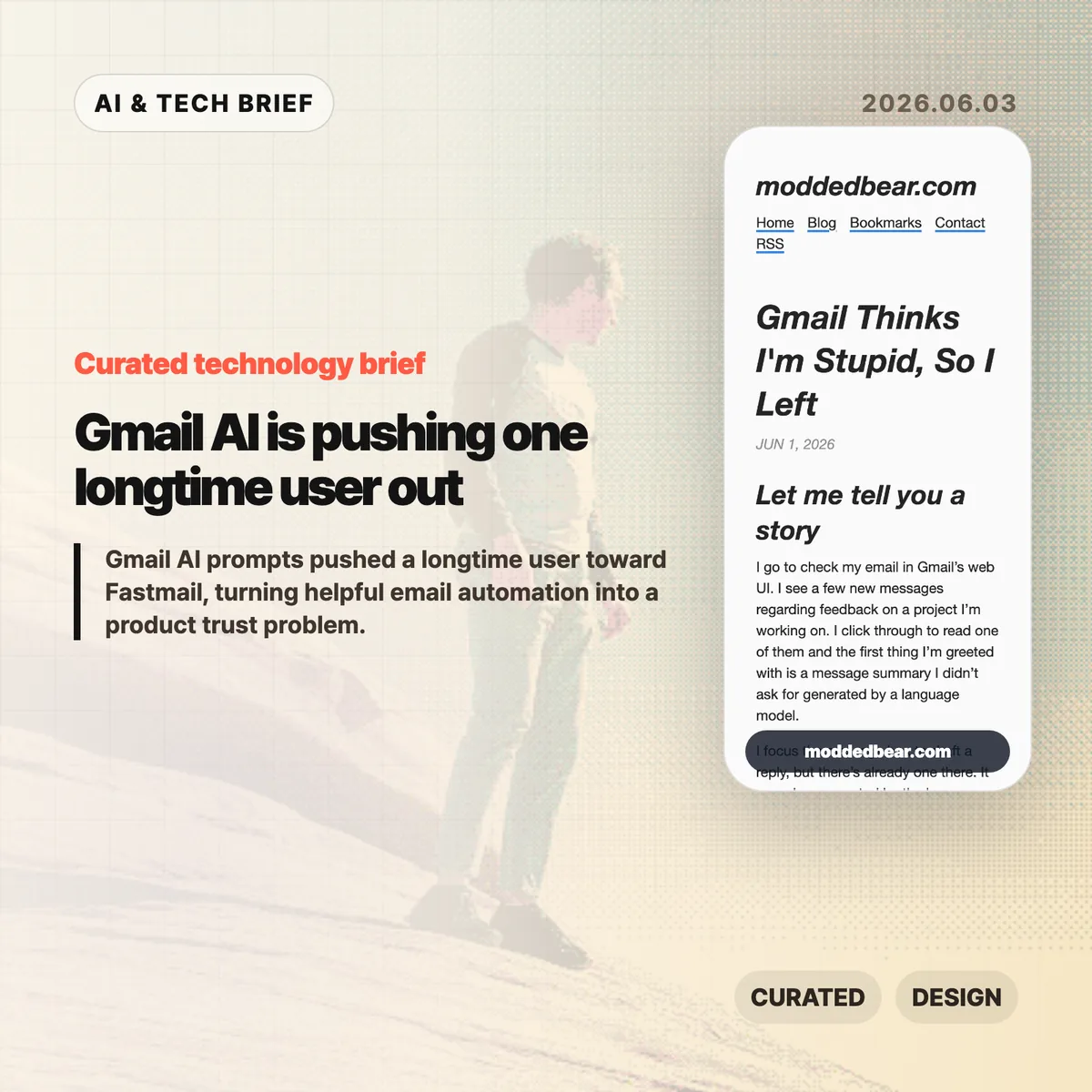
  • Gmail AI is pushing one longtime user out

    Gmail AI is pushing one longtime user out

    Gmail AI is no longer a quiet side feature for every user. In a June 1, 2026 post, developer JP described leaving a 16-year Gmail account after the web UI kept inserting AI summaries, reply drafts, and writing prompts into ordinary email work. By June 2, the post had reached Hacker News, where the discussion drew more than 600 points and hundreds of comments about forced AI in everyday tools.

    The short version

    • A longtime Gmail user says the web UI showed an unsolicited message summary, an AI-generated reply draft, a “Help me write” nudge, and a “Tab to improve” prompt while reading and writing email.
    • The author is moving toward a custom domain and Fastmail after 16 years on Gmail, partly because some unwanted smart features are hard to separate from useful older Gmail behavior.
    • The Hacker News discussion drew 399 comments and focused less on whether AI can write emails, and more on whether Google, Microsoft, and other large platforms are forcing AI into workflows to satisfy internal product metrics.
    • For product teams, Gmail AI is a useful warning: AI assistants need clear consent, easy opt-out controls, and restraint in high-trust communication tools.

    What happened

    JP’s June 1 post describes a specific Gmail web session: Gmail showed an unsolicited message summary, inserted a generated reply draft, promoted “Help me write,” and later suggested “Tab to improve.” The post says the prompts appeared while JP was reading project feedback and composing ordinary email, which made Gmail AI feel like a judgment on the user’s own reading and writing.

    The author says some Gmail AI settings can be disabled, but the controls are not cleanly separated from older Gmail features such as automatic thread categorization. That coupling matters because an off switch should not make users give up unrelated mail organization. JP’s response was to start leaving Gmail after 16 years, connect a custom domain to a mail host, try Fastmail, and set up multiple domains and aliases. The switching cost makes the story useful for product teams: email users rarely move unless irritation has become durable.

    Why Gmail AI is worth watching

    Gmail AI is worth watching because email is one of the worst places to make users feel managed by software. Reading a message, deciding tone, and writing a reply are small acts of judgment. If an AI assistant appears before the user asks for help, the product can make a competent person feel supervised rather than supported.

    The useful distinction is not AI versus no AI. Many people want summaries, drafts, translation, and tone help in email. The problem is where the assistant sits in the workflow. A visible command, a compose toolbar button, or a clearly labeled opt-in feature gives users control. A recurring prompt next to the cursor changes the mood of the tool. It turns the inbox from a communication surface into another place where the platform asks for attention.

    That is why this story travels beyond Gmail. Builders adding AI to mature products have to decide whether the assistant is a tool the user summons or a layer the company pushes across the interface. The first can save time. The second can make users wonder whose workflow the product is serving.

    What does Gmail AI change for builders?

    Gmail AI changes the product design question from “can this model help?” to “who gets interrupted, and when?” For email clients, CRMs, support desks, note apps, and developer tools, an AI writing feature touches communication, privacy, and user confidence at the same time. A weak suggestion in Gmail is not only weak text. It can make the product feel as if Google is grading the user.

    App builders should treat AI writing features like power tools. Put the assistant behind a deliberate action, keep the off switch separate from unrelated features, and avoid prompts that appear under the cursor while someone is composing. If the feature learns from user content or appears in a sensitive workflow, explain the setting in plain language. A smaller product can also compete by promising less noise: the assistant is available when asked, and quiet the rest of the time. For more IT and AI product briefs, see the IT & AI archive.

    What Hacker News readers are arguing about

    The Hacker News discussion reached roughly 642 points and 399 comments by June 3, and the argument was mostly about control. Readers treated the Gmail AI story as part of a broader platform pattern: Microsoft Copilot prompts, LinkedIn’s AI-heavy feed, Windows setup screens, Apple Intelligence, and Linux desktops all became comparison points for software that either respects or interrupts user intent.

    The strongest objection was that the same Gmail behavior is not visible to everyone. Some readers had never seen the prompts, while others pointed to Gmail settings for Smart Reply and broader smart features. That makes the story weaker as a universal Gmail diagnosis, but stronger as a rollout lesson. If account settings, Google Workspace policies, regions, or feature flags change the experience, Gmail needs clearer language about what is on, what is off, and what users lose when opting out.

    The practical thread focused on alternatives such as Fastmail, Proton Mail, Apple Mail, self-hosting, Linux desktops, and GrapheneOS. Commenters still acknowledged email switching costs, self-hosted deliverability problems, and the compromises in every provider. The frustration was less “AI is useless” and more “default software has become too needy.”

    The practical read

    Gmail AI is a product trust story before it is an AI capability story. Google may have good reasons to put Gemini-powered summaries and writing help inside Gmail, and some users will benefit from them. The risk is that email is a habit product. If the interface nags at the wrong moment, the user does not evaluate the model in isolation. He judges the whole service.

    For teams shipping AI features, the checklist is simple. Put the assistant behind a deliberate action. Keep the off switch separate from unrelated non-AI features. Avoid prompts that appear under the cursor while someone is composing. Measure repeat voluntary use, not accidental exposure. If users are moving a 16-year account because the interface feels condescending, the feature is no longer just an experiment.

    For users, the lesson is more practical: own the domain if email matters. A custom domain does not remove migration work, spam filtering problems, or provider lock-in, but it makes the next move less painful. JP’s move toward Fastmail is a reminder that switching email is still possible, especially before a provider becomes the only address people know.

    Sources

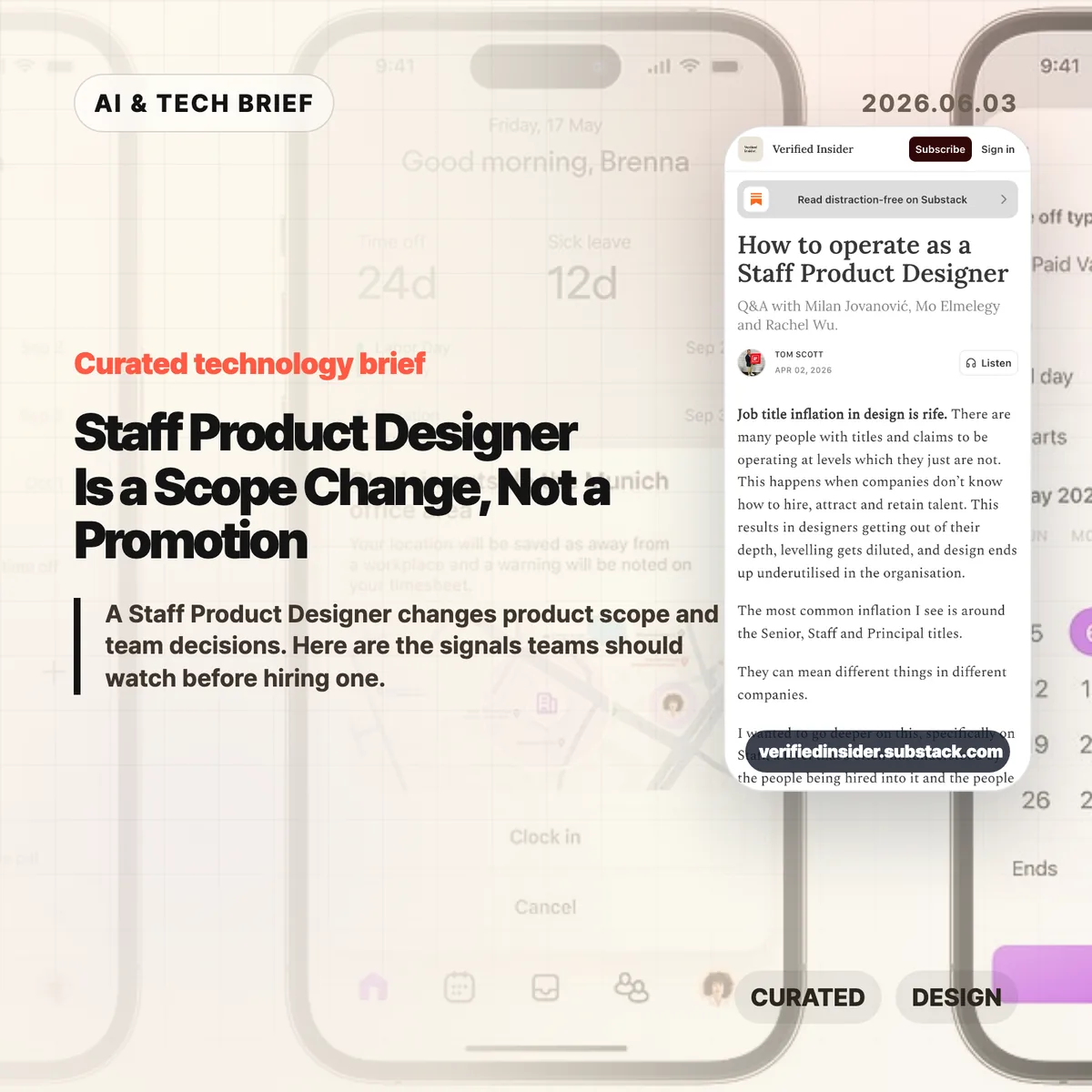
  • Staff Product Designer Is a Scope Change, Not a Promotion

    Staff Product Designer Is a Scope Change, Not a Promotion

    A Staff Product Designer is a product design leader whose scope reaches beyond one feature team. In Verified Insider’s June 2026 Q&A, the role is defined by cross-team judgment: deciding whether a feature, product area, or team direction makes sense before the organization spends weeks making it polished.

    The short version

    • A Staff Product Designer is measured by cross-team product impact, not by years of experience or a louder title.
    • Verified Insider’s June 2026 Q&A names three contributors, Milan Jovanovic, Mo Elmelegy, and Rachel Wu, to explain how staff-level design differs from senior IC work.
    • Senior designers usually raise the quality of a feature, flow, or product area; staff-level designers connect problems across teams and shape product direction.
    • AI prototyping tools make execution faster, so staff-level designers become more valuable when they filter which ideas deserve time.
    • The strongest career signal is trust: other teams invite the designer into unclear decisions before the title arrives.

    What happened

    Verified Insider published a Q&A on how to operate as a Staff Product Designer, featuring Milan Jovanovic, Mo Elmelegy, and Rachel Wu. The piece starts from a familiar problem in design hiring: seniority labels have stretched so far that Senior, Staff, and Principal can mean different things from one company to the next.

    The cleanest distinction in the article is scope. A Senior Product Designer is usually accountable for strong work inside a feature, flow, or product area. A Staff Product Designer works across those boundaries. That can mean aligning teams, making trade-offs clearer, mapping repeated product problems, or helping leaders understand why one direction deserves attention over another.

    That distinction matters for startups and product teams because titles often arrive late. The article argues that designers who become staff-level contributors often start doing the work before the promotion. They open up their process, explain the choices they rejected, build trust outside their immediate team, and become the person others call when the problem is still fuzzy.

    Why Staff Product Designer is worth watching

    The Staff Product Designer role is worth watching because AI is lowering the cost of making product artifacts while raising the cost of poor judgment. A team can now generate mockups, prototypes, and code-like experiments faster than it could a few years ago. Speed does not answer whether the work maps to a customer problem, business goal, or product strategy.

    That is where staff-level design becomes more visible. The job is less about producing more screens and more about improving the quality of decisions around those screens. Milan Jovanovic describes designing conversations and meetings alongside layouts and buttons. That line is useful because it removes some of the mystique from the role. Staff design work often looks like structure: clearer framing, better options, fewer duplicate efforts, and a shared language between design, product, engineering, and leadership.

    For more coverage of how AI and product teams are changing together, see the IT & AI archive.

    What does a Staff Product Designer change for builders?

    A Staff Product Designer changes the selection process for product work. For builders, the best signal is whether the designer can spot when three teams are solving the same onboarding problem in incompatible ways, then turn that mess into a shared product pattern.

    This matters more in AI-heavy workflows because the prototype is no longer the hard part by default. Cursor, Figma AI features, and other tools can help teams explore more directions. The bottleneck moves to judgment: which direction fits the company’s current goal, what trade-off is acceptable, which user problem is real, and which idea is only exciting because it is easy to build.

    A good staff-level designer helps the team pause without slowing it down. They translate ambiguity into choices that PMs, engineers, growth teams, and executives can debate without getting lost in design language.

    How can designers grow into the role?

    Designers grow into a Staff Product Designer role by expanding the surface area of their decisions before they ask for the title. The practical move is to stop presenting only the finished screen. Show why one direction won, which options were rejected, what risk remains, and what evidence would change the decision.

    The second move is to leave the comfort of the immediate product squad. Talk to support, sales, growth, engineering leads, and other product teams. Many staff-level problems appear as repeated friction across the organization: inconsistent onboarding, separate teams rebuilding the same pattern, mobile and desktop experiences making different promises, or leadership debates that never become clear product principles.

    The third move is to build credibility without positional authority. Staff designers often influence people they do not manage. That requires sharper writing, calmer facilitation, and a habit of turning ambiguous arguments into visible trade-offs.

    What the discussion is missing

    There does not appear to be a public Hacker News discussion for this article, so the useful missing debate is how companies should evaluate staff-level design without turning it into another vague title. The article gives a strong qualitative frame, but hiring managers still need observable signals.

    Three signals are worth testing in interviews and promotion reviews. First, can the designer explain a time they changed the definition of a problem, not only the quality of the final interface? Second, can they show influence across teams without relying on formal authority? Third, can they connect design decisions to activation, retention, revenue, risk, or another business metric without pretending design owns the whole outcome?

    The caution is that companies can misuse the title as a prestige badge. If the role has no mandate to work across teams, no access to strategic conversations, and no expectation to shape product direction, it is probably a senior IC role with a louder title.

    The practical read

    Treat Staff Product Designer as an operating mode before you treat it as a career ladder step. For a 2026 product team, the hiring brief should name the cross-team product problems that need design leadership, the leaders who must be influenced, and the decisions the person should improve in the first six months.

    If you are a designer aiming for the level, audit where your impact currently stops. Look for the meeting where your work loses context, the team that recreates a pattern you already solved, or the product decision that would improve if the trade-offs were visible earlier. That is usually where staff-level work begins.

    AI does not make this role obsolete. It makes the judgment layer easier to see. When teams can build more ideas, the designer who helps them choose better ideas becomes more valuable.

    Sources

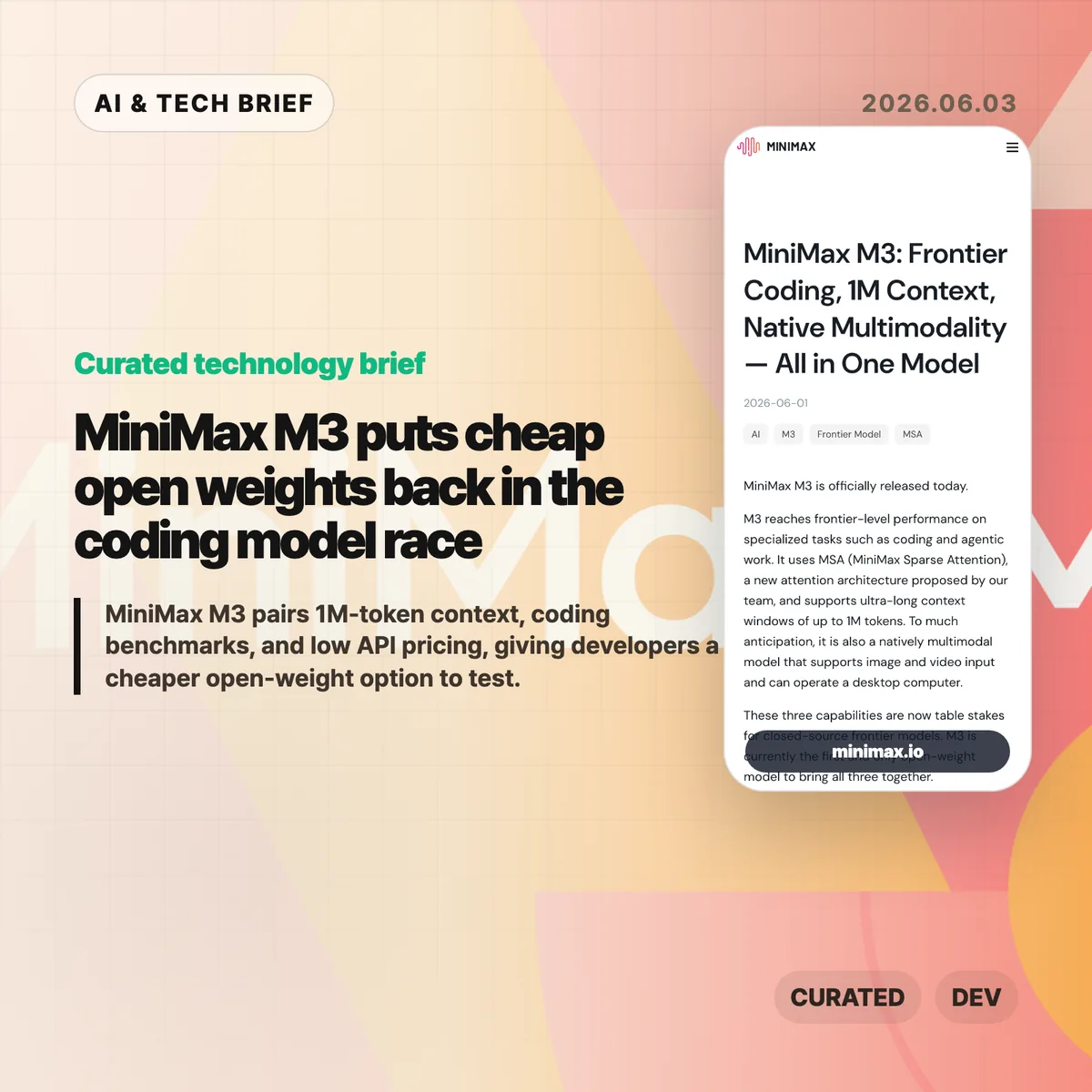
  • MiniMax M3 puts cheap open weights back in the coding model race

    MiniMax M3 puts cheap open weights back in the coding model race

    MiniMax M3 is a new open-weight coding model with a 1M-token context window, native multimodal input, and unusually low API pricing. The useful part is not the leaderboard claim by itself. It is the combination of coding benchmarks, long context, and a price point that makes agent experiments less painful to run.

    The short version

    • MiniMax says MiniMax M3 reaches 59.0% on SWE-Bench Pro, 66.0% on Terminal-Bench 2.1, and 74.2% on MCP Atlas.
    • The model supports up to 1M tokens of context and can handle text, image, and video input, according to MiniMax.
    • MiniMax lists launch API pricing at $0.30 per million input tokens and $1.20 per million output tokens for standard-length requests.
    • The open-weight promise matters, but teams still need the technical report, license terms, and independent benchmark runs before treating M3 as a production replacement.

    What happened

    MiniMax released M3 on June 1, 2026, describing it as a frontier-level model for coding and agentic work. The company says M3 uses MiniMax Sparse Attention, or MSA, to support a 1M-token context window while reducing the compute cost of long inputs.

    The company also tied the release to MiniMax Code, its coding-agent product. That matters because M3 is not being sold as a general chat model first. MiniMax is aiming at the same daily developer workflow that tools such as Cursor, Claude Code, Cline, Roo Code, and API-based coding agents already compete for.

    For readers tracking model releases beyond this one, the broader IT & AI archive is where we collect similar developer-tool and AI infrastructure briefs.

    Why MiniMax M3 is worth watching

    MiniMax M3 is worth watching because it attacks the cost side of coding agents, not only the benchmark side. Coding agents burn tokens quickly: they read files, carry logs, run tests, retry patches, and keep long sessions alive. A cheaper model can change how often developers are willing to let agents iterate.

    The pricing claim is the clearest near-term hook. MiniMax lists launch pricing for standard requests at $0.30 per million input tokens and $1.20 per million output tokens, with higher rates for inputs above 512K tokens. Even if teams use M3 only for cheaper exploration before sending hard cases to a premium closed model, that split could cut the cost of codebase-wide experiments.

    The benchmark numbers are also specific enough to test. MiniMax reports 59.0% on SWE-Bench Pro, 66.0% on Terminal-Bench 2.1, 34.8% on SWE-fficiency, 28.8% on KernelBench Hard, and 74.2% on MCP Atlas. Those are company-reported numbers, so the next useful step is independent reproduction.

    What does MiniMax M3 change for developers?

    MiniMax M3 gives developers another way to separate routine agent work from expensive frontier-model calls. A team could use M3 for repository scanning, test-log analysis, code navigation, and first-pass patch attempts, then reserve a closed model for ambiguous architecture decisions or high-risk changes.

    The 1M-token context window is the part to test with care. Long context is helpful only when the model can retrieve and use the right evidence inside that context. Developers should try M3 on messy tasks: multi-file bugs, migration work, terminal sessions with failed tests, and code-review loops where the model has to remember constraints across several turns.

    The open-weight plan is useful if the license allows commercial deployment. Local or private-cloud inference could matter for teams that do not want proprietary code, customer data, or production logs leaving their own infrastructure. Until MiniMax publishes the final weights and license, that remains a promise rather than a procurement decision.

    What Hacker News readers are arguing about

    The Hacker News thread is small, so it is a signal of curiosity rather than a real community consensus. The useful comments point readers toward the MiniMax blog post and compare M3 with previous MiniMax models, which suggests the release is being judged less as a one-off headline and more as a step in the company’s model line.

    The thin discussion also says something practical: developers are not going to trust the positioning until they can run the weights, inspect the license, and compare M3 on their own tasks. A benchmark table can get attention. Adoption will depend on whether M3 behaves well inside real coding-agent loops, especially when a task stretches across many files and several rounds of terminal feedback.

    The practical read

    MiniMax M3 is worth a trial if your team already spends real money on coding-agent experiments. Start with low-risk workloads: repository summaries, test failure triage, code search, documentation cleanup, and patch drafts that humans review before merge. Track the same metrics you would track for any agent: accepted patches, rollback rate, test pass rate, latency, and cost per completed task.

    Do not treat the release as proof that closed coding models are obsolete. The company has published benchmark claims and pricing, but the hard questions are still external reproducibility, license terms, inference quality, tool-call reliability, and how much performance drops when the model runs outside MiniMax’s hosted stack. Cheap tokens help only when the model stays useful after the fifth retry.

    Sources

  • OpenAI on AWS makes Codex a cloud-native enterprise bet

    OpenAI on AWS makes Codex a cloud-native enterprise bet

    OpenAI on AWS became generally available on June 3, 2026, giving Amazon Bedrock customers access to OpenAI frontier models and Codex inside AWS. The launch matters because it moves model access, coding-agent use, IAM, billing, procurement, and governance into one enterprise cloud workflow instead of forcing teams to bolt a separate OpenAI path onto production systems.

    The concrete products are easy to name: AWS lists GPT-5.5 and GPT-5.4 on its OpenAI Bedrock page, while OpenAI says Codex is used by more than 5 million people each week. Codex on Amazon Bedrock runs locally, sends requests to Bedrock, and authenticates with Bedrock API keys or AWS credentials. That makes this less about another model endpoint and more about whether enterprises can make AI coding agents fit their existing cloud controls.

    The short version

    • OpenAI says its frontier models and Codex are generally available on AWS as of June 3, 2026, with support for Commercial and GovCloud regions through the broader AWS path.
    • AWS lists GPT-5.5 and GPT-5.4 among the OpenAI model versions on its Bedrock OpenAI page, alongside open-weight and content-safety models.
    • OpenAI says Codex is used by more than 5 million people every week, and the Bedrock setup lets local Codex clients send model requests to Amazon Bedrock.
    • Codex on Amazon Bedrock uses AWS-native authentication: Bedrock API keys or the AWS SDK credential chain, not ChatGPT sign-in or OPENAI_API_KEY.
    • The limits still matter: Codex’s Bedrock path covers local workflows, while Codex web, cloud tasks, hosted GitHub delegation, Slack and Linear integrations, analytics, and some enterprise governance APIs are not available in this setup.

    For enterprise AI teams, the immediate question is whether AWS-native model access lowers enough friction to justify a pilot. The facts to test are specific: GPT-5.5 or GPT-5.4 availability in the target Region, IAM permission boundaries, Bedrock quota, latency, cost, and which Codex features the team loses when it picks the Bedrock-backed provider.

    What happened

    OpenAI announced that OpenAI on AWS is generally available for enterprises that want to use OpenAI capabilities through AWS instead of building a separate vendor path. The company framed the launch around production readiness: security, compliance, procurement, billing, and governance are often the parts that slow enterprise AI projects after a technical prototype works.

    AWS is presenting the same move as an Amazon Bedrock story. Its OpenAI page says Bedrock now offers frontier models for reasoning, coding, agentic workflows, and complex analysis. AWS lists GPT-5.5 as its most capable OpenAI model for coding, knowledge work, and multi-tool workflows, and GPT-5.4 as the price-performant option for high-volume production workloads.

    For more IT and AI briefings, the IT & AI archive tracks similar platform shifts where model access, cloud procurement, and developer workflows start to merge.

    Why OpenAI on AWS is worth watching

    OpenAI on AWS is worth watching because it moves the buying and operating question closer to the place enterprise teams already control. A model can be impressive in a demo and still fail an internal rollout if legal review, identity, network controls, logging, and billing sit outside the normal cloud process. Bedrock gives AWS customers a familiar path to test OpenAI models while keeping more of that operational work inside AWS.

    That does not make the launch automatic or friction-free. Teams still need to check model availability by region, account permissions, quota, logging requirements, data policy, and cost. The announcement is still important because it reduces one common source of delay: the gap between AI evaluation and the governance process that decides whether a system can touch real work.

    What does OpenAI on AWS change for developers?

    OpenAI on AWS changes the Codex workflow most directly for developers who already work inside AWS-controlled environments. The Codex Bedrock guide says Codex runs locally and sends model requests to Amazon Bedrock. Bedrock then provides an OpenAI-compatible Responses API implementation for supported OpenAI models. That means the OpenAI-hosted Responses API is not in the request path for this provider.

    Authentication also changes. Codex can use a Bedrock API key or the AWS SDK credential chain, including shared credentials, environment variables, AWS SSO profiles, or federated identity through credential_process. Developers do not use ChatGPT sign-in or OPENAI_API_KEY for this setup. In practice, that makes Codex easier to align with enterprise IAM and harder to treat as an unmanaged personal tool.

    The model IDs matter too. OpenAI’s developer guide tells users to select exact model IDs such as openai.gpt-5.5 and openai.gpt-5.4, then confirm the model is available in the configured AWS Region.

    Where the Codex Bedrock path is narrower

    Codex on Amazon Bedrock is a strong fit for local coding workflows, but it is not the full OpenAI-hosted Codex product. OpenAI’s developer guide says the Bedrock configuration supports local Codex workflows and that some features depending on OpenAI-hosted cloud services, hosted tools, or cloud-managed discovery are not currently available.

    The feature table is where buyers should slow down. Codex CLI, IDE extension use, local code review, sandboxing, permission controls, MCP, custom instructions, skills, plugins with limits, and subagents are listed as supported or partially supported. Codex web, Codex cloud tasks, hosted GitHub delegation, Slack and Linear cloud integrations, analytics, compliance APIs, and Codex Security for connected GitHub repositories are listed as unavailable in the Bedrock path.

    That split is not a deal breaker. It is a deployment choice. Teams that want local, credentialed coding assistance under AWS controls may like this path. Teams that need the hosted collaboration layer should check the missing features before standardizing on it.

    What the discussion is missing

    There was no reliable Hacker News thread available for this specific June 3, 2026 announcement at drafting time, so the useful debate has to come from the product details instead of community sentiment. The missing questions are practical: which AWS Regions get GPT-5.5 and GPT-5.4 first, how Bedrock pricing compares with direct OpenAI access, how latency behaves, and how much of Codex’s hosted product teams lose when they use the AWS-backed provider.

    The security story also needs testing. AWS-native credentials make procurement and identity cleaner, but generated code still needs review, test coverage, repository permissions, and a clear policy for what source code can be sent to a model endpoint. Codex on Amazon Bedrock does not use ChatGPT sign-in or OPENAI_API_KEY, but that only solves authentication shape. It does not decide who can approve generated changes, which repositories are allowed, or whether sensitive code should leave a developer machine.

    The practical read

    OpenAI on AWS is most useful for organizations that already run their AI platform review, identity, billing, and audit process through AWS. Those teams should treat the launch as a reason to run a controlled pilot: pick one coding workflow, one model ID, one AWS Region, and one permission boundary. Then measure latency, cost, review quality, and how often developers need unsupported Codex cloud features.

    Developers should start with the boring checks. Confirm Bedrock model access, Region support, IAM permission, and whether Codex is actually using the amazon-bedrock provider. Review generated code as if it came from any other assistant. The cloud wrapper helps with enterprise adoption, but it does not remove the need for tests, threat modeling, and code ownership.

    For app builders and developer-tool teams, the bigger signal is marketplace pressure. If AI coding agents can run through Amazon Bedrock, products that sell to enterprise developers will increasingly need cloud-native deployment paths, not only a standalone API key and a slick demo.

    Sources

  • Social media age verification is becoming an internet ID layer

    Social media age verification is becoming an internet ID layer

    Social media age verification is being sold as a child safety measure, but the current policy push is starting to look like a broader identity layer for the internet. Mullvad’s June 2026 analysis argues that many age checks require users to identify themselves to a website, a platform, a third party, an app store, or an operating system before they can read, post, or install.

    The short version

    • Mullvad says social media age verification is spreading across Australia, Brazil, Indonesia, Europe, and the United States, with many systems functioning closer to identity verification than a simple age check.
    • The risk is not limited to social platforms. Policymakers are already discussing VPNs, app stores, browsers, and operating systems as places where age controls could be enforced.
    • One concrete example in Mullvad’s piece is Apple’s UK iPhone change on March 24, 2026, which the article says pushed 35 million British users toward credit-card or government-ID checks to avoid device restrictions.
    • Zero knowledge proofs could reduce the tracking risk, but Mullvad argues the EU’s age verification app can still fall back to a non-ZKP model.
    • The practical question for builders is whether they can prove age without creating a reusable identity trail.

    What happened

    Mullvad published a long privacy critique of online age checks on June 1, 2026. The company starts with social media bans and restrictions for minors, then follows the enforcement logic outward: if children can bypass a platform rule with a VPN, a foreign app store account, Tor, an eSIM, or a browser, regulators may try to control those layers too.

    The article names several countries that have adopted, approved, or debated social media restrictions for minors, including Australia, Indonesia, Brazil, Denmark, Portugal, Malaysia, France, Spain, Turkey, Germany, and Sweden. It also says roughly half of US states have either pending or introduced age-restriction laws for inappropriate content, social media, or both.

    Mullvad’s central claim is blunt: most age verification systems ask every user to identify themselves to someone. That someone might be the platform, an identity vendor, an issuer, an app store, or an operating system provider. Once that check is tied to a visit, post, app install, or device account, the system can expose more than age.

    For more privacy and platform-policy coverage, the IT & AI archive tracks similar questions around regulation, app distribution, and digital identity.

    Why social media age verification is worth watching

    Social media age verification is worth watching because age checks can become durable identity infrastructure. A website may only need to know that a user is over 16 or over 18. A poorly designed system can reveal the user’s legal identity, the sites they visit, the apps they install, or the accounts they use to speak in public.

    That matters for more than adult-content access. Anonymous and pseudonymous use protects whistleblowers, activists, journalists, dissidents, teenagers exploring sensitive topics, and people who do not want every health, sexuality, political, or religious query tied to a name. Mullvad points to the chilling effect: if users believe a future government, platform, or vendor can connect posts back to them, they may stop speaking before anyone orders censorship.

    The most important policy detail is enforcement location. If verification happens only at one website, users can still choose another service or privacy tool. If verification moves into app stores, operating systems, browsers, or VPN access, the control point becomes harder to avoid and easier to reuse for other categories of content.

    What does social media age verification change for builders?

    Social media age verification changes the product requirement from “check an age” to “decide what identity data the product is willing to collect, store, outsource, and expose.” Developers building social apps, marketplaces, gaming communities, browsers, VPNs, and app-store integrations may soon face age-gating rules that were originally aimed at large platforms.

    The safer design pattern is data minimization. A service should prefer one-time credentials, narrow age assertions, short retention windows, independent audits, and clear separation between the credential issuer and the site using the proof. If a product stores identity documents, logs which credential opened which account, or shares checks across services, it may create a privacy liability even when the law frames the feature as safety.

    App builders should also watch where the obligation lands. If age checks move to Apple, Google, or OS-level APIs, smaller developers may inherit platform decisions they cannot negotiate. That affects app discovery, onboarding, parental-control flows, and whether privacy tools are treated as normal user protection or as circumvention.

    What the discussion is missing

    There was no reliable Hacker News discussion attached to the source at the time of this brief, so the missing debate is the engineering trade-off. Policy arguments often collapse into two camps: protect minors or protect privacy. Product teams need a more specific question: what proof is required, who sees it, how long it survives, and whether it can be linked across services.

    The strongest unanswered point is practical enforcement. If a jurisdiction requires age checks but users can switch VPNs, app stores, accounts, browsers, or operating systems, regulators may keep moving the checkpoint deeper into the stack. That is the path Mullvad warns about. The counterpoint is that platforms already classify users by age for advertising, safety, and recommendation systems, so lawmakers may argue that formal age gates are less invasive than today’s behavioral profiling. That argument only works if the legal system forbids reusable identity trails.

    The technical question is also unsettled. Zero knowledge proofs can prove an age threshold without revealing a birth date or identity to the relying website. They do not solve every problem: people without ID documents can still be excluded, issuers can be pressured, and fallback modes can remove the privacy property that made the design acceptable.

    The practical read

    Treat social media age verification as an identity-system decision, not a compliance checkbox. If a law or platform rule requires an age check, the first review should ask whether the product can verify an age threshold without learning the user’s name, storing an ID document, or letting an issuer reconstruct where the credential was used.

    For developers, the near-term work is threat modeling. Map the verifier, issuer, platform, and storage layer. Check whether logs connect credentials to accounts or IP addresses. Test what happens when users are underage, undocumented, traveling, using a VPN, or using a privacy-focused browser. If the only working path requires a government ID and a persistent account, the product has built an identity gate.

    For policymakers, the useful line is narrower than “age checks are good” or “age checks are bad.” Require data minimization, ban credential reuse for tracking, mandate privacy-preserving proof where possible, and block attempts to turn VPNs or browsers into identity checkpoints. Child safety rules should not quietly become an ID card for the open web.

    Sources