Tag: Windows

  • NVIDIA RTX Spark turns the local AI PC fight toward Windows

    NVIDIA RTX Spark turns the local AI PC fight toward Windows

    NVIDIA RTX Spark is Nvidia’s attempt to make the local AI PC feel less like a cloud workaround and more like a real Windows machine. The company says the platform combines Blackwell RTX graphics, Grace CPU cores, and up to 128GB of unified memory in slim laptops and small desktops. That is a direct pitch to developers and creators who want CUDA, local inference, and everyday PC software in one box.

    The short version

    • NVIDIA RTX Spark laptops are pitched with up to 1 petaflop of FP4 AI performance, up to 6,144 RTX GPU cores, and up to 128GB unified memory.
    • The bigger story is not gaming alone. Nvidia is trying to bring CUDA-heavy local AI development into Windows laptops and compact desktops.
    • Asus, Dell, HP, Lenovo, Microsoft, and MSI are listed as partners, which makes this look like a platform push rather than a single demo device.
    • The open questions are price, battery life, thermals, Windows on Arm compatibility, and whether real local LLM workloads run well enough to justify the hardware.

    What happened with NVIDIA RTX Spark

    NVIDIA RTX Spark is a PC platform built around what Nvidia calls the RTX Spark Superchip. The company describes it as a single processor that fuses NVIDIA AI acceleration with RTX graphics for creators, developers, and gamers. The headline configuration reaches up to 128GB of unified memory, which is unusually large for a consumer laptop class device and useful for local AI workloads that quickly run into memory limits.

    The pitch is easy to understand: keep more AI work on the machine. A developer could prototype an agent, run smaller models, test CUDA code, or do creative work without sending every step to a remote GPU. That does not remove the need for cloud compute, but it could make the first loop faster and cheaper for some teams. If you follow AI hardware and developer tools, the broader IT & AI archive is the right place to track this shift.

    Nvidia is also selling RTX Spark as a Windows PC story, not a lab box story. That matters because a laptop has to survive normal laptop questions: does it sleep properly, does the battery last, do creative apps behave, do games run, and does the fan sound reasonable under mixed workloads?

    Why this is worth watching

    The phrase “AI PC” has been stretched thin. A lot of recent PC marketing has centered on NPUs, meeting effects, or small assistant features. NVIDIA RTX Spark is a heavier bet. It puts the focus on local model work, CUDA software, RTX graphics, and large unified memory.

    That makes the comparison set more interesting. Apple Silicon has strong unified memory and a mature Arm transition. AMD’s Strix Halo points at high-end integrated graphics and local AI experiments. Traditional RTX laptops already have CUDA, but usually with a split between system memory and VRAM. NVIDIA RTX Spark tries to combine pieces from all three worlds.

    The catch is that specs do not settle this market. Local LLM performance depends on memory bandwidth, quantization, prefill speed, software support, and thermal limits. A machine that looks excellent in a product page can still feel awkward if the developer workflow is fragile or the best apps are not native.

    What Hacker News readers are arguing about

    The Hacker News discussion is less about whether local AI is useful and more about whether Windows is the right home for it. One camp is skeptical of Microsoft and Windows on Arm. Their concern is simple: previous Arm Windows machines had compatibility gaps, and a high-end AI laptop still has to run normal Windows apps, developer tools, games, and drivers.

    Another camp is more pragmatic. For them, the operating system matters less than getting a portable CUDA machine with enough unified memory to run local models. Some commenters framed it as a possible alternative to Apple Silicon Macs, AMD Strix Halo laptops, or a desktop full of used GPUs. The useful caveat in that argument is memory bandwidth. Several readers pointed out that 128GB of unified memory is attractive, but bandwidth and real model throughput will decide whether the machine feels fast.

    There is also a hardware-nerd thread around what Nvidia and MediaTek actually built. Commenters picked apart the CPU side, the relationship to DGX Spark, and whether the same silicon will be constrained by laptop power limits. That is the right kind of skepticism. RTX Spark may be a strong developer machine, but the first reviews need to show sustained performance, Linux behavior, Windows on Arm compatibility, and price before anyone can call it a MacBook or workstation replacement.

    The practical read

    If you build AI tools, NVIDIA RTX Spark is worth watching because it could make the local development loop more realistic on Windows. The sweet spot is not training frontier models on a laptop. It is running smaller models, testing agents, doing CUDA-first prototyping, and moving fewer early experiments to paid cloud GPUs.

    If you are buying hardware soon, wait for benchmarks. Look for sustained tokens per second, prefill speed, memory bandwidth, battery behavior under AI workloads, fan noise, Linux support, and whether your actual Windows apps run natively or through translation. A spec sheet can tell you the direction. It cannot tell you whether the machine is pleasant to use.
    Sources

  • Windows zero-day exploits test GitHub’s security rules

    Windows zero-day exploits test GitHub’s security rules

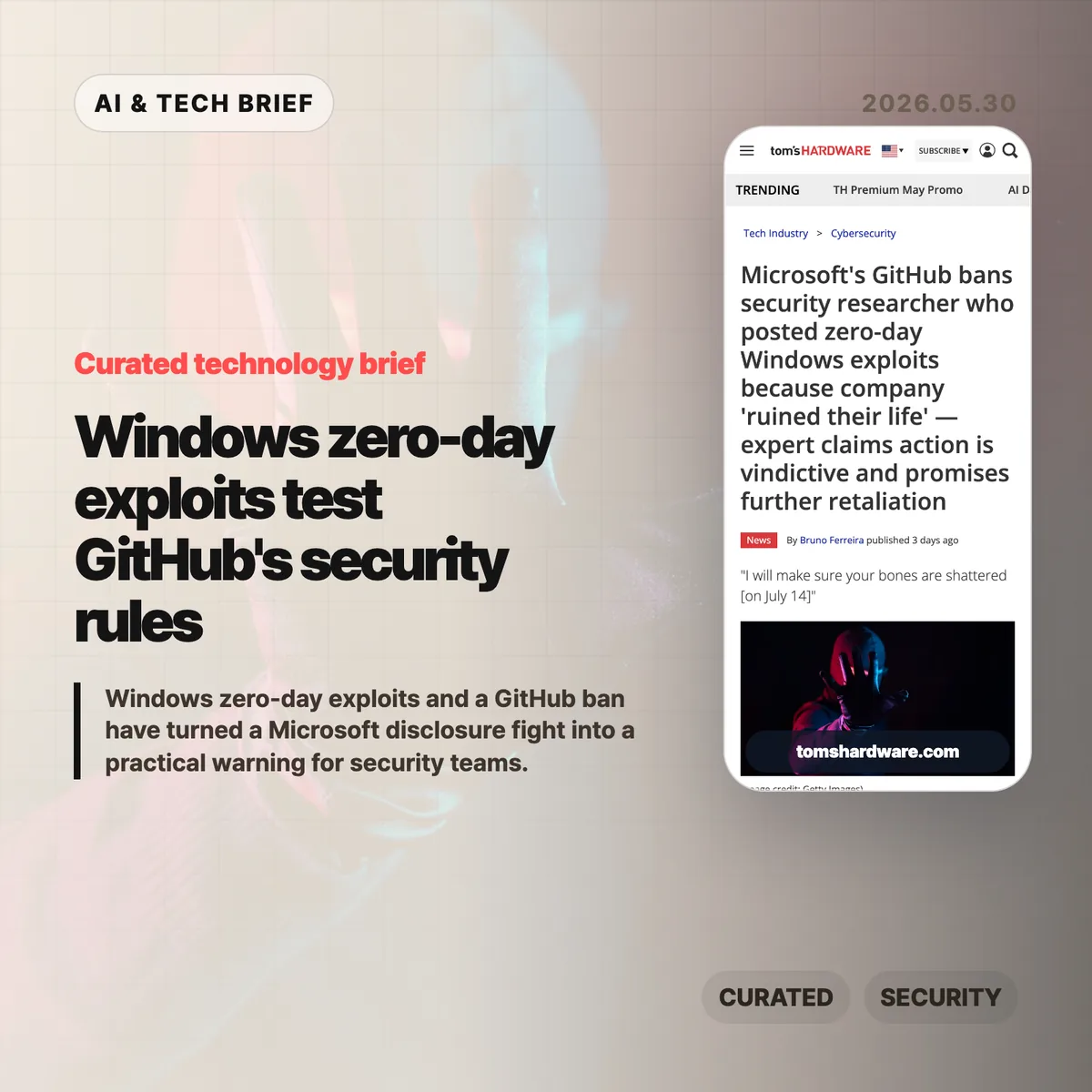
    Windows zero-day exploits are at the center of a messy public fight between Microsoft, GitHub, and the researcher known as Nightmare-Eclipse. GitHub banned the researcher’s account after a run of Windows exploit disclosures, according to Tom’s Hardware, while the researcher claims Microsoft mishandled vulnerability reports and bounty requests.

    The short version

    • GitHub banned Nightmare-Eclipse’s account after the researcher published several Windows zero-day exploits, then the work moved to GitLab.
    • The dispute includes claims about Microsoft’s MSRC process, bounty handling, and whether the researcher followed a defensible disclosure path.
    • Some named projects, including BlueHammer, RedSun, and UnDefend, reportedly touch high-value Windows components such as Defender, CTFMon, Cloud Filter, and BitLocker.
    • The practical problem is boring but urgent: once exploit code is public, deleting one account does little for defenders who need detection rules, mitigations, and patch plans.

    What happened

    Tom’s Hardware reports that Microsoft-owned GitHub banned the account of Nightmare-Eclipse, also known as Chaotic Eclipse, after the researcher published a series of Windows zero-day exploits. The researcher moved the projects to GitLab and framed the ban as retaliation.

    The public dispute appears to have escalated after BlueHammer, a Windows exploit disclosed in April. Nightmare-Eclipse claims Microsoft ignored or rejected reports and did not pay requested bounty rewards. Microsoft has not publicly explained the GitHub ban in detail, which leaves the central question unresolved: was this mainly reckless disclosure, a broken reporting process, or both?

    The named projects matter because they are not abstract proof-of-concept toys. Tom’s Hardware lists BlueHammer, RedSun, UnDefend, GreenPlasma, MiniPlasma, and YellowKey, with reported impact across Windows Defender, CTFMon, Cloud Filter, and BitLocker-related behavior. For readers tracking security and developer platforms, our IT & AI archive follows similar fights where tooling, platform policy, and operational risk collide.

    Why this is worth watching

    Windows zero-day exploits create two clocks at once. One clock belongs to vendors and platform operators, who need time to verify reports, build fixes, and decide what code a hosting service should allow. The other belongs to attackers and defenders, who can move as soon as public code or even a clear write-up appears.

    That is why the GitHub ban is an awkward remedy. If the code has already been copied, account enforcement may reduce visibility more than risk. Defenders still have to assume the techniques are circulating and look for exposure around the affected Windows components.

    The disclosure side is just as uncomfortable. Bug bounty programs ask researchers to trust the vendor’s process. If researchers believe reports vanish into a queue, or that proof requirements keep changing, some will publish first and negotiate later. That does not make public exploit dumps safe. It does explain why platform bans rarely settle the argument.

    What Hacker News readers are arguing about

    The Hacker News discussion is less focused on the personality fight and more focused on whether vulnerability reporting is worth the personal risk. Several commenters describe avoiding security bug reports after bad experiences with companies, police, or employers. The useful thread running through those comments is simple: a researcher who reports a bug can still be treated like an attacker.

    A second camp points to mediators such as national cyber security centers, CERT-style coordinators, and groups like the Chaos Computer Club. The appeal is obvious. A trusted third party can take the sharp edges off disclosure when a vendor is defensive or slow. The pushback is also practical: sending exploit details to a foreign agency may feel risky, and the legal answer changes by country.

    The more sober takeaway is that “responsible disclosure” is not one process. It depends on law, vendor behavior, evidence requirements, and whether the researcher can afford a fight. The discussion is not evidence that this specific researcher handled everything well. It is evidence that many technical readers no longer assume companies will treat good-faith reports kindly.

    Windows zero-day exploits checklist

    Treat the named Windows zero-day exploits as leads for defensive review, not as confirmed coverage gaps in your own fleet. The right question is whether your team would notice the behavior those projects point toward.

    The practical read

    Security teams should treat the Windows zero-day exploits as an exposure review, not as platform drama. Start with the named components and projects: Defender, CTFMon, Cloud Filter, BitLocker, BlueHammer, RedSun, UnDefend, GreenPlasma, MiniPlasma, and YellowKey. Check whether endpoint logging, tamper protection, BitLocker recovery workflows, and privileged process monitoring would catch suspicious behavior around those areas.

    Developers and security researchers should take a different lesson. Keep a clean disclosure record: timestamps, report IDs, scope language, vendor replies, proof material, and escalation attempts. If the vendor relationship gets hostile, that paper trail matters more than a social media argument.

    For platform operators, the hard part is policy clarity. Hosting exploit code is dangerous. So is quietly removing research without explaining the rule. The next version of this story will depend less on the ban itself and more on whether Microsoft and GitHub can show researchers where the line actually is.

    Sources