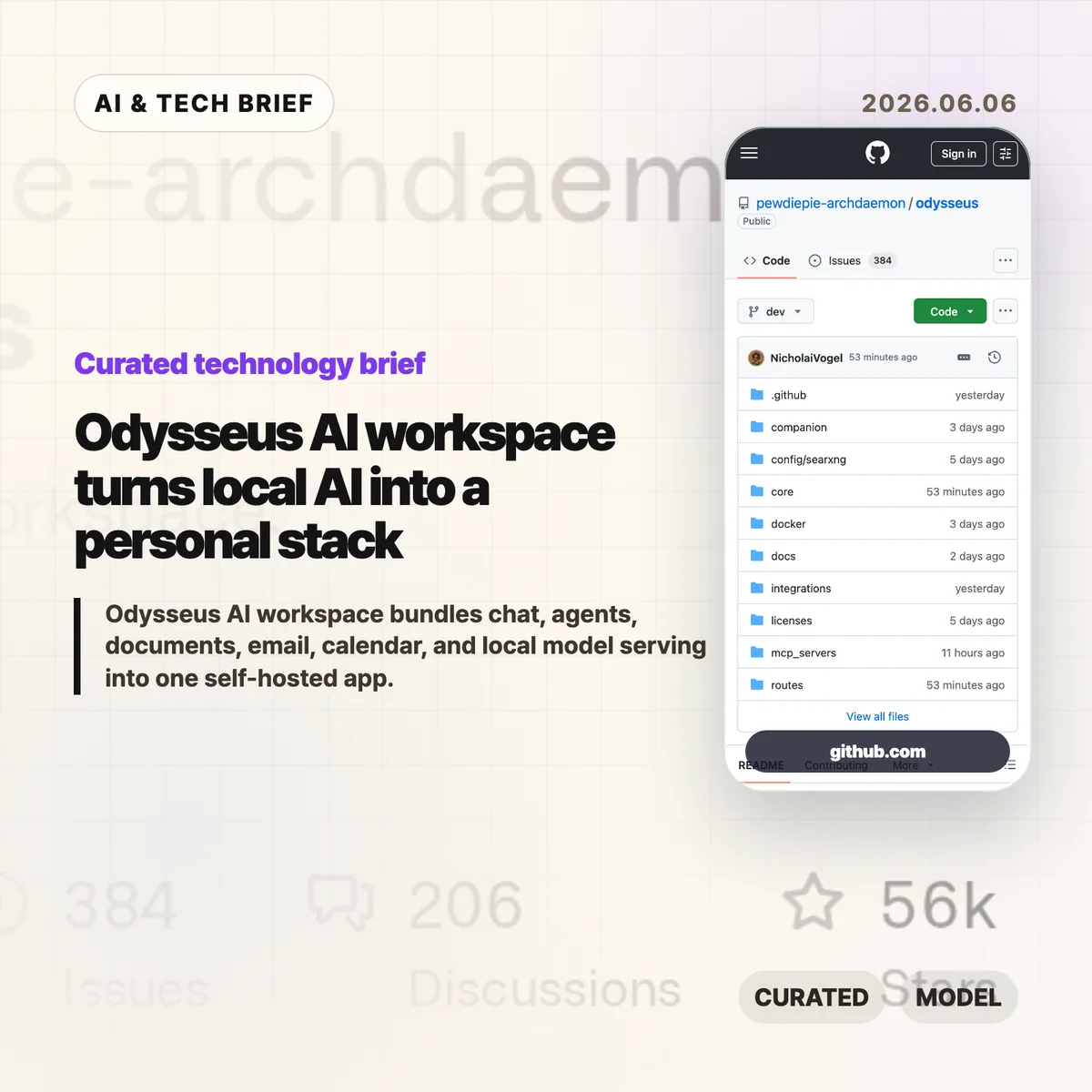
Odysseus AI workspace is a self-hosted AI app from the PewDiePie-associated GitHub account pewdiepie-archdaemon. The project tries to put chat, agents, documents, email, calendar, notes, model comparison, and local model serving into one private workspace instead of another browser tab pointed at a hosted chatbot.
The short version
- Odysseus is an MIT-licensed GitHub project created on May 31, 2026, and its repository showed more than 55,000 stars when checked through the GitHub API.
- The app supports local and hosted model paths, including vLLM, llama.cpp, Ollama, OpenRouter, OpenAI, and GitHub Copilot, according to the project README.
- Its scope is broader than a chat UI: agents, deep research, documents, memory, email triage, tasks, calendar sync, file uploads, and a mobile-friendly PWA are all part of the pitch.
- The strongest practical question is permission design. A tool that can touch files, shell commands, email, and calendar data needs careful setup even when it runs locally.
What happened
Odysseus landed as a self-hosted AI workspace with unusually fast attention for a new developer tool. The README describes it as a local-first, privacy-first version of the UI experience people know from ChatGPT and Claude, but expanded into a broader personal workspace. The project is written primarily in Python, uses an MIT license, and documents Docker, native Linux/macOS, Apple Silicon, and Windows launch paths.
The feature list is ambitious. Chat can connect to local models or API providers. The agent mode is built around opencode, MCP, web access, files, shell, skills, and memory. A Cookbook feature scans hardware, recommends models, and helps download or serve them through tools such as llmfit, vLLM, and llama.cpp. Deep Research is adapted from Tongyi DeepResearch. There are also document editing, ChromaDB-backed memory, IMAP/SMTP email triage, CalDAV calendar sync, notes, tasks, file uploads, a PWA interface, and optional services such as SearXNG and ntfy in the Docker stack.
That breadth is the point. Odysseus is not trying to be the smallest local LLM chat window. It is trying to make a personal AI operating surface, where the model, the files, the schedule, the inbox, and the action layer can live closer together.
Why Odysseus AI workspace is worth watching
Odysseus AI workspace is worth watching because it treats local AI as a full work environment, not a model demo. Local LLM projects often start with one narrow job: chat with a model, serve an endpoint, compare prompts, or manage downloads. Odysseus packages those jobs with everyday productivity surfaces, which makes the product question sharper: can a self-hosted app become the place where people actually do AI-assisted work?
The answer is not obvious. Running on your own hardware can help with privacy, cost control, and experimentation, but it moves responsibility back to the operator. If a user connects mail, calendar, files, shell tools, and web search, local-first no longer means low-risk. It means the risk sits in a different place. Teams evaluating tools like this should treat Odysseus as an integration surface first and a chatbot second.
The star count matters less than the direction of travel. A celebrity-backed open-source launch can distort attention for a few days. The more durable signal is that AI power users keep rebuilding personal workspaces around the same needs: private data, flexible model routing, document work, agents, and automation that does not require sending everything through one commercial assistant.
What does Odysseus AI workspace change for builders?
Odysseus AI workspace gives builders a useful product brief for local AI: the hard part is no longer only model access. The hard part is packaging model access with permissions, storage, retrieval, account connections, background tasks, and a UI that ordinary users can understand after installation.
For app builders, the interesting ASO and discovery angle is that local AI tools are starting to look like app ecosystems. Users may search for an installable workspace, an Ollama front end, a private ChatGPT alternative, an agent dashboard, or an email-aware assistant and expect one app to cover all of it. That creates opportunity, but it also creates trust problems. The more an app promises to do, the more it needs visible controls: which model is running, which tool has access, what the agent did, and how to undo a mistake.
If you are tracking this category, the safest comparison set is not only ChatGPT or Claude. Compare Odysseus with Open WebUI, Jan, Msty, AnythingLLM, local IDE agents, and small one-purpose LLM tools. The winner for many users may be the tool that does less, but makes its permissions and failure modes clearer.
For more coverage of local AI tools and developer products, see the IT & AI archive.
What Hacker News readers are arguing about
The Hacker News discussion was skeptical in the way HN threads often are when a high-profile person releases a broad AI tool. One camp asked why anyone would use Odysseus instead of Open WebUI or a much smaller personal chat UI. Several commenters argued that many AI-native projects now converge on the same power-user workspace idea: chat, files, agents, model routing, and a busy dashboard.
The useful counterpoint was more specific. Some readers who had used Open WebUI for a long time said Odysseus appeared to include agent mode, deep research, and document work in a more integrated shape. Others pointed to document editing as a real differentiator, while still saying they would wait before trusting it with important data.
Security came up as a practical concern, not an abstract objection. A self-hosted tool that can connect to shell, files, email, calendar, and browser-like research workflows needs more than a friendly local label. HN readers also debated licensing and branding around competing tools, which matters for teams that want to fork, rebrand, or deploy a local AI workspace for customers.
The practical read
Odysseus is worth testing if you already run local models, use Ollama or llama.cpp, or want one dashboard for model serving, chat, agents, research, documents, and personal data. Start with a non-critical machine or a separate account. Do not connect your primary inbox, calendar, or sensitive file tree on day one.
The project is less compelling if all you need is a simple local chat interface. A smaller tool may be easier to audit, easier to back up, and less likely to surprise you with hidden coupling between features. Odysseus makes the most sense for people who want to experiment with the full local AI workspace pattern and are comfortable reading logs, checking Docker settings, and thinking through access boundaries.
The real test will come after the launch wave. Watch the issue tracker, security posture, contribution quality, and whether the project can make its large feature set feel coherent. A fast star count can bring contributors, but it can also bring hundreds of support requests before the app has settled.
Developer-tool evaluation checklist
Use this section when the story might affect a real engineering workflow, not just a news feed.
For this article, the strongest verification path is to read the public sources side by side: api.github.com, github.com, news.ycombinator.com.
| Check | How to use it | Why it matters |
|---|---|---|
| Workflow fit | Test the tool on a small existing task before changing team defaults. | The useful signal is whether review time, test quality, or handoff friction improves. |
| Failure mode | Look for the exact point where the tool becomes overconfident or vague. | Developer tools often fail at boundaries: legacy code, undocumented APIs, and ambiguous product intent. |
| Operational cost | Compare setup time, context limits, pricing, and review overhead. | A fast demo can still be expensive if every result needs manual cleanup. |
| Exit path | Check whether outputs remain usable without the vendor, model, or hosted service. | Teams should avoid workflow lock-in before the tool has proved durable. |
The practical test is simple: if the article changes a tool trial, architecture review, procurement question, or monitoring list, it belongs in the public archive. If it only restates an announcement, it needs more evidence before it is useful.