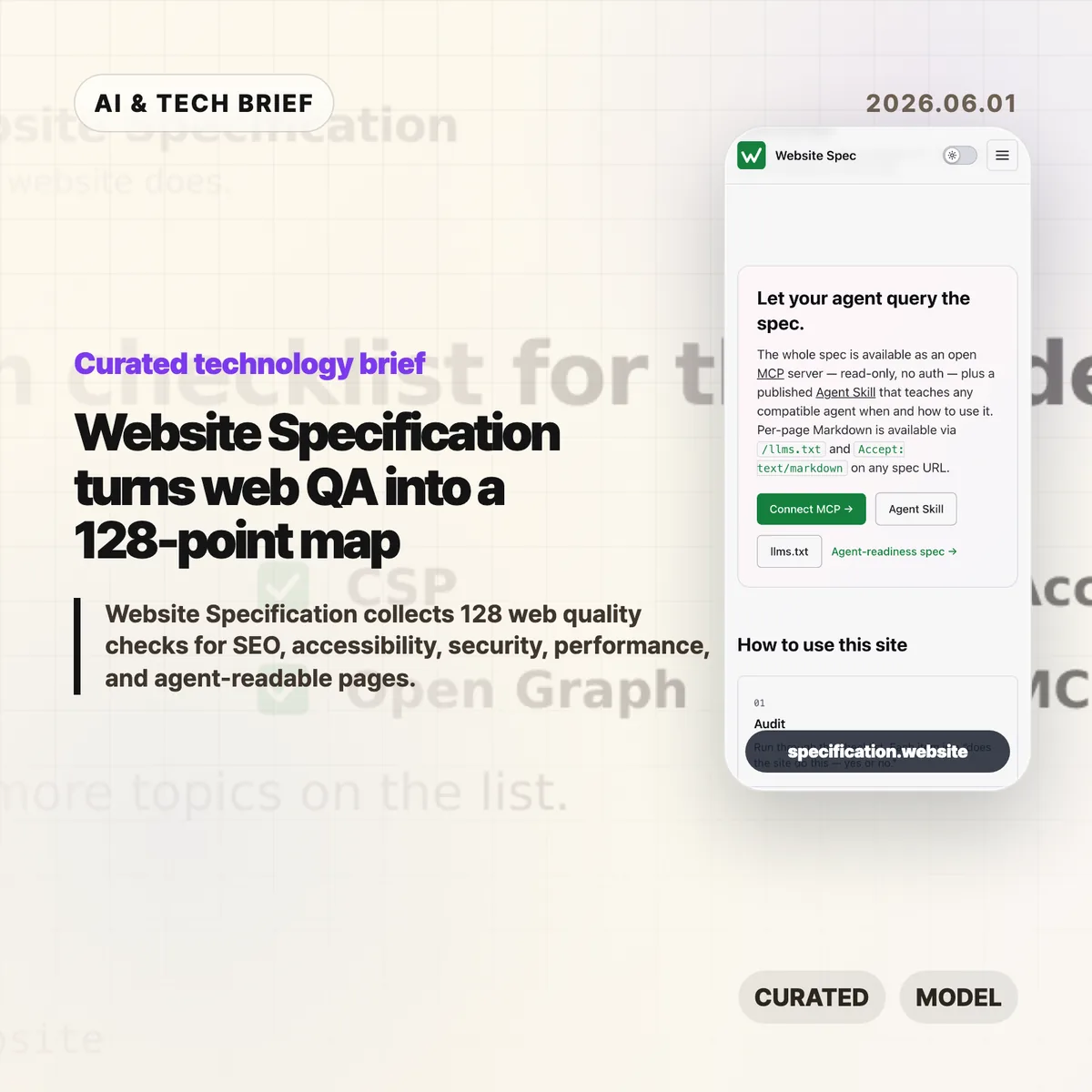
Website Specification is a new open web checklist that tries to put the boring, easy-to-miss parts of a good site in one place. It covers 128 topics across SEO, accessibility, security, performance, privacy, resilience, internationalisation, and agent-readable surfaces such as Markdown pages and llms.txt.
Table of Contents
The short version
- Website Specification is platform-agnostic: WordPress, Next.js, Astro, Django, Drupal, plain HTML, and other stacks are meant to be checked against the same list.
- The project groups 128 topics into 10 areas, including foundations, SEO, accessibility, security, well-known URIs, agent readiness, performance, privacy, resilience, and internationalisation.
- The useful part is not that every site must pass every item. It is that teams can discuss site quality with a shared map instead of a pile of scattered audit tools.
- The controversial part is agent readiness. Hacker News readers liked the checklist but argued hard about
llms.txt, MCP, and whether machine-facing pages invite abuse.
What happened
The Website Specification site describes itself as “a platform-agnostic specification of the technical features every decent website should have.” The home page points to familiar basics, such as <title>, /.well-known/security.txt, WCAG contrast, and llms.txt, then links into a full topic index.
The index currently lists 128 topics across 10 categories. Foundations alone covers the doctype, <html lang>, UTF-8 charset, viewport, title, meta description, canonical URLs, favicons, theme color, Open Graph tags, feed discovery, and related basics. Other sections move into robots.txt, sitemaps, structured data, WCAG-aligned accessibility checks, security headers, Core Web Vitals, privacy signals, error handling, and language metadata.
The project is also deliberately machine-readable. It publishes llms.txt, per-page Markdown via .md URLs or Accept: text/markdown, a full llms-full.txt, a public MCP server, and an Agent Skill. That makes the site a reference for humans, but also a test case for how web documentation might expose itself to AI coding tools and audit agents.
Why this is worth watching
Most website quality work is fragmented. One audit tool catches missing metadata. Another complains about contrast. A security scanner checks headers. A performance tool cares about images, caching, and script weight. Product teams often end up with a spreadsheet that mixes browser requirements, SEO advice, accessibility obligations, and someone’s personal preferences.
Website Specification is interesting because it pulls those concerns into one model and cites the underlying sources: WHATWG, W3C, IETF RFCs, WCAG, MDN, IANA, and other web references. That does not make every recommendation equally urgent. It does make the tradeoffs easier to see.
The agent-readable layer is the part to watch. A checklist that can be queried over MCP or consumed as Markdown is useful for AI-assisted QA, especially for teams building developer tools, site generators, CMS plugins, or agent workflows. If you track this space, the IT & AI archive is a good place to follow similar shifts in web tooling and AI developer infrastructure.
Website Specification in practice
For builders, the best use of Website Specification is probably as a deployment review, not a religion. A small landing page may not need every feed, structured data, or internationalisation detail. A public product site, docs site, or media site probably needs many more of them than its team remembers before launch.
The checklist is also a useful way to split ownership. Engineers can handle headers, status codes, caching, redirects, and HTML correctness. Designers can review contrast, focus states, and readable layouts. Product and growth teams can own metadata, previews, search snippets, and feed behavior. The spec gives those conversations a common vocabulary.
The weak spot is the same one that makes the project interesting: agent readiness is still unsettled. llms.txt, public MCP endpoints, and agent skills may help tools inspect a site, but they are not equivalent to browser standards or WCAG. Treat them as experiments until real adoption patterns become clearer.
What Hacker News readers are arguing about
The Hacker News discussion is split in a useful way. Many readers liked having a single checklist and said they discovered features they had missed, especially around /.well-known/ URLs and older web basics. A few developers with long experience said the list is handy precisely because websites accumulate quiet technical debt.
The strongest objection is checklist inflation. Several commenters worried that a 128-item list could become another Jira mandate where teams must justify why a simple site does not implement every modern web feature. That is a fair concern. A spec like this is only helpful if teams can mark items as required, recommended, optional, or irrelevant for their context.
The sharpest argument was about agent readiness. Some readers dismissed llms.txt as unsupported by major AI providers. Others argued that giving agents a separate surface could repeat old SEO problems, where machines see a cleaner or more flattering version of the site than humans do. The practical counterpoint is that plain Markdown, accessible HTML, and predictable URLs also help screen readers, search engines, archivers, and developer tools. The safest reading is boring but useful: make the human site clean first, then expose machine-readable versions only when they match the real content.
The practical read
If you run a website, use Website Specification as a triage tool. Start with the items that affect every visitor: valid HTML basics, mobile viewport, titles and descriptions, canonical URLs, accessible contrast and focus states, HTTPS, security headers, useful error pages, and reasonable performance.
If you build web tooling, the project is more interesting as an interface pattern. A spec exposed through pages, Markdown, llms.txt, MCP, and an agent skill gives coding assistants something concrete to query. That could turn site QA from a vague prompt into a repeatable audit.
Just do not let the checklist replace judgment. A good website still has to serve its users. The list helps you find gaps; it cannot decide which gaps matter this week.