Tag: Programming

  • RGB normalization: why 255 still beats 256 for most image code

    RGB normalization: why 255 still beats 256 for most image code

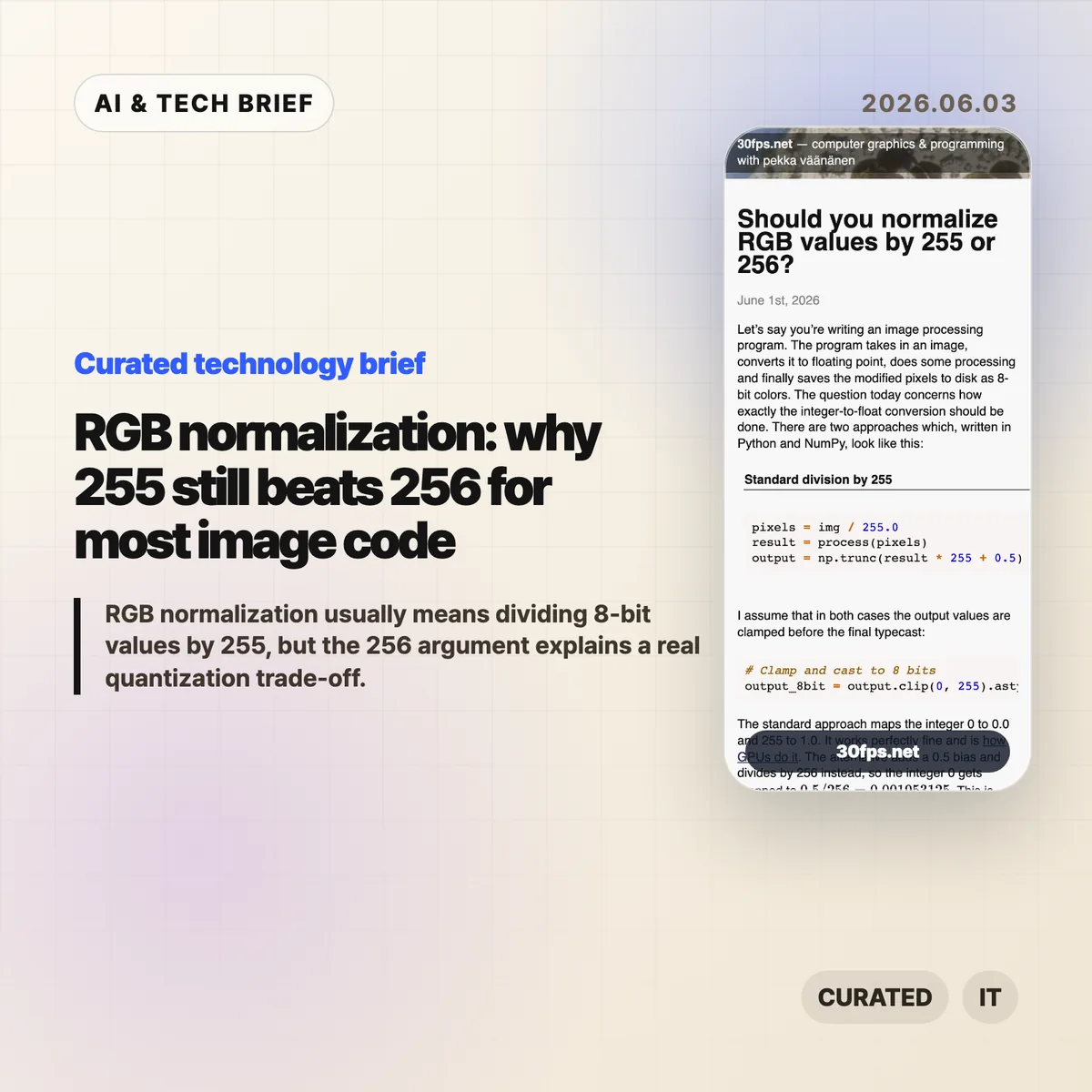
    RGB normalization for 8-bit images usually means mapping channel values 0-255 into floating point with value / 255.0. Pekka Vaananen’s June 1, 2026 article on 30fps.net explains why (value + 0.5) / 256.0 can look cleaner as a quantization model, but still makes a poor default when a program loads ordinary PNGs, screenshots, textures, or user-supplied images.

    The short version

    • RGB normalization by 255 maps the 256 possible 8-bit codes so that 0 becomes 0.0 and 255 becomes 1.0, matching common GPU UNORM behavior.
    • The 256 formula, (value + 0.5) / 256.0, maps black to 0.001953125 instead of 0.0, which complicates exact endpoint checks.
    • A centered 256-bin model can help in controlled color-depth conversion or dithering, as Andrew Kensler argued in his 2015 note on color conversion.
    • For outside images, the safer rule is to decode with 255, round and clamp on output, and avoid mixing quantizer contracts in one pipeline.
    • The public Hacker News thread reached 322 points and 137 comments, with the best arguments centered on whether a byte represents an endpoint or a bucket.

    What happened

    Pekka Vaananen published a detailed note on whether 8-bit RGB values should be converted to floats with img / 255.0 or (img + 0.5) / 256.0. The standard formula preserves endpoints: integer 0 becomes 0.0, and integer 255 becomes 1.0. Vaananen points out that this is also the direction used by GPUs when they convert unsigned normalized values to floating point.

    The alternative formula treats each byte as the center of a quantization interval. Under that model, 0 maps to 0.5 / 256, 128 maps near the center of its interval, and the output bins are more evenly arranged inside the [0, 1] range. That makes the math feel tidier, especially for programmers thinking about quantizers, dithering, or fixed-point color-depth conversion.

    The article’s practical conclusion is conservative: use 255 when loading and processing images from outside your own pipeline. A 256-based mapping can make sense when a team controls the entire save-load cycle and accepts that exact black and exact white no longer map to the endpoints that most tools expect.

    Why RGB normalization is worth watching

    RGB normalization is worth watching because one divisor changes the contract for every later step in an image pipeline. With 255, 8-bit black is exactly 0.0 and 8-bit white is exactly 1.0. With the centered 256 formula, black becomes 0.001953125 and white becomes 0.998046875, so a shader, image editor, ML preprocessor, or Python threshold may stop seeing the endpoints it expects.

    The 255 formula is not mathematically perfect. Vaananen shows that when uniformly distributed floats in [0, 1] are rounded back into 8-bit values, the two extreme bins can be half-width compared with the interior bins. He also notes that values like 128 / 255.0 are not exactly representable in binary floating point. His judgment is that these are usually aesthetic or theoretical objections, not bugs that justify decoding other people’s images with a different scale.

    The more useful takeaway is consistency. A graphics pipeline can use an endpoint model or a centered-bin model, but it needs to use the same model when it decodes, processes, dithers, and writes pixels back to disk.

    What does RGB normalization change for builders?

    RGB normalization changes real builder work when the project crosses a boundary between libraries, file formats, GPU APIs, and custom math. Most app developers, graphics programmers, and ML engineers should divide 8-bit image channels by 255.0 because that is what surrounding tools usually expect. It keeps black and white easy to test, preserves common assumptions in masks and alpha, and matches the way many APIs expose normalized bytes.

    The 256 approach is still worth understanding. Andrew Kensler’s 2015 post on converting color depth argues for a centered mapping because it generalizes cleanly across bit depths and works nicely with dithering. If a team is building a custom renderer, a pixel-art tool, a color quantizer, or an image codec experiment, that model can be cleaner. The catch is that the team must own both sides of the conversion. Reading arbitrary PNGs with the centered formula does not recover precision that was lost when someone else quantized the file.

    For app builders, the ASO angle is simple: image tools get judged by visual trust. A filter app, camera editor, or pixel art workflow that shifts black levels or changes round-trip behavior can create visible differences users describe as washed out, crushed, or inconsistent.

    What Hacker News readers are arguing about

    The Hacker News thread around the article was active, with 322 points and 137 comments when checked through the public Algolia API. The useful part of the discussion was not a unanimous verdict. It was the set of mental models commenters used to decide what the byte means.

    One camp leaned on the endpoint model: if the byte runs from 0 to 255, then the span from darkest to lightest has length 255, much like a ruler with marks at both ends. That view supports dividing by 255, especially when 0 and 255 are physical or display endpoints. Another camp pushed back with an interval model: a byte can represent one of 256 buckets, and placing the reconstructed value at the bucket center is a reasonable estimate of the original continuous value.

    Several commenters moved the debate into implementation details. Some argued that division by 256 can be faster in integer-heavy software rendering because it becomes a shift. Others replied that modern float multiplication, SIMD, GPU execution, compiler behavior, memory bandwidth, and color-space correctness matter more than a single divisor in most real pipelines. A separate thread pointed out that compositing math should happen in linear color space, which is a larger correctness issue than 255 versus 256.

    The best practical objection in the discussion was that graphics code often mixes domains: file bytes, display-referred sRGB values, linear-light math, alpha compositing, dithering, and GPU formats. The divisor decision only stays clean if the code is honest about which domain it is in.

    The practical read

    Use value / 255.0 for ordinary RGB normalization when reading 8-bit images from files, user uploads, screenshots, design assets, game textures, or third-party libraries. It matches common expectations, keeps endpoints exact, and avoids surprising downstream code. If the code later writes back to 8-bit, use a matching encode path with rounding and clamping rather than mixing formulas. For more technical briefs like this, browse the IT & AI archive.

    Consider (value + 0.5) / 256.0 only when the pipeline is designed around centered quantization from the start. That means the encoder, decoder, tests, documentation, and any dithering logic agree on the same model. It is a pipeline contract, not a drop-in replacement for the standard image-loading formula.

    The debugging rule is even simpler: if colors look slightly lifted, blacks stop comparing equal to zero, or round-trips change pixels unexpectedly, check whether one stage divided by 255 and another stage assumed 256. These bugs are small enough to hide in code review and visible enough to annoy anyone looking at the output.
    Sources

  • Neovim developer workflow: why modal editing still sticks

    Neovim developer workflow: why modal editing still sticks

    The Neovim developer workflow has outlasted several waves of shiny editors because it is built around editing as a repeatable grammar, not a panel-heavy app. Caio Bianchi’s May 26 essay is personal, but the argument lands beyond nostalgia: developers keep returning to Neovim when they want a fast, programmable editor that follows them from a local project to SSH, tmux, Git, tests, and Markdown.

    The short version

    • Bianchi says he started using Vim in 2011 and still picks Neovim after trying VS Code, JetBrains IDEs, Sublime, Atom, Zed, and others.
    • His case for Neovim is less about raw typing speed and more about motions, text objects, macros, and repeatable edits that stay useful for years.
    • Modern Neovim is not frozen in old Vim culture. Lua configuration, built-in LSP, Treesitter, snippets, formatters, and plugin managers such as Lazy.nvim make it feel current without turning it into a giant dashboard.
    • The Hacker News thread is tiny, but the one substantive reply echoes the same pattern: other editors come and go, while Vim or Neovim becomes the tool people keep returning to.

    What happened

    Bianchi published “A Love Letter to Neovim,” a first-person essay about why Neovim remains the editor he trusts most after roughly fifteen years with Vim and Neovim. The piece is not a feature checklist. It is an argument for a way of working.

    The center of the essay is Vim’s editing grammar. ci" changes text inside quotes. dap deletes a paragraph. . repeats the last change. Macros turn a boring edit into something the editor can replay. Text objects let a developer operate on structure instead of counting characters.

    That grammar matters because code editing is rarely just typing. It is moving through files, cutting a bad abstraction, reshaping a function, checking diagnostics, running tests, and doing the loop again. Bianchi’s point is that Neovim makes those small moves feel direct.

    Neovim developer workflow in practice

    The Neovim developer workflow is also a bet against the all-in-one editor. Bianchi likes that Neovim starts with a buffer and lets the user decide what belongs around it. File search can come from Telescope or fzf-lua. Git can come from Fugitive. Search can come from ripgrep. Sessions can live in tmux. Language tooling can come from LSP, Treesitter, formatters, snippets, and test runners.

    That sounds less convenient than installing a large IDE until the context changes. On a remote server, in a small terminal, inside a pairing session, or while editing a quick config file, the same commands still work. The setup is also plain text in Git, so the user can read it, delete parts of it, or carry it across machines without trusting a hidden settings database.

    This is why the essay feels current even in a year when developer tools are full of AI panels. The Neovim developer workflow does not compete by adding one more sidebar. It competes by reducing the number of moments where the editor itself becomes the thing you are managing.

    For more developer-tool briefs like this, see the IT & AI archive.

    Why this is worth watching

    Neovim is a useful reminder for anyone building developer tools: habit durability can matter as much as new capability. A feature that saves five seconds once is nice. A motion, mapping, macro, or small Lua function that fits into thousands of edits can become part of how someone thinks.

    That does not make Neovim the right editor for every team. VS Code is easy to start with, has a huge extension market, and works well for a broad base of developers. JetBrains tools are deep and polished for many language stacks. The interesting part is that Neovim survives beside those products because it gives advanced users a different bargain: more setup work, more ownership, and fewer assumptions about the rest of the workflow.

    The product lesson is blunt. Some developers do not want the editor to become the whole desk. They want the sharp part of the desk.

    What Hacker News readers are arguing about

    The Hacker News discussion is too small to call a debate. At the time checked, the story had one substantive comment. That reply is still useful because it mirrors the essay’s main claim from another long-time user.

    The commenter describes moving through Kate, Gedit, Eclipse, JEdit, NetBeans, VS Code, Emacs or Spacemacs, and Helix, but still coming back to Vim or Neovim. They credit Neovim with giving the old model a new life through LSP, Treesitter, and Lua scripting. The caveat is config maintenance. Even fans admit that keeping a Neovim setup tidy can be work, which is one reason editors like Helix remain tempting for people who want modal editing with fewer knobs.

    So the useful read from the thread is not broad consensus. It is a familiar trade: Neovim rewards time spent shaping the tool, but that same freedom creates maintenance debt.

    The practical read

    If you already have a calm, productive editor setup, this essay is not a reason to switch. It is a reason to ask where your current setup creates friction. Do you keep reaching for a mouse to do a repeatable edit? Do search, Git, tests, and terminal work feel like separate rooms? Do your settings live in a place you can actually inspect and version?

    If those questions sting, Neovim is worth testing in a narrow lane first. Use it for config files, Markdown, quick SSH edits, or one side project. Do not rebuild your whole work life in a weekend. The value of the Neovim developer workflow shows up when a few commands become automatic and stay useful across projects.

    For tool builders, the sharper lesson is about discovery. App stores, extension markets, and plugin directories often reward visible features, but the workflows people keep are usually quieter. They fit into muscle memory.

    Sources

  • Developer tools that stick usually solve boring pain

    Developer tools that stick usually solve boring pain

    A long Lobsters thread about favorite developer tools turned into a useful map of what developers actually keep using. The names are scattered across editors, shells, Git front ends, environment managers, and debuggers, but the pattern is fairly consistent: good tools remove friction without demanding a new hobby.

    The short version

    • Editors did not converge on one winner. Helix, Emacs, Neovim, Sublime Text, Zed, and JetBrains IDEs all came up, usually with strong opinions about defaults and muscle memory.
    • Version control comments leaned toward tools that make risky Git work feel safer, including Jujutsu, Magit, lazygit, Sublime Merge, delta, and difftastic.
    • Shell and environment picks such as Fish, WezTerm, Ghostty, tmux, Nix, mise, atuin, and fzf show how much developers care about repeatable setup.
    • The most practical answers were often about debugging and profiling: rr, Pernosco, RenderDoc, Tracy, RemedyBG, and Xcode Instruments.

    Developer tools worth keeping

    The useful developer tools in this discussion share a boring promise: they make daily work safer, faster, or easier to repeat without turning setup into the main project.

    What happened

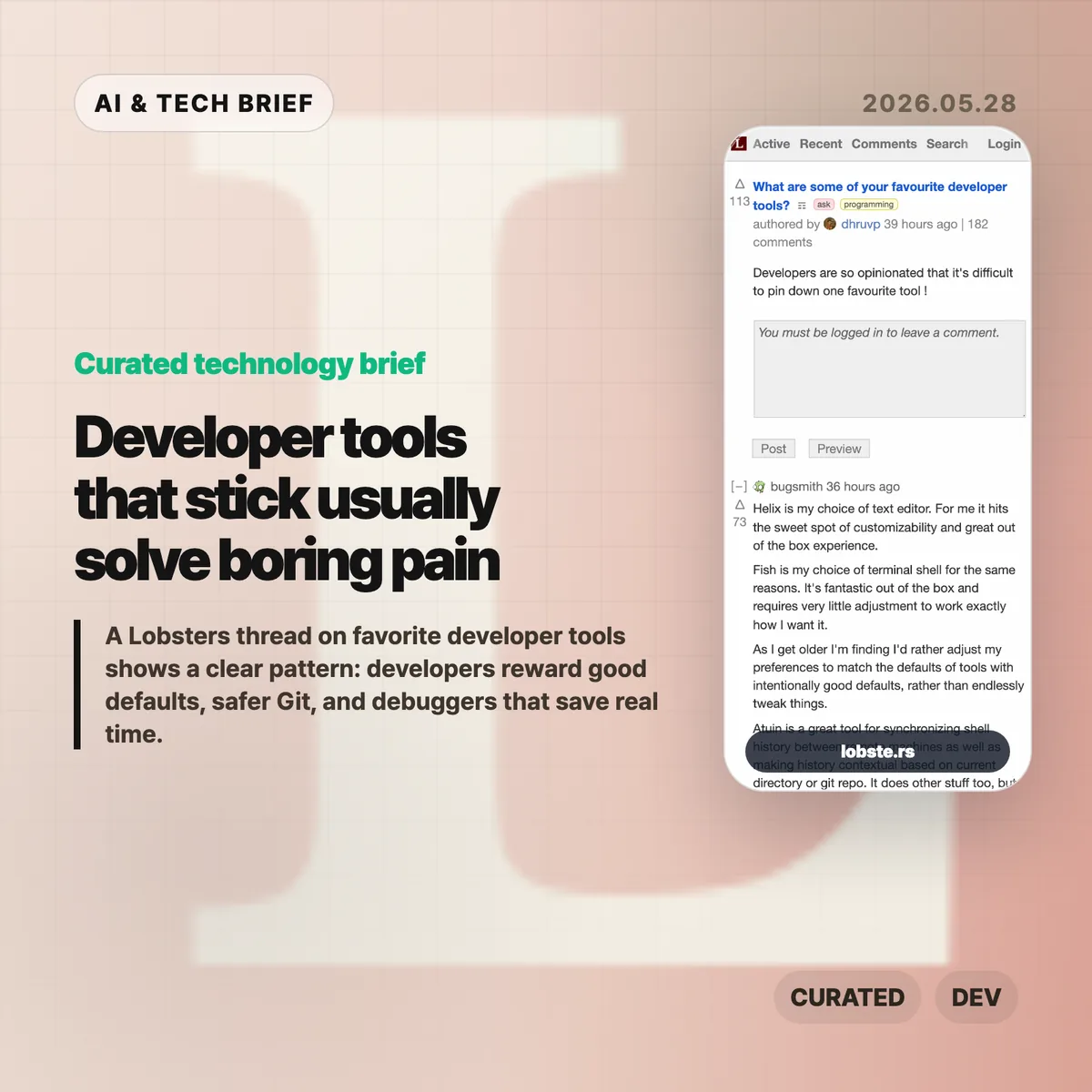
    A Lobsters user asked a simple question: what are some of your favorite developer tools? The thread drew more than a hundred comments, which is not surprising for a community that can turn editor choice into a personality test.

    The interesting part is that the answers were not only about shiny new tools. Many developers praised tools that feel good out of the box. Helix and Fish came up that way. Several commenters said they now prefer tools with intentional defaults because they have less patience for endless configuration. Others pushed back, arguing that a carefully tuned Emacs or Vim setup can pay off for years.

    That tension says more than any single ranked list would. Some developers want defaults they can trust. Some want a tool chest they can shape over a decade. Both camps are trying to protect the same thing: attention.

    Why this is worth watching

    The thread is a useful reminder that developer productivity is rarely one big leap. It is usually a pile of small reductions in annoyance.

    Version control is a good example. Jujutsu, usually called jj, appeared repeatedly because it changes how people approach rebases, amends, branches, and history editing. Magit, lazygit, Sublime Merge, delta, and difftastic serve a similar need from different angles. They make state visible. They make diffs easier to read. They make undo and review feel less like a trap.

    Environment management came up for the same reason. Nix has a steep learning curve, but the developers who like it are tired of one project breaking another. mise drew praise for language and tool version management without much ceremony. Dev Containers and chezmoi sit in the same problem space: a laptop, a work machine, a remote server, and CI should not all feel like separate archaeological sites.

    The best answers were not always the flashiest ones. rr came up because being able to record a failing C or C++ program and replay it deterministically can save hours on memory corruption bugs. Pernosco adds time travel debugging with data flow analysis. RenderDoc and Tracy matter to graphics and performance work. JetBrains users praised the IDE because its debugger and framework support keep them moving.

    What the discussion is missing

    There is no Hacker News thread attached to this story, and the Lobsters discussion is already the source material. That means the useful caution is not about missing crowd sentiment. It is about sampling.

    Lobsters skews toward developers who enjoy tools enough to discuss them in public. That naturally favors editors, shells, version control tools, language managers, and low level debugging workflows. Enterprise defaults, team policy, accessibility, onboarding cost, Windows-heavy shops, and non-English developer communities get less attention.

    The thread also underplays one awkward truth: a great individual tool can still be a poor team default. Nix may solve dependency drift for one group and become a support burden for another. Jujutsu may make history editing nicer for an experienced engineer while confusing someone who only needs basic Git. The right question is not “which tool won?” It is “which recurring failure does this remove from my day?”

    The practical read

    If you are reviewing your own toolchain, start with the moments that waste time rather than the tools that sound fashionable. Slow search points toward ripgrep, fzf, or a better code search workflow. Messy shell history points toward atuin or autojump-style navigation. Git anxiety points toward lazygit, Magit, jj, Sublime Merge, delta, or difftastic. Reproducible setup problems point toward mise, Nix, Dev Containers, or a smaller dotfiles system.

    For teams, the thread argues for better defaults rather than forced sameness. You do not need every developer in the same editor. You do need a project that starts in minutes, a version control workflow people can recover from, and debugging tools that make the worst bugs less mysterious.

    For more briefs on software teams, AI products, and developer workflows, see the IT & AI archive.

    The dull test is the right one: does the tool get you back to the problem faster?

    Sources