Tag: Product Management

  • Software north star: a 3-step test for better engineering decisions

    Software north star: a 3-step test for better engineering decisions

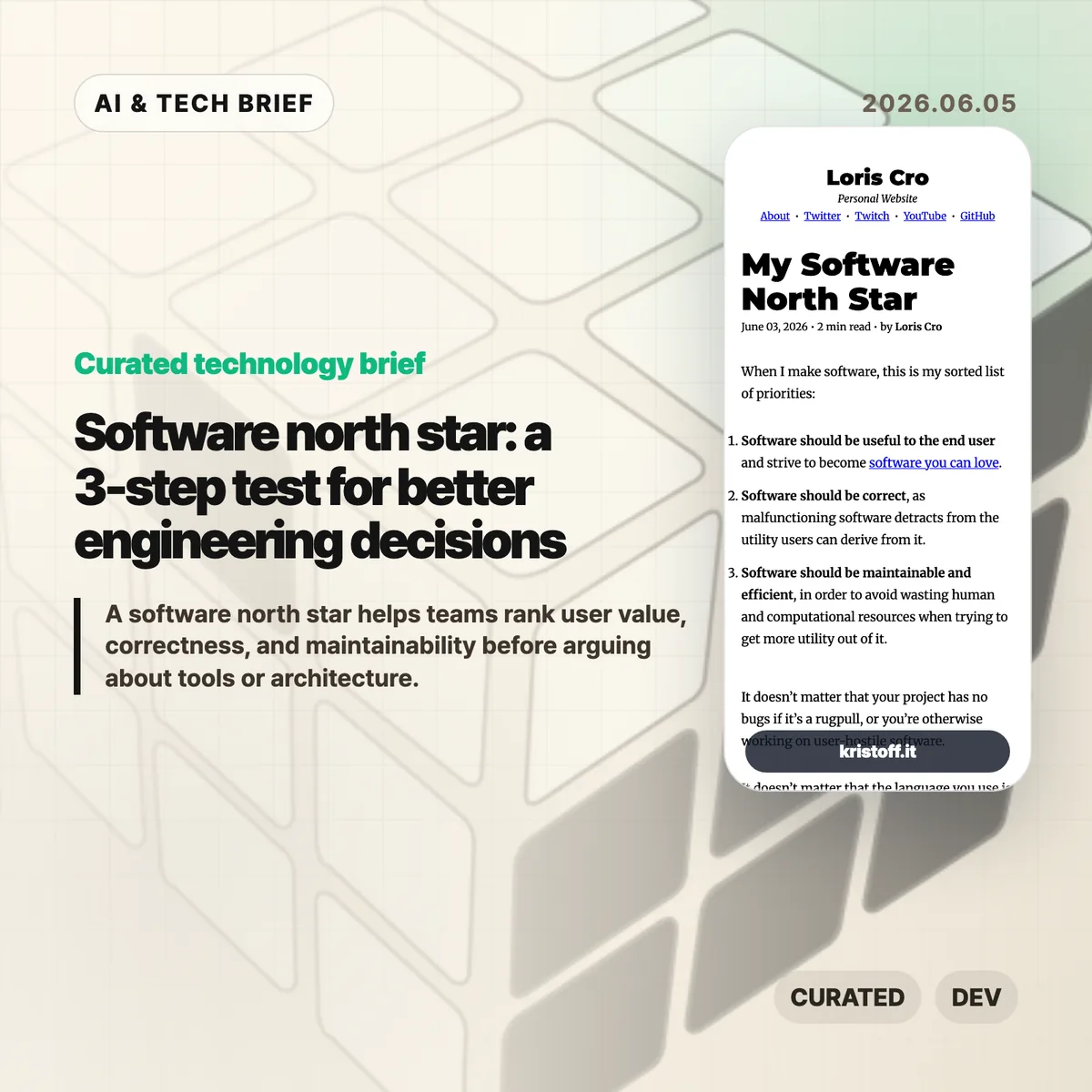
    A software north star is a ranking system for engineering tradeoffs, not a slogan for a team poster. Loris Cro’s short post, “My Software North Star,” argues that useful software comes first, correct software comes second, and maintainable, efficient software comes third. That order is a useful check when teams start arguing about languages, architecture, performance, or developer experience before they have settled what the user actually gets.

    The short version

    • Loris Cro published “My Software North Star” on June 3, 2026 as a two-minute post with three ranked priorities: usefulness, correctness, then maintainability and efficiency.
    • A software north star gives teams a practical order for decisions about languages, rewrites, abstractions, performance, and developer tools.
    • The post treats user-hostile software as a failure even when the code has few bugs, which makes it more pointed than a generic quality checklist.
    • The Hacker News discussion was tiny, with 7 points and one substantive comment, but the objection centered on whether memory safety and guardrails deserve more weight.
    • Product and engineering teams can use the frame before approving work that feels technically attractive but does not improve the product users touch.

    What happened

    Loris Cro published “My Software North Star” on June 3, 2026. The post is only a few minutes long, but it lays out a compact hierarchy for software work: software should be useful to the end user, software should be correct, and software should be maintainable and efficient.

    The examples matter. Cro says a bug-free project still fails the test if it is a rug pull or otherwise hostile to users. He also argues that a memory-safe language does not replace design for correctness or a process that leads teams to fix bugs. The same logic applies to elegant abstraction: a beautiful internal structure is still a problem if the software is unbearably slow or nobody can maintain it.

    That makes the post less about one programming language and more about priority order. The claim is not that correctness, memory safety, maintainability, or performance are secondary in the casual sense. The claim is that those engineering goals earn their place by protecting the user’s ability to get value from the software.

    Why software north star is worth watching

    A software north star is worth watching because it gives engineering teams a fixed order for tradeoffs that usually get argued one at a time. Cro’s June 2026 list starts with end-user usefulness, then correctness, then maintainability and efficiency. That order forces a team to explain whether a safer language, cleaner abstraction, faster build, or lower cloud bill helps users get something valuable without leaving the product harder to trust or improve.

    The frame also pushes back on a common developer habit: treating internal elegance as proof of product quality. Code can be clever, well typed, well tested, and still serve a bad product. Code can also be messy enough to hurt future users because every change becomes risky. The priority order makes both failures visible. It gives product managers and engineers a shared language for saying, “this may be technically attractive, but it does not move the top priority.”

    For more technology briefs on engineering tools and AI product work, see the IT & AI archive.

    What does software north star change for builders?

    A software north star changes the order of review for builders. Before approving a rewrite, framework migration, performance project, or developer-tooling investment, a team can ask Cro’s three questions in order. What user value improves? What correctness risk falls? What future maintenance or efficiency burden changes?

    That order is useful for app builders because mobile and web products often mix product pressure with engineering cleanup. A new onboarding flow may matter more than an internal refactor if users cannot reach the feature. A correctness fix may beat a cosmetic redesign if bad state or wrong calculations damage trust. A performance project may be the right call when slow screens waste user time or raise infrastructure costs.

    The point is not to block engineering work until a product manager can attach a revenue number. It is to keep technical work connected to the product people use. If a developer-experience investment helps teams ship safer changes faster, it fits the north star. If it mainly makes the codebase feel nicer while users keep hitting the same broken path, it should wait.

    What Hacker News readers are arguing about

    The Hacker News thread was small: the main submission had 7 points and one substantive comment when checked through the public item data. That makes it a weak signal, not a community consensus.

    The comment’s useful objection was about guardrails. The reader interpreted Cro’s memory-safety example as too dismissive of Rust or safety-oriented language design, arguing that teams that care about correctness should want as many guardrails as practical. That is a fair tension to surface. Cro’s post says memory safety is not enough without correctness-oriented design and bug-fixing processes. The commenter pushes the other side: guardrails still reduce classes of failure, even when process and design remain necessary.

    The better reading is that these positions do not have to conflict. Memory safety can be one strong tool inside the second priority, correctness. It just cannot become the whole north star. A team still has to decide whether the product is worth building, whether it behaves correctly for users, and whether humans can keep it alive after the first clean implementation.

    The practical read

    Use Cro’s list as a meeting filter. If a technical proposal cannot explain the user benefit, the correctness gain, or the maintainability and efficiency improvement, the proposal probably needs more work. That does not mean every task must be customer-facing. Test infrastructure, type systems, observability, and internal tools can all fit the model when they help teams protect users from broken software or keep improving a product without burning out.

    The trap is treating the order as permission to ignore the bottom of the list. Maintainability and efficiency come third, but they still matter. Slow, expensive, or hard-to-change software eventually reaches users as delays, outages, pricing pressure, or abandoned features. Cro’s ranking works because it keeps the chain intact: build something useful, make it correct enough to trust, and keep it healthy enough that the team can continue delivering value.
    Sources

  • Staff Product Designer Is a Scope Change, Not a Promotion

    Staff Product Designer Is a Scope Change, Not a Promotion

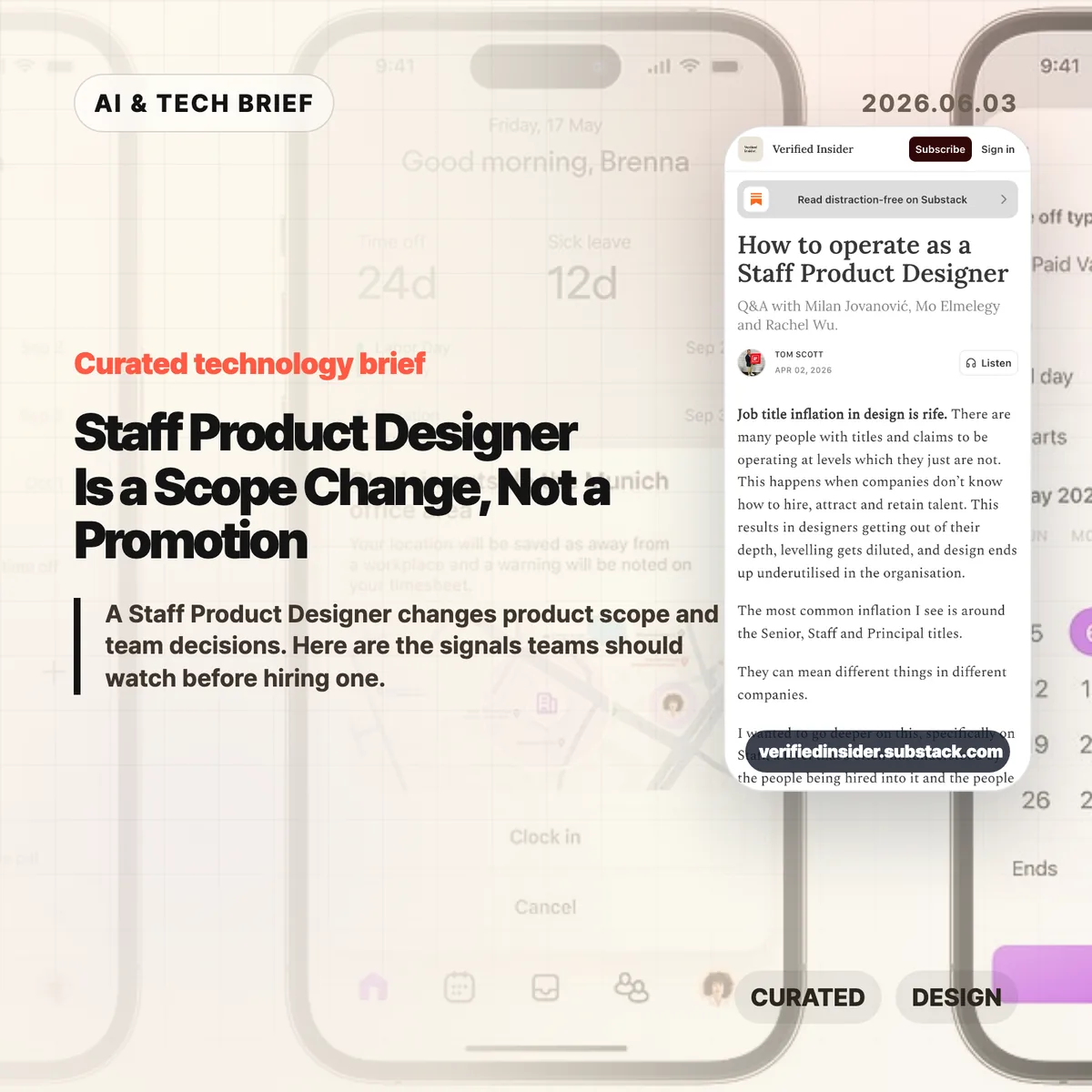
    A Staff Product Designer is a product design leader whose scope reaches beyond one feature team. In Verified Insider’s June 2026 Q&A, the role is defined by cross-team judgment: deciding whether a feature, product area, or team direction makes sense before the organization spends weeks making it polished.

    The short version

    • A Staff Product Designer is measured by cross-team product impact, not by years of experience or a louder title.
    • Verified Insider’s June 2026 Q&A names three contributors, Milan Jovanovic, Mo Elmelegy, and Rachel Wu, to explain how staff-level design differs from senior IC work.
    • Senior designers usually raise the quality of a feature, flow, or product area; staff-level designers connect problems across teams and shape product direction.
    • AI prototyping tools make execution faster, so staff-level designers become more valuable when they filter which ideas deserve time.
    • The strongest career signal is trust: other teams invite the designer into unclear decisions before the title arrives.

    What happened

    Verified Insider published a Q&A on how to operate as a Staff Product Designer, featuring Milan Jovanovic, Mo Elmelegy, and Rachel Wu. The piece starts from a familiar problem in design hiring: seniority labels have stretched so far that Senior, Staff, and Principal can mean different things from one company to the next.

    The cleanest distinction in the article is scope. A Senior Product Designer is usually accountable for strong work inside a feature, flow, or product area. A Staff Product Designer works across those boundaries. That can mean aligning teams, making trade-offs clearer, mapping repeated product problems, or helping leaders understand why one direction deserves attention over another.

    That distinction matters for startups and product teams because titles often arrive late. The article argues that designers who become staff-level contributors often start doing the work before the promotion. They open up their process, explain the choices they rejected, build trust outside their immediate team, and become the person others call when the problem is still fuzzy.

    Why Staff Product Designer is worth watching

    The Staff Product Designer role is worth watching because AI is lowering the cost of making product artifacts while raising the cost of poor judgment. A team can now generate mockups, prototypes, and code-like experiments faster than it could a few years ago. Speed does not answer whether the work maps to a customer problem, business goal, or product strategy.

    That is where staff-level design becomes more visible. The job is less about producing more screens and more about improving the quality of decisions around those screens. Milan Jovanovic describes designing conversations and meetings alongside layouts and buttons. That line is useful because it removes some of the mystique from the role. Staff design work often looks like structure: clearer framing, better options, fewer duplicate efforts, and a shared language between design, product, engineering, and leadership.

    For more coverage of how AI and product teams are changing together, see the IT & AI archive.

    What does a Staff Product Designer change for builders?

    A Staff Product Designer changes the selection process for product work. For builders, the best signal is whether the designer can spot when three teams are solving the same onboarding problem in incompatible ways, then turn that mess into a shared product pattern.

    This matters more in AI-heavy workflows because the prototype is no longer the hard part by default. Cursor, Figma AI features, and other tools can help teams explore more directions. The bottleneck moves to judgment: which direction fits the company’s current goal, what trade-off is acceptable, which user problem is real, and which idea is only exciting because it is easy to build.

    A good staff-level designer helps the team pause without slowing it down. They translate ambiguity into choices that PMs, engineers, growth teams, and executives can debate without getting lost in design language.

    How can designers grow into the role?

    Designers grow into a Staff Product Designer role by expanding the surface area of their decisions before they ask for the title. The practical move is to stop presenting only the finished screen. Show why one direction won, which options were rejected, what risk remains, and what evidence would change the decision.

    The second move is to leave the comfort of the immediate product squad. Talk to support, sales, growth, engineering leads, and other product teams. Many staff-level problems appear as repeated friction across the organization: inconsistent onboarding, separate teams rebuilding the same pattern, mobile and desktop experiences making different promises, or leadership debates that never become clear product principles.

    The third move is to build credibility without positional authority. Staff designers often influence people they do not manage. That requires sharper writing, calmer facilitation, and a habit of turning ambiguous arguments into visible trade-offs.

    What the discussion is missing

    There does not appear to be a public Hacker News discussion for this article, so the useful missing debate is how companies should evaluate staff-level design without turning it into another vague title. The article gives a strong qualitative frame, but hiring managers still need observable signals.

    Three signals are worth testing in interviews and promotion reviews. First, can the designer explain a time they changed the definition of a problem, not only the quality of the final interface? Second, can they show influence across teams without relying on formal authority? Third, can they connect design decisions to activation, retention, revenue, risk, or another business metric without pretending design owns the whole outcome?

    The caution is that companies can misuse the title as a prestige badge. If the role has no mandate to work across teams, no access to strategic conversations, and no expectation to shape product direction, it is probably a senior IC role with a louder title.

    The practical read

    Treat Staff Product Designer as an operating mode before you treat it as a career ladder step. For a 2026 product team, the hiring brief should name the cross-team product problems that need design leadership, the leaders who must be influenced, and the decisions the person should improve in the first six months.

    If you are a designer aiming for the level, audit where your impact currently stops. Look for the meeting where your work loses context, the team that recreates a pattern you already solved, or the product decision that would improve if the trade-offs were visible earlier. That is usually where staff-level work begins.

    AI does not make this role obsolete. It makes the judgment layer easier to see. When teams can build more ideas, the designer who helps them choose better ideas becomes more valuable.

    Sources

  • AI product building needs taste more than raw speed

    AI product building needs taste more than raw speed

    AI product building can now turn rough ideas into prototypes, screens, and working flows faster than most teams could a few years ago. In a June 2026 Figma essay, chief product officer Yuhki Yamashita argues that once making gets easier, the real advantage moves to choosing the right thing to make and shaping it with enough care that users can tell the difference. The point is especially relevant for teams using Figma Make, AI coding tools, or prompt-based prototyping to compress the path from idea to demo.

    The short version

    • Figma says speed is becoming table stakes as AI lowers the cost of turning product ideas into prototypes.
    • The harder job for product teams is choosing a direction before they spend weeks refining the wrong one.
    • Product teams should compare several concrete directions in parallel, not fall in love with the first plausible output.
    • Craft still matters because AI defaults can make products feel polished but interchangeable.

    What happened

    Figma published a June 2026 essay by chief product officer Yuhki Yamashita on what changes when AI lets more people build products. The article, titled “What Matters When Anyone Can Build,” frames the shift around a concrete product pressure: if many teams can generate screens, prototypes, and flows quickly, shipping speed alone becomes a weaker signal of product quality.

    The essay argues that builders face two traps. Newer teams can go deep on the first idea because AI makes that idea feel alive almost immediately. More experienced teams can stay too abstract, comparing strategy maps and wireframes without seeing how the end user experience feels. Figma’s proposed middle ground is to go broad and deep at the same time: explore multiple directions and push each far enough to be experienced, not merely described.

    That framing fits Figma’s own product direction. The company has been leaning into AI-assisted prototyping through tools such as Figma Make, where teams can generate interactive versions of an idea and compare them side by side. The article is part product philosophy, part pitch for a workflow where humans and AI agents test options together before a team commits.

    Why AI product building is worth watching

    AI product building is worth watching because the bottleneck is moving from production to judgment. When a team can make five plausible prototypes instead of one static mockup, the question changes from “can we build this?” to “which version deserves the team’s attention?” That is a more useful question, but it is also easier to dodge when every generated result looks polished enough to keep.

    Figma’s useful warning is that AI tools can accelerate a team inside a bad starting point. Agents tend to be helpful and agreeable. They extend the initial prompt, fill in missing pieces, and make the current direction look more complete. That makes local improvement feel productive even when the team has not checked whether the starting idea is the right one.

    The better habit is parallel exploration. Product managers, designers, founders, and engineers can ask for distinct directions, make each one concrete, and then compare actual flows. Teams get a better conversation when they react to screens, states, copy, and friction instead of arguing over a vague concept board.

    What does AI product building change for teams?

    AI product building changes the product team’s job by making taste, prioritization, and review harder to outsource. A model can propose layout patterns, write interface copy, or generate a clickable flow, but it does not know which trade-off fits the customer, the market, or the company’s appetite for risk. Teams still have to decide what problem is worth solving and what level of finish the first release needs.

    For founders and small app teams, this is a practical point rather than a design slogan. AI can shorten the distance between idea and demo, which is useful for app discovery, MVP testing, and investor conversations. It can also make weak ideas look more credible than they are. A generated prototype should start a sharper review: which user problem is this solving, what did the team intentionally leave out, and where does the experience still feel generic?

    For larger product teams, the collaboration pattern may matter as much as the tooling. Figma describes teammates and agents reacting together to multiple options. That pushes AI work out of a private prompt box and into a shared review process, where a team can challenge the defaults before they harden into the product.

    What the discussion is missing

    There was no reliable Hacker News thread for this specific Figma essay at the time of writing. The missing debate is still easy to name: Figma’s argument is strong on product craft, but it leaves open how teams should measure whether AI-assisted exploration actually improves decisions.

    The hard questions are operational. How many directions should a team generate before comparison becomes theater? Who decides when a prototype is realistic enough to test? How does a team avoid rewarding the most visually convincing option when the best product choice may be less flashy? Those questions matter because AI tools can produce a lot of plausible work, and plausible work can crowd out slow, uncomfortable customer evidence.

    A good discussion would also separate craft from polish. Figma is right that products can become interchangeable when teams accept model defaults. But a high-gloss interface is not the same as a cared-for product. The real test is whether the team can explain the choices behind the flow, the words, the empty states, the constraints, and the things it decided not to build.

    The practical read

    Teams using AI prototyping tools should treat the first output as evidence, not as a draft to protect. A practical review process starts with competing directions, pushes each one into a testable flow, and then compares the options against a real user problem. The generated UI matters only after the team can explain why this direction deserves to exist.

    The best use of this Figma essay is as a checklist for product reviews. Before a team ships, it should be able to answer three questions: did we explore more than one direction, did we choose this direction for a reason we can defend, and did we refine the parts users will actually feel? If the answer is no, the team may have used AI to move faster without getting closer to a better product.

    Readers tracking AI tools, design systems, and product workflows can find more related coverage in the IT & AI archive. The short version: faster building raises the bar for choosing well. Teams that treat AI product building as a review discipline, rather than a shortcut, will have a better chance of making products that feel intentional rather than merely generated.

    Sources

  • Product strategy questions: stop debating wide vs deep

    Product strategy questions: stop debating wide vs deep

    Product strategy questions can sound smart and still waste a room. Shreyas Doshi’s X article argues that “should we go wide or deep?” is often the wrong opening move, especially for an AI startup suddenly facing larger incumbents. The better question is smaller and harder: which customer, which pain, which feature, and which reason to buy?

    The short version

    • Doshi describes an AI startup founder whose team started debating whether to widen the product or deepen the current workflow after two large incumbents entered the space.
    • His advice is to reject the binary because it pulls teams into abstract language before they have named the customer bet.
    • The useful product strategy questions sit one level lower: what feature will resonate, who will buy because of it, and why will they stay?
    • For founders and PMs, the article is a reminder that frameworks do not rescue weak customer understanding.

    What happened

    Doshi published an X article titled “Get to the Core of the Thing” after advising a founder running an AI startup. The founder’s team was anxious because two established companies had moved into the same market. Their proposed frame was familiar: should the product expand its surface area, or should the team sharpen what it already had?

    Doshi’s answer was blunt. Drop the frame. In his view, a wide-versus-deep debate lets smart people sound strategic while avoiding the work that actually matters: naming the specific bet on a specific feature for a specific customer.

    That distinction matters because many product meetings drift upward. Teams start with a real market threat, then jump into platform versus point solution, CAC versus LTV, horizontal versus vertical, or whatever analogy sounds good that week. Those phrases can be useful later. They are dangerous when they arrive before the team has done the customer work.

    Why this is worth watching

    The article lands because AI product teams are living through exactly this kind of pressure. When a bigger company enters a category, a smaller team can feel pushed to look broader, more platform-like, or more defensible on a slide. That instinct is understandable. It can also blur the only question a customer cares about: does this product solve my problem better than the thing I already use?

    The piece is also useful for non-AI teams. “Wide or deep” is only one version of the trap. Founders can swap in “enterprise or SMB,” “workflow or infrastructure,” “self-serve or sales-led,” and still avoid the harder work. The language changes. The escape hatch is the same.

    A better meeting starts with product strategy questions that make the team prove what it knows. Which buyer felt the pain last week? What did they try before? Which feature would change the buying conversation? What can the team ship quickly enough to learn from real use?

    For more technology and AI briefs, the IT & AI archive tracks similar product and builder signals without turning every link into a trend forecast.

    What the discussion is missing

    There does not appear to be a Hacker News thread tied to this article. That is probably fine. Doshi’s post is less a news event than a product operating note, and the missing debate is the practical one inside teams: when is a framework helpful, and when is it camouflage?

    The useful objection is that teams still need high-level strategy. A startup cannot interview its way out of every positioning decision. The point is not to ban strategy language. It is to use it after the team can state the customer bet in plain language.

    The other open question is speed. Doshi says the team needs real differentiation and needs to build it quickly. That is the part many teams will agree with and still struggle to do. The test is whether the next roadmap meeting produces a feature bet someone can validate, or another hour of vocabulary.

    The practical read

    If your team is stuck in a wide-versus-deep debate, pause the labels and rewrite the agenda around product strategy questions.

    Ask who the customer is in a way that points to a real person or account, not a segment name. Ask what that customer is doing today instead of using your product. Ask which feature would change the purchase or retention decision. Ask whether your team can build enough of that feature to learn before the market moves again.

    If you cannot answer those questions, choosing “wide” or “deep” will not fix the product. It will only make the uncertainty sound organized. If you can answer them, the shape of the product usually becomes less mysterious. You go wider where the customer bet requires reach, and deeper where the buying reason requires depth.

    Product strategy questions to ask first

    Use these product strategy questions before the roadmap turns into a framing contest:

    • Which customer call, support ticket, renewal risk, or lost deal are we using as evidence?
    • Which feature would make that customer buy, stay, expand, or switch?
    • What do we believe competitors cannot copy quickly enough to erase the advantage?
    • What can we ship in the next cycle that will make the answer clearer?

    That is less glamorous than a strategy offsite. It is also harder to fake.

    Sources

  • Push notification summaries are changing who controls alerts

    Push notification summaries are changing who controls alerts

    Push notification summaries now sit between the app that sends an alert and the person who sees it. Apple and Google still run the delivery pipes through APNs and FCM, but the more interesting shift happens on the device, where Focus modes, notification channels, ranking systems, and AI summaries decide what appears on the lock screen.

    The short version

    • Apple and Google have always mediated mobile push through APNs and FCM, so the channel was never fully owned by app teams.
    • The newer layer is editorial: iOS and Android can group, delay, rank, or summarize notifications after delivery.
    • Push notification summaries make vague marketing copy riskier because the operating system may compress it into something less accurate or less persuasive.
    • Hacker News readers mostly sided with users, arguing that promotional pushes created the conditions for platform-level filtering.
    • App teams should measure downstream behavior, keep transactional alerts clean, and build owned surfaces such as in-app inboxes for anything important.

    What happened

    Jacques Corby-Tuech argues that push notifications are following the same path as email: a channel that once looked like transport is becoming an actively managed surface. On iOS, every third-party alert passes through Apple’s push service. On Android, it passes through Google’s Firebase Cloud Messaging or its predecessors. That architecture has existed for years, but the visible editing layer has become much stronger.

    The article traces the shift from battery-saving infrastructure to user and platform control. Android 8 introduced notification channels in 2017. iOS 15 added Focus modes, Scheduled Summary, and interruption levels. Android 13 made notification permission an explicit runtime grant. Apple Intelligence and Google’s Gemini Nano add another layer by summarizing, ranking, and organizing text on the device.

    The point is not that every alert gets rewritten. The point is that app teams can no longer assume that “delivered” means “shown as written.” For more coverage of mobile and AI platform shifts, see the IT & AI archive.

    Why this is worth watching

    Push notification summaries matter because the last mile is no longer just a UI template. The operating system can decide whether an alert belongs in a quiet batch, whether it looks time-sensitive, whether it should be grouped with other messages, or whether an AI-generated line is a better lock-screen representation than the sender’s original copy.

    How push notification summaries change control

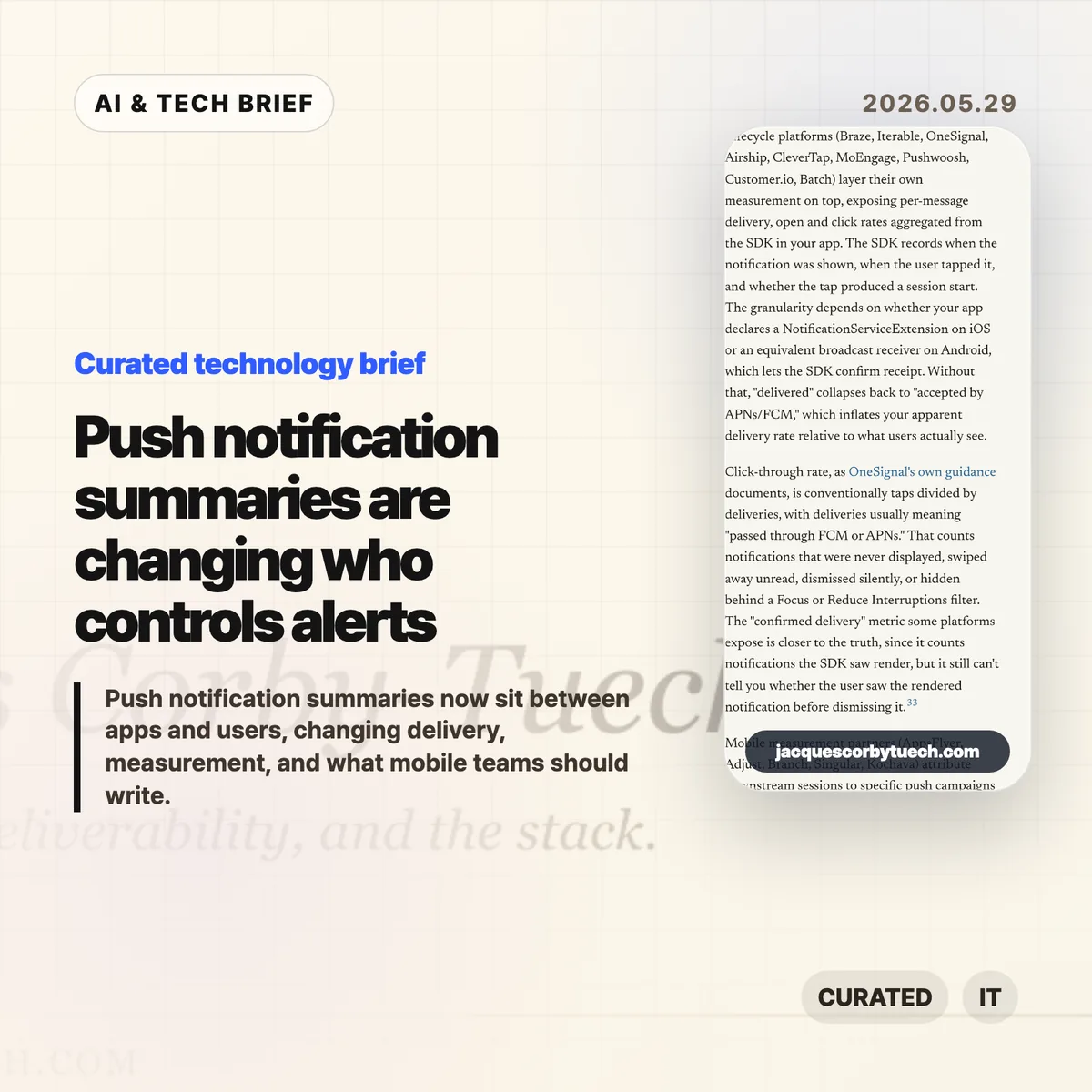
    That creates an awkward measurement problem. APNs or FCM delivery tells a team that the platform accepted the message. It does not tell them whether the user saw it, whether a Focus mode hid it, whether Android organized it into a lower-priority bucket, or whether an AI summary changed its meaning. The old email lesson applies here: proxy metrics can survive long after they stop measuring what teams think they measure.

    It also changes copywriting. “Big update today” is easy to compress badly. “Your 6 p.m. delivery moved to 6:30” gives the system less room to blur the point. Amounts, names, times, status changes, and direct next actions are more likely to survive summarization than brand tone or urgency language.

    What Hacker News readers are arguing about

    The Hacker News thread was lively, with more than 300 comments, and the strongest reaction was not sympathy for marketers. Many readers framed push as a user-owned surface, not a sender-owned channel. Their practical stance was simple: transactional alerts are useful, promotional alerts are usually spam, and app teams have abused that trust often enough that platform filtering feels deserved.

    A second camp accepted the author’s broader platform-power concern but wanted the blame spread around. Several commenters argued that Apple and Google have too much arbitrary control over users and developers, yet also said that users need stronger defaults because most people will not tune every app’s notification settings. In that view, platform mediation is a messy defense mechanism rather than a clean win.

    The most useful operator thread came from people who have worked at scale. One commenter described monitoring push delay, suppression, and coalescing at WhatsApp years before today’s AI summaries. That is a good reminder: push was never a guaranteed real-time pipe. The newer concern is that the intervention is becoming more semantic. It is not only “when does this arrive?” but “what does the user actually read?”

    The practical read

    If you run a mobile product, separate alerts by user intent before the platform does it for you. Transactional messages, account security, delivery changes, chat, rides, timers, and live events should live in clean channels with plain copy. Promotional pushes should be opt-in, easy to turn off, and measured by clicks or downstream actions rather than delivery counts.

    Treat push notification summaries as a constraint on product writing. Put the non-negotiable fact first. Avoid clever subject lines that only make sense with the full body. Do not rely on repeated reminders to create urgency. If a message matters after the lock screen disappears, put it somewhere durable inside the app.

    The app-store angle is easy to miss. Notification behavior now affects retention, reviews, permission prompts, and whether users trust the app enough to keep alerts enabled. For app builders, that makes push design part of the product’s discovery and retention surface, not a growth hack bolted on after launch.

    Sources