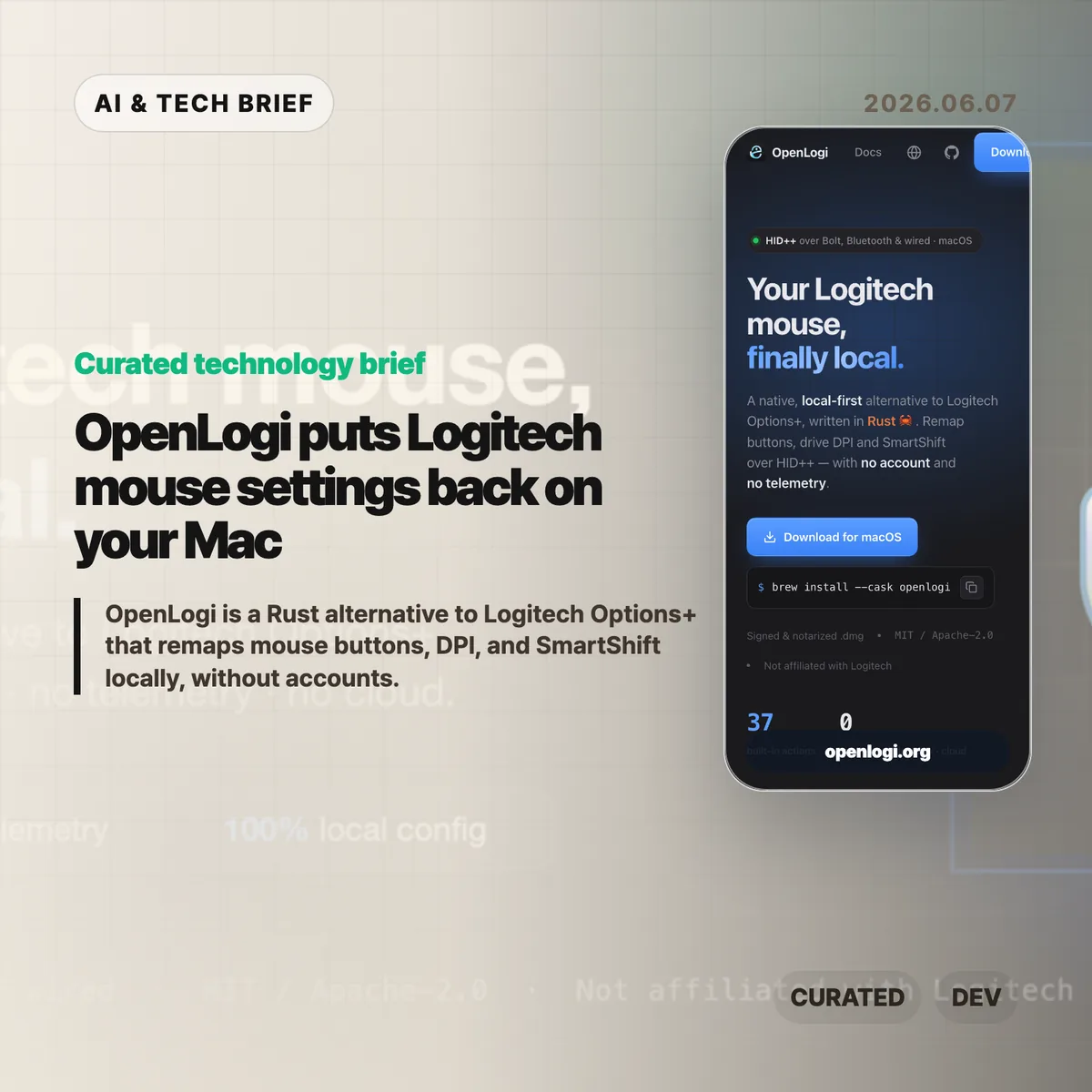
OpenLogi is a Rust desktop app for changing Logitech mouse settings without installing Logitech Options+, creating an account, or sending telemetry. It controls button remapping, DPI, SmartShift, and per-app profiles locally over HID++, which makes it interesting for developers who want peripheral software to behave like a tool rather than a cloud service.
Table of Contents
The short version
- OpenLogi is a local-first alternative to Logitech Options+ for supported Logitech mice, with a native GUI and a companion CLI.
- The project says it stores bindings in plain TOML and limits network use to device-image fetching plus an opt-in update check.
- The macOS build is the usable path today; Linux and Windows event hooks are still listed as unsupported.
- The current roadmap includes 37 built-in actions on the website, while the GitHub README lists a 39-action catalog and notes that some media-key actions still need follow-up work.
- The project is under active development, so it is better treated as a promising utility than a drop-in replacement for every Logitech setup.
What happened
OpenLogi gives Logitech mouse owners a native way to edit common device settings without running Logitech’s official Options+ app. The project site describes a macOS app that can remap physical buttons, set DPI presets, adjust SmartShift wheel behavior, and switch profiles based on the foreground app. It connects through a Logi Bolt receiver, Bluetooth-direct pairing, or a wired connection, then writes settings locally instead of routing the workflow through an account-backed service.
The app also ships with a CLI. That matters because mouse configuration is usually trapped inside vendor UI, even when the job is simple: list devices, inspect state, sync assets, or run diagnostics. For developers and IT operators, a CLI turns a personal preference app into something that can fit scripts, dotfiles, and repeatable workstation setup.
Why OpenLogi is worth watching
OpenLogi is worth watching because it applies local-first software principles to a category that usually gets ignored: peripheral configuration. The project says button bindings live in a plain config.toml file, remapping happens through the OS event tap, and DPI or SmartShift changes are written directly to the device over HID++. The only network calls described by the README are device-image fetches and an update check that users must opt into.
That design has a practical payoff. Many teams now treat vendor utilities as background services that must be audited, blocked, or justified on managed laptops. A local TOML file is easier to inspect than a vendor account sync path. A native utility with no telemetry is also easier to reason about when a mouse is attached to a work machine, a lab computer, or a locked-down development environment. For more stories in this lane, the IT & AI archive tracks developer tools and open source infrastructure that change everyday workflows.
What does OpenLogi change for builders?
OpenLogi gives builders a concrete example of how small desktop utilities can compete on control rather than ecosystem lock-in. The project is written in Rust, uses HID++ for device communication, and exposes both a GUI and CLI surface. That combination is useful because it does not force every user into the same interface: casual users get a mouse diagram and action picker, while technical users can keep configuration closer to the rest of their machine setup.
The product lesson is also straightforward. Hardware vendors often add cloud accounts to make syncing, support, and analytics easier for the company. Open source alternatives can win trust by doing less: store files locally, document the protocol path, expose the configuration format, and make network behavior explicit. OpenLogi still has to prove device coverage and long-term maintenance, but the direction is clear enough for other desktop tool makers to study.
Where OpenLogi is still limited
OpenLogi is not ready to replace Logitech Options+ for everyone. The README labels the project as under active development and says features and configuration may still change. macOS is the supported platform today. Linux and Windows event hooks are marked as unsupported, Unifying receivers are not yet supported, and some button capture paths are still partial. The roadmap also notes that a few actions, including some media-key events, currently log intent rather than posting the final event.
Those limits are not surprising for an early hardware utility. Logitech’s official app still has the advantage on broad device compatibility, firmware workflows, and customer support. OpenLogi’s strongest fit today is narrower: users on macOS with supported devices who dislike Options+, developers who prefer transparent configuration, and maintainers who want to see how far a community-built HID++ tool can go.
What Hacker News readers are arguing about
The Hacker News submission exists, but it had no substantive comment thread at the time of this brief. The public signal was thin: the submission pointed to the OpenLogi site, showed only a few points, and had no reader comments available through the HN item API.
That absence is still mildly useful context. OpenLogi is the kind of project that often draws strong reactions from developers who have dealt with vendor control panels, login prompts, and background services. For now, though, there is no public Hacker News debate to summarize responsibly. The questions worth watching are practical ones: whether the app handles enough Logitech devices, whether Linux and Windows support arrives, and whether the local-first model stays intact as features grow.
The practical read
OpenLogi is worth trying if a supported Logitech mouse is part of a macOS workflow and the official Options+ app feels too heavy for the job. Quit Options+ first, because the README warns that both apps can fight over HID++ access to the same receiver. Start with low-risk changes such as DPI presets or side-button mappings, then keep the generated TOML file under personal backup if the setup becomes part of daily work.
Teams should be more cautious. OpenLogi is promising, but it is still a young open source project with platform gaps and incomplete receiver support. Treat it as a useful local-first experiment before treating it as managed-device standard software. The real win is the model: a peripheral settings app can be native, inspectable, scriptable, and private by default.